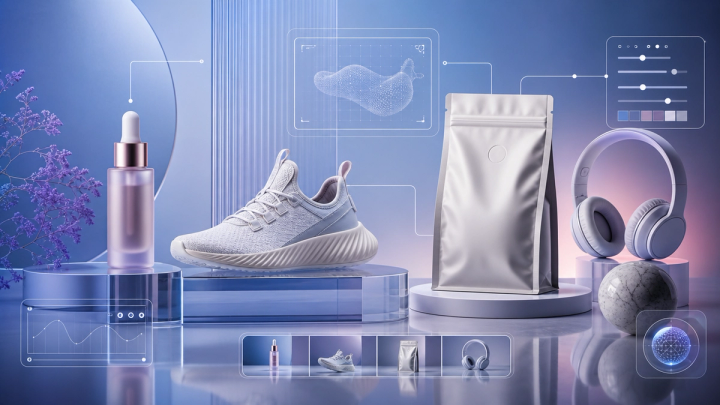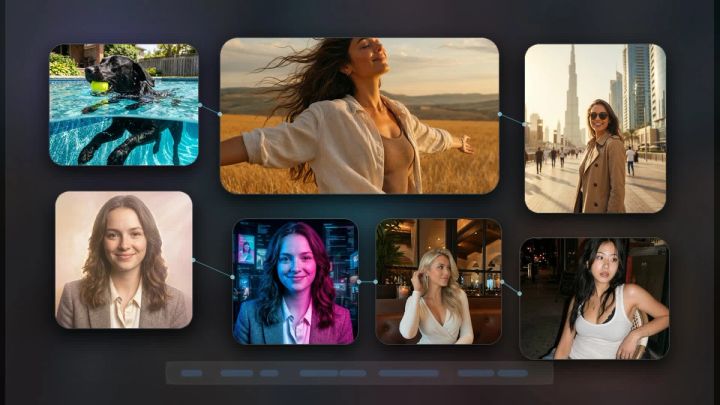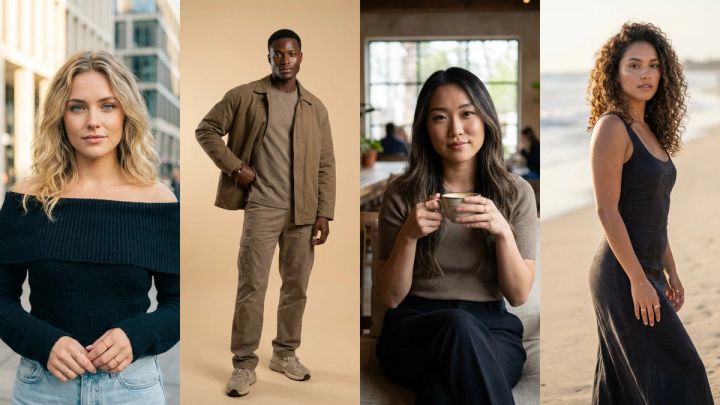
AI photo editors and AI image generators are often talked about as if they are the same thing. They are not. Both can create impressive visuals, both use generative AI, and both can help you make better content faster. But they solve different creative problems.
An AI image generator creates a new image from a prompt, reference, or idea. An AI photo editor changes an existing image: it can remove objects, change backgrounds, relight a photo, swap an outfit, extend a frame, or fix a specific part of a picture.
That difference matters because choosing the wrong workflow wastes time. If you need a brand-new concept, start with generation. If you already have a photo and need to improve it, start with editing. On imageat, both workflows sit in the same creative workspace, so you can generate an image, edit it, and turn the final result into video without switching tools.
This guide explains the difference between AI photo editors and AI image generators, when to use each one, how they work together, and how to choose the right workflow for product images, portraits, social posts, ads, and AI video projects.
Quick Answer: AI Photo Editor vs AI Image Generator
The simplest way to understand the difference is this:
- AI image generator: creates a new image from a prompt or reference.
- AI photo editor: modifies an existing image.
Use an AI image generator when you want to create something that does not exist yet. Use an AI photo editor when you already have a photo, product shot, portrait, or design and want to improve or transform it.
Here is a practical comparison:
- AI Image Generator — Best for: brand-new concepts, campaign visuals, product scenes, characters, thumbnails, social media graphics, and moodboards.
- AI Photo Editor — Best for: fixing, changing, cleaning, expanding, relighting, or restyling an existing image.
- Main input for image generation: a text prompt, optional reference image, model settings, style direction.
- Main input for photo editing: an existing image plus an instruction or selected edit region.
- Best starting point: blank idea or creative brief for generators; real photo or existing asset for editors.
- Best output: new visual concept for generators; improved or altered version of an existing asset for editors.
A good creative workflow often uses both. You might generate a campaign image with imageat’s AI image generator, then refine it with imageat’s AI edit tools. Or you might upload a product photo, remove the background, change the lighting, then generate a new lifestyle scene around it.
What Is an AI Image Generator?
An AI image generator creates images from text prompts, reference images, or other creative inputs. Instead of starting with a photo you already have, you describe the image you want and the model generates a new visual.
A prompt might be simple:
A premium skincare bottle on a marble bathroom counter, soft morning light, editorial product photography.
Or it might be more detailed:
A cinematic fashion campaign image in a futuristic train station, reflective floor, dramatic rim light, editorial magazine style, ultra-realistic, vertical composition.
Image generators are useful when you need a starting point, not a correction. They help you move from idea to image quickly.
What AI image generators are best at
AI image generators are strongest for:
- Creating new campaign concepts
- Generating product scenes
- Making social media visuals
- Designing thumbnails and ads
- Creating character portraits
- Producing moodboards
- Testing art direction
- Brainstorming visual ideas before a shoot
- Creating first frames for image-to-video workflows
On imageat, models such as Nano Banana Pro and GPT Image 2 are especially useful for high-quality image generation. Nano Banana Pro is positioned for high-quality, production-ready outputs, while GPT Image 2 is useful for brand visuals, campaign-ready images, and prompts that need accurate text or design-like composition.
What Is an AI Photo Editor?
An AI photo editor starts from an existing image and changes it. Instead of asking the AI to invent the whole scene, you give it a photo and tell it what to fix, remove, replace, or enhance.
A photo editing prompt might look like this:
Remove the coffee cup from the table and fill the area naturally.
Or:
Change the lighting to soft golden-hour sunlight while keeping the subject’s face and outfit unchanged.
Or:
Replace the plain studio background with a modern warm living room, keeping the product exactly the same.
AI photo editors are useful because they preserve what already works. If the subject, product, or composition is good, editing lets you improve the image without recreating everything from scratch.
What AI photo editors are best at
AI photo editors are strongest for:
- Removing unwanted objects
- Replacing backgrounds
- Cleaning product photos
- Relighting portraits
- Expanding canvas for different aspect ratios
- Trying outfits on a person
- Changing angles or perspective
- Fixing small composition problems
- Improving real photos for ads or ecommerce
- Preparing images for AI video generation
Imageat’s AI Edit Tools cover several of these workflows, including relighting, angle changes, inpainting, video editing, and virtual try-on. For example, AI Inpaint is useful when you want to paint over an area and describe what should appear instead, while AI Stylist is useful for clothing and virtual try-on edits.
The Core Difference: Creation vs Transformation
The biggest difference is not the model name or the interface. It is the creative intent.
An AI image generator answers this question:
What should this image be?
An AI photo editor answers this question:
How should this existing image change?
That sounds small, but it changes the entire workflow.
When you use a generator, you are exploring. You might create ten versions and choose the strongest direction. When you use an editor, you are refining. You are protecting the parts of the image that already work and changing only what needs improvement.
If you are starting from nothing, use generation. If you are starting from a real asset, use editing.
When to Use an AI Image Generator
Use an AI image generator when the image does not exist yet or when you need many ideas quickly.
1. You need a new campaign concept
If you are planning an ad, launch, or social campaign and do not have visuals yet, generation is the fastest starting point. You can test different styles, locations, lighting setups, product placements, and creative directions before committing to one.
For example, a skincare brand might generate:
- A clean bathroom product shot
- A luxury spa scene
- A close-up macro texture image
- A lifestyle portrait with the product
- A seasonal campaign visual
Once the strongest direction is chosen, the image can be edited for details.
2. You need a first frame for AI video
Image generation is often the best first step for AI video. A strong still image gives video models a clear visual anchor. This is especially useful before using image-to-video workflows in imageat’s AI Video Generator.
If the first frame looks good, the video model has a better chance of preserving identity, composition, product shape, and style.
3. You need many variations
Generators are great for iteration. If you are not sure what style works, generate multiple directions first. Then use editing only after you know which version is worth refining.
4. You need something impossible or expensive to shoot
AI image generation is ideal for visuals that would be costly, slow, or impossible to capture in real life: futuristic cities, fantasy worlds, surreal fashion editorials, elaborate sets, or impossible lighting setups.
When to Use an AI Photo Editor
Use an AI photo editor when you already have a useful image and want to improve it.
1. You need to fix a real photo
Maybe the image is almost right, but there is a distracting object in the background. Maybe the lighting is flat. Maybe the subject looks good but the scene needs polish. This is where editing beats regeneration.
Regenerating the whole image could change the subject, face, product, or composition. Editing lets you keep the important parts and fix only the problem.
2. You need product accuracy
For ecommerce and product marketing, accuracy matters. If the product shape, label, or color must stay consistent, editing is often safer than generating a new image from scratch.
A common workflow is:
- Upload the real product photo.
- Remove the background with imageat’s background remover.
- Place the product into a cleaner scene.
- Relight or polish the final image.
This works especially well with the product photo workflow explained in the AI Product Photo Generator guide.
3. You need to change a specific part
If only one part of the image needs to change, use editing. Examples:
- Remove a logo from a mockup you own
- Replace a plain wall with a studio backdrop
- Change a shirt color
- Add or remove an object
- Extend the image for a wider banner
- Fix a messy table or background
This is where inpainting and editing tools are more efficient than image generation.
4. You need consistent identity
If you already have a face, character, model, or AI influencer you want to preserve, editing helps keep identity more stable. Generation can produce beautiful results, but it may drift from the original subject. Editing gives the model a stronger visual reference.
Examples: Which Workflow Should You Choose?
Product photo for ecommerce
Use an AI photo editor if you already have the product photo. Start with background removal, cleanup, lighting, and scene replacement.
Use an AI image generator if you do not have a product scene yet and want to create lifestyle concepts or campaign ideas.
Best workflow: edit the real product first, then generate supporting campaign scenes.
Instagram campaign visual
Use an AI image generator if you need a brand-new creative concept. Use an AI photo editor if you already have a good photo but need to adjust the background, crop, lighting, or styling.
Best workflow: generate several directions, pick one, then edit the final version.
Portrait or headshot
Use an AI image generator when you want a new stylized portrait. Use an AI photo editor when you have a real portrait and want to relight it, change the background, or improve composition.
Best workflow: edit for realism, generate for creative concepts.
Outfit try-on
Use an AI photo editor. Virtual try-on is an editing workflow because the subject already exists and the clothing changes. Imageat’s AI Stylist is built for this kind of transformation.
AI video first frame
Use an AI image generator to create the initial frame if you do not already have one. Then use a photo editor to clean it up before turning it into video.
Best workflow: generate → edit → animate.
How Image Generation and Photo Editing Work Together
The strongest workflow is not “generator or editor.” It is usually “generator and editor.”
A complete creative workflow might look like this:
- Generate a visual concept with imageat’s AI image generator.
- Choose the best output.
- Use AI editing to remove distractions or fix details.
- Use background remover or inpainting if needed.
- Export the final image for social, ads, ecommerce, or video.
- Animate it with an image-to-video model if the campaign needs motion.
This is the same reason multi-model creative platforms are useful. You do not have to decide at the start whether the whole job is “generation” or “editing.” You can move between workflows as the asset improves.
AI Photo Editor vs AI Image Generator for Marketers
For marketers, the difference comes down to control and speed.
Use image generation when you need:
- New ad concepts
- Campaign moodboards
- Social media variations
- Seasonal creative directions
- Hero visuals
- Thumbnail ideas
Use photo editing when you need:
- Faster asset cleanup
- Product consistency
- Background removal
- Resize and crop fixes
- Outfit or styling changes
- Better lighting
- On-brand final polish
A generator helps you discover the idea. An editor helps you make the asset usable.
AI Photo Editor vs AI Image Generator for Creators
For creators, the distinction is more practical.
If you have a selfie, product photo, pet photo, room photo, outfit photo, or travel image, editing is usually the better first step. If you only have an idea, use generation.
Examples:
- Want a new profile photo style? Generate or edit depending on whether you already have a good portrait.
- Want to remove a messy background? Edit.
- Want a fantasy version of yourself in a cinematic world? Generate with a reference, then edit.
- Want to turn one photo into a video? Edit the photo first, then use image-to-video.
For video creators, a good still image is often the foundation. The Image to Video AI guide explains why the first frame matters so much.
Common Mistakes
Mistake 1: Regenerating when you should edit
If the image is already 80% right, do not start over. Edit the weak part. Regeneration can introduce new problems.
Mistake 2: Editing when you need a new concept
If the current image is completely wrong, editing may waste time. Start with generation and create a stronger base.
Mistake 3: Writing prompts that are too broad for editing
Editing prompts should be specific. Instead of saying “make it better,” say what should change:
Remove the chair in the background and fill the area with the same wall texture.
Mistake 4: Ignoring aspect ratio
If the final asset is for Reels, YouTube, a blog hero, or a product page, decide the aspect ratio before editing too much. Otherwise you may create a beautiful image that does not fit the placement.
Mistake 5: Forgetting product or face consistency
If identity matters, use reference images and editing tools carefully. Do not regenerate a product or face from scratch unless you are okay with visual changes.
Best Practical Workflow on Imageat
For most imageat users, the best workflow is:
- Start with the creative goal.
- If you need a new image, use AI Image Generator.
- If you need to change an existing image, use AI Edit Tools.
- Use specialized tools such as Background Remover, AI Inpaint, or AI Stylist when the job is specific.
- If the final image should move, send it into the AI Video Generator.
This keeps the workflow simple: create, refine, publish, animate.
FAQ
Is an AI photo editor the same as an AI image generator?
No. An AI image generator creates a new image from a prompt or reference. An AI photo editor changes an existing image. They can overlap, but the workflow is different.
Which is better for product photos?
If you already have a product photo, use an AI photo editor first. If you need a new lifestyle concept or campaign scene, use an AI image generator.
Which is better for social media content?
Use an AI image generator for new concepts and variations. Use an AI photo editor to polish the final asset, fix details, or resize it for each platform.
Can I use both together?
Yes. The best workflow often combines both: generate a strong image, edit it, then use it for ads, social content, ecommerce, or AI video.
What is the best AI image generator on imageat?
For high-quality image generation, Nano Banana Pro and GPT Image 2 are strong options on imageat. Nano Banana Pro is useful for high-quality production visuals, while GPT Image 2 is useful for brand and campaign-ready images.
What is the best AI photo editor workflow?
Start with the existing image, decide exactly what needs to change, then use the most specific edit tool available: background removal, inpainting, relighting, angle change, or virtual try-on.
Final Takeaway
AI image generators create new visuals. AI photo editors improve existing visuals. The difference is simple, but it affects every creative decision.
If you are starting with an idea, generate. If you are starting with a photo, edit. If you want the strongest result, use both: generate a strong base, edit the details, and then turn the final image into a campaign asset, product photo, social post, or AI video.
You can try both workflows on imageat: start with AI image generation, refine the result with AI editing tools, and build the final asset in one place.