AI Old Photo Restoration
Restore old photos online in seconds. Remove scratches, fix fading, and bring faded memories back to life with AI.
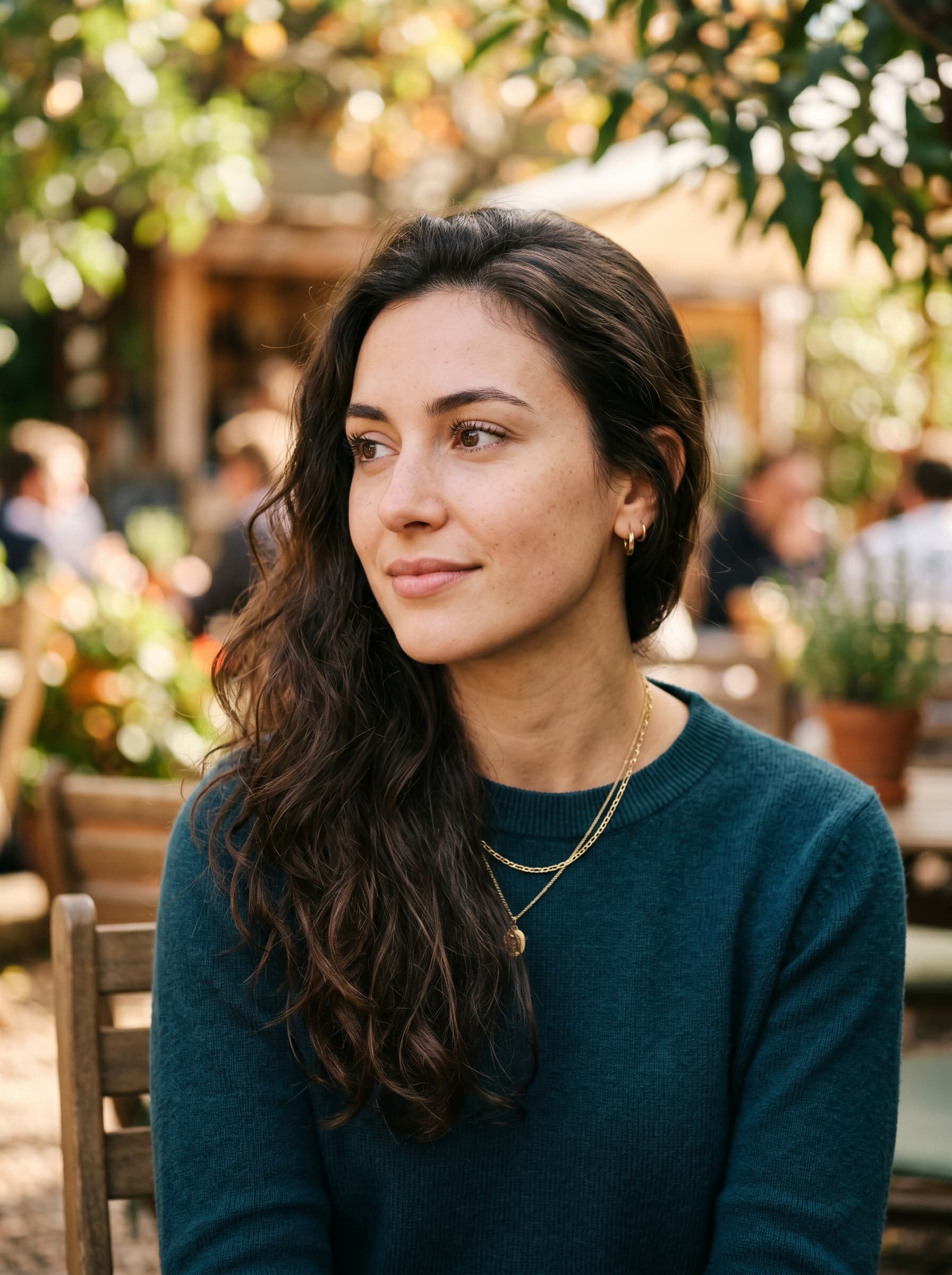
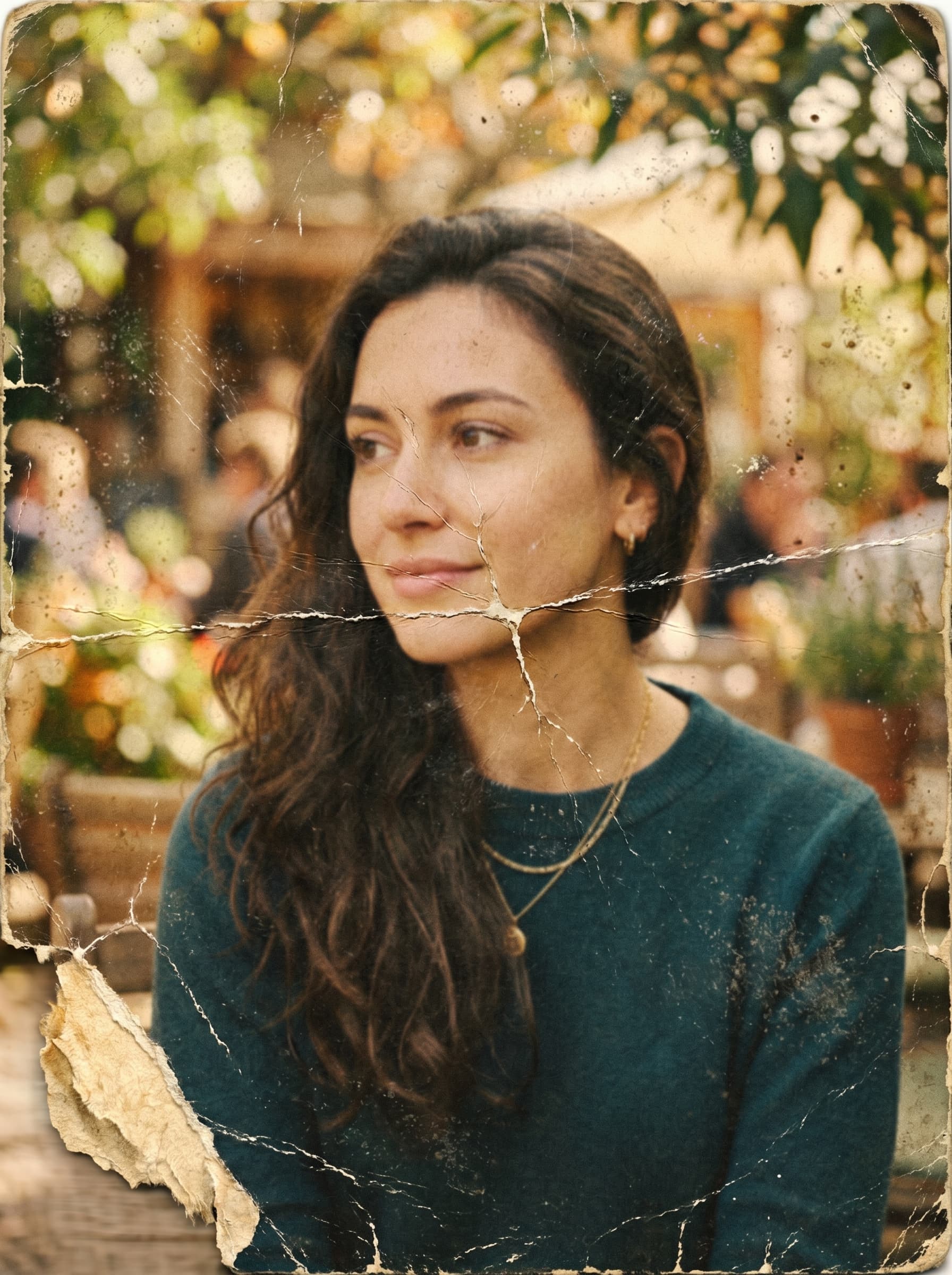
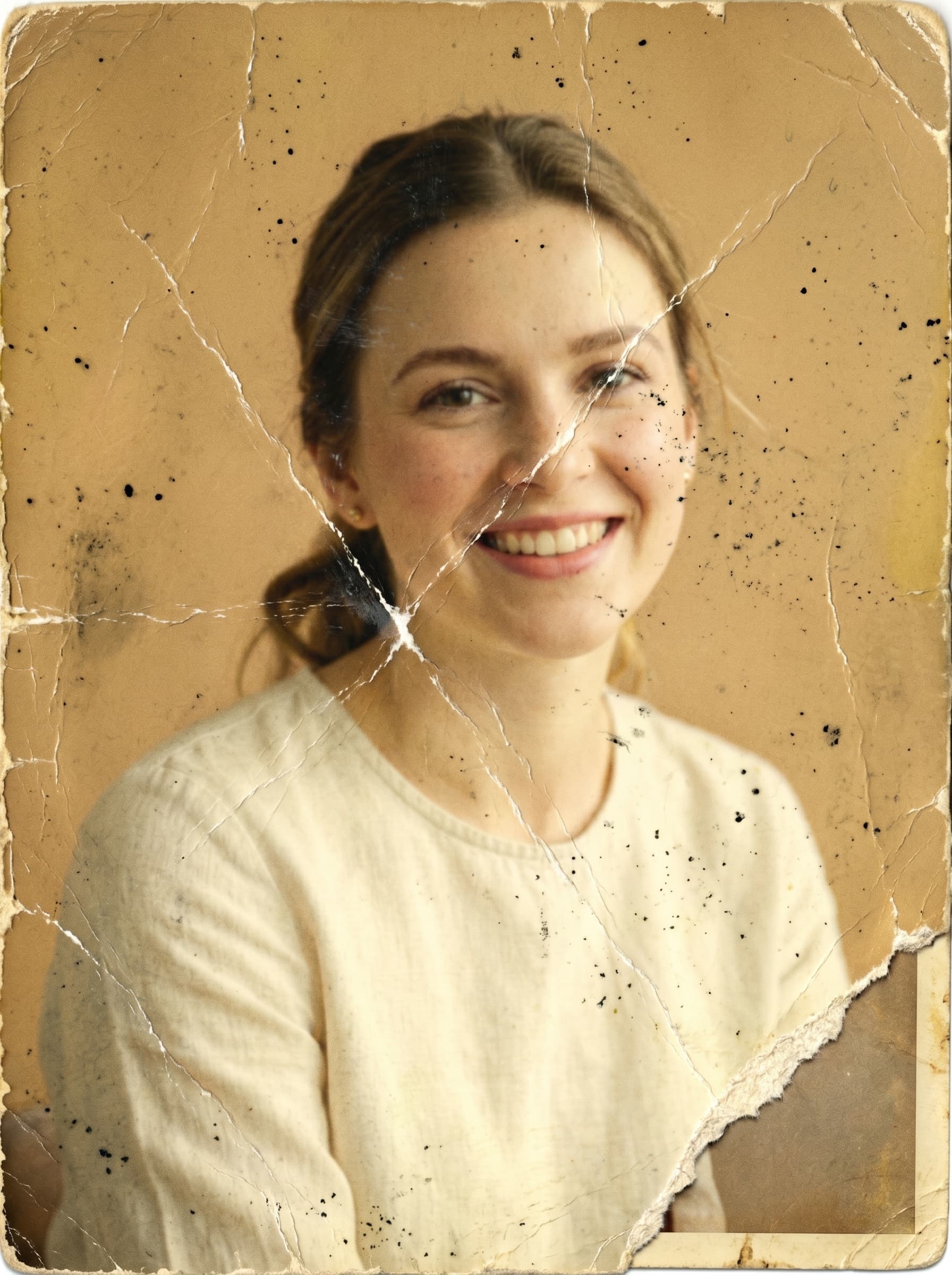 Before
 After
AfterRestore photos
Drop, paste or browse a photo
PNG, JPG, WEBP, HEIC up to 10MB
How to Restore Old Photos with AI
Upload a photo
Use the Browse files button to upload the old or damaged photo you want to restore (JPG, PNG, WebP, HEIC up to 10MB).
Restore automatically
AI removes scratches and tears, fixes fading, and recovers detail in seconds — and can colorize black-and-white photos if you want.
Download or customize
Compare the before and after, then download your restored photo in high resolution — no watermarks.
Repairs Real Damage
Removes scratches, tears, creases, dust, and stains while reconstructing missing areas naturally — preserving faces and the original era.
Restore & Colorize
Fix fading and discoloration, sharpen blur, and optionally colorize black-and-white photos with period-appropriate, photorealistic color.
Restore and enhance old images with AI
Want to relive your favorite memories? With our AI restoration tool you can effortlessly recover old images to bring your memories back to life. From blurry shots to color fading and scratches, AI photo repair automatically transforms your photos by increasing sharpness, saturation, and detail. Simply upload your photo and let AI work its magic to restore old pictures.
Renew old photos and clean up damage in seconds
Convert old photos to new ones in just a few seconds to cherish your favorite memories. Even without any design skills, AI automatically improves photo quality to make it as close to perfect as possible — removing unwanted spots, dust, and stains to clean up your pictures for a fresh new look.
Fix old images for enhanced quality
It takes time and technical skills to recover old pictures, but AI can save the day. Our advanced AI easily transforms blurred and pixelated images into high-resolution photos, restoring the tiniest details to older photos. For an instant quality upgrade, pair it with our image upscaler to bump up your pixel count for crisp, sharp results.
Revive black-and-white photos with color
Restoration goes beyond fixing scratches and blur. Turn on Colorize to add natural, period-appropriate color to vintage black-and-white and faded photos. Breathe new life into old prints with realistic skin tones and hues that make your memories feel vivid again.
See the Difference
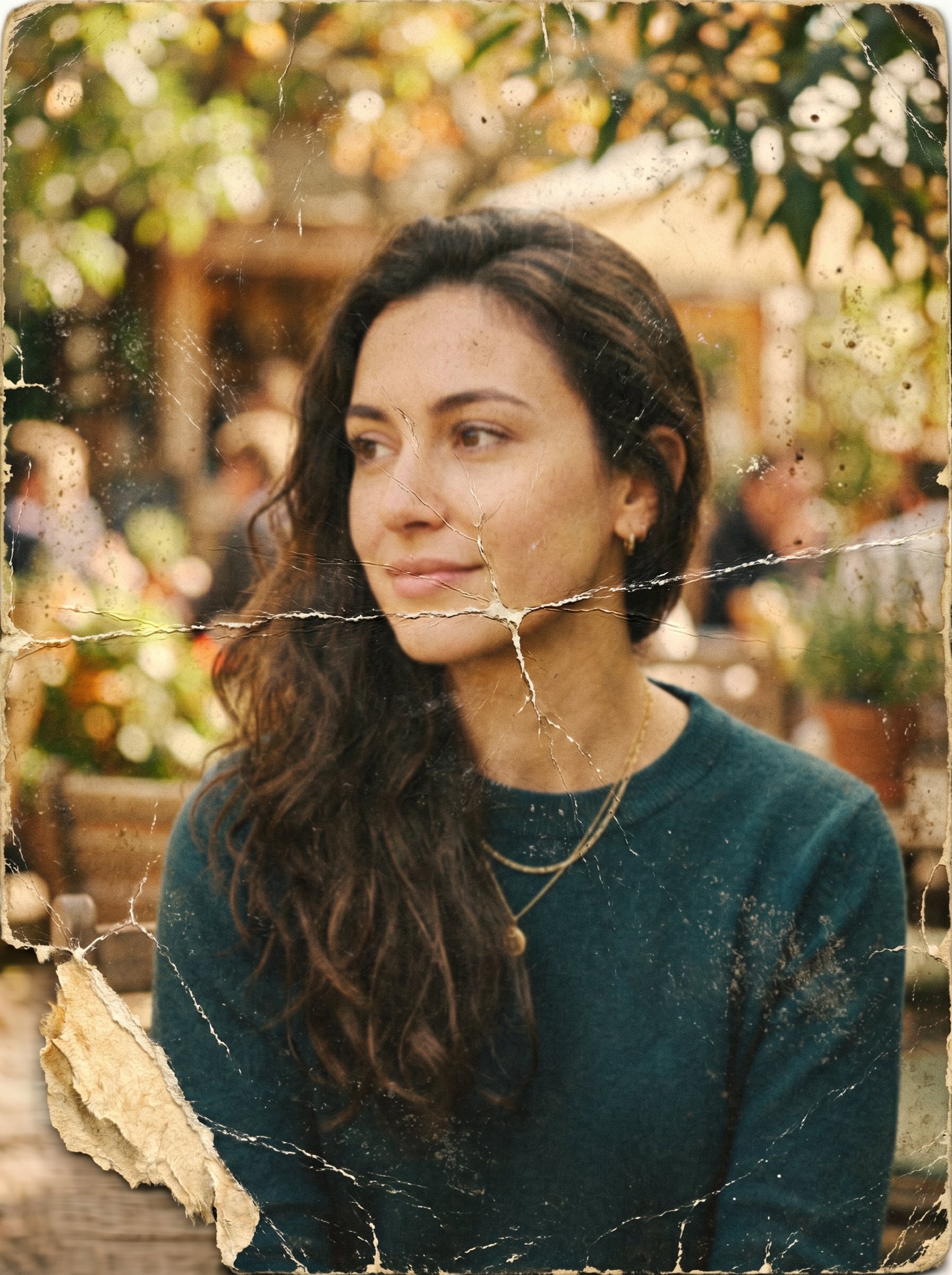
Compare damaged originals with their AI-restored results. Drag the slider to reveal the transformation.


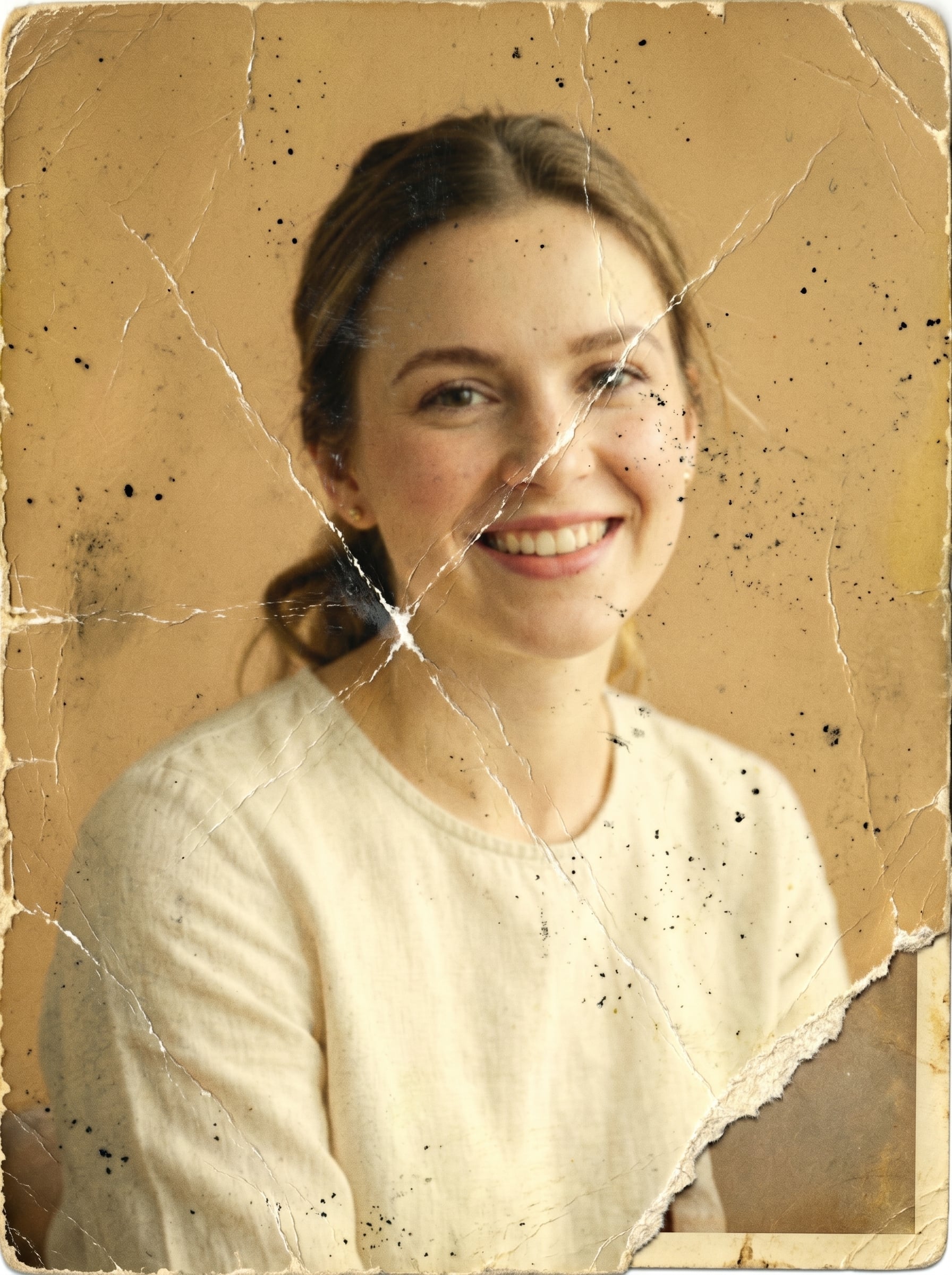
What kind of damage can AI repair?
Old prints fail in specific ways, and each one needs something different. Here is what the restorer handles, and where a scan still beats a phone snapshot.
Scratches, dust and spots
Surface damage from handling and storage is the easiest to fix. The model rebuilds the texture underneath the scratch instead of blurring it away, so skin, fabric and sky stay clean rather than smudged.
Torn and creased prints
A crease that runs across a face is reconstructed from the surrounding area. Photograph the print flat with even light first — a shadow lying in the crease reads as part of the image and gets restored along with it.
Faded and yellowed photos
Colour prints from the 70s and 80s drift orange as the dye layers decay. Restoration rebalances them back to neutral and recovers contrast that fading flattened out.
Water damage and staining
Blotches, tide lines and mould marks are treated as damage to remove, not as content to keep. Heavy staining over a face is the one case where you should expect an interpretation rather than a recovery.
Blur and low resolution
Soft focus and small scans get sharpened and reconstructed. If you also need a big file for print, restore first and then run the result through the image upscaler — that order keeps damage from being enlarged.
Black-and-white and sepia
Turn on Colorize for period-appropriate colour with realistic skin tones. Leave it off when the monochrome look is the point and you only want the damage gone.
Getting the best scan out of an old print
- • Scan at 600 DPI or higher — more source pixels means more real detail to recover.
- • If you are using a phone, shoot in flat window light and avoid direct flash, which blows out the emulsion and adds glare the model reads as damage.
- • Keep the print square to the camera; perspective skew gets baked into the restored file.
- • Capture the whole print including borders, then crop after restoring.
- • Restore before you upscale, and upscale before you crop.
Frequently Asked Questions
What is AI photo restoration?
AI photo restoration uses a generative model to repair old and damaged photos — removing scratches and tears, fixing fading, and recovering lost detail — while keeping faces and composition true to the original.
Can it colorize black-and-white photos?
Yes. Turn on the Colorize option and the AI adds natural, period-appropriate color to black-and-white or sepia photos while keeping them photorealistic.
What image formats are supported?
We support JPEG, PNG, WebP, and HEIC formats. Maximum file size is 10MB. For best results, scan or photograph your old print at the highest resolution you can.
How much does restoration cost?
Each restoration costs 6 credits and runs at 2K resolution. Sign up free and pay only for what you use — no subscription required.
Can it remove scratches from a photo online for free?
Yes — sign up is free and comes with starter credits, so the first restorations cost nothing. Scratch, dust and spot removal runs automatically as part of every restoration; there is no separate tool or manual masking step.
Can it repair a torn or water-damaged photo?
Tears, creases and water staining are reconstructed from the surrounding image. Where the damage covers a face entirely, the result is the AI's best interpretation rather than a true recovery — the detail was physically lost, so no tool can bring it back.
Will faces still look like the original people?
Identity is preserved as the priority. Heavily damaged or very small faces carry the most risk of drift, which is why a higher-resolution scan of the print matters more than any setting you can change here.
Should I restore or upscale first?
Restore first, then upscale. Upscaling a damaged scan enlarges the scratches and grain along with everything else; restoring first gives the upscaler clean input, and you can push the result to 4K, 8K or 16K for print.
Can I use restored photos commercially?
Yes, you retain full rights to your restored photos and can use them for personal or commercial purposes.