Cutouts in seconds
AI Background Remover
Drop in an image and get the subject back on a transparent background — ready for product listings, profile pictures, logos and design work. The download is a real PNG with its transparency intact.
Your image
JPEG, PNG, WebP or HEIC · up to 10MB · processed on imageat's servers, not in your browser
Result
Your cutout will appear here, on a transparent background.
1 credit per removal · Transparent PNG or alpha mask · Saved to your history
Before and after
Drag the handle and inspect the edges
These are real results from this tool, not illustrations. The checkerboard is how a transparent area is drawn on screen — in the downloaded PNG it is simply empty.
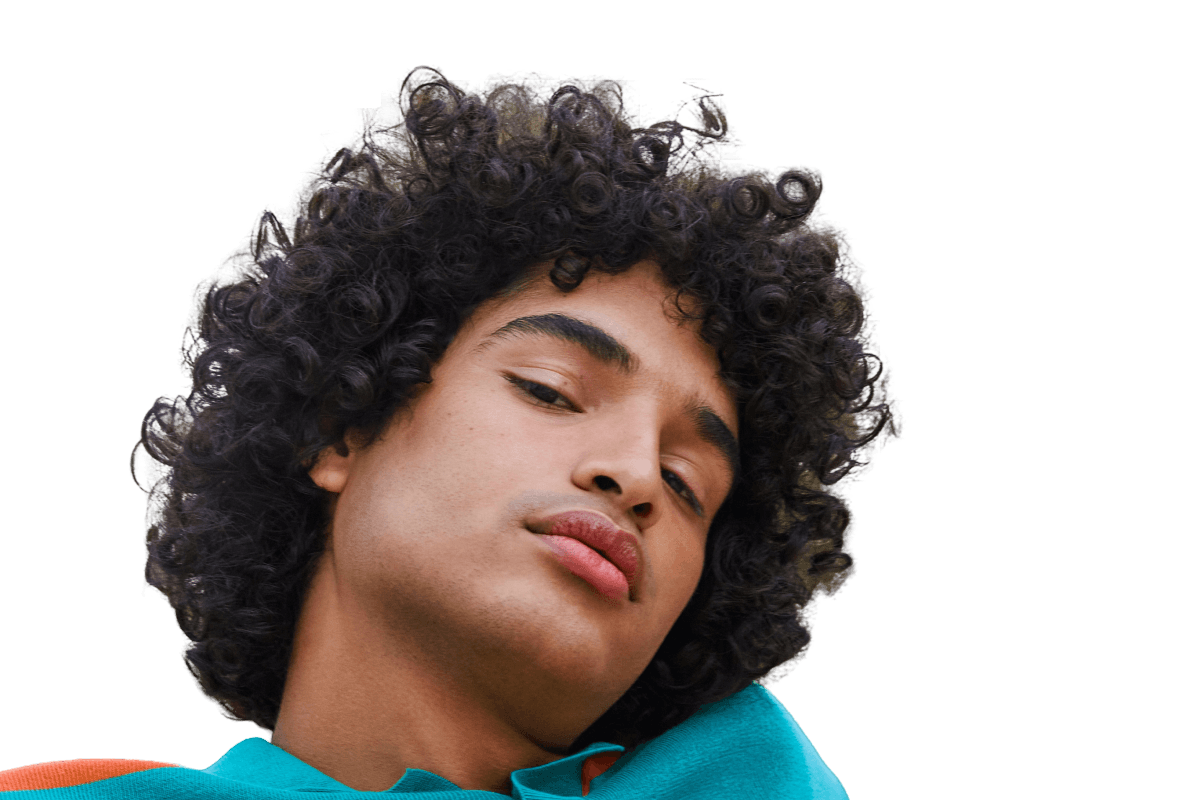 BeforeAfter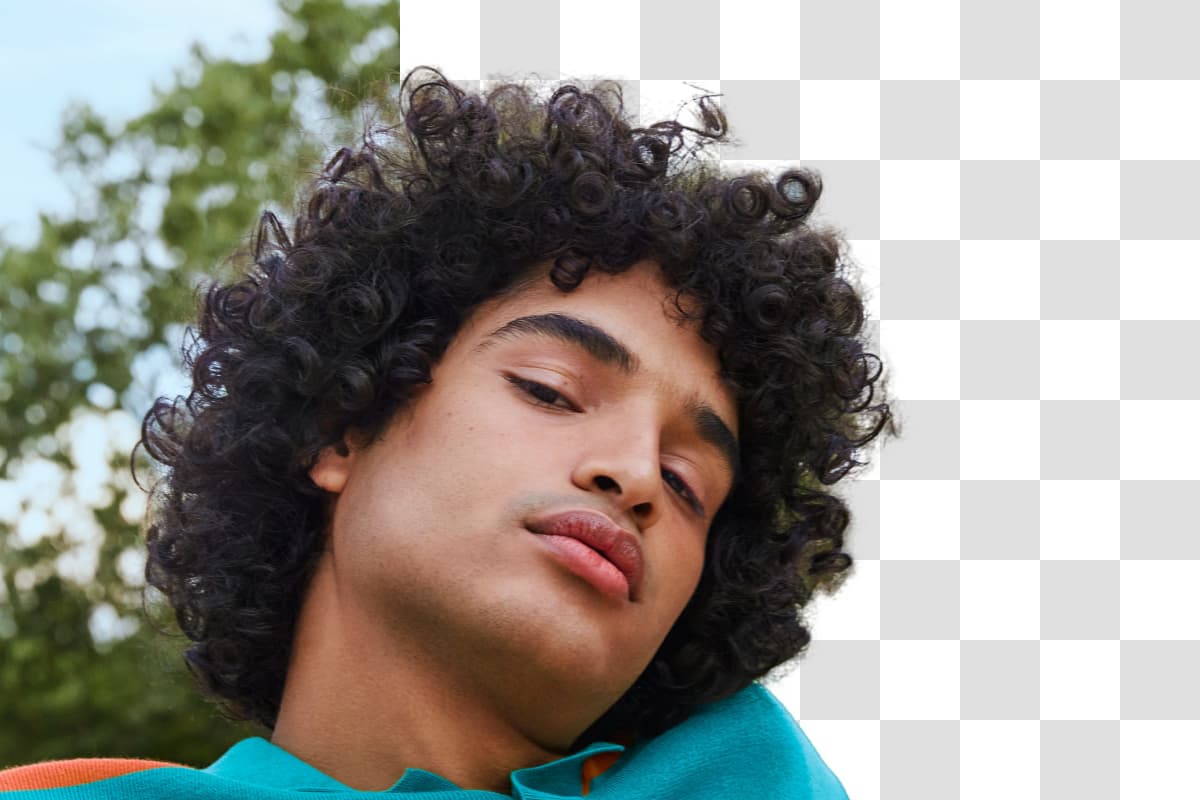
Where it helps
One cutout, a lot of places to put it
Anywhere a subject has to sit on a background that is not the one it was photographed against — which is most of e-commerce and most of design.
Product photos
Cut a product out of whatever photo you have and get the clean, isolated version marketplaces ask for as a main image.
Marketplace listings
Amazon, Etsy and eBay listings expect a plain background. A transparent PNG drops onto white, or onto any colour you choose.
Portraits and headshots
Remove a distracting room behind a headshot for a profile picture, a team page or a speaker bio.
Logos and graphics
Recover a usable transparent logo from a flattened JPEG so it can sit on a coloured background again.
Design and compositing
Build collages, thumbnails and mockups from cutouts instead of masking every element by hand.
Social and stickers
Make stickers, cut-out overlays and thumbnail subjects that sit cleanly over any background.
Edge quality
What cuts out cleanly, and what needs a second look
Background removal is a judgement about which pixels belong to the subject, and some edges are genuinely ambiguous. Knowing which kind of image you have saves a credit and a round of disappointment.
Cuts out reliably
- Clear subjects against a reasonably distinct background
- Hard-edged objects — bottles, boxes, shoes, furniture, devices
- Portraits where the hair reads against the background behind it
- Everyday product photos, including phone shots
Harder, so check the result
- Fine or flyaway hair, fur and feathered edges
- Transparent and reflective materials such as glass, acrylic and chrome
- Smoke, steam, mesh, lace and other semi-transparent areas
- Subjects that are close in colour and brightness to what is behind them
- Motion blur or heavy compression around the subject's outline
When an edge does not come out usable, the most effective fix is a better input: more contrast between the subject and what is behind it, sharper focus on the outline, and no motion blur.
Transparent backgrounds
What "transparent PNG" actually means
A cutout is only useful if the empty area is genuinely empty. That is the difference between a file you can drop onto any background and one with a white box around it.
One transparent cutout, placed on three different backgrounds without re-exporting it.
Transparency is a fourth channel
Alongside red, green and blue, a PNG can carry an alpha channel that records how opaque each pixel is. Removal sets the background's alpha to zero — the pixels are not painted white, they are absent.
That is why you get a PNG
JPEG has no alpha channel at all, so saving a cutout as a JPEG would silently fill the empty area with a solid colour. PNG is the widely supported format that keeps the transparency intact.
The checkerboard is not in the file
Editors and this page draw a grey checkerboard wherever an image is transparent, so you can see the empty area. It is a display convention, never part of the downloaded image.
Nothing is flattened on download
The file you save is the PNG the model produced, alpha channel included. If you need it on white for a marketplace, place it on white yourself — that stays your decision.
How it works
How background removal works here
- 01
Upload your image
Drag in a file or pick one from your device — JPEG, PNG, WebP or HEIC · up to 10MB. It previews locally straight away, so you can check you chose the right photo before spending anything.
- 02
Remove the background
Press Remove Background. The file is sent to imageat's servers, processed by the background-removal model, and charged at 1 credit. Progress is shown while it runs.
- 03
Compare and download
Drag the before/after handle to inspect the edges against the original, then download the transparent PNG. The result is also saved to your generation history.
FAQ
Questions about removing backgrounds
What does background removal actually do?
An AI model works out which pixels belong to the main subject and which belong to everything else, then makes the rest transparent. The output is a PNG with an alpha channel, so the area around the subject is genuinely empty rather than painted white.
How good are the edges?
Very good on clear subjects with hard outlines — bottles, shoes, boxes, devices — and generally good on portraits. It is harder on fine or flyaway hair, fur, glass, chrome, smoke, mesh and lace, and on subjects that are close in colour to what is behind them. Results are not pixel-perfect on every image, so drag the comparison handle and check the outline before you publish. If an edge is not usable, a cleaner input photo with more contrast behind the subject is usually the fix.
Is my image processed in my browser?
No. Your file is uploaded to imageat's servers and passed to the third-party AI provider that runs the background-removal model, which is where the processing happens. If you would rather not upload a particular image, do not run it through this tool.
What happens to my uploads and results?
The uploaded file goes to the AI provider's storage so the model can read it, and the finished cutout is saved to your imageat generation history so you can reopen and download it later. We are not going to claim your upload is permanently deleted on a timer, because that is not something this tool implements — treat anything you upload as stored until you delete the generation from your account.
Which file types and sizes are supported?
You can upload JPEG, PNG, WebP or HEIC files up to 10MB. The result always comes back as a PNG, because PNG is the common format that carries a real transparency channel — a JPEG cannot.
Why is my download a PNG, and will it stay transparent?
Yes. The file you download is the PNG the model produced, with its alpha channel intact — nothing is flattened onto white on the way to your disk. The checkerboard pattern you see behind the result on this page is just how transparency is drawn on screen; it is not part of the image.
What is the alpha mask option for?
The default output is the transparent cutout in full colour. The alpha mask option instead returns a black-and-white image showing the shape the model found — white for subject, black for background. That is a mask, not a transparent image; it is useful if you want to apply the selection yourself in an editor.
What does it cost?
Each successful removal costs 1 credit. You need an account to run it, and credits come with a monthly plan, with one-time credit packs available to subscribers as top-ups.
Can I use the results commercially?
You keep the rights you had in the image you uploaded, and under the imageat terms of service you own the outputs you generate — so cutouts of your own products and photos can be used in listings, ads and design work. Uploading an image you do not have the rights to does not give you rights to the result.
Once the product is cut out, the AI product photo generator can place it in a new studio or lifestyle scene, and the AI product post generator can build a campaign post around it. To sharpen a cutout for print, use the image upscaler, or make further edits in the AI photo editor. Rights and permitted use are governed by the imageat terms of service.
Cut out your first image
Drop a photo into the panel at the top of the page. One credit per removal, and the transparent PNG is yours to download.