Product photography, on demand
AI Product Photo Generator
Upload one photo of your product and generate the studio, lifestyle and campaign shots you need around it — new surface, new light, new shadows, same product.
Your product stays the reference · Listing and ad formats · Saved to your history
Upload to scene
One photo of the product, then as many scenes as you need
The upload is the reference, not a starting sketch. The generator builds a new surface, new light and new shadows around the product you attached — so the thing a customer sees is the thing you actually sell.
Your product photo
A sharp phone shot is enough
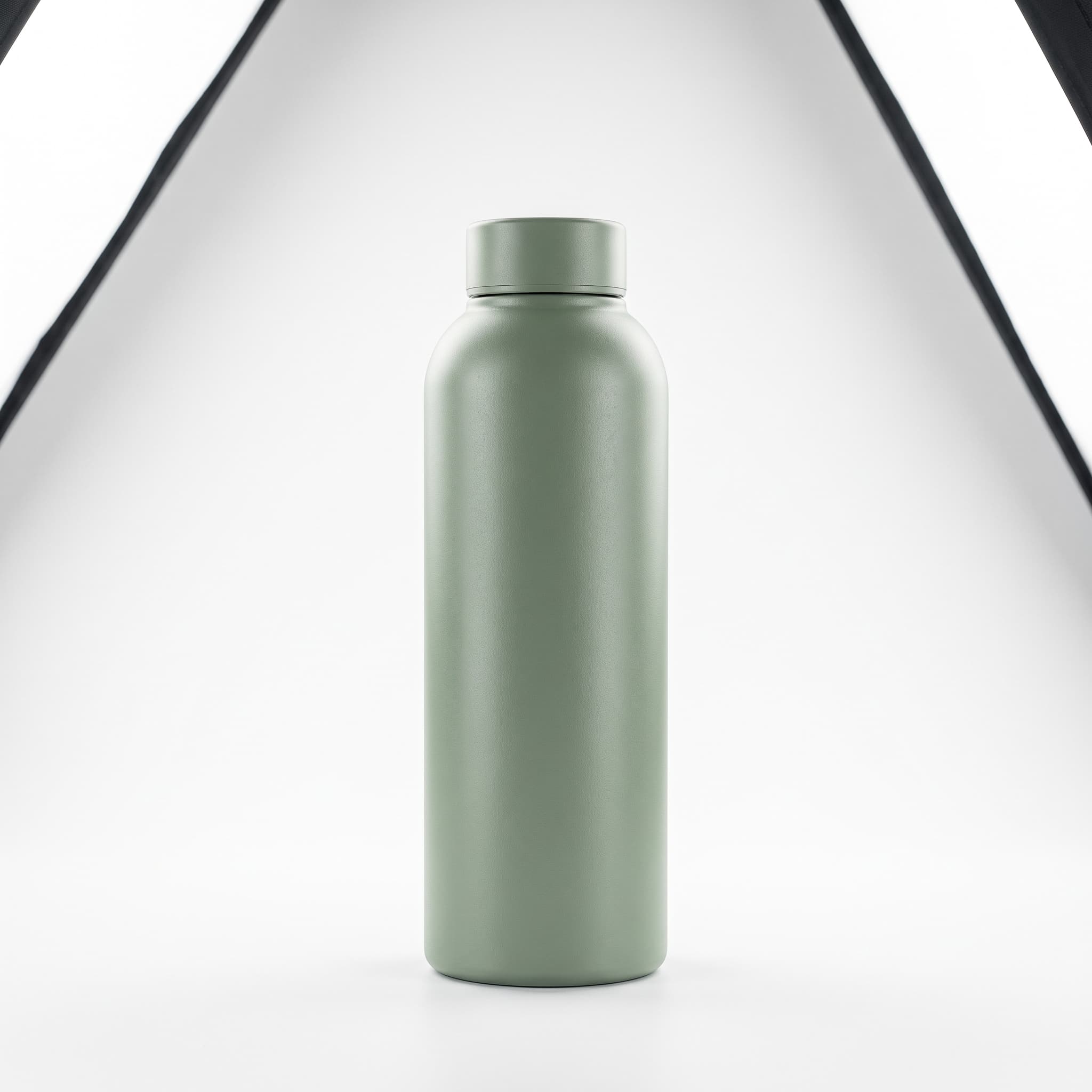
Clean Studio 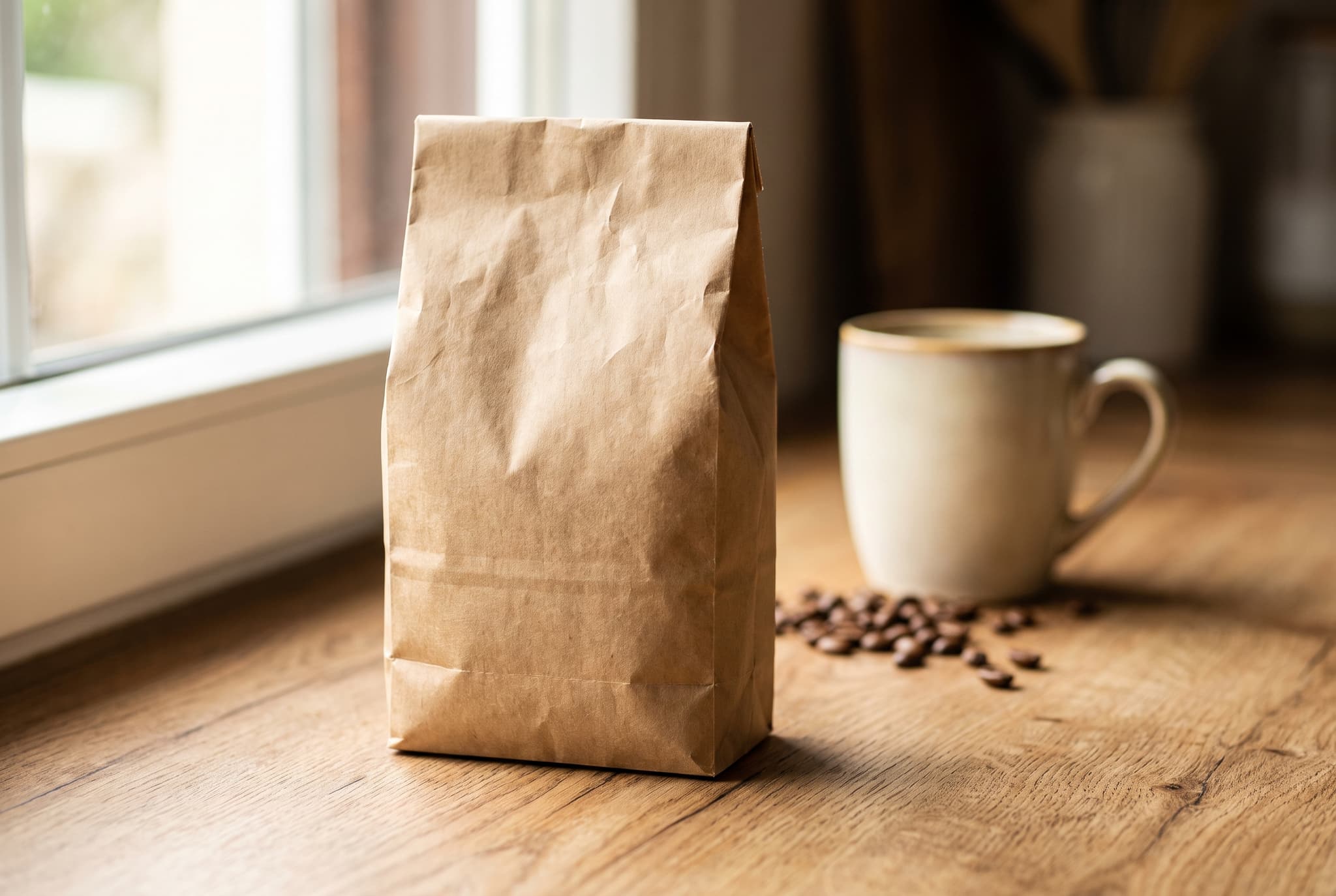
Kitchen 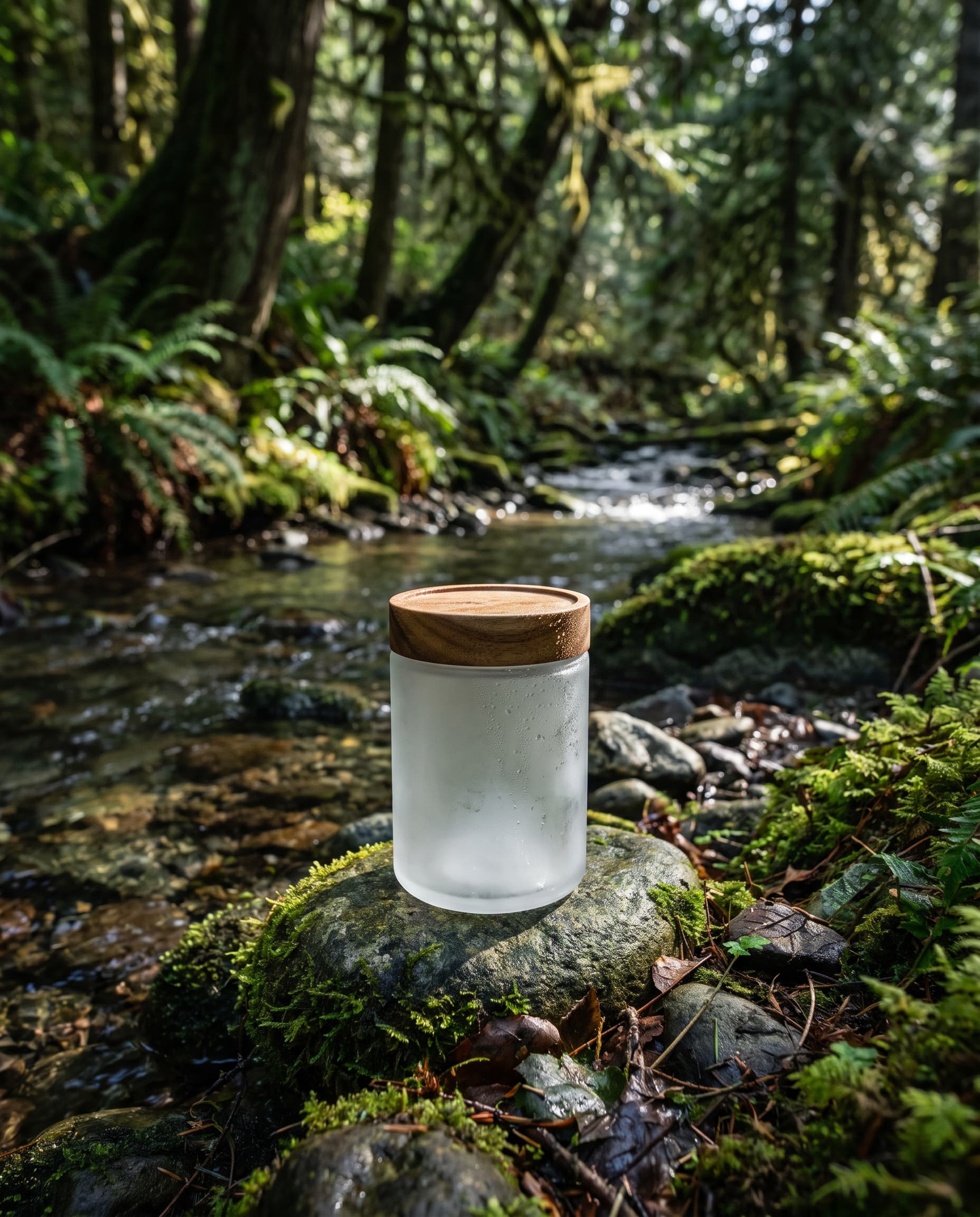
Nature
The three results above were each generated from a single product photo and a different scene preset. Because the scene changes and the product does not, one shoot's worth of input covers a listing image, a lifestyle post and a campaign frame.
Made with imageat
Product shots generated from a brief
Each frame below came from the prompt shown with it. Open one in the generator to see how the scene is described, then swap in your own product.
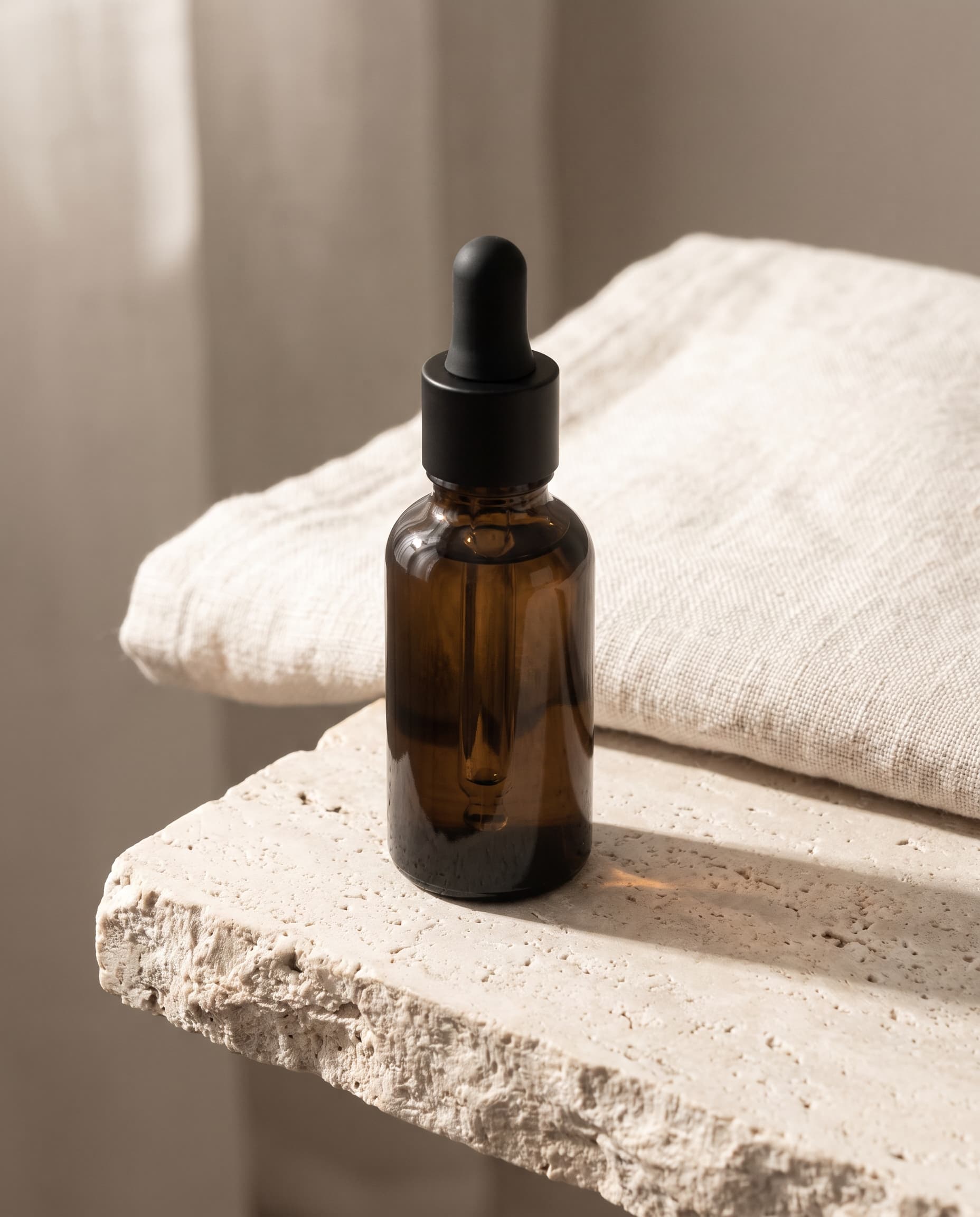
Serum on Travertine
4:5 · Product page
Skincare · Studio
A clean product-page still life: one soft key, one honest shadow.
Show the promptHide the prompt
An unbranded amber glass serum bottle with a matte black cap standing on a pale travertine ledge, a folded ivory linen towel just behind, soft morning light from the left, gentle contact shadow, muted sand and cream palette, commercial product photography, crisp detail, no text, no logos, no watermark
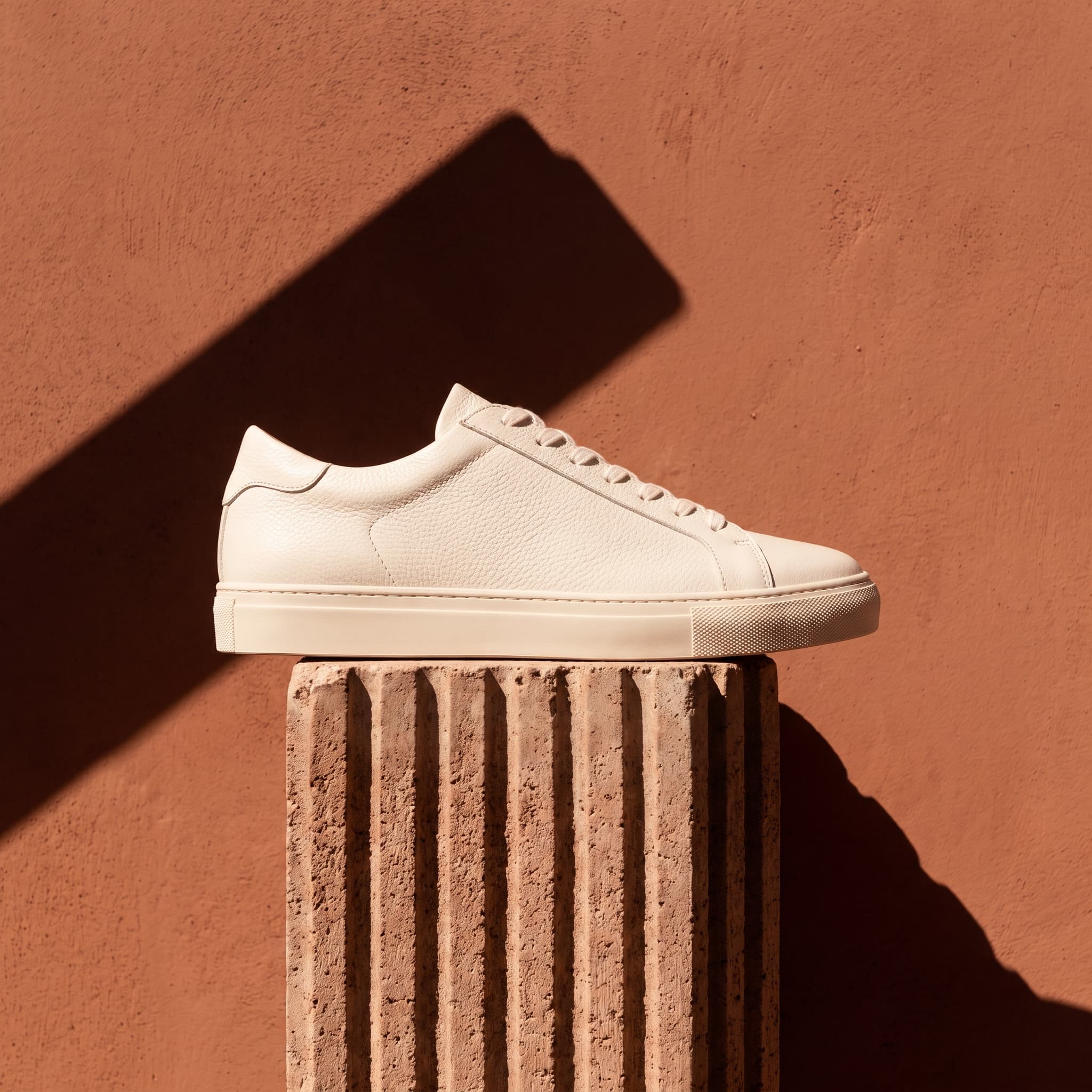
Sneaker in Hard Sun
1:1 · Social ad
Footwear · Editorial
Hard light and a graphic shadow — built to stop a scroll.
Show the promptHide the prompt
A plain white leather sneaker with no branding resting on a ribbed concrete block against a warm terracotta wall, hard midday sunlight casting a sharp graphic shadow, saturated terracotta and off-white palette, editorial product photography, strong contrast, no text, no logos, no watermark
Coffee on the Counter
3:2 · Lifestyle
Food & drink · Lifestyle
The same product, moved from a studio into a real morning.
Show the promptHide the prompt
An unbranded kraft paper coffee bag standing on an oak kitchen counter, a ceramic cup and scattered beans softly out of focus behind it, bright side daylight through a window, shallow depth of field, warm wood and cream palette, candid lifestyle product photography, no text, no logos, no watermark
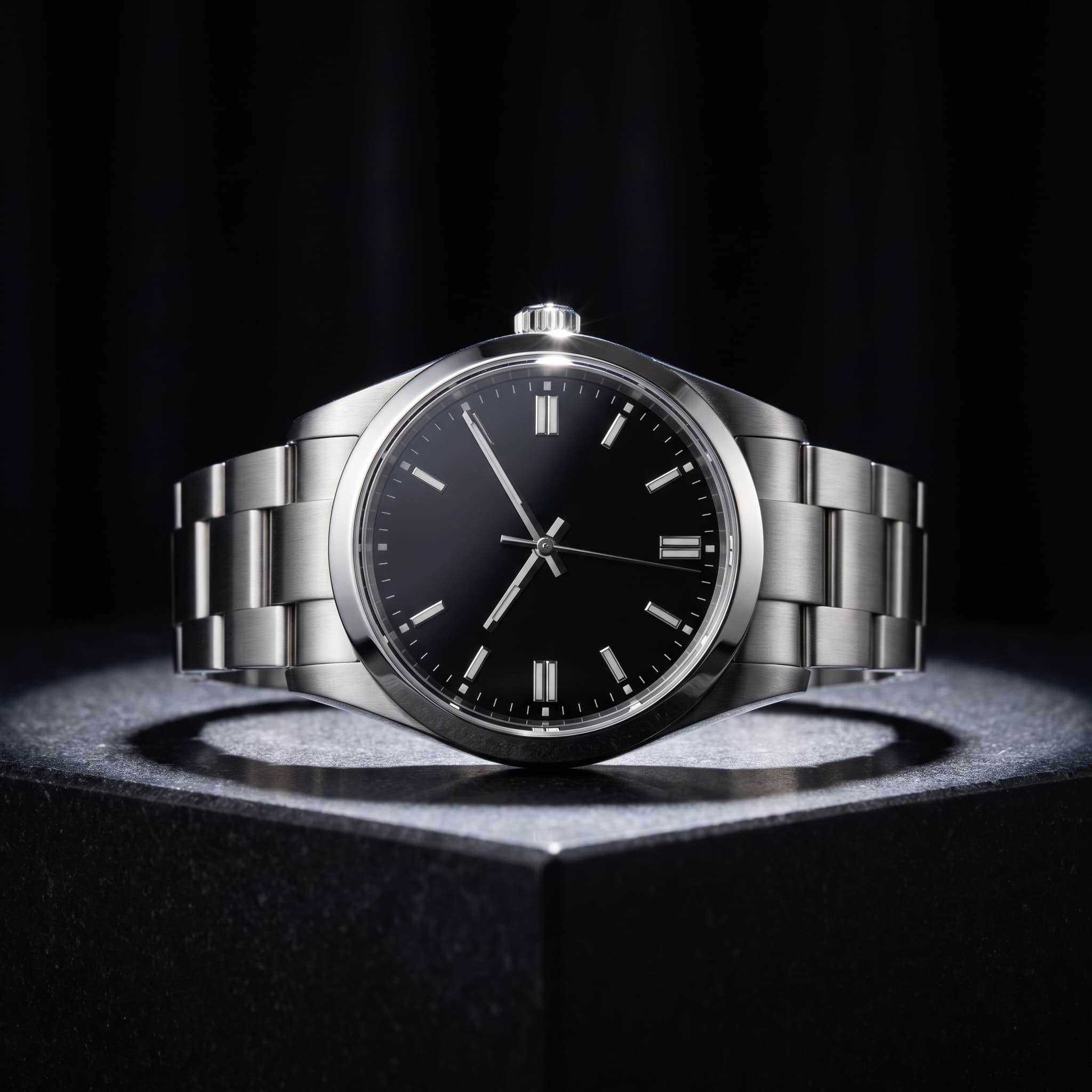
Watch on Dark Stone
1:1 · Premium
Jewellery · Luxury
One key light, deep falloff, controlled reflections on steel.
Show the promptHide the prompt
An unbranded stainless steel wristwatch on a polished dark stone plinth, single dramatic key light from above with deep shadow falloff, near-black background, controlled specular highlights on the case and crystal, macro detail, luxury product photography, no text, no logos, no watermark
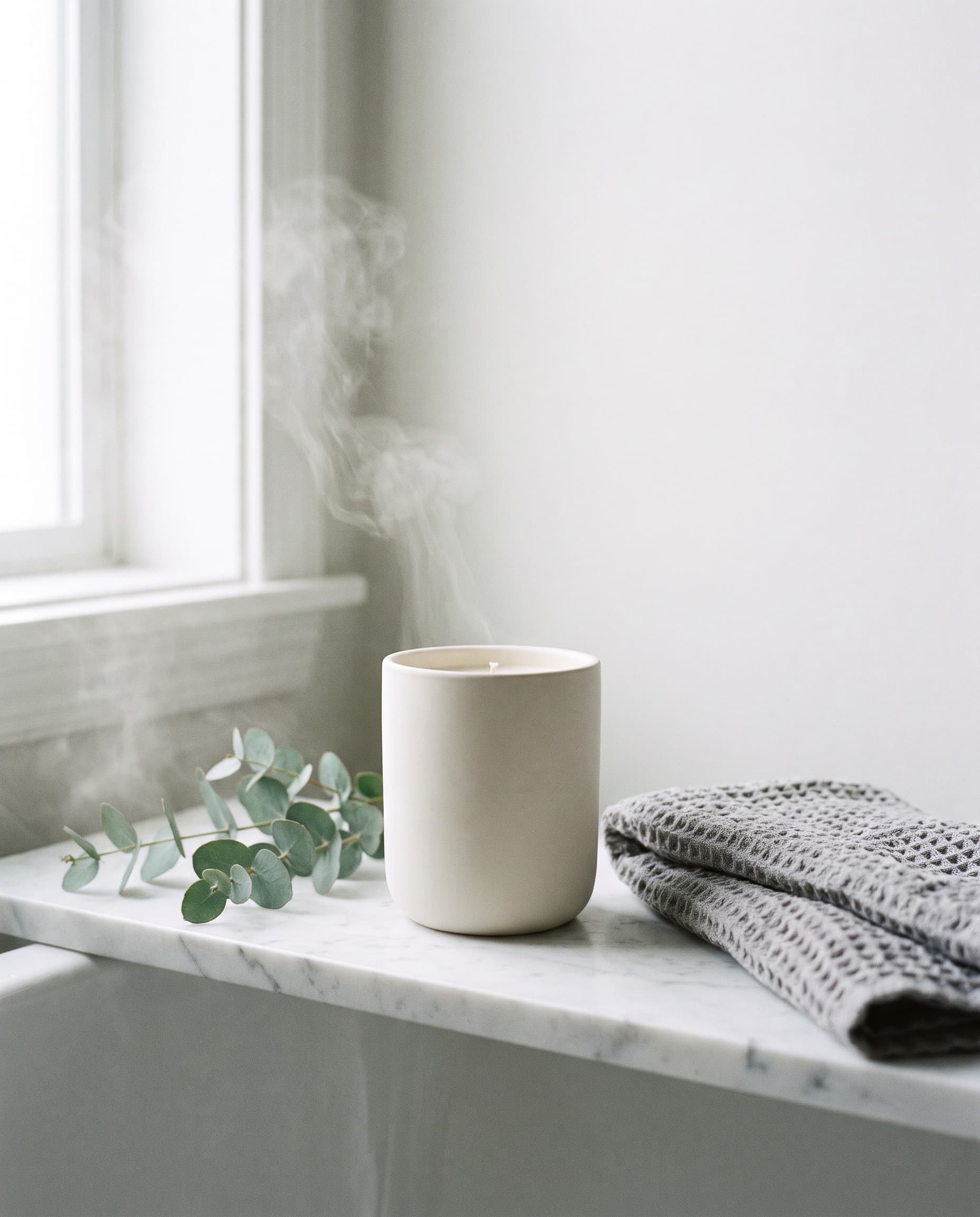
Candle on Marble
4:5 · Listing
Home · Bathroom
A calm bathroom scene with room left at the top for a headline.
Show the promptHide the prompt
An unbranded matte ceramic candle on a honed white marble bathroom shelf, a sprig of eucalyptus and a folded grey towel beside it, soft diffused light and faint steam in the air, calm spa palette of white grey and green, clear space in the upper third, commercial product photography, no text, no logos, no watermark
Bottle on White
1:1 · Main image
Drinkware · Marketplace
The marketplace main-image look: white, even, nothing else in frame.
Show the promptHide the prompt
An unbranded matte sage-green stainless steel water bottle standing centred on a seamless pure white studio background, broad softbox lighting with a subtle fill, soft contact shadow directly beneath, nothing else in frame, catalogue framing, commercial product photography, crisp detail, no text, no logos, no watermark

Headphones in Context
16:9 · Website banner
Electronics · In context
A wide banner shape with the product set to one side of the frame.
Show the promptHide the prompt
Unbranded matte black over-ear headphones resting on a tidy pale desk, a laptop and notebook softly out of focus behind, cool neutral grey palette, soft even daylight, product placed to the right with generous clear space on the left, technology product photography, no text, no logos, no watermark
Jar by the Stream
4:5 · Campaign
Wellness · Nature
An outdoor scene that reads as natural without going soft.
Show the promptHide the prompt
An unbranded frosted glass jar with a wooden lid resting on a mossy stone beside a shallow forest stream, dappled daylight through leaves, fine water droplets on the glass, deep green and grey palette, fresh organic product photography, shallow depth of field, no text, no logos, no watermark
Two kinds of product shot
Studio for the listing, lifestyle for the sell
Most shops need both, and they are not interchangeable. A studio shot answers "what am I buying". A lifestyle shot answers "why would I want it".
White, even, nothing competing with the product.
A real surface, real light, and space for a headline.
| Decision | Studio | Lifestyle |
|---|---|---|
| What it is for | The main listing image, where the buyer needs to see the product plainly. | Ads, social and secondary listing slots, where the buyer needs to picture owning it. |
| Background | Pure white or one flat tone, so marketplace rules are easy to satisfy. | A real surface and setting, softly out of focus so the product still leads. |
| Light | Broad, even and shadow-controlled — accuracy over drama. | Directional daylight with real shadows, which is what makes a scene believable. |
| Props | None. Anything extra competes with the product. | Two or three, chosen to imply where and how the product is used. |
| Framing | Centred, generous margins, the product filling most of the frame. | Off-centre, with space kept clear for a headline or price. |
Product preservation
What the reference holds, and what to check
Your uploaded photo stays the central reference and the prompt instructs the model to leave the product alone. That works well for form and finish. It is not a guarantee of pixel-level fidelity, so here is where to look before you publish.
Usually comes through intact
- Overall silhouette and proportions
- Colour and finish — matte, gloss, metallic
- Material character, such as glass, kraft paper or brushed steel
- Large, simple shape details like a cap, handle or seam
Check every time
- Small printed text, ingredient lists and legal copy
- Logo shapes and exact typography
- Fine engraving, embossing and stitching
- Precise geometry on reflective, transparent or intricate items
If the packaging text has to be exact — an ingredient panel, a certification mark, a price — generate the scene, then composite your real label back over the result in an editor rather than trusting generated lettering.
Get more out of the reference
Fill the frame
The product should be the clear subject, in focus, with nothing cropped off.
Light it evenly
Flat, diffused light beats dramatic light here — deep shadows hide detail the model needs.
Isolate it first
If the background is busy, cut it out before uploading so the product's edges are unambiguous.
Shoot the side you sell
Use the angle you want in the final image; the generator restages the scene, not the product's pose.
For that third point, the AI background remover gives you a transparent cutout in one step, and a cutout is the cleanest possible input for a new scene.
Where it helps
For marketplaces, storefronts, social and ads
The same uploaded product covers a listing main image, a lifestyle post and a paid-social frame — three jobs that would otherwise be three shoots.
Marketplace listings
Generate the clean white-background main image plus consistent secondary shots for Amazon, Etsy, eBay and Shopify.
Your own storefront
Give every product on the site the same lighting and framing, so a catalogue built over months still looks like one shoot.
Social content
Put the same product in eight different scenes and post a week of content without booking a photographer.
Paid advertising
Paid social burns creative fast. Generate variations in every format and retire the ones that stop working.
Seasonal campaigns
Restyle an existing product for a holiday or a sale without shipping it back to a studio.
Line sheets and decks
Produce consistent images for wholesale line sheets, pitch decks and press kits from the photos you already have.
Prompt guide
A product photography prompt formula
Keep the product, then name the surface, then the light and its direction, then the palette, then where the empty space goes. Finish with what must not appear.
Marketplace main image
1:1Keep the product from the attached photo exactly as it is and place it centred on a seamless pure white background, broad softbox lighting with a subtle fill, soft contact shadow directly beneath, nothing else in frame, catalogue framing, crisp detail, no text, no logos, no watermark
Kitchen lifestyle scene
3:2Keep the product from the attached photo exactly as it is and place it on an oak kitchen counter beside a ceramic cup and a linen cloth, bright side daylight through a window, shallow depth of field, warm wood and cream palette, candid lifestyle feel, no text, no logos, no watermark
Premium hero shot
4:5Keep the product from the attached photo exactly as it is and place it on a polished dark stone plinth, single dramatic key light from above with deep shadow falloff, near-black background, controlled specular highlights, restrained high-end advertising look, no text, no logos, no watermark
Website banner with copy space
16:9Keep the product from the attached photo exactly as it is and place it to the right of a wide frame on a warm sand surface, soft directional light from the upper left, generous clear space on the left for a headline, muted sand and ivory palette, no text, no logos, no watermark
Outdoor natural scene
4:5Keep the product from the attached photo exactly as it is and place it on a mossy stone beside a shallow stream, dappled daylight through leaves, fine water droplets, deep green and grey palette, fresh organic feel, shallow depth of field, no text, no logos, no watermark
Seasonal gifting shot
1:1Keep the product from the attached photo exactly as it is and place it in a seasonal scene with pine sprigs and warm bokeh lights behind, soft festive glow, deep green and gold palette, composition clean enough to use as a listing image, no text, no logos, no watermark
How it works
From a phone photo to a publishable shot
- 01
Upload your product photo
Attach a photo of the real product — a phone shot is enough, as long as the product is in focus, fully in frame and evenly lit. This photo is the reference the generator works from.
- 02
Choose the scene and format
Pick a scene preset such as Clean Studio or Kitchen, a background, the product category, and the aspect ratio for where the image will be used. Add a description if you have something specific in mind.
- 03
Generate, check and download
Generate the photo, then check the label, packaging text and proportions against the original before you publish it. Adjust the scene or wording and run it again until the result is right, then download the PNG.
FAQ
Questions about AI product photos
What is an AI product photo generator?
It turns one photo of your product into new product photography. You upload the product, describe or pick the scene you want — a white studio, a kitchen counter, a marble bathroom shelf — and the generator produces that shot with the product placed into it. It replaces the staging and lighting part of a shoot, not the product itself.
How accurately does it keep my product?
The uploaded photo is used as the reference and the prompt instructs the model to keep the shape, proportions, colour and material unchanged, which works well for the overall form of a product. It is not a guarantee: small print, logo detail, packaging copy and fine geometry can shift, and reflective or transparent items are harder than matte ones. Always compare the result against the original photo before publishing, and treat generated lettering as unreliable.
What makes a good product photo to upload?
A sharp, evenly lit photo where the whole product is visible and fills a good part of the frame. Avoid heavy shadows across the product, motion blur, strong colour casts and busy backgrounds that make it unclear where the product ends. If your only photo has a messy background, run it through the background remover first, then upload the cutout.
Can I use the results on Amazon, Etsy or Shopify?
People use generated images in listings, ads and campaigns, and under the imageat terms of service you own the images you generate. Each marketplace sets its own image rules — Amazon, for example, requires a pure white background and no added text on the main image — so check the policy for the platform you are publishing to. For anything high-stakes, review the terms and take your own advice.
How much does each product photo cost?
Generating costs credits, and the amount depends on the model you select — the panel shows the cost before you run it. You need an account to generate, and credits come with a monthly plan; subscribers can top up with one-time credit packs.
Where do my uploads and results go?
Your product photo is sent to imageat's servers and on to the AI provider that runs the selected model; it is not processed inside your browser. Completed generations are saved to your imageat generation history and mirrored to imageat's own CDN, so you can reopen and download them later instead of relying on a link that expires.
What resolution do I get, and can I make it bigger?
Results come out at standard high resolution, which is enough for listings, social posts and most ads. For zoom views, large banners or print, run the finished image through the image upscaler.
How is this different from the background remover?
The background remover takes your photo and deletes what is behind the product, giving you a transparent PNG cutout. This generator creates a whole new photograph around your product — new surface, new light, new shadows. Many people use both: remove the background first, then generate a new scene.
Turning a finished shot into a campaign post is the AI product post generator; cutting a product out of a messy photo is the AI background remover; and pushing the final file to print resolution is the image upscaler. Rights and permitted use are governed by the imageat terms of service.
Photograph the product you already have
Upload it once, pick a scene, and generate until the shot fits the listing, the ad or the post it is going on.