添付画像のキャラクターでlineスタンプを作成してほしい。表情・ポーズ・セリフが異なる形で全12種類。〇〇系のセリフで使
Example Images
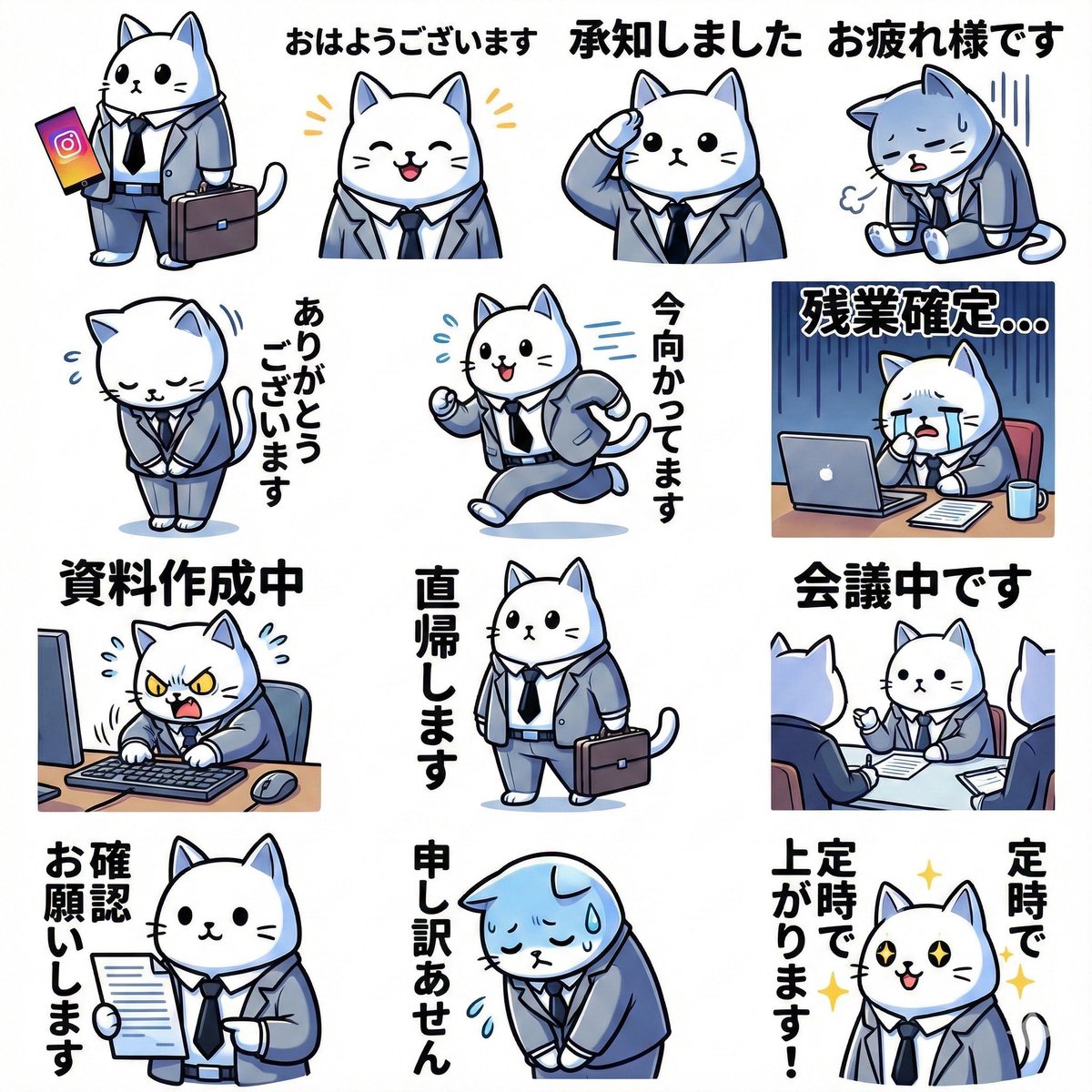
Edit Your Prompt
Replace placeholders like {{YOUR_NAME}} or {{SUBJECT}} with your own values
Add Reference Images (Optional, up to 5)
Click to upload, or press ⌘V / Ctrl+V to paste from clipboard
Add reference images to guide the AI generation
Aspect Ratio
Select AI Model
Fast and affordable standard quality AI images.
Premium quality, more realistic and detailed results.
Tags
添付画像のキャラクターでlineスタンプを作成してほしい。表情・ポーズ・セリフが異なる形で全12種類。〇〇系のセリフで使 gives you a proven starting point for AI image generation. Edit it freely, add reference images, and regenerate until the output matches what you have in mind.
What is the 添付画像のキャラクターでlineスタンプを作成してほしい。表情・ポーズ・セリフが異なる形で全12種類。〇〇系のセリフで使 prompt?
A prompt is the text instruction that tells an AI image model what to create. The 添付画像のキャラクターでlineスタンプを作成してほしい。表情・ポーズ・セリフが異なる形で全12種類。〇〇系のセリフで使 prompt packages a detailed description — subject, style, lighting, and mood — so you get a predictable result without having to describe every element yourself.
How to use the 添付画像のキャラクターでlineスタンプを作成してほしい。表情・ポーズ・セリフが異なる形で全12種類。〇〇系のセリフで使 prompt
- 1Read through the prompt and adjust the wording to match your idea
- 2Add up to a few reference images if you want to guide the style or subject
- 3Choose the AI model and aspect ratio that fit your use case
- 4Generate, review, and regenerate for variations until you're happy
Tips for better results
- Be specific — concrete nouns and adjectives produce sharper results than vague ones
- Keep the most important details near the start of the prompt
- Add reference images when you want a particular face, object, or style preserved
- Regenerate a few times — small variations between runs are normal