Posters for events and campaigns
AI Poster Generator
Describe the event, the subject and the mood, add a headline, and generate poster artwork with the details area kept clear.
Original results · Eight poster types · Print, social and display formats
Made with imageat
Posters generated from a brief
Each poster below came from the prompt shown with it. Open one in the generator and swap in your own event, headline and palette.
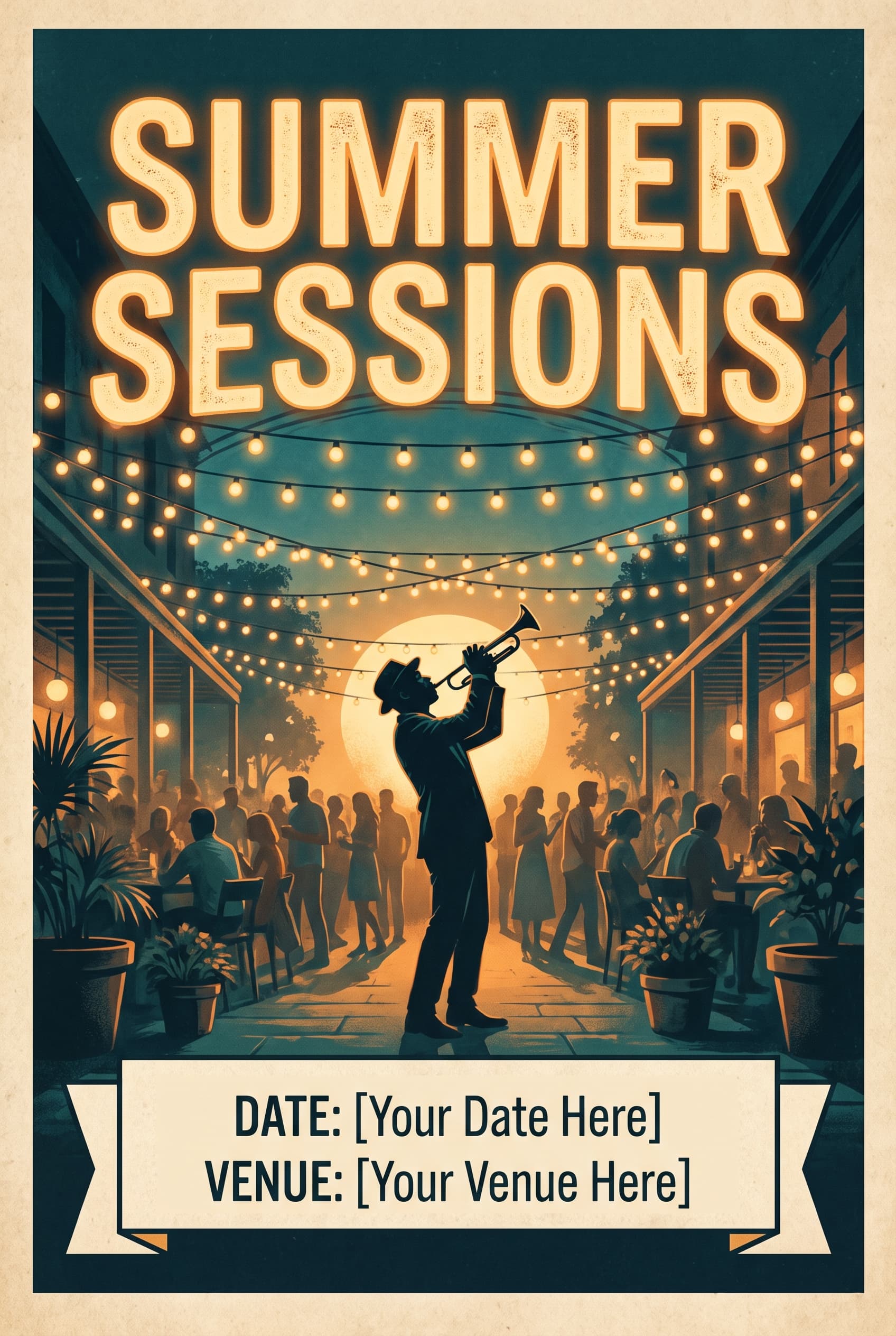
Summer Sessions
2:3 · Event poster
Event
Warm light, one silhouette, and room at the bottom for details.
Show the promptHide the prompt
An event poster for an open-air jazz night in a courtyard, warm string lights overhead and a single trumpet player in silhouette, bold headline reading "SUMMER SESSIONS" across the upper third, event poster layout with clear space reserved for date and venue details at the bottom, deep teal and warm amber palette, no watermark
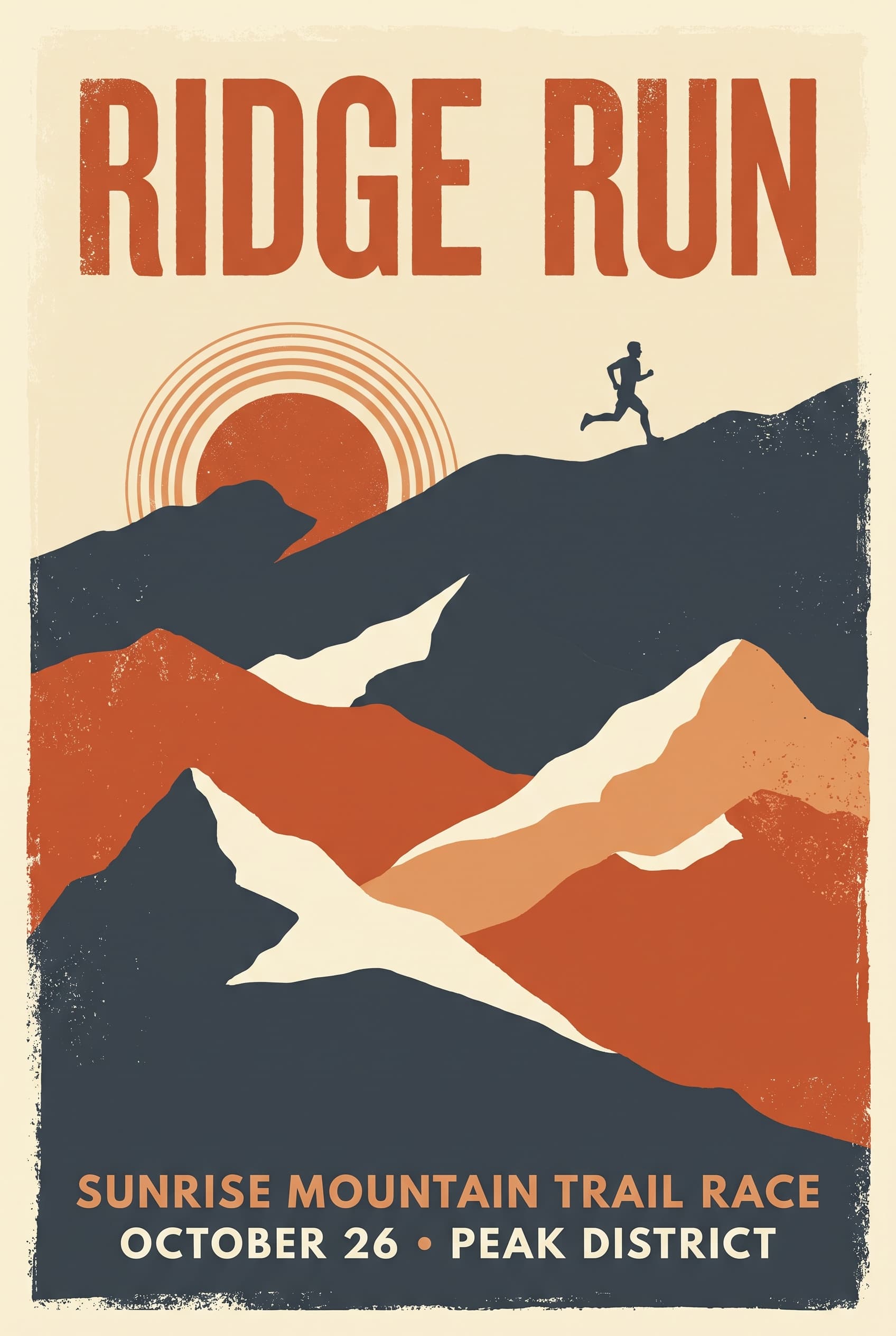
Ridge Run
2:3 · Screen print
Travel and sport
Three flat colours, one ridge line, and a sunrise doing the work.
Show the promptHide the prompt
A poster for a sunrise mountain trail race, stylised flat peaks in three colours with a small running figure on the ridge, headline reading "RIDGE RUN" set large at the top, vintage travel poster style with limited colour palette and screen-print texture, burnt orange, cream and deep slate, no watermark
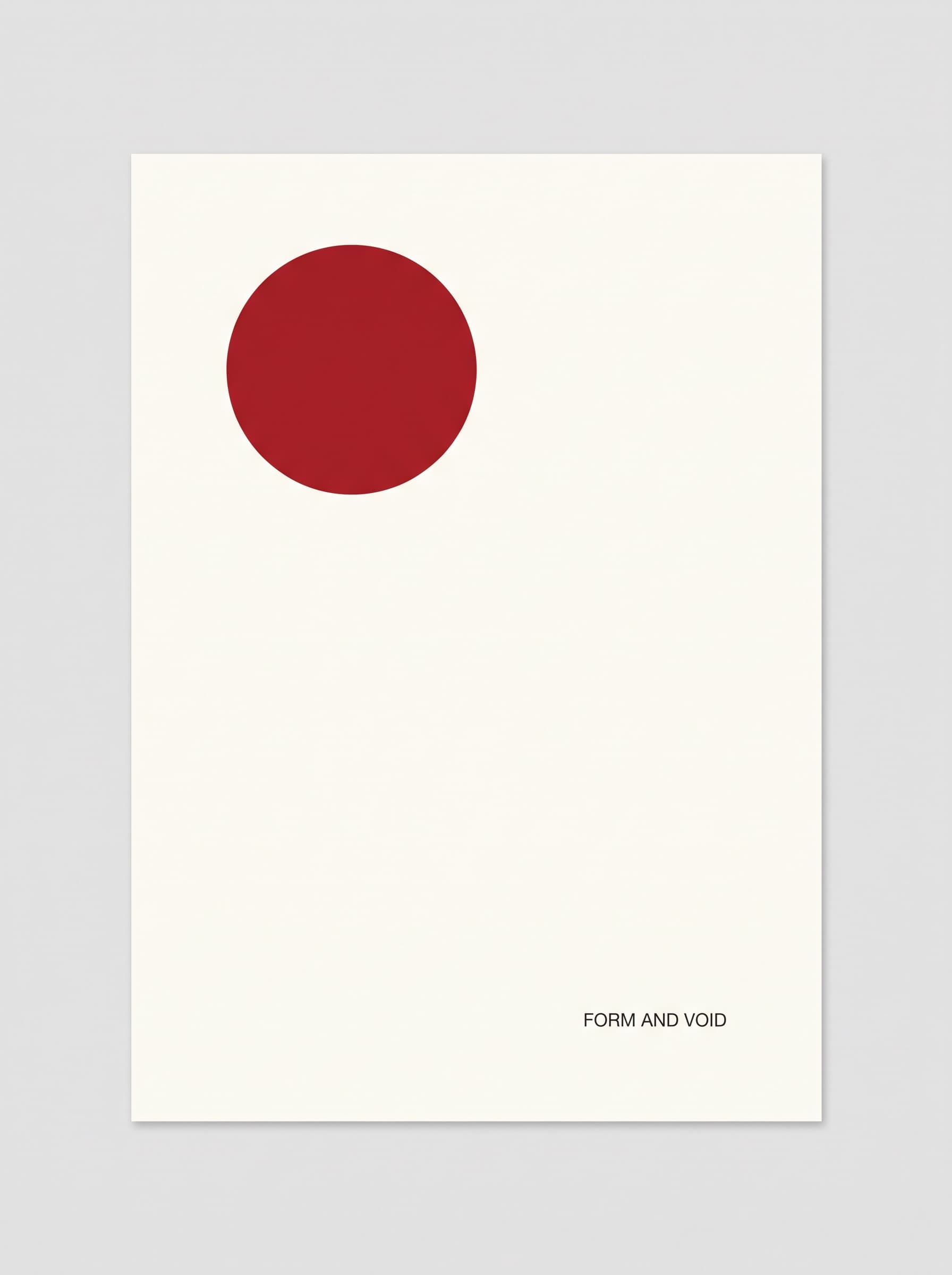
Form and Void
3:4 · Gallery
Editorial
One shape, enormous margins, and nothing competing with it.
Show the promptHide the prompt
A minimal exhibition poster, one saturated red circle positioned off-centre on a warm white ground, small restrained headline reading "FORM AND VOID" near the base, editorial poster with generous margins and gallery-quality composition, two-colour palette, flat print finish, no watermark
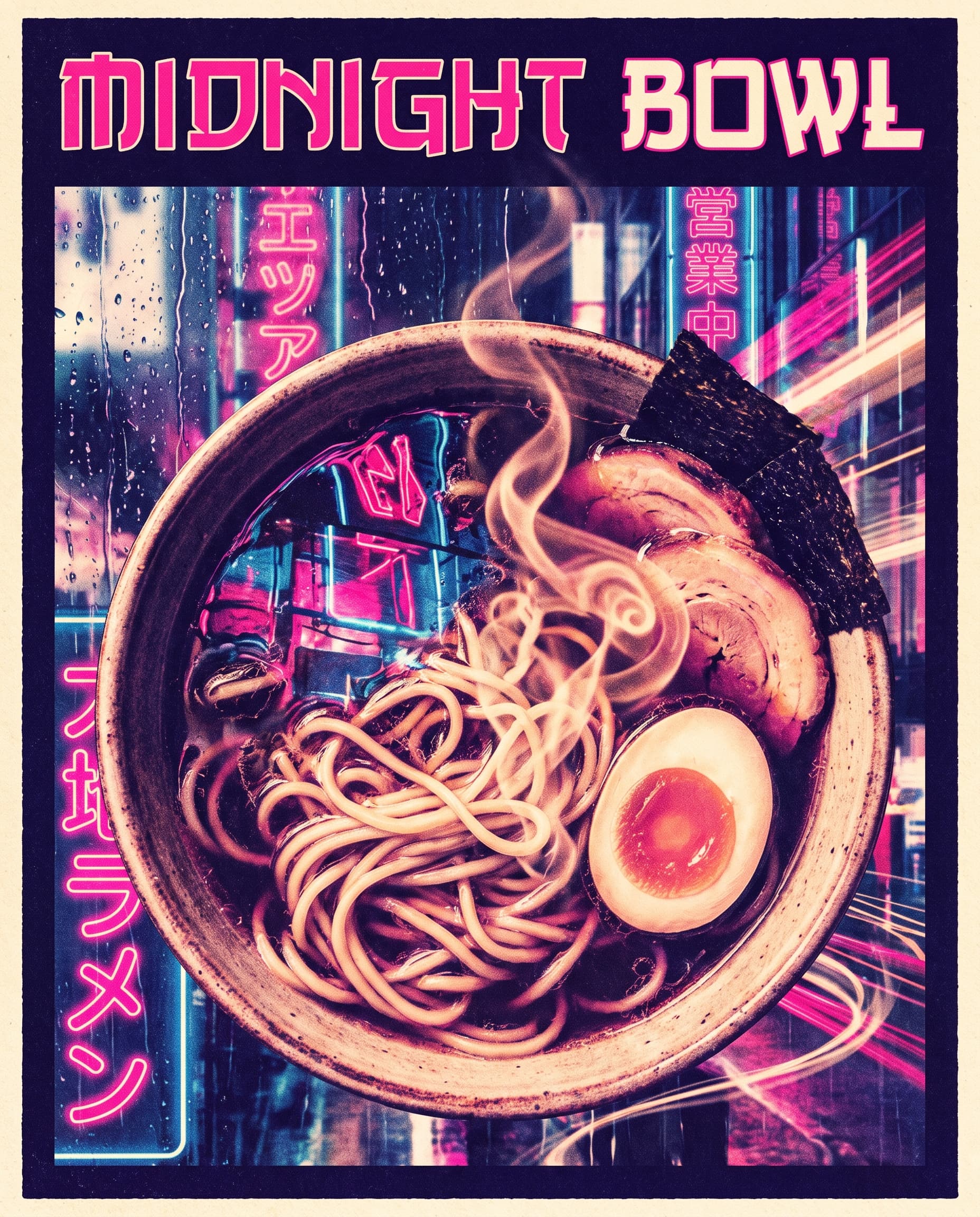
Midnight Bowl
4:5 · Social
Food and hospitality
Steam, neon and a bowl shot close enough to feel warm.
Show the promptHide the prompt
A poster for a late-night ramen bar, a steaming bowl shot from just above with neon reflections in the broth surface, headline reading "MIDNIGHT BOWL" across the top, high-energy composition with strong graphic contrast, deep indigo, neon pink and warm cream palette, no watermark
Three distances
A poster is read three times
Good posters work at three distances, and each one belongs to a different layer. Decide what each layer is doing before you write the prompt, and say where the quiet areas should be.
- 01
The image
Seen from across the roomOne dominant subject with strong contrast. If a passer-by cannot tell what it is in a second, nothing else on the poster gets read.
- 02
The headline
Read from a few steps awayShort, high contrast, and placed where the image is quietest. Long headlines are where AI lettering most often goes wrong.
- 03
The details
Read standing in front of itDates, venue, price, a QR code. Ask the generator to leave this area clear so you can set it cleanly afterwards.
Where it goes
For the wall, the feed and the noticeboard
Promoters, shops, studios and community organisers use the same generator for a single night or a whole season.
Events and gigs
A poster per night, per act or per date, without rebuilding the layout each time.
Retail and promotions
Seasonal and sale artwork that matches the campaign instead of a generic template.
Social announcements
Vertical 9:16 and 4:5 cuts sized for stories and feeds.
Film and video projects
Key art for a short, a screening or a festival submission.
Internal and community notices
Make a noticeboard poster that people actually stop and read.
Print and display
Generate the artwork, then take it to a printer at the size and stock you need.
Prompt guide
Typography-safe prompting
Put headlines in quotation marks and keep them short. Name where the quiet area should be, so the details have somewhere clean to sit.
Club night
2:3A club night poster, a distorted mirrorball rendered as overlapping halftone dots on a black ground, headline reading "AFTER HOURS" in heavy condensed type across the middle, concert poster with high-energy composition and strong graphic contrast, magenta and cyan on black, clear band at the bottom for lineup details, no watermark
Product launch
4:5A product launch poster for a single-origin coffee, the bag standing on a concrete plinth lit by one soft key light from the left, headline reading "FIRST HARVEST" at the top, product launch layout with the product as hero and confident negative space, warm terracotta and bone palette, no watermark
Gallery opening
3:4An exhibition poster for a ceramics show, one hand-thrown vessel photographed against a flat sand background with a long soft shadow, small restrained headline reading "SLOW CLAY" in the lower left, editorial poster with generous margins, muted sand and charcoal palette, no watermark
Story-format announcement
9:16A vertical festival announcement poster, stylised flat illustration of a crowd silhouette beneath an enormous sun, headline reading "OPEN FIELD" across the upper third, screen-print texture with a limited palette of burnt orange, ochre and deep brown, lower third kept clear for dates, no watermark
How it works
From an event to finished artwork
- 01
Describe the subject and the mood
Say what the poster is for, what should be pictured, and how it should feel. If you have a headline, include it in quotation marks so it is carried through to the generator.
- 02
Pick a poster type and format
Choose a type such as event, concert or minimal, then set the aspect ratio — 2:3 and 3:4 for classic posters, 9:16 and 4:5 for social placements.
- 03
Generate, check the type and refine
Generate the poster and read the headline carefully. AI lettering can need more than one attempt, so regenerate if it is wrong, or set the final type over the artwork in a design tool.
FAQ
Questions about AI posters
What is an AI poster generator?
It creates poster artwork from a description. You say what the poster is for, what should be pictured and how it should feel, choose a type and a format, and the composition is generated with space left where the details go.
Will my headline text render correctly?
Often, but not always. AI image models still make mistakes with lettering, particularly with longer headlines. Put your headline in quotation marks, keep it short, and read the result carefully. The default model here is chosen for text and layout accuracy, but expect to regenerate sometimes — or to set the final type over the artwork in a design tool.
Are the posters print-ready?
They are high-resolution images, not print-production files. There is no bleed, no crop marks, no CMYK conversion and no guaranteed physical size at a given DPI. For professional printing, generate the artwork and then place it into a print document at the dimensions your printer asks for.
Which aspect ratio should I use?
2:3 is the classic poster proportion and matches common print sizes closely; 3:4 and 4:5 suit noticeboards and social feeds; 9:16 is made for stories and vertical screens; 1:1 works for square posts. Pick the shape of the space the poster is going into.
How do I leave room for dates and details?
Ask for it explicitly. Phrases like "clear space reserved for date and venue details at the bottom" or "lower third kept clear" are understood, and they give you somewhere clean to place the information afterwards rather than fighting a busy composition.
Can I use a generated poster commercially?
Under the imageat terms of service you own the images you generate and imageat does not claim ownership of them. Commercial use depends on your plan and on the terms, and AI output is not cleared for trademarks, logos or likenesses, so check the terms of service before using a poster for a paid event or campaign.
How is this different from the book cover generator?
Both make portrait artwork with room for type, but a poster is built to be read across a room — one dominant image and a large headline. The book cover generator is built around genre conventions and a title block that has to work as a small thumbnail.
Results are high-resolution images, not print-production files — there is no bleed, crop marks or CMYK conversion. Rights and permitted use are governed by the imageat terms of service.
Put the night on a wall
Describe the event, add a short headline, and generate until the composition leaves room for everything else you need to say.