Vertical video, made to hook
AI TikTok Video Generator
Describe the shot, pick a hook and a look, and generate a vertical clip built to earn the first three seconds.
Original clips · 9:16 vertical · Download and post from the app
Made with imageat
Clips that open in motion
Each clip came from the prompt shown with it. Press play, then open one in the studio with everything preloaded.
 8s · Seedance 2.0
Espresso Pull
Product hook
The payoff is visible immediately — no setup shot needed.
Show the promptHide the prompt
A barista pulling an espresso shot in close up, steam rising, warm directional light, the crema forming as the cup fills, opens on the product already in motion, the product fills the frame with crisp surface detail, vertical 9:16 framing, no text overlays, no watermark
 8s · Seedance 2.0
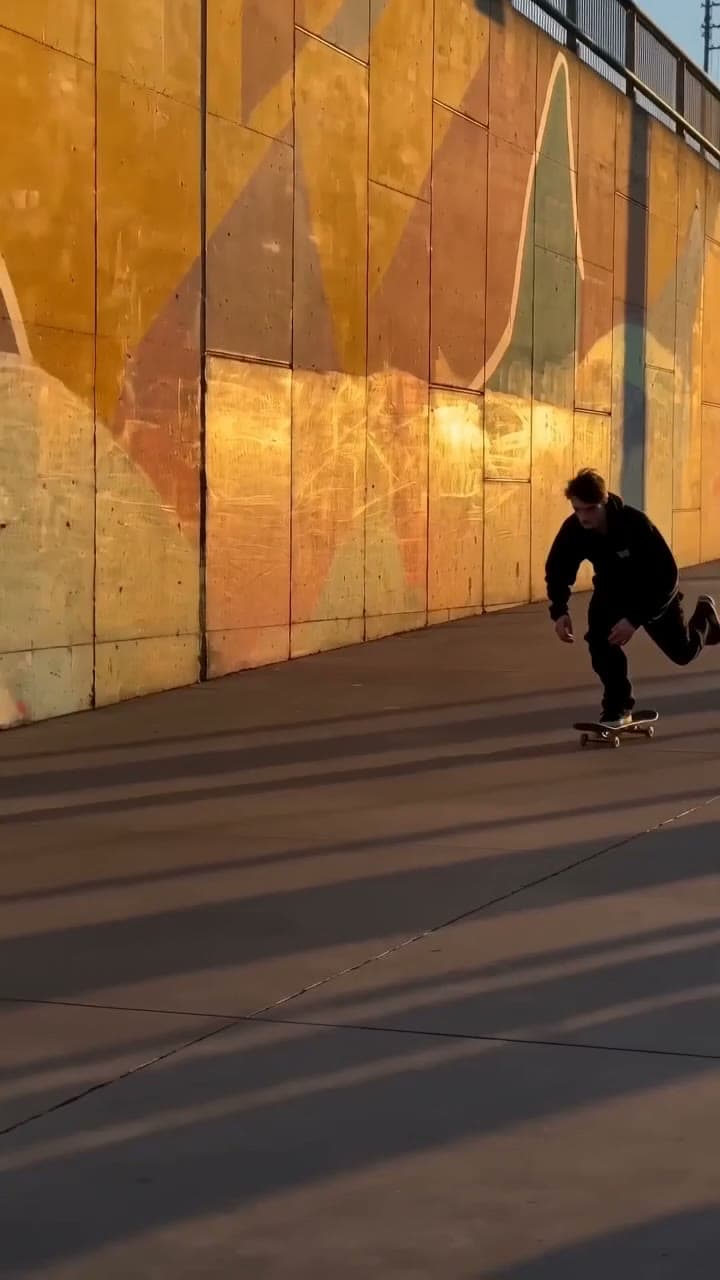
Landing It
Visual trend
Movement enters the frame straight away, shot like a creator.
Show the promptHide the prompt
A skateboarder rolling into frame and landing a trick against a painted concrete wall at golden hour, handheld camera with subtle natural shake, shot like a creator on a phone with natural light, vertical 9:16 framing, no text overlays, no watermark
 6s · Seedance 2.0
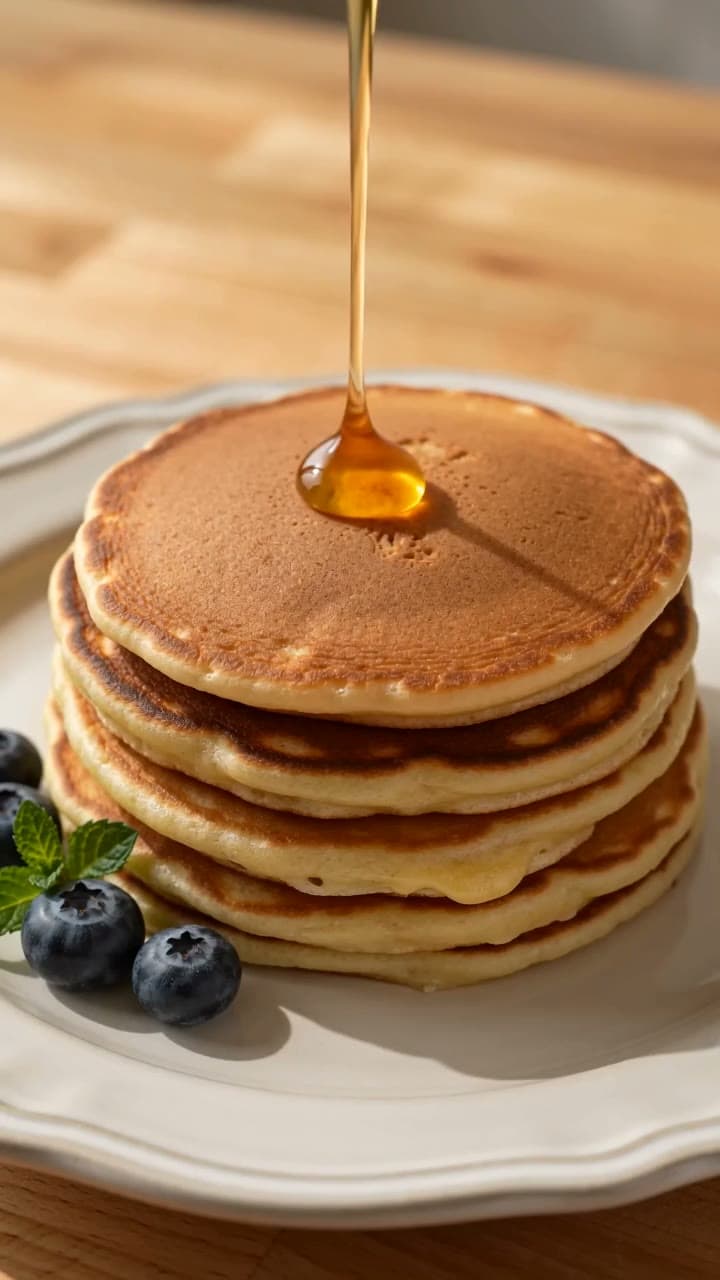
Slow Pour
Food
Texture and light doing the work in a tight overhead crop.
Show the promptHide the prompt
A slow pour of honey over a stack of pancakes, syrup catching warm light, tight overhead framing with textures in sharp focus, close food preparation, vertical 9:16 framing, no text overlays, no watermark
Clips play muted and only when you press play.
The opening
The first three seconds decide the rest
Most short-form clips are lost before the idea arrives. You cannot fix that in the edit if the footage opens on something standing still — so ask for motion that has already started.
- 0.0s
Open mid-action
Start with something already happening. A shot that begins on a static object and waits is a shot people scroll past before it gets going.
- 1.0s
Show the subject
By now it should be obvious what this is about. Keep the subject large in frame — phone screens are small and thumbs are fast.
- 3.0s
Give a reason to stay
Something has to change: a reveal, a pour, a turn, a landing. If the third second looks like the first, there is no reason to reach the fourth.
Rewriting a flat opening
Flat
A coffee cup on a table
Opens in motion
Espresso already pouring into a cup, crema forming as the shot opens
Motion from frame one instead of a still life waiting to become interesting.
Flat
Someone skateboarding
Opens in motion
A skateboarder rolling into frame and landing a trick against a painted wall
Names the moment that pays off, so the clip has somewhere to arrive.
Flat
A nice room
Opens in motion
Camera gliding through a bare room as lamps switch on and furniture fills it
A change across the clip gives the viewer a reason to watch it finish.
Where it helps
For creators, shops and faceless accounts
Anyone who needs to keep posting without filming every day uses the same studio for hooks, b-roll and ad variants.
Product hooks
Open on the product already moving, so the first second earns the next five.
Lifestyle and brand
Warm everyday scenes that look shot rather than licensed.
Tutorial b-roll
Clean overhead demonstration footage you can cut a voiceover over.
Visual trends
A repeatable effect built around one striking, loop-friendly idea.
Faceless accounts
Keep an account posting without ever appearing on camera.
Ad variants
Generate several openings for the same offer and see which holds attention.
Prompt guide
A TikTok prompt formula
Subject already moving, then the camera behaviour, then the light and the setting. Say what changes across the clip — that change is the reason anyone watches to the end.
Product hook
6sA glass dropper releasing serum into an open palm in close up, single soft key light from the left, the droplet already falling as the shot begins, product filling the frame with crisp detail, vertical 9:16 framing, no text overlays, no watermark
Transformation
10sOne continuous shot moving through a bare room as furniture and warm lamps fill it, camera gliding forward at a steady pace, from cold empty light to warm lived-in light, vertical 9:16 framing, no text overlays, no watermark
Food
8sButter melting and foaming in a hot pan as herbs are dropped in, steam rising, close framing with textures in sharp focus, warm kitchen light, vertical 9:16 framing, no text overlays, no watermark
POV travel
8sFirst-person point of view walking through a lantern-lit night market, camera at eye level moving forward past food stalls, handheld with subtle natural shake, vertical 9:16 framing, no text overlays, no watermark
How it works
From an idea to a clip you can post
- 01
Describe the shot
Say what is happening and what the camera is doing. One clear action in one continuous shot works far better in short form than a scene that tries to cut between ideas.
- 02
Pick the hook, look and length
Choose a content type and a visual direction, then set a duration and resolution the model actually supports. Vertical 9:16 is applied for you.
- 03
Generate in the studio, then edit
The brief opens in the imageat video studio with everything preloaded. Generation runs there, and finished clips are saved to your history to download and edit.
FAQ
Questions about AI TikTok videos
What is an AI TikTok video generator?
It turns a written description into a short vertical video clip. You describe the shot, choose a hook type, a visual direction and a length, and the clip is generated at 9:16 — the shape TikTok plays full screen.
Can it post to TikTok for me?
No. imageat generates and stores video; it has no connection to your TikTok account and cannot post, schedule or publish. You download the clip and upload it yourself.
Can it add trending sounds or popular songs?
No, and that is deliberate. Commercial music is licensed, and adding a copyrighted track for you would put your account at risk. Some models generate their own ambient audio; for a trending sound, add it in TikTok's editor where the licence is handled properly.
Will this make my video go viral?
No tool can promise that, and anyone claiming otherwise is guessing. What this does is remove the filming bottleneck, so you can test several openings for the same idea instead of betting everything on one.
How long can the clips be?
It depends on the model. Seedance 2.0 runs from 4 to 15 seconds, Seedance 2.5 goes up to 30, and Veo covers 4 to 8 seconds at higher fidelity. The panel only offers the durations the selected model genuinely supports.
Do the videos have sound?
Only some models generate audio, and the panel tells you which. Where a model has no native audio, the clip is silent and you add music or a voiceover afterwards in your editor.
How much does a video cost?
Video generation spends credits, and the cost depends on the model, duration and resolution you choose. The studio shows the price before you run it, and a failed generation is refunded automatically.
How is this different from the Reels and Shorts pages?
All three open the same video studio at 9:16. The presets and guidance differ: this page is built around hooks and the first three seconds, Reels around polished brand and product storytelling, and Shorts around a complete idea with an opening, a development and a payoff.
imageat generates and stores video. It does not post to TikTok, supply trending or licensed audio, or affect how any clip performs. Rights and permitted use are governed by the imageat terms of service.
Open on something already happening
Describe one clear action, pick a length the model supports, and generate until the first second earns the next five.