AI Motion Transfer
Upload a photo and a clip. Your subject copies the movement, keeping their own face, clothes and setting.
Input
Model
Character photo
The person, or pet, you want moving. Clear body proportions.
Upload a photo — JPG, PNG or WebP
Reference clip
The movement to copy. One person, steady camera, up to 30 seconds.
Upload a video — MP4 or MOV, up to 100MB
Orientation
Prompt
Optional. Only useful to nudge the setting or mood.
5 credits per second, billed on an 8-second estimate
Output
 +=the clip above
Your own result will appear here
- Full body in frame beats a head-and-shoulders crop
- One person in the clip, and a camera that stays put
- Similar starting pose between photo and clip
Photo in, motion in, video out
The subject, clothes and setting come from the photo. Only the movement is taken from the clip.
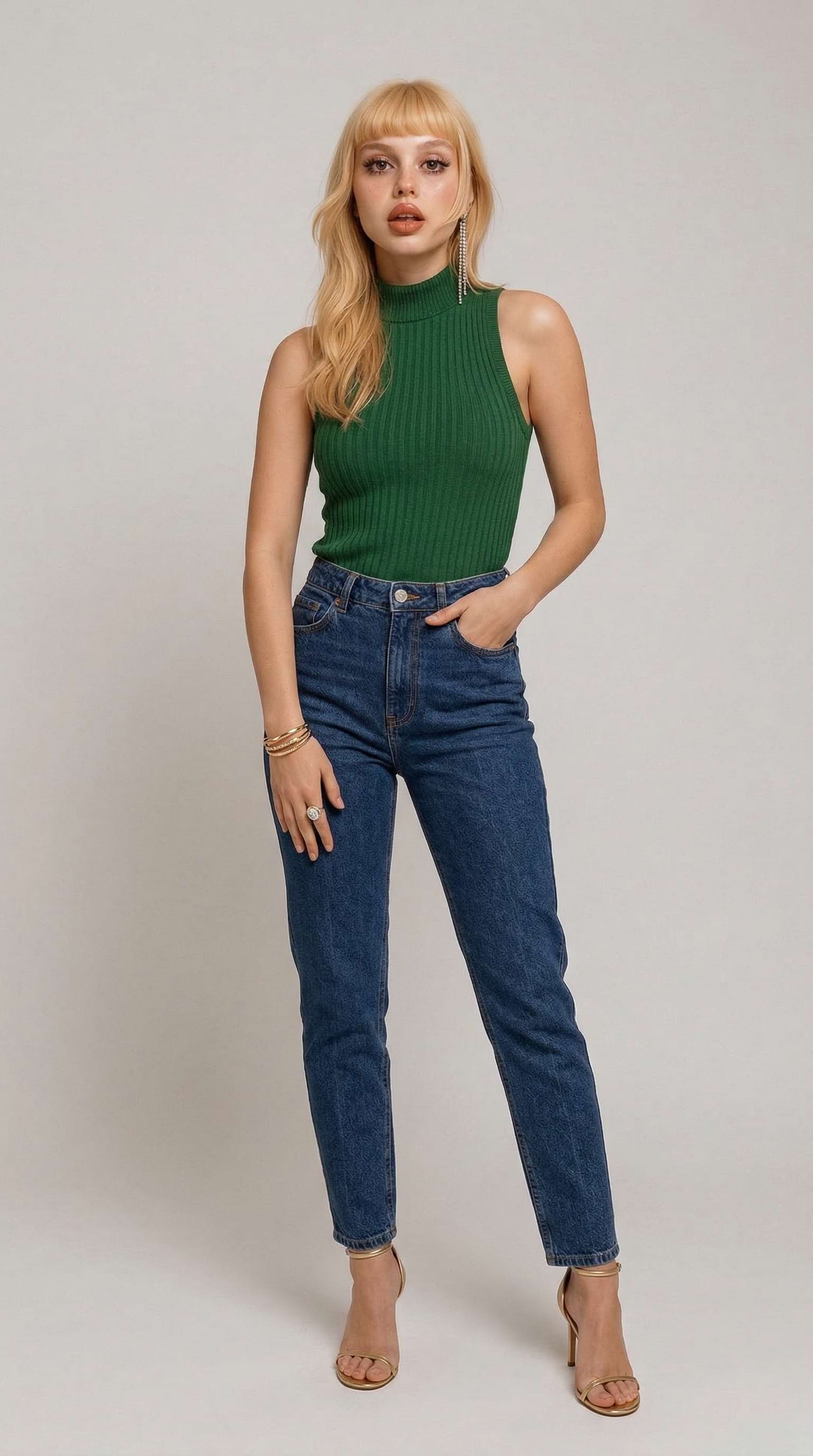
Studio portrait, street dance clip
A plain full-body studio shot picks up the footwork and arm work of a rooftop dance.
Your photo
Motion clip
Result
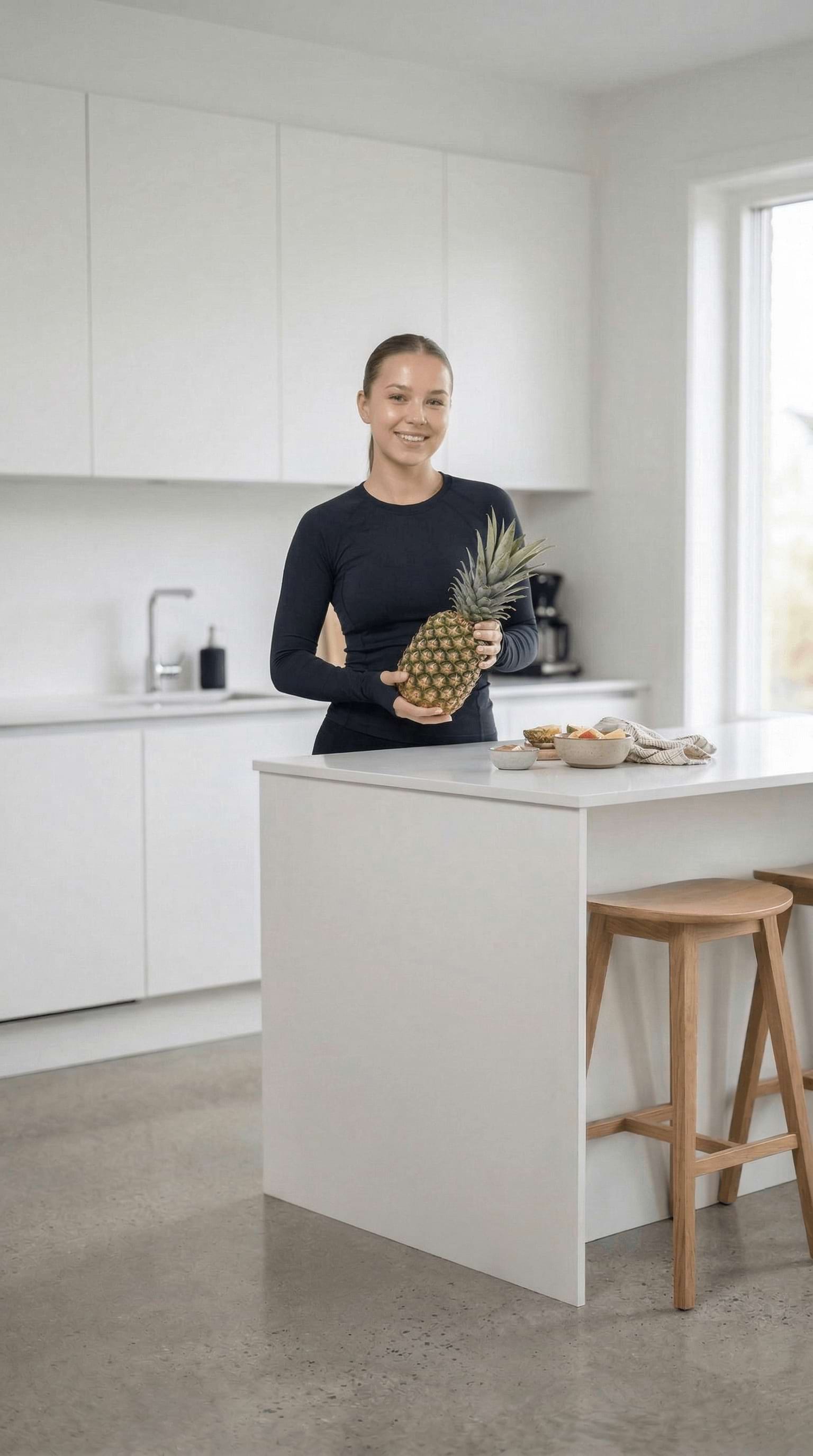
Kitchen scene, full-body gesture
The room, the outfit and the pineapple all stay put — only the movement is borrowed.
Your photo
Motion clip
Result
What motion transfer actually does
Motion transfer — motion retargeting, if you prefer the technical name — separates who is in a shot from what they are doing. The reference clip supplies the skeleton: joint positions, timing, weight shifts, the way a body actually moves through a turn. Your photo supplies everything else — the face, the outfit, the proportions, the room. The model drives one with the other, frame by frame.
That is a different job from a text prompt, which invents motion from a description and gives you something plausible rather than something specific. If you already have the movement on video and you want that movement, this is the tool.
Which model to pick
Kling 3.0 — 5 credits/second
The default. Holds a face and an outfit together through fast movement and limb crossings, which is where cheaper motion models smear. Use it for dance, sports and anything where the subject has to stay recognisable.
Kling 2.6 — 3 credits/second
Cheaper per second and good enough for slower, front-facing motion: walking, gestures, simple loops. Worth trying first when you are iterating on framing rather than final output.
How to get a clean result
Use a clear photo
Full body in frame, even lighting, and as little background clutter as possible. The model has to invent anything the photo does not show.
Pick a steady driver clip
One person, a camera that stays put, and no hard cuts. Handheld footage and crowd shots give the tracker several bodies to choose between.
Match the starting pose
When the photo and the first frame of the driver clip stand roughly the same way, the first second of the output is much cleaner.
Pets work too
A standing, side-on photo of a cat or dog transfers surprisingly well. Sitting and lying poses do not — there is no visible skeleton to drive.
No driver clip of your own?
The AI Dance Video Generator covers the same ground with routines we already host — TikTok dances, baby and pet versions, and cinematic stage performances. You pick the motion from a gallery and upload one photo.
Deciding between platforms? Compare the workflows in our Viggle AI vs imageat guide.
Frequently asked questions
What is motion transfer?
It is video-to-video motion retargeting: you supply a still photo and a reference clip, and the model copies the movement from the clip onto the person in the photo. The subject, clothes and setting come from your photo; the choreography, timing and body mechanics come from the video.
How is this different from the dance effects?
The AI Dance Video Generator gives you fixed routines that we host — you pick one from a gallery. Motion transfer takes any clip you upload as the driver, so the movement is whatever you give it, not a preset.
Which model runs it?
Kling's motion control models on Wiro. Kling 3.0 is the default and the most accurate at keeping a face and outfit stable through fast movement; Kling 2.6 is the cheaper option for simpler clips.
What does it cost?
Motion control bills per second of output. Kling 3.0 is 5 credits per second and Kling 2.6 is 3 credits per second, charged against an estimated 8-second render — 40 and 24 credits respectively. The exact figure is shown on the Generate button before you spend anything.
What files can I upload?
JPG, PNG or WebP for the photo and MP4 or MOV for the driver clip. Keep the driver under about 30 seconds; longer clips take longer and drift more toward the end.
How long does it take?
Usually 3–10 minutes, depending on how long the driver clip is. The job keeps running if you leave the page, and the finished video appears in your Dashboard.
Can I use the videos commercially?
Yes. You own what you generate on imageat and can use it for personal or commercial work. You are responsible for having the rights to the photo and the driver clip you upload.