AI effects are easy to demo and harder to ship reliably. A trend can peak before a product team has finished choosing models, writing prompts, handling failures, and building an interface. The imageat AI templates library shortens that path: teams can inspect ready-made image and video recipes, test them in a browser playground, and—where the template includes API access—run the same fixed version from their own product.
That makes templates useful for more than one-off social posts. An app studio can add a new effect, a game studio can prototype a themed character experience, and a SaaS platform can offer repeatable media creation under its own interface. The important shift is to treat a template as a product building block, not simply as inspiration.
What an AI template includes
A template packages the creative and technical decisions that normally sit behind a generation workflow. Depending on the template, that can include the prompt, model, reference media, processing steps, required inputs, output format, version ID, average generation time, and expected price.
On the live template pages, the user starts with labeled inputs rather than an empty prompt box. For example, the Paper Cutout Cartoon template asks for one clear photo and returns a fixed 1K, 3:4 PNG. The Liquid Car Reveal template turns a car photo into a vertical video reveal, while Hotel Lobby Swap is designed around two people and returns a landscape video with audio.
The template page shows the output specification before a run. It also separates browser Playground billing from API billing. When checked for this guide, Paper Cutout Cartoon displayed an average API cost of $0.16 and four Playground credits, while video templates displayed different prices and generation times based on their longer pipelines. These figures can change, so teams should use the price shown on the live template page or API response when designing their own limits.
Why fixed recipes matter in a product
A general image or video endpoint gives a team flexibility, but flexibility also creates more variables to test. A reusable template gives a feature a defined contract:
- the product knows which input fields to collect;
- the output resolution, aspect ratio, and file type are predictable;
- the template version identifies the recipe being run;
- a job ID makes asynchronous processing easier to track;
- failed jobs can be handled consistently;
- the team can build pricing and usage rules around a known workflow.
That predictability is especially valuable when a creative experiment becomes a customer-facing feature. The public template documentation states that changes ship under a new version ID, helping an existing integration retain its established behavior and price rather than changing silently.
A practical workflow: test, package, ship
1. Choose the smallest useful experience
Start with one input, one transformation, and one clear result. A photo effect might ask for a portrait and return a shareable image. A vehicle feature might ask for one car photo and return a vertical reveal. Avoid beginning with a multi-screen editor if the core transformation has not yet proved useful.
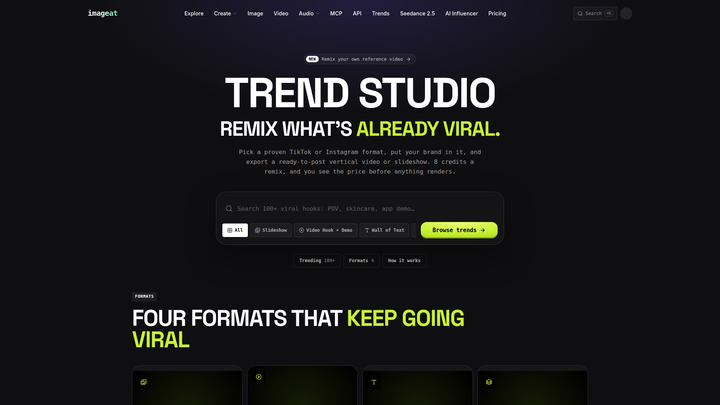
Browse the library by media type and API availability. The library currently separates photo and video results and marks templates that can run through both the Playground and API. Teams exploring broader viral formats can also review imageat trends, but the templates library is the more direct starting point when a versioned integration is required.
2. Test with representative inputs
The sample output explains the intended result; it does not prove that every customer photo will work equally well. Test bright and dark images, different crops, more than one person where supported, and inputs close to the file-size limit. Record failure states as carefully as successful outputs.
The Playground is useful here because product, design, and engineering can evaluate the same recipe before writing integration code. Confirm the visible cost, average time, fixed output format, and required input labels. Do not design the user interface around assumptions that are absent from the template schema.
3. Design the waiting state
Template jobs are asynchronous. A run returns a job ID, and the product then polls the job endpoint until the CDN output URL is ready. That means the interface needs a real processing state rather than a frozen button.
Tell users that their media is processing, allow them to leave the screen when possible, and store the job ID against the user’s project. For retries, use an idempotency key so the same request maps to the same job instead of creating an accidental second charge. Keep API keys on the server, never in a mobile app or browser bundle.
4. Add product rules around the recipe
A template handles generation; the surrounding product still needs its own limits and safeguards. Decide who can run the feature, how many attempts are included, what input rights users must confirm, how moderation works, and how long the result remains visible in the product.
Use clear copy: users should upload only photos they own or have permission to use. Avoid positioning a face-based effect as a tool for impersonation. For copyrighted or pop-culture-adjacent aesthetics, use fictional framing and review the intended commercial context before launch.
5. Measure the feature, not just the generation
Track the complete funnel: template opened, upload completed, job accepted, job completed, result viewed, result downloaded or shared, and repeat use. Generation success alone does not show whether the feature is valuable.
Also log the actual cost returned for each request. This lets a team compare engagement with cost, set per-user limits, and decide whether a trend belongs in a free acquisition loop, a paid tier, or a limited campaign.
How app studios can use templates
For app studios, the clearest opportunity is speed. A photo or video app can place a trend-led effect next to its existing editor without building every model-specific pipeline from scratch.
Consider a consumer photo app launching a “winter cartoon” feature. The app can collect one portrait, show a short processing state, run Paper Cutout Cartoon from its backend, and return a portrait-oriented result ready for sharing. The studio’s product work becomes the branded interface, onboarding, usage limit, gallery, and sharing flow—not prompt engineering for every request.
A vehicle community app could use Liquid Car Reveal as a premium creation option. The app might let members select an existing garage photo, submit the job, and save the finished vertical video to their profile. Before release, the studio should test different vehicle angles and make the required input guidance visible.
A sensible launch plan is:
- release one template to a small user cohort;
- measure completion, share, and retry rates;
- cap usage while cost data is still limited;
- add a second template only after the first flow is stable;
- keep template IDs and pricing rules in server-side configuration.
This approach turns trends into controlled feature experiments rather than permanent complexity in the app.
How game studios can use templates
For game studios, templates can support community engagement, live operations, store marketing, and preproduction. They do not replace a studio’s art direction or final asset pipeline, but they can make narrow, repeatable experiences faster to test.
A studio could offer a fictional “neon city character card” during a seasonal event. Players upload an approved portrait, the backend runs a portrait template, and the game account receives a shareable image. The result might be used outside gameplay as a community profile card rather than being inserted directly into a production build.
Another useful pattern is marketing validation. A team can test whether players respond to character portraits, vehicle reveals, or short cinematic transformations before committing engineering time to a deep in-game creator. If the experiment performs well, the studio can move to a custom workflow with its own style references and stricter art controls.
The broader imageat game-studio workflow includes sprite sheets, characters, playable prototypes, trailers, cinematics, sound effects, and voice. A fixed trend template is best treated as the fast entry point; consistent production assets should use saved references, repeatable workflows, and studio review.
For player-facing generation, call the API from the studio backend. Keep moderation, quotas, account eligibility, and commercial-use review under studio control. Never ship a secret key in the game client.
How SaaS platforms can use templates
For SaaS and B2B platforms, a template can become a focused action inside an existing workflow. A real-estate platform might add a controlled listing-video effect. An automotive SaaS product might generate reveal clips from inventory photos. A marketing platform might let customers produce campaign variations without leaving the editor.
The strongest SaaS experience does not expose a long model menu. It names the customer outcome: “Create a vertical car reveal,” “Turn this team photo into a campaign visual,” or “Generate a shareable event clip.” The product maps that action to the template ID behind the scenes.
Because requests originate from the SaaS backend and results return there, the platform can keep its own branding, plans, credits, permissions, and customer history. The response cost can be recorded per workspace, allowing the SaaS company to create internal budgets or customer allowances based on real usage.
For a first SaaS integration:
- select one template that matches an existing customer job;
- map the template’s input schema to fields the product already stores;
- present the fixed output format before the user confirms;
- queue the job and make its status resumable;
- store the returned asset with the relevant project or record;
- expose download, reuse, and deletion controls;
- review margin using actual request costs.
Teams that need implementation details can use the Templates API documentation for listing templates, running a template, polling a job, and handling billing or errors.
When to use a template—and when to build a custom workflow
Use a ready-made template when the desired result closely matches the published example, speed matters, and fixed inputs and outputs are acceptable. It is ideal for a rapid product test, a campaign, a trend-led effect, or a narrowly defined customer action.
Build a custom workflow when the team needs proprietary art direction, several conditional steps, a private reference library, multiple output variants, or deeper control over editing and post-processing. The template can still be the prototype that proves demand before that investment.
A useful decision rule is simple: if users are buying the outcome, hide the complexity behind a template. If users need to design the process itself, give them a workflow or model-level controls.
Start with one outcome
The fastest route from a viral format to a dependable feature is not to copy everything that is trending. It is to choose one outcome, test it with real inputs, make the cost and wait state visible, and wrap it in the rules your product needs.
Browse the imageat templates library, open a relevant example, verify its live inputs and output specification, and test it in the Playground. Once the experience works for your audience, connect the versioned template from your backend and ship it as a feature that feels native to your app, game, or SaaS product.