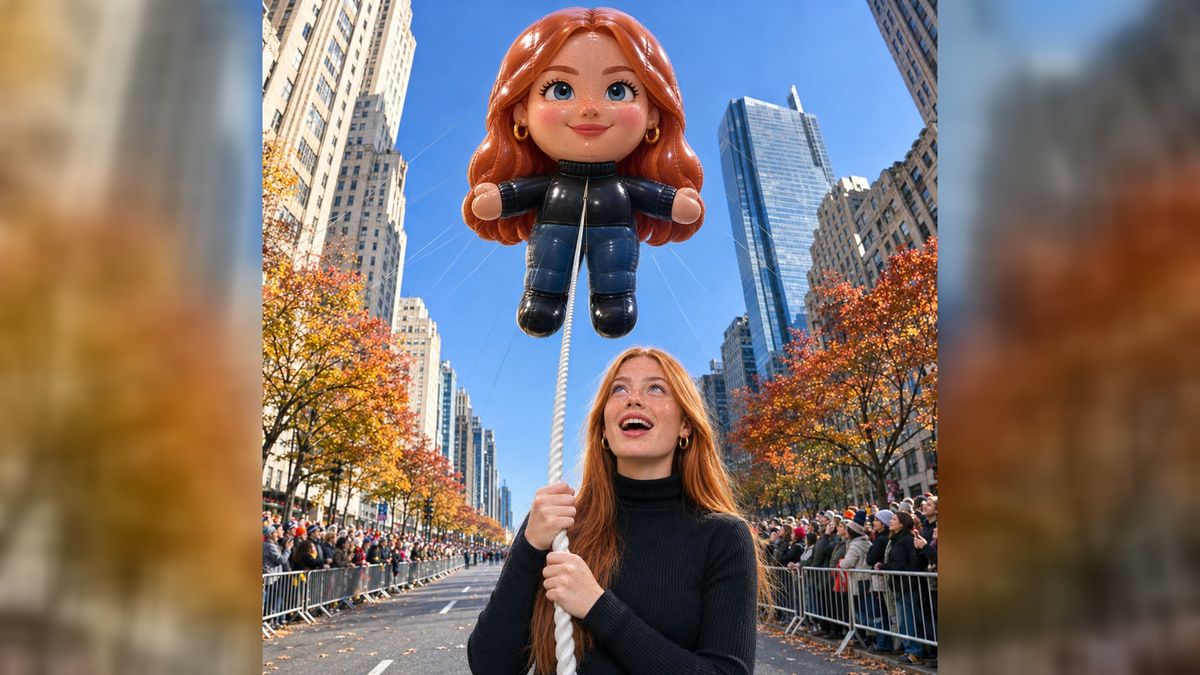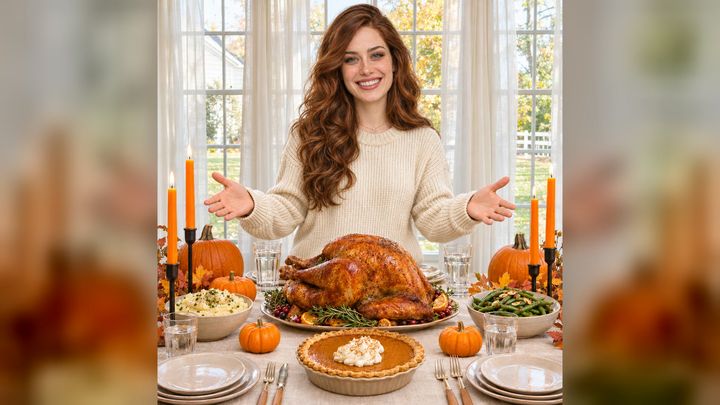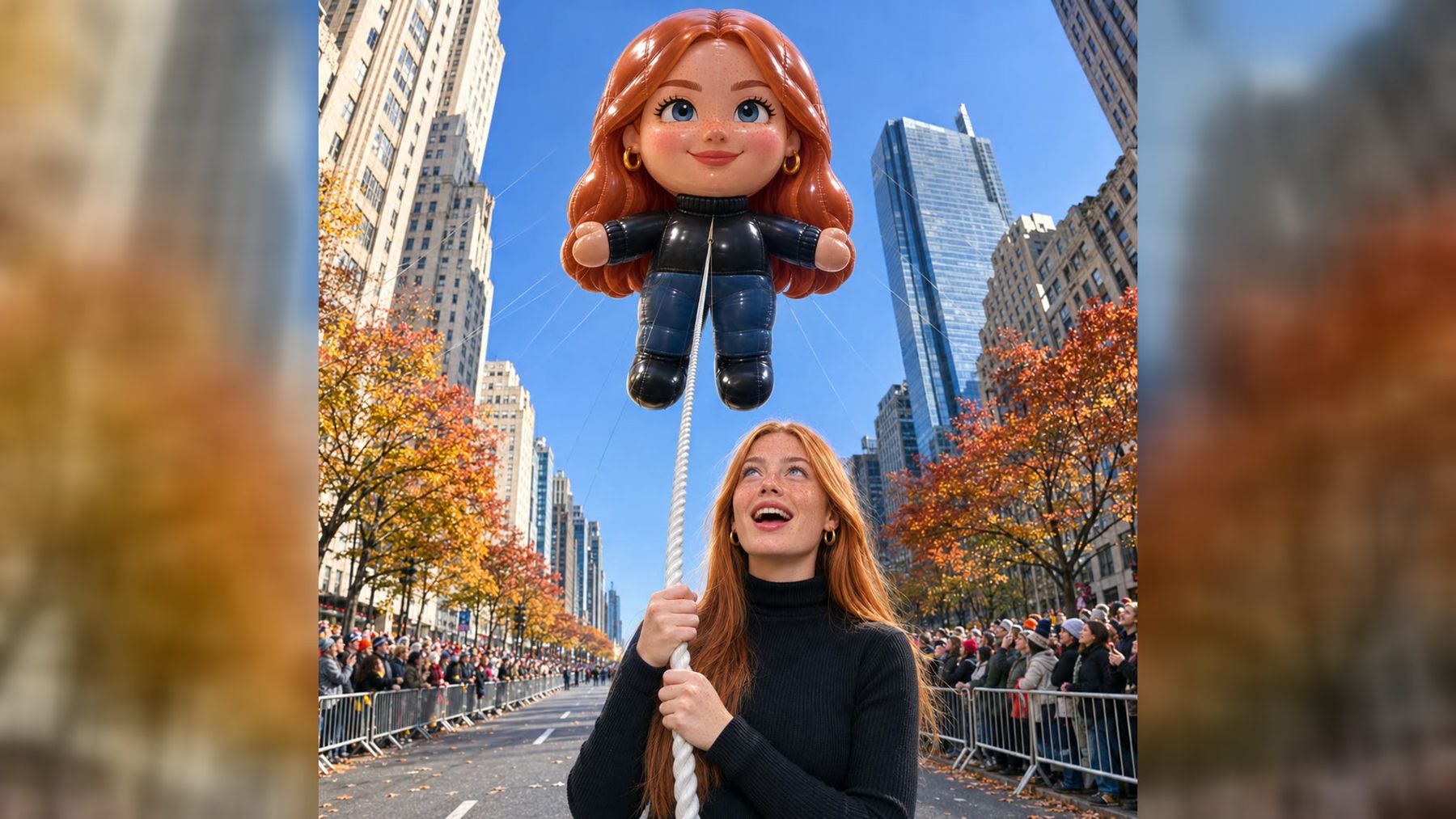
A good Thanksgiving parade balloon idea has to work at two scales: it should be recognizable as a tiny phone-screen silhouette and still reward a closer look. The Thanksgiving Parade Balloon video on imageat turns one clear portrait into a 10-second vertical reveal in which a giant cartoon balloon version of the person floats above a city parade route.
The template supplies the route, crowd, camera movement, dialogue, and reveal. Your creative work starts earlier: choosing a person, outfit, expression, and visual theme that can become a memorable balloon character. Below are 15 adaptable concepts, followed by practical advice for source photos, character design, review, and responsible sharing.
The quick answer: what makes a good parade balloon character?
A strong parade balloon character usually has:
- One dominant silhouette that remains clear from a distance
- Two or three recognizable visual traits rather than a dozen small details
- A simple color palette with useful contrast
- An expression that can be read immediately
- An outfit or prop connected to a real interest, role, or running joke
- Rounded forms that plausibly translate into an inflatable design
- No dependence on tiny text, logos, or intricate patterns
Think like a character designer, not a costume archivist. The goal is not to reproduce every seam, accessory, and fabric texture in the source photo. It is to identify the details that make the subject unmistakable and exaggerate them just enough to survive the transformation.
15 Thanksgiving parade balloon ideas
1. The signature-outfit balloon
Start with the clothing people already associate with the subject: a bright jacket, black turtleneck, colorful sweater, denim overalls, or favorite team-color combination. A signature outfit gives the balloon an identity before viewers inspect the face.
Avoid garments covered in fine lettering or small prints. Broad blocks of color, an obvious collar, or one recognizable accessory translate more clearly. If the original item carries a brand mark, describe the result generically when posting rather than treating it as an official collaboration.
2. The family cook
Turn the person who organizes the holiday meal into a cheerful cook character. A clean apron, oven mitt, wooden spoon, or pie-shaped accessory can establish the role. Keep the concept celebratory rather than chaotic; realistic flames, knives, or overloaded props distract from the friendly balloon form.
Prompt starter for a custom design: “a rounded holiday cook character with a warm…” Finish it with a palette, one food-related prop, a hairstyle, and the expression you want to preserve.
3. The pet-parent balloon
Use the person’s own look, then add one simple pet reference: a paw-shaped patch, animal-ear headband, leash loop, or tiny fictional companion tucked into a pocket. This works better than trying to combine a human and several animals into one complicated shape.
If the pet needs to be the star, use a pet-focused concept instead of forcing both subjects into one portrait. One clear focal character is easier to recognize in a fast reveal.
4. The hometown hero
Build the design around a place without copying a city seal or sports logo. Use local colors, a weather clue, a familiar type of architecture, or a regional object. A coastal character might carry a stylized lighthouse charm; a mountain-town character could wear a bold knit hat.
Keep the reference broad enough that the balloon still makes sense to viewers who do not know the location. The person should remain the subject, while the hometown detail acts as a clue.
5. The cozy reader
A large scarf, rounded glasses, and one oversized book create a readable shape. Skip tiny book-cover text; use a plain cover or simple symbol instead. A thoughtful smile or delighted expression makes the character feel specific without relying on a famous fictional reader.
This concept suits teachers, librarians, book-club friends, or anyone whose holiday routine includes disappearing into a novel after dinner.
6. The music-lover balloon
Choose one musical object with a strong outline: headphones, a guitar silhouette, drumsticks, or a microphone. Do not crowd the character with an entire stage setup. The accessory should support the portrait rather than hide the face or hands.
For a playful variation, match the outfit colors to the person’s listening habits—bright dance-pop color, warm acoustic neutrals, or a sleek electronic palette—without copying an album cover or performer’s costume.
7. The hobby champion
Gardening, knitting, pottery, baking, cycling, and photography can all become balloon concepts. Select the hobby’s simplest visual shorthand: a watering can, ball of yarn, clay cup, whisk, helmet, or camera shape.
The best object is not necessarily the most realistic one. It is the one viewers can identify in less than a second. Enlarge one prop and remove secondary tools.
8. The office legend
Turn an everyday workplace role into mock celebrity. A project manager could hold an oversized checklist with no readable writing; a designer could carry a color fan; a developer might have a simple glowing cursor symbol instead of lines of fake code.
The joke lands when coworkers recognize the habit. Avoid confidential screens, company badges, client materials, or private workplace jokes that could embarrass someone outside the group chat.
9. The holiday traveler
Use a rounded suitcase, neck pillow, or camera bag to suggest the person who always arrives after a long journey. A scarf blowing slightly upward can strengthen the sense of motion while keeping the design simple.
Do not include a real boarding pass, passport, address, or luggage tag. Those details are too small to help the design and can reveal personal information.
10. The fitness friend
A sweatband, tracksuit, yoga mat, or pair of light dumbbells can make an energetic character without turning the image into a body-transformation claim. Keep the proportions friendly and cartoon-like.
Choose a source photo that shows the face clearly rather than a distant gym shot. The balloon can invent the activity styling, but it needs useful facial and hair information from the upload.
11. The family-group-chat mascot
Build the character around a harmless recurring habit: always bringing extra snacks, taking too many photos, arriving early, falling asleep after dinner, or organizing every family game. One accessory can deliver the joke.
Consent matters even for affectionate humor. If the concept is about another person, ask before uploading their photo or posting a personalized result publicly.
12. The retro holiday character
Pick a decade-inspired palette and silhouette rather than copying a specific celebrity. A 1950s-style coat, 1970s flared trousers, 1980s windbreaker, or 1990s color-block jacket can create an immediate era cue.
Use the decade as art direction, not as a demand for historical perfection. Two strong cues are usually enough. Too many era props make the character feel like a costume catalog.
13. The weather-ready balloon
A giant raincoat hood, bright mittens, earmuffs, or an exaggerated umbrella can turn the forecast into the concept. This is especially useful when the real outfit in the source image is visually plain.
Choose a single weather story. Snowflakes, rain, lightning, wind, and sunshine in one design compete for attention and make the silhouette harder to read.
14. The future-self balloon
Imagine the subject celebrating a goal: graduating, opening a studio, finishing a marathon, publishing a book, or learning an instrument. Represent the achievement with one generic object and an original outfit.
Frame the result as an aspiration, not a claim that the event already happened. Avoid official diplomas, medals, uniforms, or credentials if the person has not earned them.
15. The intentionally ordinary balloon
The funniest idea may be an enormous version of someone doing nothing glamorous: holding coffee, carrying groceries, wearing slippers, or looking for the TV remote. The scale creates the comedy.
Ordinary concepts also preserve personality well. A familiar posture and favorite sweater can be more recognizable to friends than a complicated superhero treatment.
How to choose a source photo
The live trend uses one photo labeled “Your photo, face clear.” It works best when the image gives the system direct evidence for the face, hair, and outfit that should appear in both the street-level person and balloon character.
Choose a photo with:
- One adult subject
- A sharp, unobstructed face
- Even light across both eyes
- Hair visible against a contrasting background
- A waist-up crop when possible
- Clothing with clear color and shape
- No sunglasses, mask, heavy filter, or hand covering the face
- Enough resolution to inspect the eyes and hairline
A full-body photo can work, but do not sacrifice facial detail merely to include shoes. If you need to correct the framing first, use the image resizer while keeping a clean copy of the original.
Do not upload an image simply because the pose is dramatic. A quiet, front-facing portrait often supplies better identity information than a distant action shot. The finished sequence already provides movement, crowd energy, and a camera reveal.
How the imageat parade-balloon video works
This is a fixed workflow rather than an open prompt box. The live page currently follows three stages:
- It prepares a 3:2 identity sheet from the uploaded portrait.
- It creates a 2:3 cartoon parade-balloon version of the subject.
- It uses Seedance 2.5 to film a 10-second, 9:16 video with generated speech, parade ambience, and marching-band sound.
The sequence begins with the person holding a rope at street level. The camera follows the rope upward, reveals the giant balloon between the buildings, and returns to the person’s reaction. The generated voice is part of the fictional result; it is not a clone of the real person’s voice.
The live controls offer 480p and 720p. Generation uses paid-plan credits, and the current price is shown on the Generate button before the run. Check that live amount rather than relying on an older article or screenshot. If you want a more open-ended scene rather than this established sequence, compare it with the AI video generator or a custom image-to-video workflow.
A practical step-by-step workflow
1. Decide what viewers should notice first
Write down the one feature that defines the character: red hair, a green jacket, round glasses, a chef apron, or an oversized book. If you cannot name the focal feature in a few words, simplify the concept.
2. Prepare the portrait
Crop distractions, check focus, and make sure the subject has granted permission. Do not remove every background pixel unless necessary; the important part is a clear face and readable clothing.
3. Choose the draft resolution
Use the lower-resolution option when you are testing whether the source photo and concept translate. Move to the sharper option only after the identity, expression, and outfit work. Always confirm the current credit amount on the button before generating.
4. Generate the established sequence
The template controls the scene, timing, camera movement, dialogue, and sound. Because it is not an open prompt workflow, improve the result by changing the source portrait or concept—not by expecting hidden prompt controls.
5. Review the complete clip
Pause at the street-level close-up, balloon reveal, wink, and final reaction. Check facial consistency, hair color, outfit continuity, hands on the rope, balloon tethers, building edges, crowd artifacts, and audio timing.
6. Export for the destination
The vertical MP4 is suited to Reels, TikTok, and Shorts. If a platform rejects the file size, use the video compressor after approving the visual result. Compression cannot repair identity or motion errors.
For more ways to film or generate the holiday, see these Thanksgiving video ideas.
Common mistakes and how to fix them
Too many character details
Small pins, necklaces, text, patterns, and layered props may disappear or mutate. Keep two or three defining details and let the face, hair, and major outfit shape do the rest.
A weak silhouette
Dark clothes against dark hair can merge into one shape. Add contrast through a jacket, scarf, collar, or lighter background in the source photo.
Treating text as decoration
Generated lettering may be unreadable. Avoid designs that depend on a slogan, name tag, jersey number, or sign. Add accurate captions later in a video editor if the post needs text.
Using a copyrighted character as the whole idea
A balloon can feel festive without reproducing a protected mascot, movie character, game hero, or branded costume. Build an original archetype from the person’s interests, colors, and silhouette.
Uploading a crowded group photo
The current page asks for one person. Cropping one face out of a group image may leave too little detail. Use the original individual portrait when possible.
Assuming the first output is documentary footage
The city route, crowd, balloon, speech, and action are generated. Do not present the clip as evidence that the person appeared in a real parade. A short “AI-generated” note prevents confusion when the result looks convincing.
Consent, privacy, and IP checks before posting
Use a photo you own or have permission to upload. Get direct consent from any identifiable person, especially when the clip will be public or commercial. Do not make deceptive endorsements, impersonate public figures, or use private images of children without a parent or guardian’s approval.
Keep the character original. Generic roles such as “cozy reader,” “holiday cook,” and “retro traveler” are safer creative starting points than exact recreations of famous balloons or entertainment properties. Review the responsible-use terms before publishing a personalized result.
Finally, inspect the background as carefully as the subject. Generated crowds can contain distorted faces, signs, hands, or barriers. A fast-moving social clip may hide those errors during playback, but viewers can still pause the video.
Frequently asked questions
What is a Thanksgiving parade balloon video?
It is a short video centered on the reveal of a giant inflatable character above a Thanksgiving parade route. The imageat version personalizes the character from one portrait and places the same person at street level holding the balloon rope.
Do I need to write a prompt?
No. This trend page uses an established workflow and sequence rather than an open prompt field. Your main creative controls are the portrait, outfit, character concept, and selected resolution.
What photo works best?
Use one clear, well-lit waist-up portrait with the face, hair, and outfit visible. Avoid group shots, extreme side profiles, sunglasses, masks, heavy beauty filters, and low-resolution social-media downloads.
Can I design a balloon based on a famous character?
An original concept is the safer choice. Use broad themes, colors, occupations, hobbies, and moods rather than copying a protected character, logo, costume, or existing parade balloon.
Does the finished video include sound?
Yes. The live page describes parade ambience, a distant marching band, and generated dialogue. The voice is generated for the clip and is not a copy of the subject’s real voice.
How long is the result?
The current workflow produces a 10-second vertical 9:16 MP4. Product settings can change, so confirm the output summary on the live page before generating.
Is it free to make?
No free-use claim should be assumed. Generation uses paid-plan credits, and the current cost appears on the Generate button before the run. Failed generations are described on the page as refunded.
How should I disclose the result?
Use a clear label such as “AI-generated parade balloon concept” when viewers could mistake the scene for a real event. Avoid captions that imply an official parade appearance, sponsorship, or partnership.
Create a character that belongs to the person
The most memorable balloon concept is rarely the most complicated. Choose one recognizable trait, one bold outfit direction, and one harmless story about the person. Then let the huge scale and upward camera reveal create the spectacle.
When your portrait and idea are ready, use the Thanksgiving Parade Balloon video template, check the current credit price on the Generate button, and review every frame before sharing the fictional result.