Make the Viral 360° Rotation Video of Your Pet, Baby or Yourself
Example results
Watch video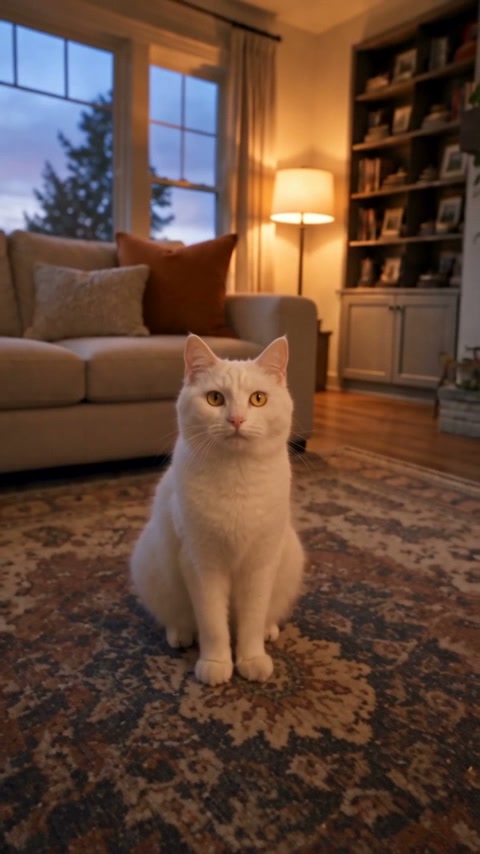
360° Rotation Video
360° Rotation Video
Upload Your Photo
For the best likeness: one person per photo, face clearly visible from the front, good light, nothing covering the face (phone, sunglasses, hand). Upload the original photo, not a screenshot.
The 360° rotation video is the pet clip all over TikTok and Reels: a dog or cat sits calmly on the living-room floor while a low camera races a full circle around it, whips past the table legs, slides under the furniture and swings back to land on a close-up of its face — like a tiny action movie shot at floor level. This generator makes the same video with your own subject. Upload a photo of your dog, cat, rabbit, baby or yourself, and optionally a photo of your room. The subject keeps its face, colours, fur, hair and outfit from your photo, the room keeps its furniture, floor and light, and the camera follows the original orbit beat for beat: same path, same speed, same motion blur, same final close-up. Skip the room and your subject sits in a warm, cosy living room instead. The trend's audio is laid over the finished clip, so it is ready to post as soon as it renders.
What is the 360° Rotation Video?
360° Rotation Video is an AI video effect that animates a still image with a directed camera move or subject action. The source photo anchors the opening composition while the video model generates coherent motion, depth, and new frames around it.
How to Create Your 360° Rotation Video Video
Creating your own 360° rotation video video is simple:
- 1Upload one clear photo of your pet, baby or yourself — ideally the whole body, facing the camera.
- 2Optionally add a photo of the room where the orbit should happen. Skip it and the default living room is used.
- 3Generate. The camera orbits your subject a full 360° on the floor of the room and ends on a close-up.
- 4Preview the 7-second vertical video and download it for TikTok, Instagram Reels or YouTube Shorts.
Tips for Best Results
- Order matters: the first photo is always the subject, the optional second photo is always the room.
- A full-body photo gives the best result — the camera sees the subject from every side, so it helps to show the whole body, paws or feet included.
- Sharp, well-lit photos keep faces, fur patterns and eye colours recognisable through the fast spin.
- One subject per photo works best. Crop out other pets or people so only one appears in the video.
- For the room, shoot a wide photo of the floor and furniture from standing height — rugs, sofas and table legs make the orbit more dramatic.
- Avoid heavy filters, sunglasses and hats that hide the face; they tend to drift during the rotation.
Best Prompts for 360° Rotation Video
Want more control over the motion? Copy one of these prompts and use it in our AI video generator to fine-tune the 360° rotation video style.
360° Rotation Video, smooth controlled camera movement, realistic motion, cinematic lighting, stable composition, natural depth
360° Rotation Video, immediate visual hook, smooth motion, clear centered subject, polished 9:16 social video
360° Rotation Video, gradual movement, atmospheric depth, elegant pacing, wide cinematic reveal
360° Rotation Video, energetic camera movement, strong parallax, dramatic scale, crisp detail
Why Choose ImageAt for 360° Rotation Video
Fast turnaround
Most generations finish quickly; busy periods can take longer—we deliver your video here the moment processing completes.
Realistic Transformation
Powered by cutting-edge AI algorithms for incredibly realistic transformations.
Social Media Ready
Create shareable content perfect for TikTok, Instagram, and Twitter.
FAQs About 360° Rotation Video
Create this trend with imageat
Go beyond the 360° rotation video — turn any idea or photo into a video with imageat's video generator.