Add a realistic AI boyfriend to your photo. Upload a selfie, describe him if you like, and get a natural couple picture matched to your photo's light and setting.

More AI trends

  • Lil Yachty Walk Out AI Video Generator
  • Mirror Muse AI Video Generator
  • Choice Zombie Love Story AI Video
  • Ghostface Popcorn AI Photo Generator
  • Ghostface Scream Camp Crystal Lake AI Photo Generator
  • Ghostface Scream Y2K AI Photo Generator
  • Pigeon Head Swap AI Video
  • Airplane Face Swap AI Video
imageat
Explore
Create

Features

My MovieCreate ImageCreate VideoCreate WorkflowGalleryPhoto PacksToolsOld Photo RestorationWorld Cup 2026Edit ToolsRelightAnglesVideo EditAI StylistInpaint
All models →Nano Banana 2Fast & affordable • 4 creditsNano Banana 2 LiteFast draft • 3 creditsNano Banana ProHighest quality • 8 creditsNano BananaBudget friendly • 3 creditsGPT Image 2.5OpenAI's newest • from 3 creditsGPT Image 2.5 SunburstSlower, finer detail • from 3 creditsGPT Image 2OpenAI • 2–10 cr by qualitySeedream 5.0 ProFlagship ByteDance • 3–5 creditsSeedream 5.0 LiteBytedance model • 3 creditsKrea 2High-fidelity • 3 creditsKrea 2 MediumFast • 2 creditsReve 2.1Text & layout accuracy • 8 credits
ImageVideoAudioMCPAPITrendsSeedance 2.5AI InfluencerPricing
Explore
ImageVideoAudioMCPAPITrendsSeedance 2.5AI InfluencerPricing
All trends

Add a Boyfriend to Your Photo with AI

4.8(386 ratings)

Example results

Preview
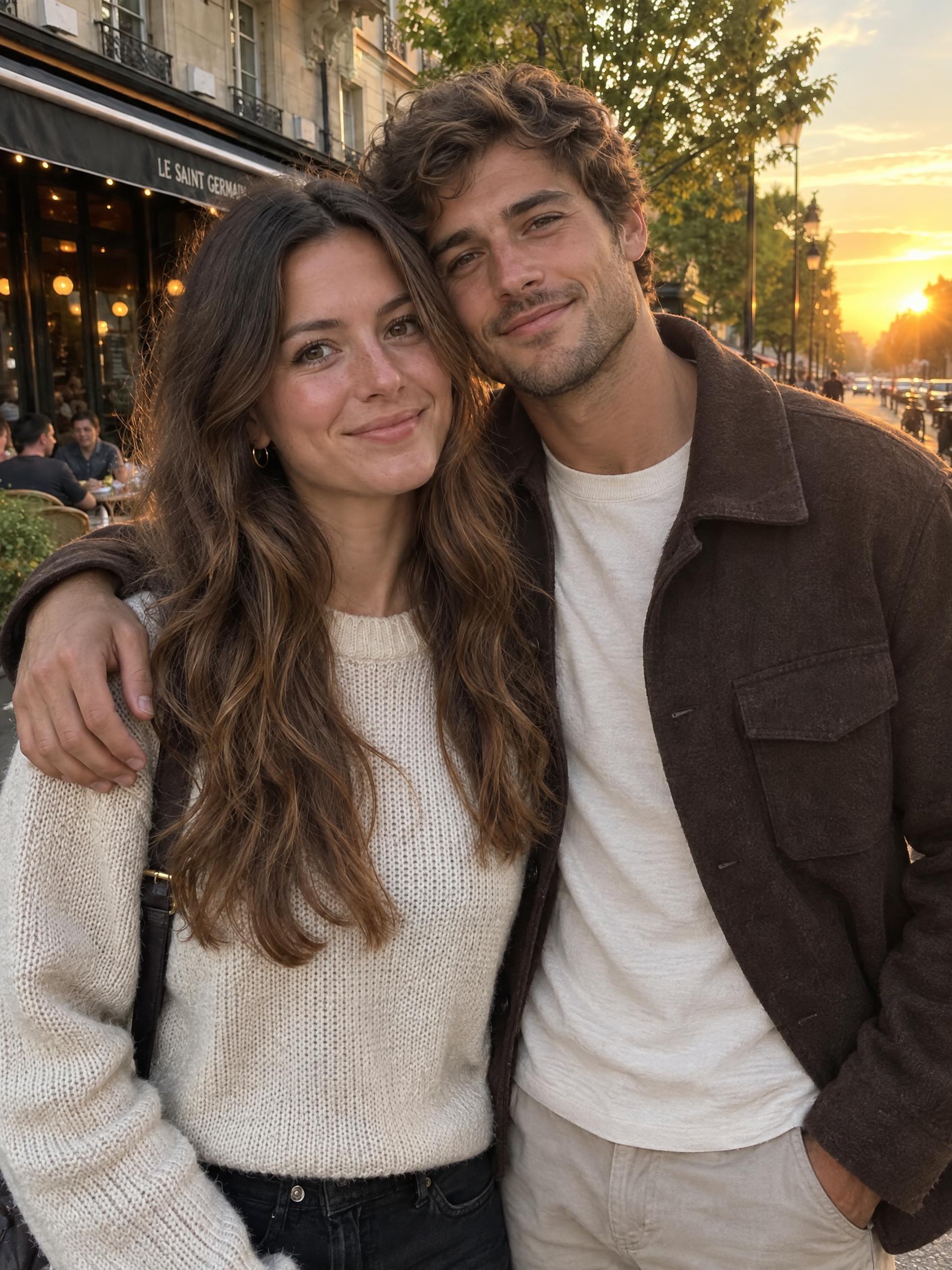
AI Add Boyfriend to Photo AI photo example 1 created with imageat
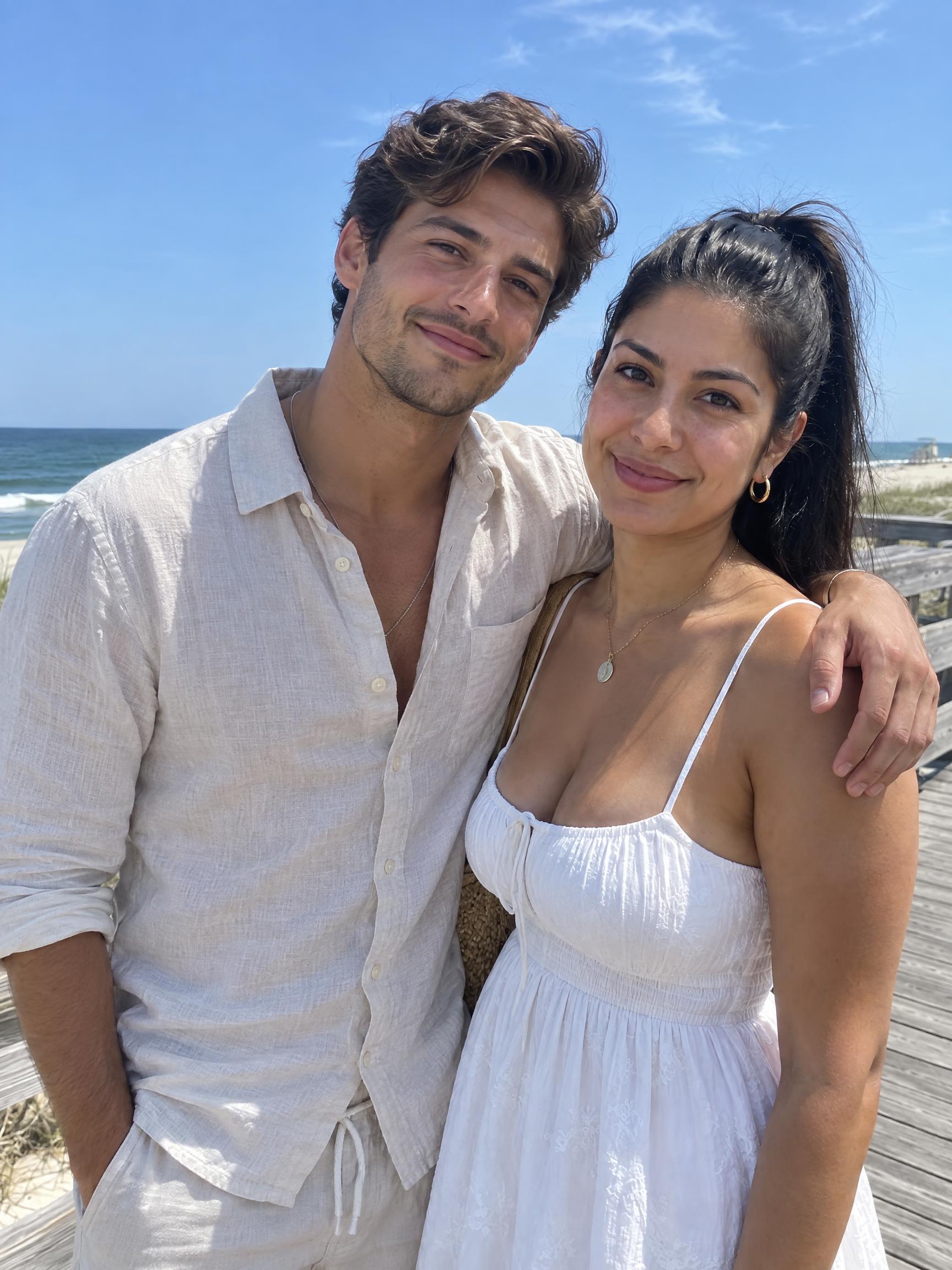
AI Add Boyfriend to Photo AI photo example 2 created with imageat
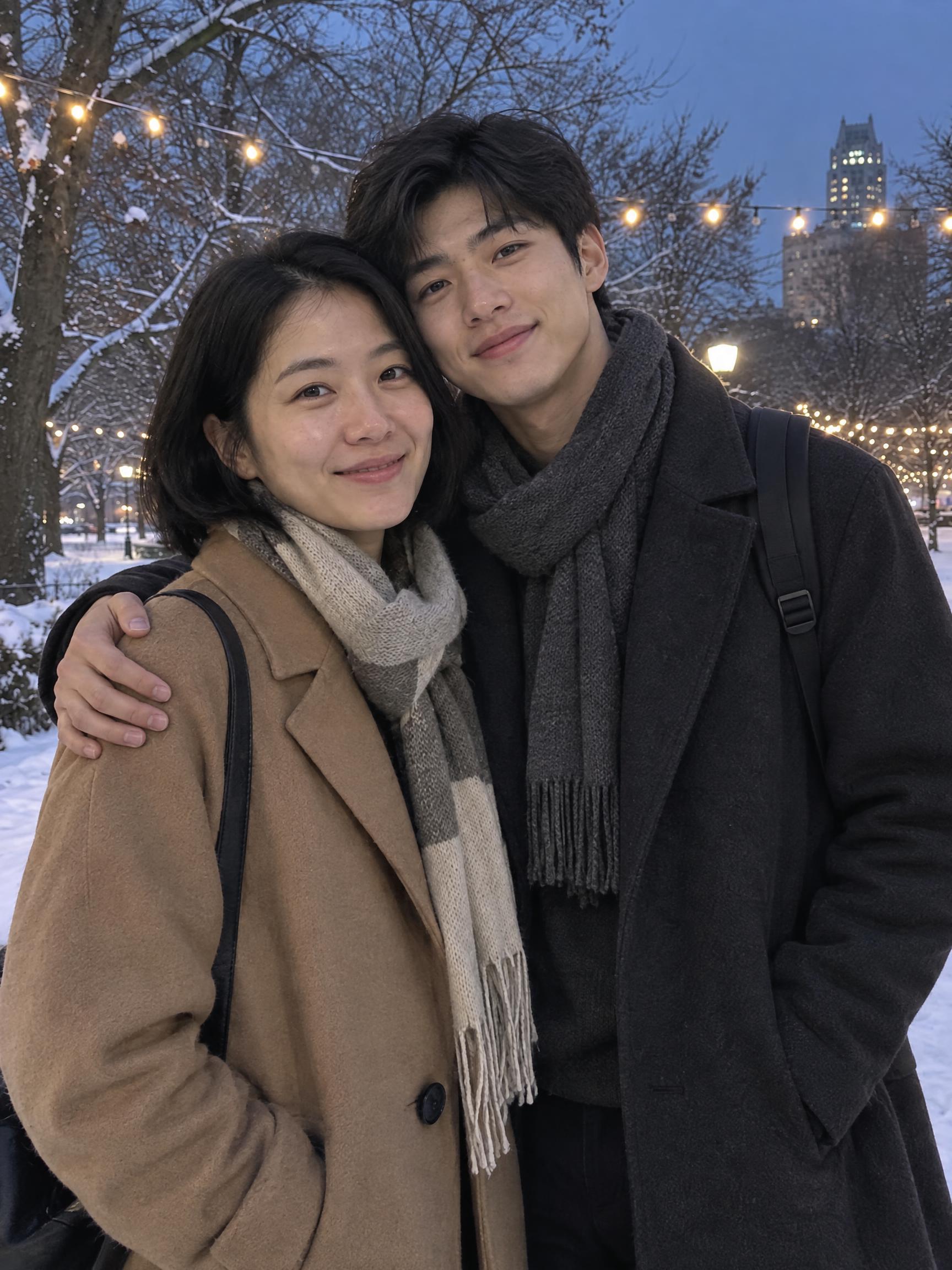
AI Add Boyfriend to Photo AI photo example 3 created with imageat

Upload Your Photo

Describe your boyfriend (optional)

Aspect ratio

Pick the canvas that fits where you'll post.

3 credits
Log in to see your credits

AI Add Boyfriend to Photo

AI Add Boyfriend to Photo

Upload Your Photo

Describe your boyfriend (optional)

Aspect ratio

Pick the canvas that fits where you'll post.

3 credits
Log in to see your credits

The AI boyfriend trend took off on TikTok and Instagram: people upload an ordinary selfie and get back a couple photo with a boyfriend standing right next to them. This page does exactly that. Upload one photo of yourself, optionally describe the boyfriend you want — tall, bearded, curly hair, suit, streetwear — and the AI adds him into your own picture, at your side with his arm around you. Your face, hair, outfit and the background stay as they were; he is lit by the same light, shot from the same angle and sized to the same scene, so the result reads as one candid photo instead of a cut-out. Use it for a laugh, a prank on your group chat, a 'soft launch' post, or just to see what a couple photo of you would look like.

What is the AI Add Boyfriend to Photo?

At its core, the ai add boyfriend to photo effect transforms a normal photo into a stylized scene that fits the visual language of the trend. The AI preserves identity cues like face shape and expression, while changing background, color, and texture to match the look people are sharing online.

How to Create Your AI Add Boyfriend to Photo Photo

Creating your own ai add boyfriend to photo photo is simple:

  • 1
    Upload one clear photo of yourself — a selfie or a photo with some space beside you works best.
  • 2
    Optionally describe your boyfriend: height, hair, beard, style, outfit. Leave it empty for a match the AI picks.
  • 3
    Generate, download the couple photo, or run it again for a different boyfriend.

Tips for Best Results

  • Use a sharp, well-lit photo where your whole face is visible.
  • Photos with empty space beside you give the most natural results; tight face crops get widened.
  • Pick the aspect ratio that matches your original photo so the scene is not cropped.
  • Keep the description short and visual — hair, beard, height, outfit — rather than personality traits.
  • One person per photo. Crop out friends so the AI knows who you are.

Best Prompts for AI Add Boyfriend to Photo

Want more control over the look? Copy one of these prompts and use it in our AI image generator to fine-tune the ai add boyfriend to photo style.

Classic look

AI Add Boyfriend to Photo style portrait, keeping the original face and pose, cinematic lighting, high detail, sharp focus

Soft & dreamy

AI Add Boyfriend to Photo aesthetic with soft diffused light, pastel color grade, gentle film grain, shallow depth of field

Bold & vibrant

High-contrast ai add boyfriend to photo version, saturated colors, dramatic rim lighting, glossy editorial finish

Moody night

AI Add Boyfriend to Photo effect at night, neon ambiance, deep shadows, reflective highlights, atmospheric haze

Why Choose ImageAt for AI Add Boyfriend to Photo

Fast turnaround

Most generations finish quickly; busy periods can take longer—we deliver your image here the moment processing completes.

Realistic Transformation

Powered by cutting-edge AI algorithms for incredibly realistic transformations.

Social Media Ready

Create shareable content perfect for TikTok, Instagram, and Twitter.

FAQs About AI Add Boyfriend to Photo

Create this trend with imageat

Want to add a girlfriend, a friend or someone else? Upload your photo to the imageat AI photo editor and describe who to add.

Create the AI Add Boyfriend to PhotoTry the AI Photo Editor
imageat

Transform your ideas into photos and videos with imageat. Our agentic AI generates visuals from text descriptions — chain models, add logic, and build production-ready workflows.

Trustpilot

Product

  • AI Image Generator
  • AI Wallpaper Generator
  • AI Image Generators
  • AI Stock Image Generator
  • AI Art Generator
  • AI Illustration Generator
  • AI Logo Generator
  • AI Poster Generator
  • AI Book Cover Generator
  • AI QR Code Generator
  • AI Illusion Generator
  • Instagram Post Generator
  • Instagram Story Generator
  • LinkedIn Post Generator
  • AI TikTok Video Generator
  • AI Instagram Reels Generator
  • AI YouTube Shorts Generator
  • AI Photo Generator
  • AI Video Generator
  • Higgsfield Genjutsu
  • Image to Video AI
  • AI Product Photo Generator
  • AI Product Post Generator
  • AI Photo Editor
  • AI Text Remover
  • AI Tattoo Generator
  • AI Relight
  • AI Angles
  • AI Video Edit
  • AI Edit Tools
  • Editor
  • Remove Background
  • AI Avatar
  • Image Upscaler
  • Face Swap Generator
  • AI Dance Video Generator
  • AI Motion Transfer
  • Seedance 2.5 Video Generator
  • Seedance 2.0 Video Generator
  • AI Headshot Generator
  • Headshot Styles
  • Prompt Generator
  • Plastic Surgery AI
  • AI Haircut Generator
  • Wedding Bride Selfie
  • Flash Car Nightlife
  • GTA 6 AI Photo Generator
  • Renaissance Pet Portrait
  • Vintage Photobooth Strip
  • AI Voice Generator
  • AI Lip Sync
  • AI UGC Generator
  • Trend Studio
  • AI Infographic Generator
  • AI Influencer Generator
  • Marketing Studio
  • AI Tools

Resources

  • AI Photo Packs
  • Blog
  • Community
  • Explore
  • Characters
  • Trends
  • World Cup 2026 Videos
  • Prompts
  • Templates
  • AI Benchmark
  • Compare

Company

  • Features
  • Pricing
  • Enterprise
  • About
  • Affiliate Program
  • Affiliate Terms
  • API
  • AI Models
  • MCP Server
  • GPT Dots × imageat
  • Image Generation API
  • Video Generation API
  • MCP Image Generator
  • MCP Video Generator
  • Help Center
  • Status
  • Contact

Discover

Free Tools

  • Image Resizer
  • Image Compressor
  • Image Converter
  • Metadata Remover
  • Watermark Remover
  • Image to JSON

Popular Packs

  • Dating Photos
  • LinkedIn Headshots
  • CEO Headshots
  • Actor Headshots
  • Instagram Photos
  • AI Selfies
  • Old Money Photos
  • Wedding Photos
  • AI Makeup Try-On

© 2026 imageat, a service operated by INFINITE PHASE LLC. All rights reserved.

INFINITE PHASE LLC, 8 The Green, Suite A, Dover, DE 19901 USA

Help CenterPrivacyTermsRefundAll systems operational
imageat