AI Armored Warrior Cinematic Scene
Example results
Watch video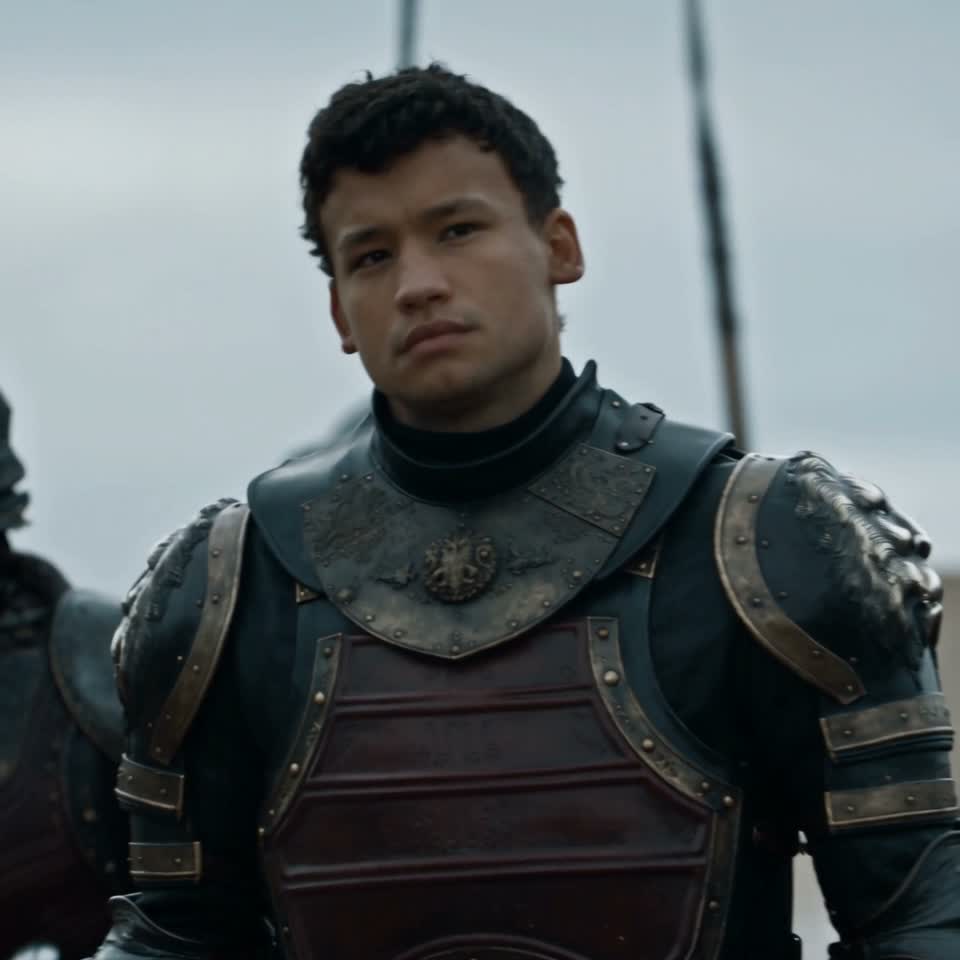
AI Armored Warrior Cinematic Scene
AI Armored Warrior Cinematic Scene
Upload Your Photo
For the best likeness: one person per photo, face clearly visible from the front, good light, nothing covering the face (phone, sunglasses, hand). Upload the original photo, not a screenshot.
Resolution
Higher resolution uses more credits per generation.
Step into a cinematic armored-warrior sequence with one clear photo. The reference moves from a horseback shot with fire and smoke behind the rider to an outdoor formation and palace interiors. Your photo replaces the main dark-haired warrior throughout the sequence, including the close-ups and shots where other people appear. Your reference defines the face, hair, skin tone and identity. The source supplies the armor and equipment, acting, gestures, horseback movement, horses, extras, locations, props, lighting, camera, scene cuts and original audio. The workflow asks the model to keep your identity consistent without replacing supporting people or introducing new actions. The video uses a fixed 21-second reference in square 1:1 format. Choose 480p or 720p. No custom prompt or video upload is needed. The preview shows the supplied reference footage rather than a personalized result. Likeness may vary during rapid movement, changes in angle and scene cuts. This is an independent AI template with no affiliation with or endorsement by the source production or performers.
What is the AI Armored Warrior Cinematic Scene?
A one-photo cinematic warrior template that uses Higgsfield Genjutsu Motion Transfer to recast the main armored performer across a fixed sequence of shots.
How to Create Your AI Armored Warrior Cinematic Scene Video
Creating your own ai armored warrior cinematic scene video is simple:
- 1Upload one clear photo of the person who should become the main warrior.
- 2Choose 480p or 720p and check the credit cost.
- 3Generate your 21-second square cinematic scene.
- 4Review the identity across all shots, then download your video.
Tips for Best Results
- Use a sharp, well-lit photo with a clear face and hairstyle.
- Use one person per reference photo.
- The source armor stays in the scene; your photo supplies the replacement identity.
- Start at 480p to check likeness across close-ups and horseback shots.
Best Prompts for AI Armored Warrior Cinematic Scene
Want more control over the motion? Copy one of these prompts and use it in our AI video generator to fine-tune the ai armored warrior cinematic scene style.
AI Armored Warrior Cinematic Scene, smooth controlled camera movement, realistic motion, cinematic lighting, stable composition, natural depth
AI Armored Warrior Cinematic Scene, immediate visual hook, smooth motion, clear centered subject, polished 9:16 social video
AI Armored Warrior Cinematic Scene, gradual movement, atmospheric depth, elegant pacing, wide cinematic reveal
AI Armored Warrior Cinematic Scene, energetic camera movement, strong parallax, dramatic scale, crisp detail
Why Choose ImageAt for AI Armored Warrior Cinematic Scene
Fast turnaround
Most generations finish quickly; busy periods can take longer—we deliver your video here the moment processing completes.
Realistic Transformation
Powered by cutting-edge AI algorithms for incredibly realistic transformations.
Social Media Ready
Create shareable content perfect for TikTok, Instagram, and Twitter.
FAQs About AI Armored Warrior Cinematic Scene
Create this trend with imageat
Go beyond the ai armored warrior cinematic scene — generate any AI video from text or an image with Veo, Kling, Seedance and more.