Star in the Choice Zombie Love Story with Your Partner
Original 24-second source clip
Watch video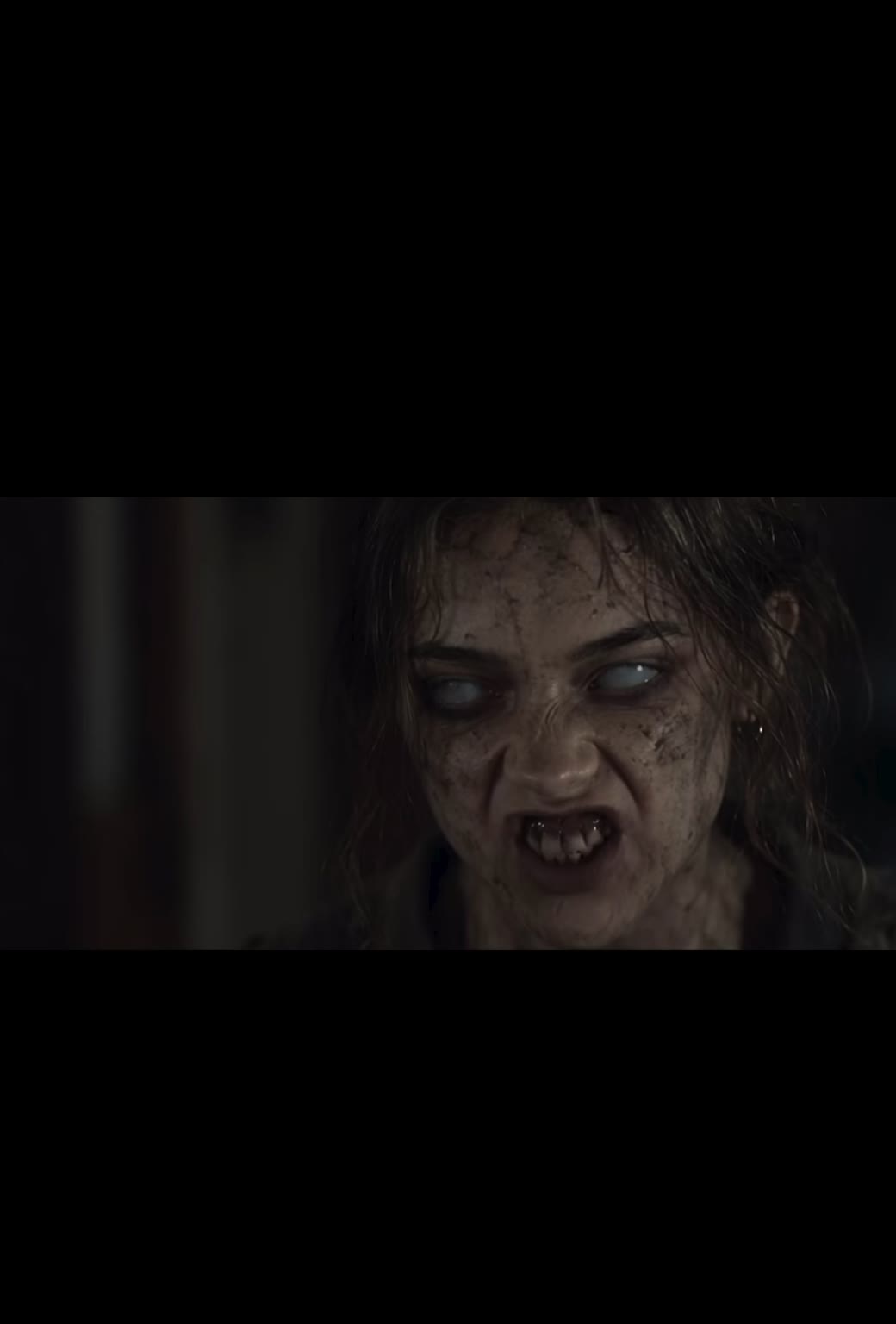
Choice Zombie Love Story AI Video
Choice Zombie Love Story AI Video
Upload Your Photo
Upload one clear, front-facing photo per slot, one person each, with the whole face visible: Image 1 is the man, Image 2 is the woman. The woman's photo is also turned into her infected look for the house scenes. Likeness depends on the photos and is not guaranteed.
Resolution
≈24 seconds · portrait ≈2:3. Higher resolution uses more credits per generation.
≈24 seconds · portrait ≈2:3
Choice Zombie Love Story AI Video recasts a short cinematic horror romance with two photos. In the source clip, a man in a dark, abandoned house aims a gun at the woman he loves, who has turned into a zombie, then lowers it and opens his arms as memories of their life together play out in a golden field at sunset. Upload a photo of the man and a photo of the woman, and AI puts both of you in every shot. The generator works in two steps. First, Nano Banana 2 turns the woman's photo into an infected, zombie-like portrait with milky eyes, cracked skin and a snarl, while keeping her face shape and hair. Then Higgsfield Genjutsu Motion Transfer replaces the people in the original video: the man in every shot, the infected portrait in the house scenes and the healthy photo in the memories. The shots, cuts, camera, lighting, film grain and audio stay as in the source. The result is about 24 seconds in portrait 2:3 at 480p or 720p. The preview on this page is the original source clip, not a generated result.
What is the Choice Zombie Love Story AI Video?
The Choice zombie love story is a viral short-form edit that cuts between a tense standoff with an infected partner and warm memories of the couple before the outbreak. On imageat it is a two-photo template: the man's photo and the woman's photo replace the original actors, and the woman is shown both as her infected self and her healthy self.
How to Create Your Choice Zombie Love Story AI Video Video
Creating your own choice zombie love story ai video video is simple:
- 1Upload a clear photo of the man in Image 1.
- 2Upload a clear photo of the woman in Image 2.
- 3Choose 480p or 720p and check the credit cost before you generate.
- 4Wait while the infected portrait is prepared and the video renders, then watch and download your love story.
How the two-step generation works
Step 1 creates an infected, zombie-like portrait from the woman's photo only. Step 2 starts after that portrait is ready and sends three references to the video model in a fixed order: the man, the healthy woman and the infected portrait. The progress panel shows which step is running, and you can refresh or leave the page while it works.
Who plays which role
Image 1 replaces the man in every shot, in the house and in the memories. The infected portrait replaces the woman in the house scenes only, and Image 2 replaces her in the memory scenes only: lying in the grass, laughing, running through the field and sitting at sunset. The workflow tells the model never to mix the healthy and infected faces in the same shot.
How to pick good photos
Use one person per photo, facing the camera, in even light, with nothing covering the face. Avoid sunglasses, hats, heavy filters, screenshots and group shots. A neutral expression works well for both roles, since the video supplies the crying, snarling and smiling.
Uses for a zombie love story video
The portrait format fits TikTok, Instagram Reels, YouTube Shorts and stories. Use it for an anniversary surprise, a Halloween post, a couples trend or a dramatic short with your partner.
Limitations
Likeness is not guaranteed. Tears, fast head turns, low light and the zombie makeup can reduce how closely each face matches its photo. Only upload faces you own or have permission to use. Choice Zombie Love Story AI Video is an independent imageat template and is not affiliated with Higgsfield, Google or the creators of the original clip.
Tips for Best Results
- Use sharp, front-facing photos with one person each.
- Put the man in Image 1 and the woman in Image 2.
- Start at 480p to check your photos before generating at 720p.
- Only upload faces you own or have permission to use.
Best Prompts for Choice Zombie Love Story AI Video
Want more control over the motion? Copy one of these prompts and use it in our AI video generator to fine-tune the choice zombie love story ai video style.
Choice Zombie Love Story AI Video, smooth controlled camera movement, realistic motion, cinematic lighting, stable composition, natural depth
Choice Zombie Love Story AI Video, immediate visual hook, smooth motion, clear centered subject, polished 9:16 social video
Choice Zombie Love Story AI Video, gradual movement, atmospheric depth, elegant pacing, wide cinematic reveal
Choice Zombie Love Story AI Video, energetic camera movement, strong parallax, dramatic scale, crisp detail
Why Choose ImageAt for Choice Zombie Love Story AI Video
Fast turnaround
Most generations finish quickly; busy periods can take longer—we deliver your video here the moment processing completes.
Realistic Transformation
Powered by cutting-edge AI algorithms for incredibly realistic transformations.
Social Media Ready
Create shareable content perfect for TikTok, Instagram, and Twitter.
FAQs About Choice Zombie Love Story AI Video
Create this trend with imageat
Go beyond the choice zombie love story ai video — generate any AI video from text or an image with Veo, Kling, Seedance and more.