A musician headshot has a bigger job than a standard profile picture. It may appear beside a single release, on a venue poster, in a festival program, inside an electronic press kit, and across streaming and social profiles. It needs to be recognizable at thumbnail size while still suggesting something about the artist’s sound.
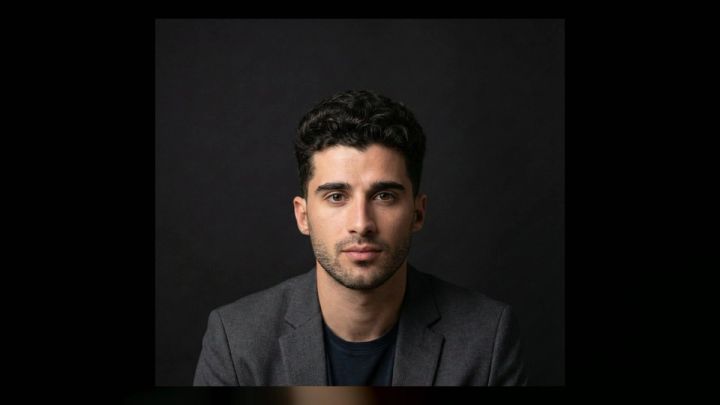
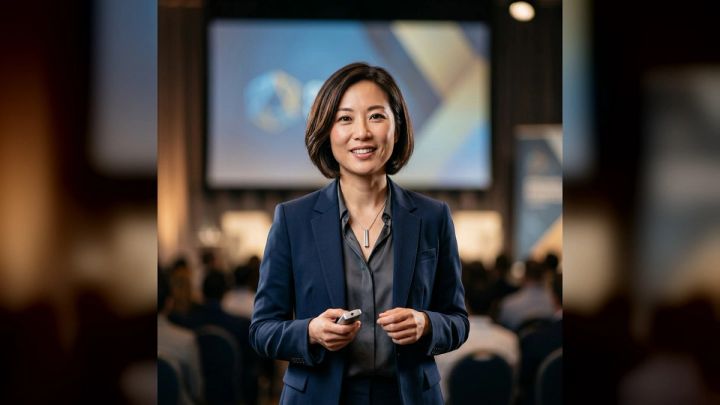
If you want to test a visual direction before arranging a full shoot, the imageat Musician Headshot Generator turns one clear portrait into polished artist-profile concepts. The current pack offers Clean studio, Workplace portrait, and Editorial profile directions, so it can help you compare a neutral look with a more contextual or stylized one.
This guide explains how to plan musician headshots that feel specific rather than theatrical, including outfits, poses, lighting, framing, location ideas, and a practical shot list for a solo artist or band member.
What makes a good musician headshot?
A useful headshot balances three things:
- Recognition: your face should remain clear, natural, and easy to identify.
- Positioning: styling and light should hint at your genre or artistic personality without becoming a costume.
- Versatility: the image should crop cleanly for square avatars, vertical press layouts, and horizontal promotional graphics.
The best result is not necessarily the most dramatic frame. A booking agent may need a clean portrait with negative space, while listeners may respond to a closer, more expressive crop. Plan a small set of complementary images instead of expecting one photograph to serve every placement.
Decide what the photo needs to communicate
Before choosing a jacket or backdrop, write three adjectives that describe the current project. “Intimate, warm, acoustic” leads to different decisions than “abrasive, nocturnal, electronic.” Keep the words tied to the music you are promoting now, not a version of your identity from several releases ago.
Then identify the immediate use:
- streaming and social profile picture;
- artist website and biography;
- press release or electronic press kit;
- venue, festival, or tour announcement;
- single or album campaign;
- booking page and speaker-style profile.
A streaming avatar benefits from a close face crop and simple background. A press portrait can include more environment. Campaign art may support unusual color, movement, or shadow, but your primary headshot should still be legible without the campaign typography.
Musician headshot outfit ideas
1. A refined version of your everyday style
Start with clothing you already wear confidently, then improve the fit and simplify the details. A well-shaped T-shirt, overshirt, knit, blazer, or leather jacket can look more authentic than a formal outfit borrowed only for the shoot.
Choose fabric with visible texture when the palette is dark: denim, wool, brushed cotton, suede, or a matte knit separates the clothing from the background without demanding attention.
2. One recognizable signature
A signature element gives the viewer something to remember. It might be tinted glasses, a silver chain, a structured hat, a bold collar, a patterned scarf, or one saturated color. Use one or two such details, not every possible motif at once.
If an accessory is part of your regular stage identity, photograph some frames with it and some without it. That gives editors options and protects the headshot from feeling tied to a single costume.
3. Tonal, low-contrast layers
Black-on-black is popular for artist portraits, but identical flat blacks can merge into one shape. Combine nearby tones and textures instead: charcoal denim over a black shirt, deep navy with slate, or chocolate brown with warm gray.
Tonal styling keeps attention on the face and works well for classical, jazz, electronic, and singer-songwriter profiles. It also leaves room for colored lighting without creating a clash.
4. A controlled color accent
Use a red jacket, cobalt shirt, green knit, or metallic detail against a restrained background. The accent should support the release palette rather than compete with it. Bring a neutral alternative in case the color becomes too dominant in close crops.
5. Formal without looking corporate
Classical musicians, conductors, composers, and session players often need a polished portrait. A tailored jacket, open collar, textured blouse, or simple black dress can feel professional without resembling an office-directory photo.
Small choices change the tone: an open neckline feels more relaxed, a softer fabric reduces corporate sharpness, and directional light creates more depth than flat office lighting.
What to avoid wearing
Avoid tiny high-contrast patterns that can create distracting moiré, clothing covered in visible brand marks, and fabrics that crease badly under lights. Check whether jewelry catches the key light in every frame. Reflective pieces can produce bright hotspots that are hard to retouch naturally.
Do not wear something that limits your neck or shoulder movement unless its shape is essential to the concept. Musician headshots often rely on subtle posture changes, and a rigid collar can make every pose look the same.
Seven musician headshot poses that feel natural
1. Straight to camera
Face the lens with shoulders relaxed and chin level. This is the safest profile image because it reads clearly at a small size. Ask for variations with a neutral expression, a slight smile, and a more focused gaze.
2. Three-quarter turn
Turn the torso about 30 to 45 degrees, then bring the eyes back to camera. This creates shape through the shoulders and jaw while keeping a direct connection with the viewer.
3. Seated and leaning slightly forward
Sit near the front of a chair or stool and lean forward from the hips. Keep the spine long rather than collapsing toward the camera. The pose feels conversational and works especially well for producers, songwriters, and artists with a relaxed visual identity.
4. Looking just off camera
Direct the eyes toward a point close to the lens. The result feels reflective without losing the face. This is useful as a secondary press portrait, though the primary avatar should usually keep eye contact.
5. Hands loosely included
A hand near the collar, chin, instrument case, or chair can add energy to a wider crop. Keep fingers relaxed and separated. Do not force both hands into a tight head-and-shoulders frame simply to make the pose feel different.
6. Mid-adjustment
Adjust a cuff, jacket, necklace, headphone band, or sleeve while the photographer shoots through the movement. The action gives the shoulders and hands a believable purpose. Repeat slowly so the best expression and hand position can align.
7. A controlled movement frame
Try one small turn, step, hair movement, or shift into the light. The goal is not a blurry performance photo; it is a portrait with less static body language. Capture it after the clean coverage is complete.
Should you include an instrument?
An instrument can provide context, but it should not become a compulsory prop. Include it when the instrument is central to how audiences recognize you, when the portrait is for a teaching or booking page, or when the shape supports the composition.
Avoid awkwardly holding an instrument in a way you never would while playing. For a headshot, a guitar edge, bow, keyboard corner, drumstick, or case may provide enough information. Also make instrument-free versions so the portrait remains useful beyond a single role.
Lighting setups for artist portraits
Soft window light
Place the subject at an angle to a large window and turn the face until both eyes receive light. Move farther from the window for softer contrast. This setup is approachable, inexpensive, and ideal for natural singer-songwriter or classical portraits.
One large soft light
A large source placed slightly above eye level creates a polished studio result. Keep some shadow on the far side of the face for dimension. Add a dark flag or move the subject away from white walls if the image looks too flat.
Hard direct light
A smaller light or direct flash can create crisp shadows and an immediate editorial feel. It suits punk, dance, fashion-led pop, and nightlife aesthetics, but facial shine and wall shadows need intentional control. For more detail on this look, see the hard flash photography guide.
Colored rim or background light
Use one restrained color as a rim, backdrop wash, or practical light. Let skin tones remain believable unless the campaign deliberately calls for full color treatment. Color is more useful when it reinforces an established release palette.
Background and location ideas
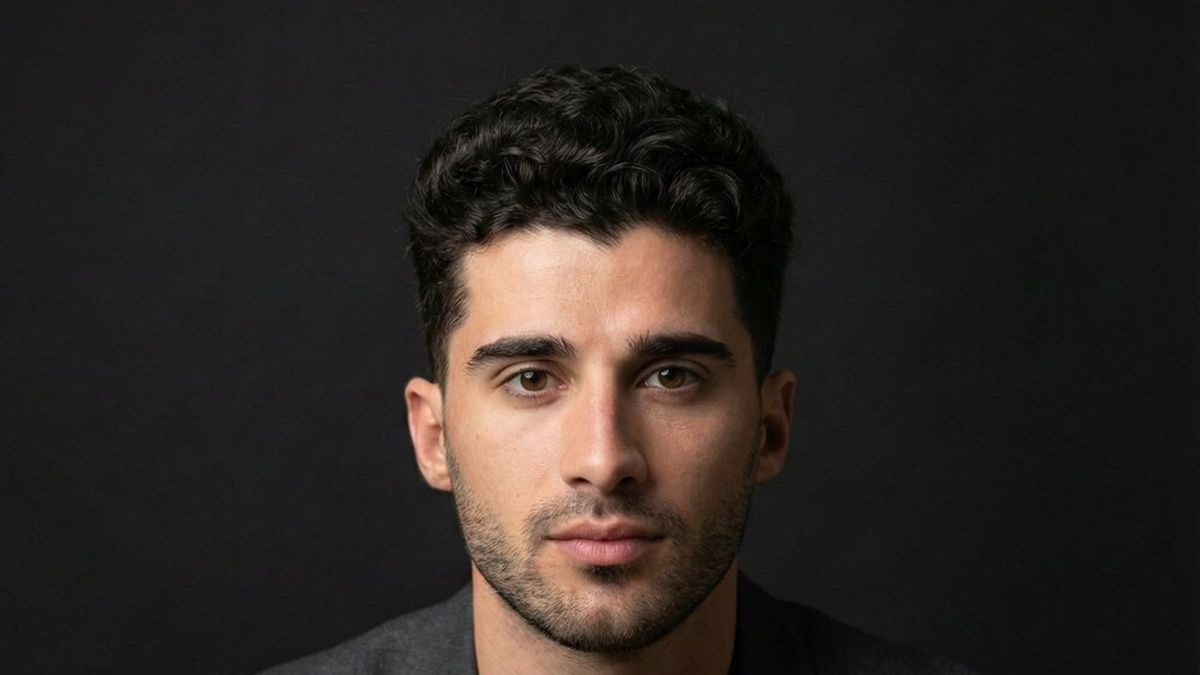
A plain studio background is not boring when expression, wardrobe, and light are strong. Gray, warm beige, deep blue, and near-black are flexible choices that accept several crops.
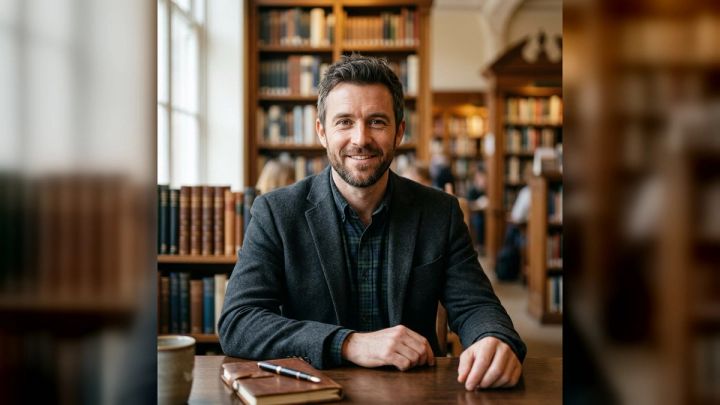
For an environmental portrait, choose a place connected to the work: a rehearsal room, home studio, stage wings, record shop, piano room, concrete stairwell, or quiet street near the venue. Remove clutter that looks accidental. Cables, cases, speakers, and instruments can add context, but they should create clear shapes rather than visual noise.
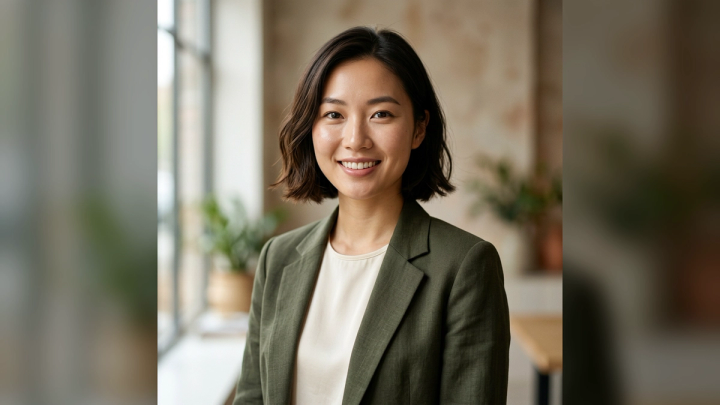
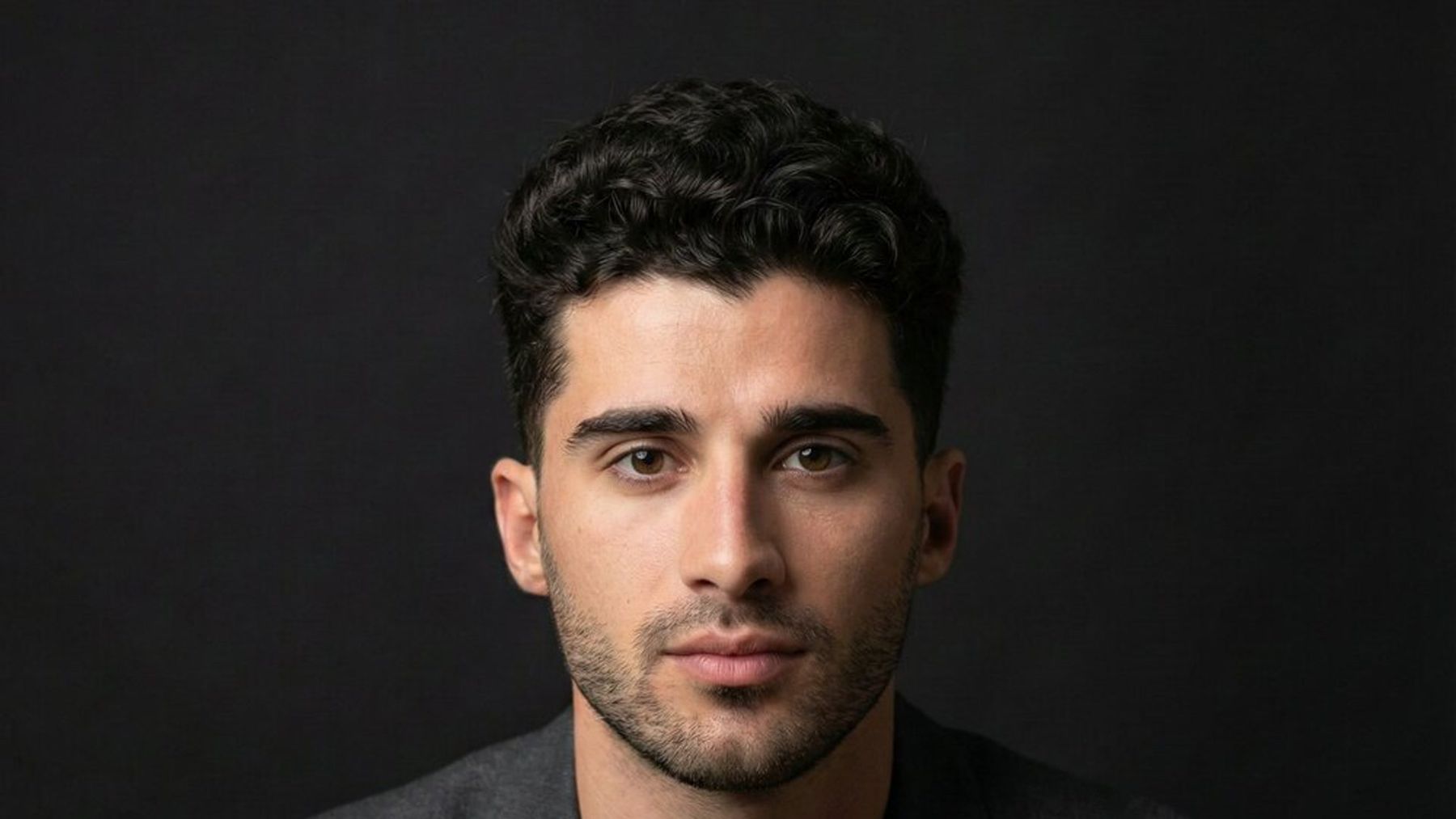
The imageat-owned casual portrait used in this article is a useful reminder that an artist image does not need an obvious microphone or guitar. A relaxed setting and direct expression can communicate creative confidence without turning the frame into a literal genre illustration.

Framing and crops to capture
Ask for each successful setup in several compositions:
- tight head-and-shoulders for profile icons;
- chest-up portrait for press pages;
- vertical three-quarter frame for posters and stories;
- horizontal frame with negative space for headlines or tour dates;
- one wider environmental portrait.
Keep hair, hats, and instrument edges away from the crop boundary unless the cut is clearly intentional. A horizontal version with open space on both sides gives designers flexibility to place text without covering the face.
How to preview a musician headshot with imageat
The current Musician Headshot Generator is designed for one clear portrait in JPG, PNG, or WebP format. It provides three ready-made directions—Clean studio, Workplace portrait, and Editorial profile—and produces a high-resolution vertical 4:5 result without requiring prompt writing. The page currently displays a cost of 6 credits per generation.
Use it as a concept and pre-production tool:
- Choose a sharp, front-facing source with one clearly visible person.
- Remove sunglasses or anything that hides important facial structure.
- Generate one direction at a time rather than judging three unrelated concepts together.
- Compare wardrobe mood, background simplicity, light direction, and crop.
- Save the strongest concept as a reference for your photographer or styling plan.
- Check the result closely for identity, hands, accessories, and clothing details before using it.
The workflow is designed to preserve recognizable facial features while changing styling and context, but every generated image still needs human review. The site also states that uploads are not automatically published to its community gallery.
For broader experiments, explore the AI headshot generator or browse other ready-made photo packs. After selecting a frame, the AI photo editor can help with deliberate revisions, while the image upscaler is available when a larger delivery file is needed.
A practical musician headshot shot list
Use this list for a compact session:
- Clean direct-to-camera close-up on a neutral background.
- Three-quarter portrait with a neutral expression.
- Three-quarter portrait with a warmer expression.
- Seated chest-up frame with hands relaxed.
- Vertical portrait with the signature outfit detail.
- Horizontal portrait with negative space on the left.
- Horizontal portrait with negative space on the right.
- Environmental frame in the rehearsal or studio space.
- One instrument-adjacent portrait, if relevant.
- One harder-light or direct-flash editorial variation.
- One controlled movement frame.
- A final clean backup without hat, tinted glasses, or statement layer.
Review focus and expression at full size before changing the setup. A subtle missed focus is easy to overlook on the back of a camera and impossible to repair honestly later.
Common musician headshot mistakes
Trying to show the entire genre in one frame
Too many props, colored lights, accessories, and dramatic poses can turn a portrait into parody. Choose one strong cue and let the person remain central.
Copying another artist too closely
References are useful for light, crop, and mood. They are less useful when every wardrobe and composition choice reproduces someone else’s campaign. Translate the principle into your own visual language.
Shooting only vertical images
Vertical portraits are valuable, but media outlets and banners frequently require landscape images. Capture horizontal alternatives during the same lighting setup.
Retouching away recognition
Skin can be cleaned without removing all texture. Keep characteristic lines, face shape, and features intact. A press image that looks unlike the artist creates a trust problem.
Using an old photo for a new era
A strong portrait can last, but it should still reflect the artist audiences will encounter now. Update the image after a meaningful visual change, a major new campaign, or when the existing file no longer meets current layout and resolution needs.
Frequently asked questions
What should a musician wear for a headshot?
Wear a refined version of your real artist style. Prioritize fit, texture, and one memorable detail. Bring a neutral option and a more expressive layer so the same session can produce both evergreen and campaign-specific portraits.
Should a musician smile in a headshot?
There is no genre-wide rule. Capture at least three expression levels: neutral, subtly warm, and openly friendly. Choose according to the placement and the emotional character of the current project.
Do musician headshots need an instrument?
No. An instrument is useful when it clarifies your role or supports the composition, but a face-led portrait is usually more versatile. Photograph both versions when possible.
How often should artist photos be updated?
Update them when your appearance, lineup, artistic positioning, or release campaign changes enough that the current photo feels inaccurate. Also replace files that are too small or tightly cropped for modern press use.
What size should a musician headshot be?
Deliver the largest clean file available and keep multiple crops. A high-resolution master plus square, vertical, and horizontal exports covers most profile, press, and promotional uses. Confirm exact dimensions with the publication, venue, or distributor receiving the image.
Can an AI musician headshot be used in a press kit?
It can be used when the result accurately represents the artist and fits the recipient’s rules, but review it carefully and be transparent when context requires disclosure. Do not use a generated image to imply a real event, endorsement, venue appearance, or performance that did not happen.
Build a small portrait system, not one perfect photo
The most useful musician headshots work as a family. Start with one clear, recognizable portrait, then add a warmer expression, an environmental version, and an editorial variation. Keep wardrobe and color connected so the images feel like the same release era.
A concept tool can help you compare directions before you spend time on a studio or location. Once the visual idea is clear, capture enough framing and expression options to support streaming profiles, press requests, venue graphics, and future announcements without forcing one photograph into every layout.