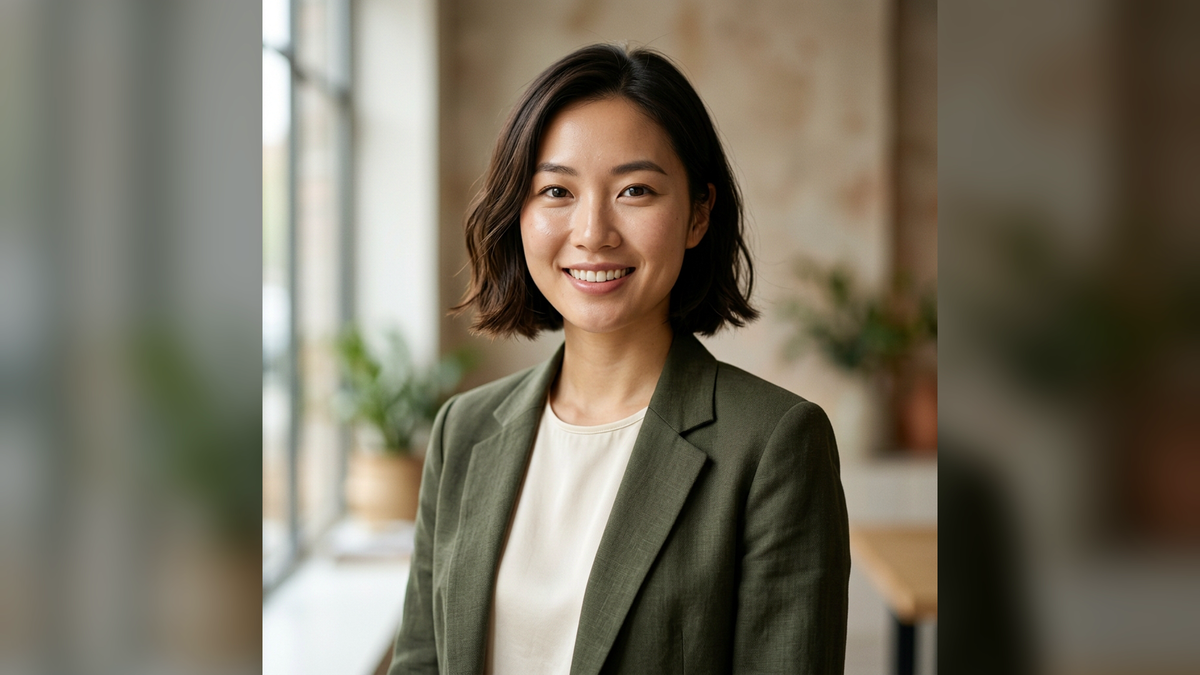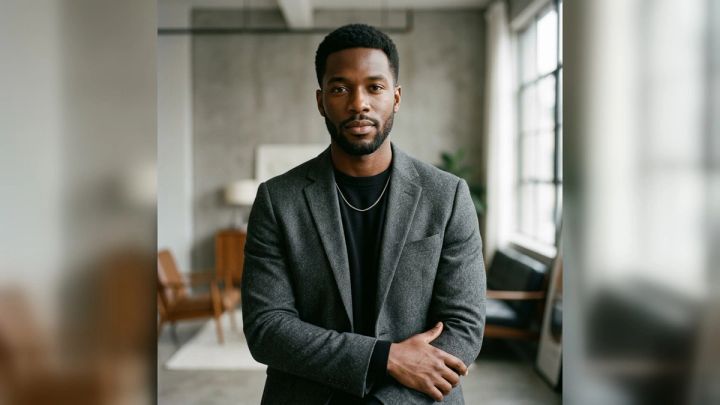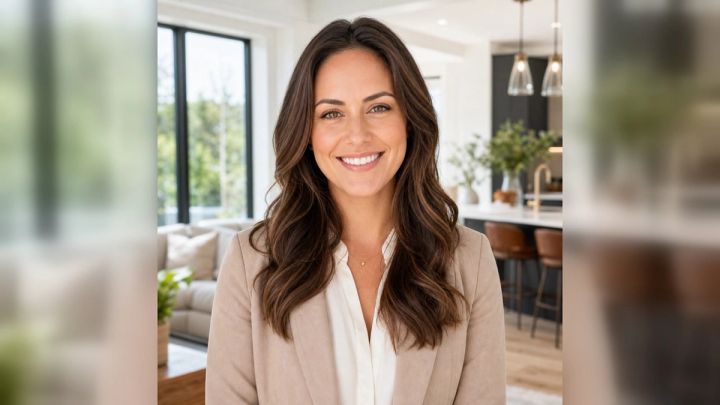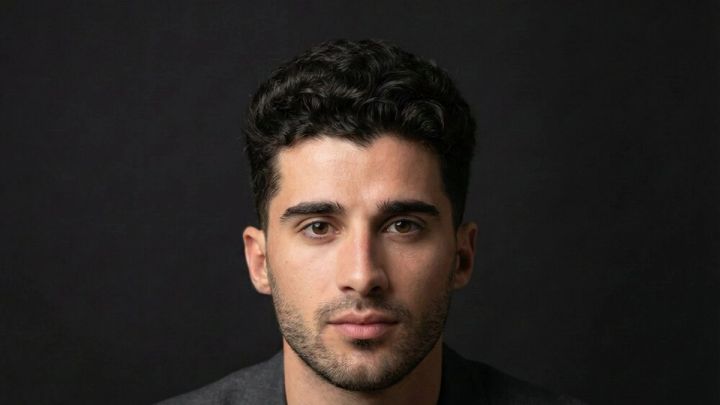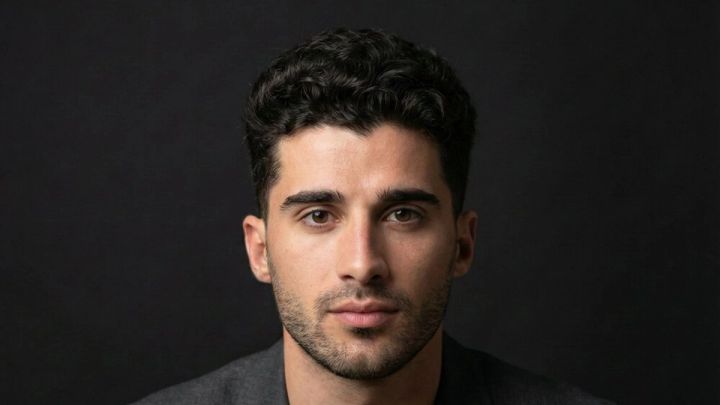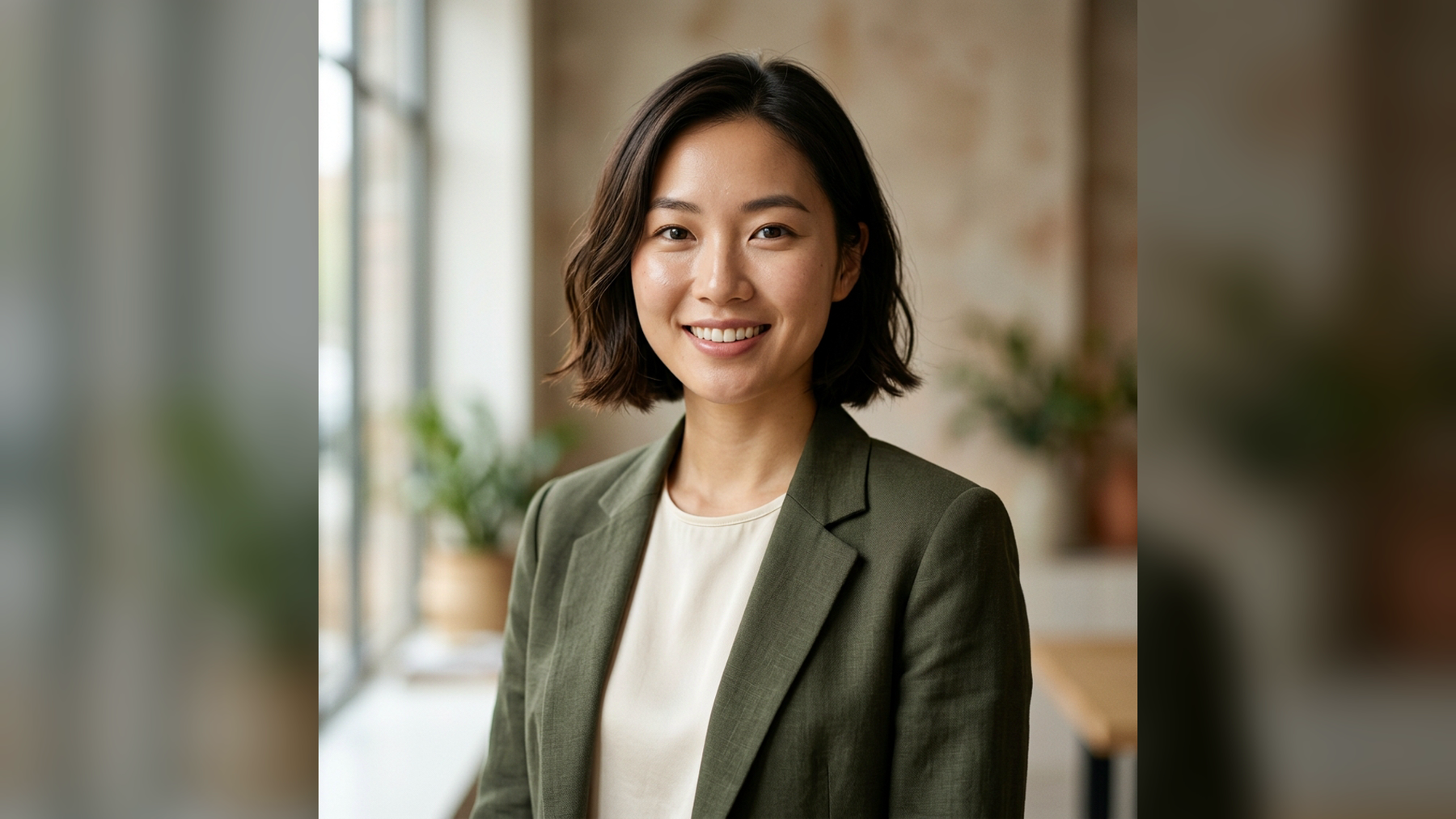
A model headshot has a deceptively simple job: show your face clearly, communicate your range, and help an agency or client imagine you in a brief. It is not a corporate portrait with fashion styling added, and it should not hide you behind dramatic retouching. The strongest image feels current, direct, and unmistakably like you.
If you want to test framing and presentation before arranging a shoot, the model headshot generator on imageat turns one clear portrait into a polished 4:5 concept. The live pack focuses on clean portfolio framing and natural detail. It uses a ready-made look, so you do not need to write a prompt. Treat the result as a planning reference, then use the guidance below to build a useful real-world headshot set.
This guide covers model headshot requirements, poses, wardrobe, expression, lighting, retouching, and a compact shot list for new and working models.
What is a model headshot?
A model headshot is a close portrait made for a modeling portfolio, agency submission, casting profile, or comp card. The face is the main subject, but the image also shows how you hold yourself in front of a camera. Casting teams look for clean visibility, natural proportions, and a believable sense of presence.
A basic model headshot usually has:
- A head-and-shoulders or upper-torso crop
- Clear eyes and unobstructed facial features
- Simple light that preserves skin texture
- A quiet background
- Current hair, grooming, and appearance
- Minimal accessories and restrained retouching
- Enough resolution for online profiles and printed materials
Requirements vary by agency and market. Before paying for a session, read the exact submission instructions. Some agencies request unretouched digitals rather than finished headshots; others want both.
Model headshots versus digitals
The terms are related, but they are not interchangeable.
Digitals, sometimes called polaroids, are straightforward reference photos. Agencies often request front, profile, three-quarter, and full-length views in simple clothing, little or no makeup, and even light. Their purpose is accurate documentation.
Model headshots allow more polish. A photographer may shape the light, direct expression, and create a refined crop, but the image should still represent your real appearance. Skin should look like skin, facial structure should remain intact, and permanent features should not disappear.
If a submission asks for digitals, do not send a heavily styled beauty portrait as a substitute. Build separate sets and label them clearly.
What makes a strong modeling headshot?
Recognizability comes first
Your headshot should match how you look at a casting today. Use recent images, show your current hair, and avoid edits that change eye shape, nose structure, jawline, skin tone, or age. Temporary blemish cleanup may be acceptable, but identity-changing retouching works against the purpose of the photo.
The eyes need a clear job
Direct eye contact creates confidence and connection. Looking just past the camera can feel editorial or introspective. Both can work, but the gaze should appear deliberate. Eyes that drift without a clear target often make an otherwise strong frame feel uncertain.
The crop should feel intentional
A tight beauty crop emphasizes facial detail. A looser upper-torso crop adds posture, shoulders, and wardrobe. Leave enough room around the hair and chin for different profile layouts. Avoid cutting directly through the chin, jaw, or widest part of the shoulders.
Styling should support your market
Commercial modeling generally favors warmth, approachability, and clean everyday styling. Editorial and beauty work can support stronger angles or more controlled expression. Fitness, mature, parts, and specialty modeling each have different needs. Make the first image broadly useful, then add targeted variations.
10 model headshot poses that work
Small adjustments matter more than elaborate poses in a close portrait. Build each variation from a relaxed neutral position.
1. Straight-on neutral
Square the face to the lens, lower the shoulders, and keep the chin level. Use a calm mouth and engaged eyes. This is the clearest reference frame and a useful first image for a portfolio.
2. Straight-on soft smile
Keep the same alignment and add a small, genuine smile. Think of greeting one person rather than performing for a room. This variation is especially useful for commercial and lifestyle submissions.
3. Three-quarter turn
Turn the torso about 30 degrees while bringing the face back toward the camera. This creates shape through the shoulders without hiding either eye. Keep the nearer shoulder relaxed so it does not rise into the jawline.
4. Chin slightly forward
Move the forehead and chin subtly toward the lens, then lower the chin a fraction. This can define the jaw while preserving a natural neck. Do not pull the chin sharply down; that closes the eyes and creates tension.
5. Eyes off camera
Hold the face near the lens and look just to one side. Give the gaze a specific point. This creates an editorial alternative without requiring a dramatic body pose.
6. Shoulder lead
Bring one shoulder a little closer to the camera while keeping the face open. The diagonal adds movement and works well with a looser crop. Watch that clothing does not bunch around the collar.
7. Subtle head tilt
Tilt from the top of the head by only a few degrees. A slight tilt can soften a commercial portrait; too much can make the posture look accidental. Photograph both directions because facial asymmetry changes the result.
8. Relaxed laugh reset
Look down, exhale, then return to the lens during a natural smile or quiet laugh. This is less a held pose than a way to release a stiff expression. Capture the transition rather than waiting for the biggest smile.
9. Profile reference
Turn into a clean side profile with a long neck and neutral chin. A profile is useful for digitals and can add range to a portfolio, although it should not replace the primary front-facing headshot.
10. Beauty close-up
Move to a tighter crop with direct eyes and minimal expression. Keep both eye lines clear, check every hair crossing the face, and use restrained makeup. This frame succeeds on skin detail and symmetry, not accessories.
What to wear for model headshots
Choose clothing that keeps attention on your face and fits your current market.
Start with a simple fitted top
A plain crew neck, scoop neck, tank, or clean knit is usually reliable. The neckline should lie flat and leave the jaw unobstructed. Bring black, white or cream, and one muted color that complements your skin and eyes.
Add one market-specific option
A crisp shirt or clean jacket can suggest commercial or professional work. A structured black top can feel more editorial. Choose one variation rather than layering several competing pieces.
Prioritize fit over labels
Shoulder seams, collars, and necklines remain visible in a headshot. Clothing that pulls, wrinkles, or floats away from the body becomes distracting. Logos, slogans, and tiny high-contrast patterns can date the image or create visual noise.
Keep jewelry quiet
Small studs or a single subtle piece are usually enough. Remove accessories that cover the neck, catch harsh highlights, or imply one specific campaign unless that is the purpose of the shot.
Hair, makeup, and grooming
The goal is a polished version of your current appearance, not a different face.
Use makeup to even the complexion, control shine, and define features that can flatten under light. Avoid a heavy base that removes skin texture. Check foundation color under the actual shooting light, especially around the jaw and neck.
Style hair in a way you can reproduce. Photograph a clean version before making a large change. If your market values versatility, create a second variation—hair behind the ears, tied back, or with a different part—after the primary frames are complete.
For facial hair, make deliberate edges and keep the choice current. Bring a small kit with powder, lip balm, hair tools, pins, lint removal, and the products needed for quick continuity fixes.
Lighting and background choices
Soft window light
A large window produces a natural portrait when the subject stands slightly back from it. Turn until both eyes have catchlights and the nose shadow remains controlled. This setup is accessible, but changing daylight can complicate consistency.
Large soft studio source
A broad light placed near camera creates clean detail with gentle shadow. It is a dependable choice for agency-ready headshots because the photographer can repeat it across expressions and outfits.
Hard beauty light
A smaller or more direct source can emphasize bone structure and create an editorial finish. It also reveals texture and demands precise posing. Save it for a deliberate second look rather than using it as the only setup.
Neutral gray, white, cream, and muted environmental backgrounds are versatile. Keep the subject far enough from the background to avoid unwanted shadows and gain separation. Strong colors can be effective, but they should serve a specific portfolio need.
How to create a model headshot concept with imageat
The imageat pack is useful for previewing a clean portrait direction before a shoot.
1. Choose a clear source portrait
Upload one sharp, recent photo with an unobstructed face. The live tool accepts JPG, PNG, and WebP. Even light, visible eyes, natural skin texture, and a front-facing or modest three-quarter angle give the workflow better identity information.
Avoid group photos, beauty-filtered screenshots, severe wide-angle selfies, sunglasses, motion blur, and hair covering both eyes.
2. Open the ready-made look
The live pack is built around model-portfolio framing and natural detail. Choose the available look and generate the 4:5 portrait. Because the workflow is preset, no prompt writing is required. Check the current credit quote shown by the tool before confirming.
3. Review identity before polish
Compare eye shape and spacing, nose shape, jawline, hairline, skin tone, and distinctive features with the source. A beautiful result is not a useful model headshot if it resembles someone else.
Also inspect hair edges, teeth, earrings, clothing seams, and the transition between the neck and collar. Reject impossible or inconsistent details.
4. Use the result as a reference
Save the strongest concept as a mood board for crop, expression, clothing, and light. If you need broader professional variations, compare options with the AI headshot generator or browse headshot styles. Do not present a synthetic portrait as an unedited agency digital when accurate documentation is required.
5. Finish carefully
For a real photograph that needs a small correction, use the AI photo editor for a targeted change rather than rebuilding the entire face. If the approved file is too small for delivery, make a separate copy with the image upscaler and keep the original.
A practical 20-frame shot list
You do not need hundreds of nearly identical pictures. Ask the photographer to secure these groups:
- Four straight-on neutral frames
- Four straight-on soft-smile frames
- Four three-quarter frames, split between both sides
- Two direct beauty close-ups
- Two eyes-off-camera editorial frames
- Two clean profiles, one per side
- Two spontaneous expression transitions
Review at normal size first. Select for recognizability, eye engagement, posture, and market fit. Then zoom in for focus and artifacts. A technically sharp image with a disconnected expression is rarely the strongest choice.
Common model headshot mistakes
Over-retouching
Plastic skin, reshaped features, enlarged eyes, and rebuilt hair may attract attention online but reduce trust at a casting. Keep pores, natural lines, and the structure that makes you recognizable.
Using only one expression
A portfolio full of the same intense stare does not show range. Capture a neutral frame, a warm commercial expression, and one more editorial option.
Confusing wardrobe with concept
An elaborate outfit cannot rescue weak eye contact or poor posture. Secure the simple, useful headshot before adding fashion-specific styling.
Taking the photo too close with a phone
A nearby wide-angle camera can exaggerate the center of the face and reduce the ears and jaw. Step back, use an appropriate focal length or modest optical zoom, and crop afterward.
Ignoring agency instructions
The strongest artistic portrait can still be the wrong submission. Match file type, crop, background, makeup, and retouching rules exactly.
Letting old images stay in circulation
Replace headshots after a meaningful change in hair, facial hair, appearance, or age. Your portfolio should reduce surprises, not create them.
Frequently asked questions
What kind of headshots do models need?
Most models benefit from one clean front-facing portrait, a three-quarter variation, a warmer commercial expression, and a more controlled beauty or editorial frame. Agencies may separately require unretouched digitals, including profiles and full-length images.
Should model headshots be smiling?
Include both a neutral expression and a natural smile when they suit your market. Commercial work often benefits from warmth, while editorial and beauty portfolios may use a quieter expression. The eyes should remain engaged in either version.
What should I wear for modeling headshots?
Wear a fitted, solid-color top with a clean neckline and no prominent logo. Bring a light neutral, a dark neutral, and one muted color. Add one simple market-specific layer only after capturing the basic look.
How much makeup should I use?
Use enough to even the complexion and define features under the chosen light, but preserve skin texture and your normal facial structure. Agency digitals may require little or no makeup, so follow the submission brief.
Can I take model headshots with a phone?
Yes, especially for preliminary digitals, if you use even light, a quiet background, a clean lens, and enough camera distance to reduce wide-angle distortion. A professional session offers more consistent lighting, direction, and file quality.
Can I use an AI-generated model headshot in my portfolio?
Use it transparently and follow the agency or platform rules. An AI portrait can help plan styling and may suit some creative profiles, but it should not replace accurate, current digitals or misrepresent your appearance, experience, or participation in a real campaign.
How often should model headshots be updated?
Update them whenever your appearance changes enough that a casting team would notice immediately. Otherwise, review the set at least annually and replace weaker images as your market and portfolio develop.
What image ratio does the imageat model headshot pack create?
The current pack page describes a polished 4:5 output from one clear portrait. That vertical ratio works naturally for profile cards and social presentation, but always export or crop a separate version to meet an agency's exact specifications.
Build a headshot set that looks like you
A useful model headshot is clear before it is clever. Begin with honest facial detail, direct eyes, simple clothing, and controlled light. Add range through small changes in expression and angle—not through heavy retouching or a closet full of concepts.
Preview a clean direction with the imageat model headshot generator, then turn the strongest idea into a current, accurate portfolio image. For more ready-made portrait concepts, explore the imageat photo packs. The final test is simple: would an agency recognize you immediately when you walk into the room?