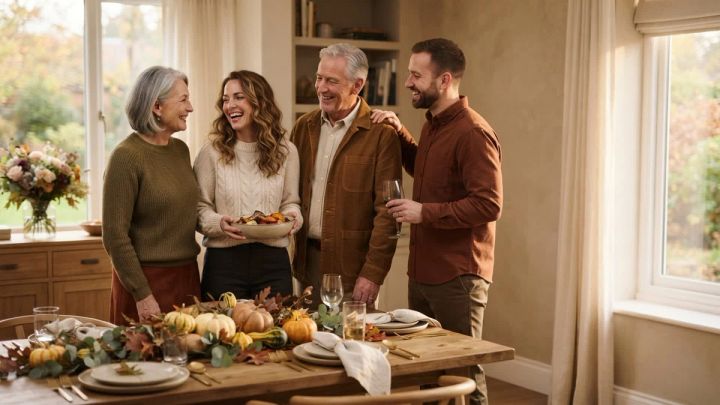
A Thanksgiving-through-the-decades video follows the same couple from the 1950s to the 2020s, changing the clothes, hair, room, camera look, and small social details around them. The Thanksgiving Through the Decades video template turns two adult portraits into eight era scenes and a 30-second 16:9 montage, so the creative work is less about editing and more about choosing good source photos and giving every decade a recognizable identity.
The format works because it combines two familiar ideas: a relationship timeline and a family holiday archive. Yet a convincing version needs more than a sequence of retro filters. This guide breaks down what makes each era readable, how to choose photos that preserve both people, and how to shape the finished video for a romantic post, an anniversary surprise, or a family-group reveal.
What makes a decades video feel believable?
Viewers identify a period through a cluster of clues rather than one costume. A 1970s collar helps, but it becomes much clearer beside warm wood paneling, amber lighting, feathered hair, and slightly faded film color. The same principle applies to every scene.
Build each decade around four layers:
- Silhouette: lapel width, sleeve shape, skirt line, knitwear, and hair volume.
- Room: wallpaper, furniture, tableware, lamps, and the technology visible in the background.
- Image character: restrained monochrome, warm film grain, direct flash, camcorder softness, or clean smartphone color.
- Relationship beat: holding hands, leaning together, laughing, sharing a look, or taking a selfie.
The strongest montage keeps the couple’s faces and emotional connection consistent while changing those surrounding signals. That contrast is the point: the era moves forward, but the relationship remains recognizable.
Eight Thanksgiving-through-the-decades ideas
1. 1950s: the formal holiday portrait
Start with a composed dinner-table scene that feels like a carefully kept family photograph. Think tailored gray or navy suiting, a narrow tie, pearls, a soft cardigan, sculpted waves, floral china, and warm tungsten light. The couple can sit close without looking overly posed: joined hands or a quiet glance communicates more than a dramatic gesture.
Keep the palette muted—cream, dusty rose, brown, and deep green—so the scene feels period-specific without becoming costume-party parody. A fireplace, framed landscape, or patterned wallpaper can carry the background, but avoid filling every surface with retro props.
Prompt starter: formal 1950s Thanksgiving portrait, warm fireplace, floral china, restrained film color…
2. 1960s: modern optimism at the table
For the 1960s, move toward cleaner furniture, bolder shapes, and brighter color. A slim dark suit, simple shift-style dress, geometric lamp, starburst clock, and teak sideboard make the era legible quickly. The couple might lean shoulder to shoulder as if a relative caught them between posed photos.
This scene benefits from a little visual breathing room. Mid-century styling becomes harder to read when the table is crowded edge to edge. Let one distinctive wall object and one furniture piece do most of the period work.
Prompt starter: intimate 1960s Thanksgiving, mid-century dining room, mustard and teal accents…
3. 1970s: warm wood and relaxed romance
The 1970s scene should loosen the posture and warm the palette. Corduroy, wide collars, feathered hair, rust-colored knitwear, macramé, and wood paneling are enough to establish the decade. Amber light and a softly faded film finish make the image feel like an old print found in a family album.
A playful forehead kiss or shared laugh suits this period’s relaxed mood. If you want a more natural result, use only two or three strong era markers instead of stacking every familiar 1970s reference into one frame.
Prompt starter: candid 1970s holiday dinner, corduroy and rust knitwear, amber family-film look…
4. 1980s: polished flash photography
The 1980s can be glamorous without becoming a caricature. Use fuller hair, stronger shoulders, jewel-toned clothing, brass accents, crystal glasses, and direct camera flash. A burgundy blouse or patterned tie creates a clear visual break from the earthier 1970s scene.
The relationship beat can become more energetic here: both people laughing toward each other, turning away from the camera, or raising glasses of water or sparkling cider. Direct flash should brighten faces without bleaching skin or flattening all the background detail.
Prompt starter: joyful 1980s Thanksgiving photo, jewel tones, polished brass, direct on-camera flash…
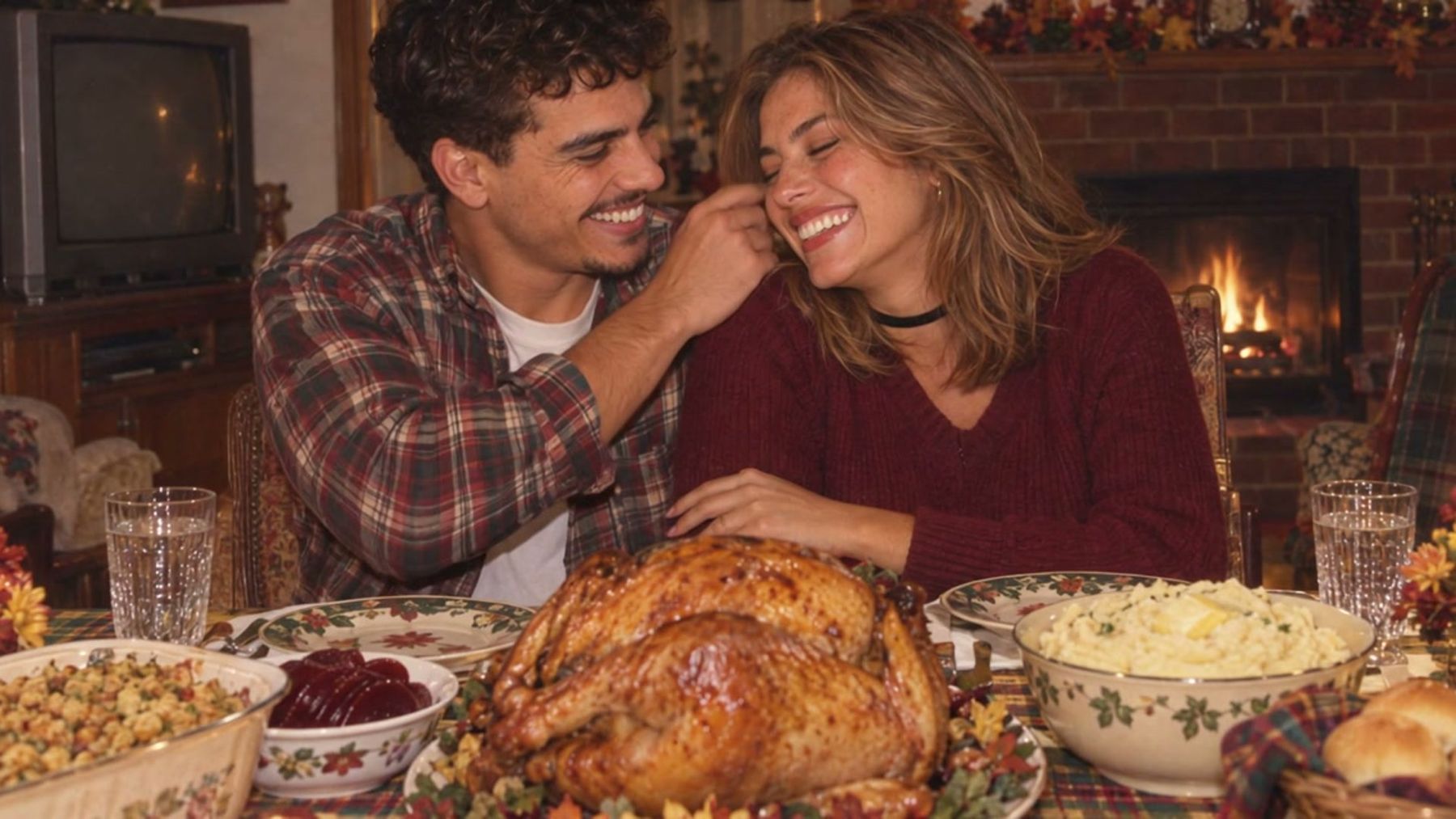
5. 1990s: cozy, candid, and slightly imperfect
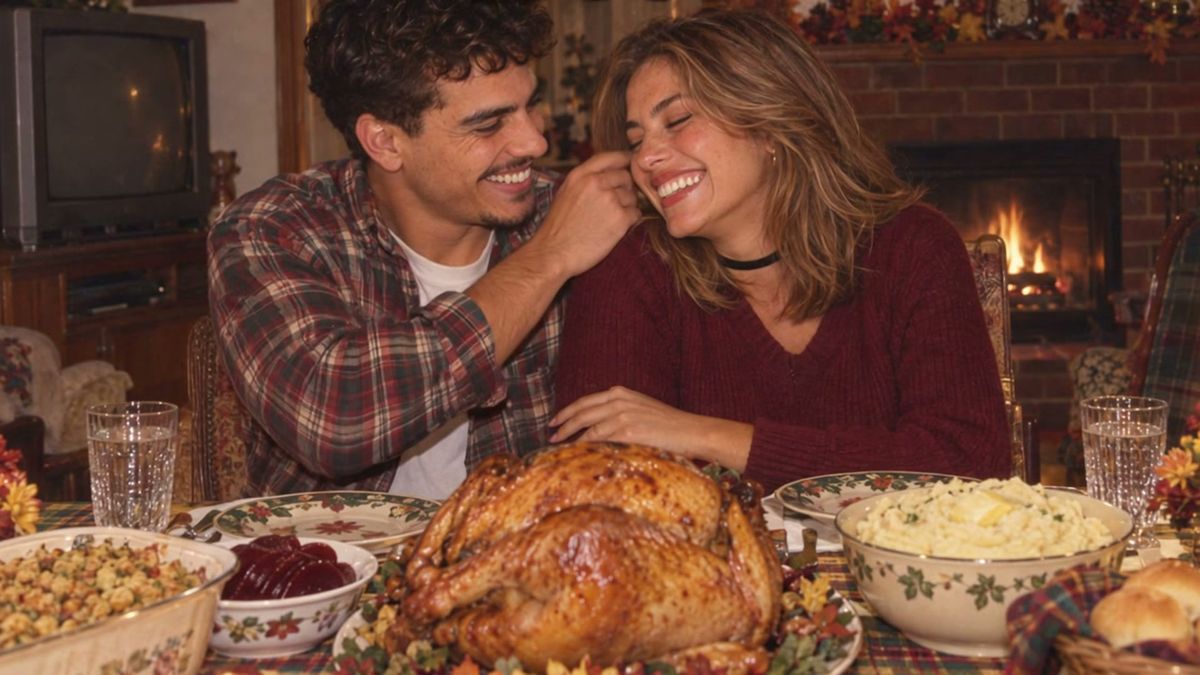
A believable 1990s frame is comfortable rather than polished. Flannel, a burgundy knit, a brick fireplace, wooden chairs, and a bulky television suggest the period without relying on a date label. The image can feel like a consumer-camera snapshot: warm, a little soft, and centered on a genuine interaction.
This is a good decade for a small affectionate gesture—brushing hair aside, sharing an inside joke, or leaning across the table. Keep hands visible and anatomically clear, because close interaction is often where generated frames need the most review.
Prompt starter: cozy 1990s Thanksgiving snapshot, flannel and burgundy knit, brick fireplace…
6. 2000s: the compact-camera moment
The 2000s are easiest to communicate through technology and flash style. Add a compact digital camera, a small silver phone, straighter layered hair, and simpler casual clothes. Use cooler white balance and crisp flash rather than the heavy orange cast of the earlier decades.
Instead of showing the couple simply seated again, let one person hold the camera at arm’s length while the other leans into frame. The pose foreshadows the modern selfie while still looking like an early digital-camera photo.
Prompt starter: early-2000s Thanksgiving snapshot, compact digital camera, cool flash, casual couple…
7. 2010s: social-photo polish
For the 2010s, choose an image that looks ready for an early social feed: neat but not cinematic, with warm fairy lights, layered casual clothing, and a phone on the table. The styling can be cleaner than the 2000s frame while keeping a home-made holiday atmosphere.
A recognizable pose is the over-table portrait—both people angled toward the camera, dinner visible in the foreground, background lights softened. Avoid fake app interfaces or invented captions inside the picture. The era should come from the scene, not from a simulated social-media screen.
Prompt starter: warm 2010s Thanksgiving couple photo, fairy lights, natural social-photo composition…
8. 2020s: the cozy wide selfie
End with a bright, contemporary scene and a clear visual payoff. Soft neutral knitwear, natural window light, a modern open-plan room, and a wide selfie composition move the timeline into the present. The couple should still feel connected to the earlier frames through repeated eye contact, color, or hand placement.
The final image works best when it feels less staged than the opening portrait. That progression—from formal family photo to casual shared selfie—gives the montage a story beyond changing clothes.
Prompt starter: contemporary Thanksgiving selfie, soft neutral knitwear, bright home, relaxed affection…
How to choose the two source photos
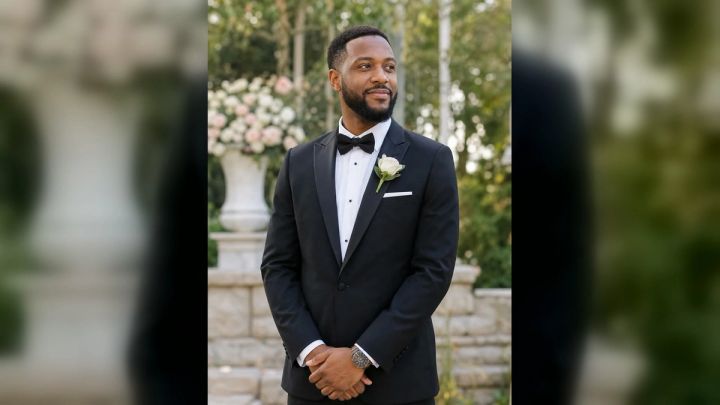
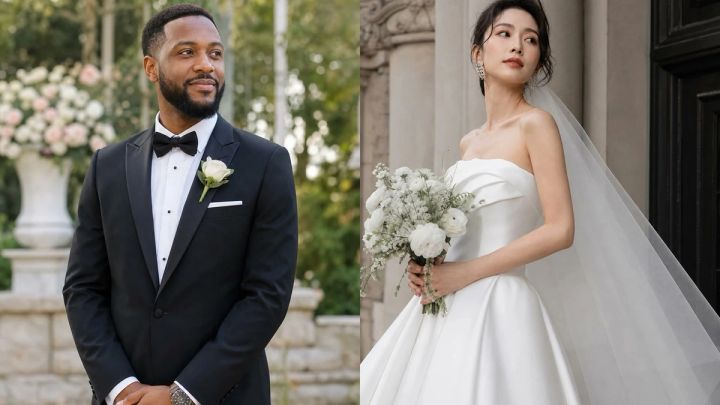
The template asks for one clearly visible adult in each photo: Photo 1 is used for the man and Photo 2 for the woman. It is written as a husband-and-wife sequence, so use the format only when it fits the people you are depicting. Upload images you own or have permission to use.
For the best chance of stable identity across eight scenes:
- Choose sharp, front-facing portraits with both eyes visible.
- Use even light; avoid deep shadows across the eyes or jaw.
- Prefer chest-up or waist-up framing over a distant full-body photo.
- Avoid sunglasses, hands covering the face, heavy beauty filters, and motion blur.
- Use one person per source image rather than cropping someone from a group.
- Select recent, representative photos instead of trying to change age or identity.
- Confirm that both adults consent to appearing in a generated romantic video.
The two photos do not need matching backgrounds. The generation process replaces the setting and creates the decade scenes. What matters is clear facial information and a useful view of hair, face shape, and upper-body proportions.
How the imageat template works
The live template creates eight intermediate couple images—one for each decade from the 1950s through the 2020s—then uses Seedance 2.5 to turn them into one 30-second landscape video. The result includes music and a fireplace ambience. You choose either 480p or 720p before generation.
At the time of writing, the page shows 168 imageat credits for 480p and 288 credits for 720p. These are paid generation credits, not a local or free offline workflow; check the button before running because the displayed amount is the authoritative current price. The imageat pricing page explains current credit plans more broadly.
A practical workflow is:
- Open the template and review the example.
- Upload one approved portrait for each adult in the requested order.
- Choose 480p for a lower-credit draft or 720p for a sharper result.
- Confirm the credit amount shown on the generation button.
- Generate the montage and watch every decade before downloading.
- Regenerate if identity, hands, or a rendered decade title is noticeably wrong.
There is no need to write a full prompt for this template. If you want to design a different sequence, use the broader AI video generator or explore individual video models in the imageat video studio. For a single still that you want to animate on your own terms, the image-to-video workflow gives you a more open starting point.
A review checklist before you share
A decades montage moves quickly, so pause on every scene rather than judging only the overall mood.
Identity and anatomy
Check eyes, teeth, ears, fingers, and the line where hands touch faces or shoulders. Make sure neither person’s defining features drift drastically between decades. Small changes in hair and styling are expected; a different face is not.
Era consistency
Look for mixed signals such as a modern phone in a 1960s room, contemporary recessed lighting in a 1950s scene, or clothing that belongs to a neighboring decade. Perfect museum accuracy is unnecessary, but each scene should read immediately and differ from the one before it.
Text and transitions
AI-rendered decade labels can occasionally contain a wrong number or malformed letter. Review them frame by frame. Also check that cuts arrive cleanly, without a face appearing half transformed during a transition.
Consent and context
Do not use the workflow to impersonate strangers, depict a relationship that did not consent to the framing, or present a fictional montage as archival evidence. A short caption such as “AI-made decades montage” gives viewers useful context without spoiling the creative effect.
If you want to study the structure of another clip before building a custom version, video to prompt can help describe its shots and motion. Treat that output as a planning aid, not permission to copy someone else’s protected characters, footage, or likeness.
Ways to make the post more personal
The decade concept becomes more memorable when it includes one recurring detail. Repeat a color from the couple’s real wedding, place the same harmless table centerpiece in several scenes, or match the final pose to a favorite real photograph. Do not overload every era with private references; one visual thread is enough.
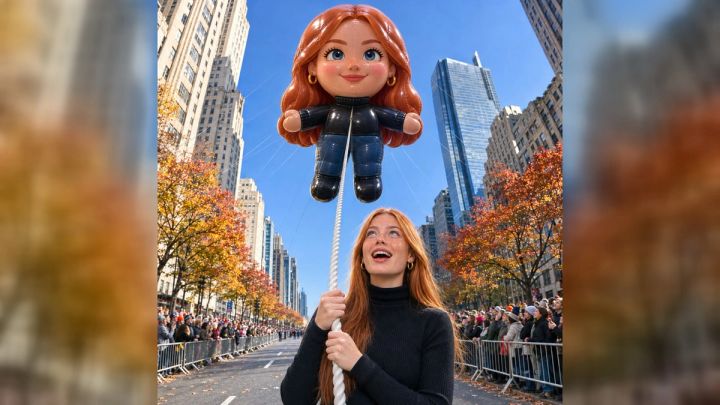
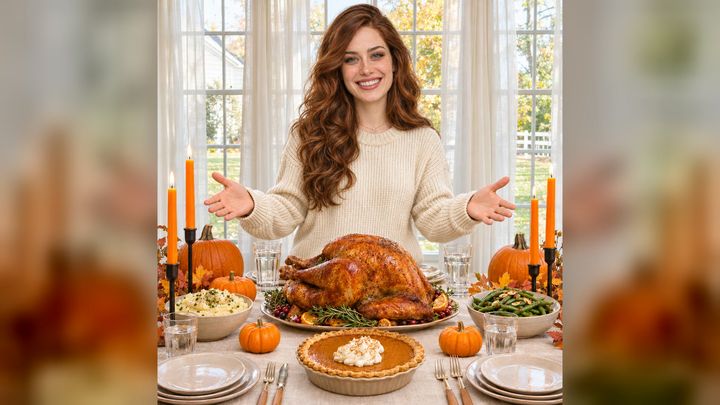
You can also pair the montage with a second Thanksgiving format. A behind-the-scenes kitchen clip can lead into the timeline; the Thanksgiving dinner cooking video is designed for that food-centered angle. For a playful public-spectacle concept rather than a romantic timeline, explore the Thanksgiving parade balloon video.
For captions, focus on the relationship rather than claiming that the scenes are real history. Useful openings include “If we had shared every Thanksgiving since the 1950s…” or “Eight decades, one table, the same two people.” Add the disclosure in the same caption, especially if the faces are photorealistic.
Frequently asked questions
How long is the Thanksgiving-through-the-decades video?
The current template produces a 30-second 16:9 video with eight decade scenes, music, and fireplace ambience.
How many photos do I need?
You need two source photos, each showing one clearly visible consenting adult. Use sharp, front-facing portraits with good light.
Can I choose which decades appear?
The template uses a fixed sequence from the 1950s through the 2020s. Use a custom image or video workflow if you need a different set of years or a different story structure.
Does it generate the decade images too?
Yes. The workflow first creates eight couple images and then turns those established scenes into the final video.
Is the workflow free?
No. The page uses paid imageat credits. At the time of writing, it displays 168 credits at 480p and 288 credits at 720p; always confirm the live button before generating.
What should I do if one decade looks wrong?
Review whether the source portraits are clear, then regenerate the sequence if a face, hand, title, or period detail is visibly incorrect. Do not hide a major defect with a fast cut and publish it anyway.
Create your own decades montage
A good Thanksgiving-through-the-decades video is a compact visual story: formal in the 1950s, relaxed by the 1970s, candid in the 1990s, and personal in the 2020s. Keep the couple recognizable, let a few precise details define each era, and review every frame before sharing.
Create a Thanksgiving Through the Decades video with two clear, consented portraits, then choose the resolution and credit level shown on the live page.