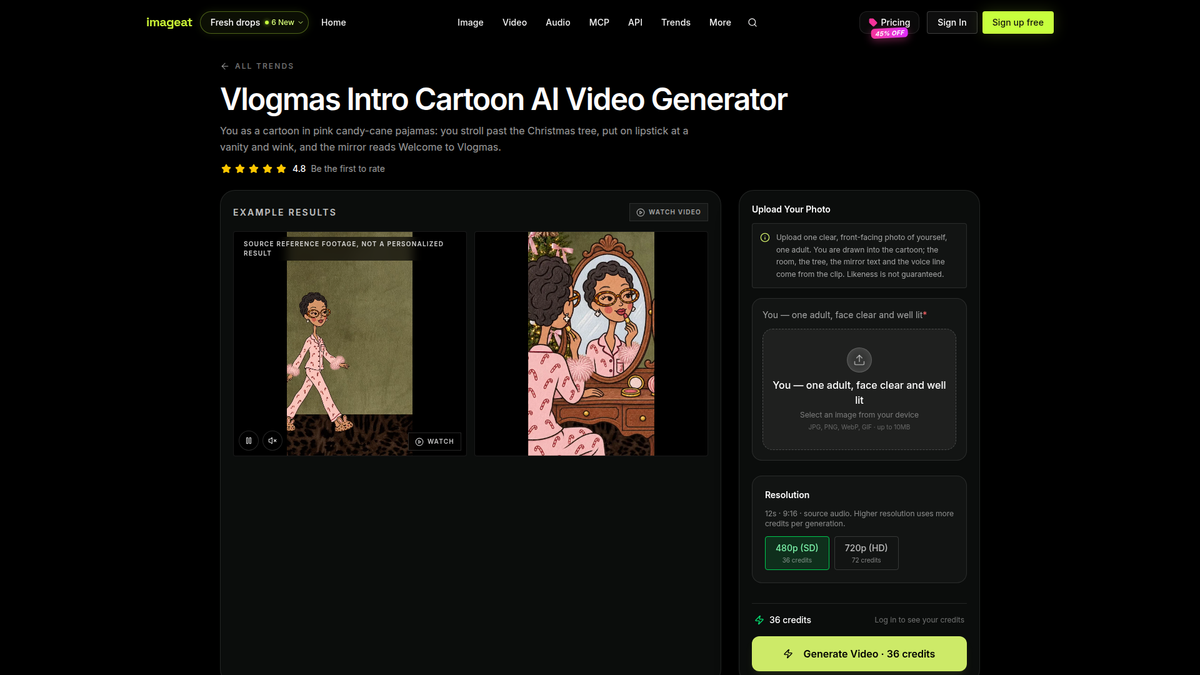
A good Vlogmas intro tells viewers whose December they are entering, establishes a festive mood, and gets out of the way before the episode begins. You can start with a recurring cartoon sequence, a quick daily montage, a visual countdown, or a simple title card. The Vlogmas intro cartoon on imageat turns one clear portrait into a 12-second vertical illustrated opener with a Christmas-tree-and-vanity scene and source audio.
The best choice is not necessarily the most elaborate one. It is the opener you can reuse without making every episode feel identical. This guide covers 12 Vlogmas intro ideas, how to choose one for your channel, what to prepare before December, and how to avoid common pacing, audio, and consistency problems.
What is a Vlogmas intro?
A Vlogmas intro is a short opening sequence used at the beginning of holiday vlogs posted during December. It normally combines a recognizable visual motif, festive audio, and a channel or series cue. Some creators reuse one polished intro all month; others keep the same structure but swap in a new clip, date, or episode theme each day.
An intro is different from the opening of the actual episode. The intro creates recognition. The episode opening gives viewers a reason to keep watching. After the intro, move quickly into a clear hook such as the day’s plan, a problem you are solving, or a moment viewers will see later.
12 Vlogmas intro ideas
1. A recurring cartoon version of you
Use an illustrated character as the visual identity for the whole series. A recurring room, outfit, pet, or prop can make the sequence recognizable even when individual episodes cover different activities.
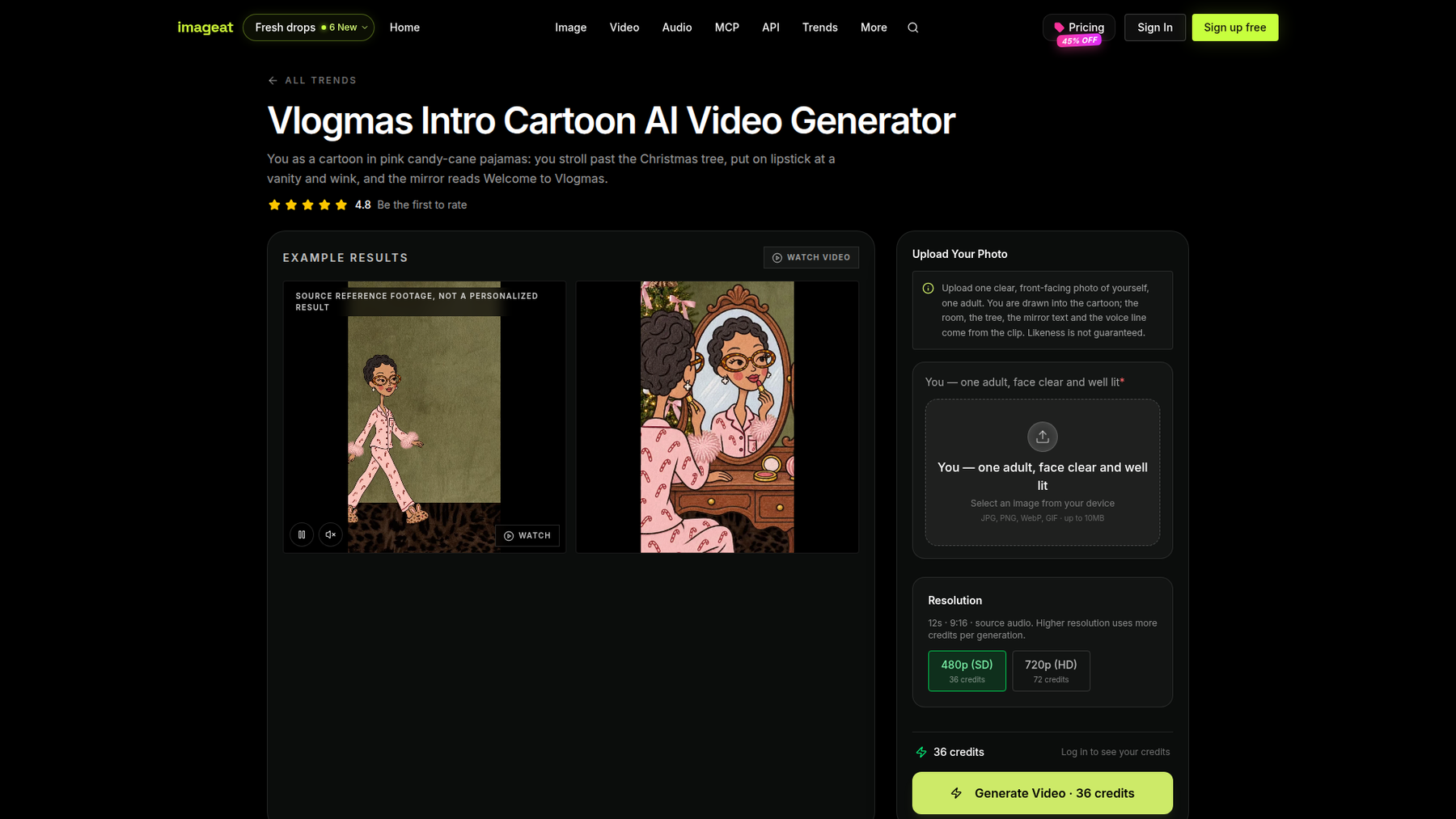
The imageat trend page uses one front-facing adult portrait to place the subject into a fixed cartoon scene. The character walks through a festive room, sits at a vanity, and appears beside a decorated tree. Because the scene and action are already defined, your main creative decision is the source photo rather than a long prompt.
Best for: beauty, lifestyle, fashion, and personal channels that want one polished opener for the full run.
2. The one-second-per-day montage
Record one intentional clip each day and add it to a growing montage. Day one contains one clip; day ten contains ten. The intro becomes a visual diary that develops with the series.
Keep each shot simple: a mug on a table, lights switching on, a coat going onto a hook, a wrapped gift, or a street decoration. Use the same duration and transition for every shot so the sequence feels designed rather than assembled at random.
Best for: creators who want the intro itself to document December.
3. A doorway-to-December opener
Film yourself opening a bedroom, studio, shop, or apartment door into a decorated space. The reveal can become the recurring first shot, while the room beyond the door changes slightly throughout the month.
A useful shot plan is exterior handle, hand opening the door, wide reveal, and one close detail. If you create an AI-assisted version, a prompt starter might be: A warm doorway opens into a December morning… Add your own setting, camera movement, color palette, and continuity details rather than relying on a generic Christmas description.
Best for: home, decorating, and family-lifestyle Vlogmas series.
4. A calendar countdown
Make the date the central motif. A paper calendar, wooden advent calendar, phone-style date tile, or row of envelopes can mark the episode number without requiring a completely new intro.
Avoid tiny decorative lettering. Mobile viewers need to understand the date immediately. If you add text in an editor, use one large number and one short label instead of a paragraph of holiday copy.
Best for: daily upload schedules and creators who want viewers to recognize the series order.
5. A miniature morning routine
Compress a familiar morning into three or four shots: curtains open, kettle on, sweater on, camera picked up. This makes the intro feel personal without revealing the whole episode.
Choose actions with distinct silhouettes and sounds. Steam, a zipper, a light switch, and a camera shutter are easier to read than several similar clips of someone sitting at a desk. Keep the sequence short enough that the real episode still feels like it is starting promptly.
Best for: cozy lifestyle, study, wellness, and home channels.
6. A pet-led Vlogmas opening
Let a pet become the guide into the episode. A dog can carry a safe soft prop, a cat can investigate a decoration, or a pet can simply enter the frame before you do.
Do not force costumes, bright lights, or repeated takes if the animal seems uncomfortable. Film normal behavior and build the intro around it. For an AI-assisted variation, use only photos you own and review the output for changed coat markings, extra limbs, or an expression that no longer resembles your pet.
Best for: pet channels and creators whose audience already knows the animal.
7. A package-to-scene transition
Start with a wrapped box in close-up. When the lid opens, cut to the episode location, your decorated room, or a stylized miniature version of the scene. The box creates a repeatable transition while the reveal can change daily.
Match the direction of movement across the cut. If the lid moves upward, let the next shot begin with the camera or subject moving upward too. A clean motion match matters more than an elaborate visual effect.
Best for: gift guides, small businesses, product-focused creators, and unboxing series.
8. A snow-globe world
Frame the channel, room, or town as a tiny scene inside a snow globe. This can be built as animation, a practical tabletop shot, or an AI-assisted visual.
Keep the concept fictional rather than trying to reproduce a trademarked holiday movie scene. A prompt starter could be: A tiny winter studio inside a glass snow globe… Finish it with your own room layout, lighting, lens choice, weather, and movement. Avoid logos and recognizable copyrighted characters.
Best for: animation, craft, travel, and design-led channels.
9. A festive outfit snap sequence
Use three quick outfit changes tied together by the same pose or movement. A hand clap, turn, scarf toss, or step toward the camera can hide the cut.
Lock the camera and mark your standing position on the floor. Keep exposure and focal length fixed. If the background changes between takes, the transition will look like a jump rather than an intentional transformation.
Best for: fashion, beauty, and party-preparation episodes.
10. A neighborhood-light reveal
Begin in a relatively dark frame, then reveal a street, balcony, storefront, or garden decorated with lights. The contrast creates a natural opening beat without requiring text.
Film during blue hour rather than in complete darkness when possible. The remaining sky color preserves detail and helps small lights stand out. Respect private property and avoid showing addresses, license plates, or identifiable children in the background.
Best for: local travel, family outings, and evening Vlogmas episodes.
11. A sound-first holiday intro
Start with a recognizable sound before the visual appears: a door chime, wrapping paper, a kettle, a train platform announcement, or footsteps in snow. Then reveal the source.
Original recorded sound can give a simple intro more identity than a generic music bed. If you use music, confirm that you have permission for the platform and type of upload. “Holiday” does not mean copyright-free, and a familiar recording may still trigger a claim.
Best for: cinematic vlogs and creators who want an understated opener.
12. A different ornament for every episode
Film one ornament in the same position each day, then change its shape, color, reflection, or surrounding branch. The repeated composition creates consistency while the detail changes.
Use a tripod or a fixed camera mark and focus manually. Reflective ornaments can reveal your face, room, or camera setup, so check the entire frame before publishing.
Best for: creators who prefer a minimal, low-maintenance daily intro.
How to choose the right Vlogmas intro
Score each idea against four practical questions:
- Can you repeat it? A daily series magnifies any workflow that takes too long.
- Does it fit your channel? A glossy animated intro may feel wrong for a quiet documentary-style vlog.
- Does it work on a phone? Faces, dates, and actions should remain clear on a small screen.
- Can it survive without copyrighted material? Original footage, licensed music, and fictional visual motifs are safer foundations than copied movie scenes or branded characters.
If you are publishing every day, create the main intro before December. Export a master version and keep a project template for small changes. For more flexible motion from your own stills, compare the fixed trend workflow with the broader image-to-video tool or AI video generator. The fixed template is faster when you want its exact scene; a general generator gives you more control but also requires more creative decisions.
How to make the Vlogmas cartoon intro from one photo
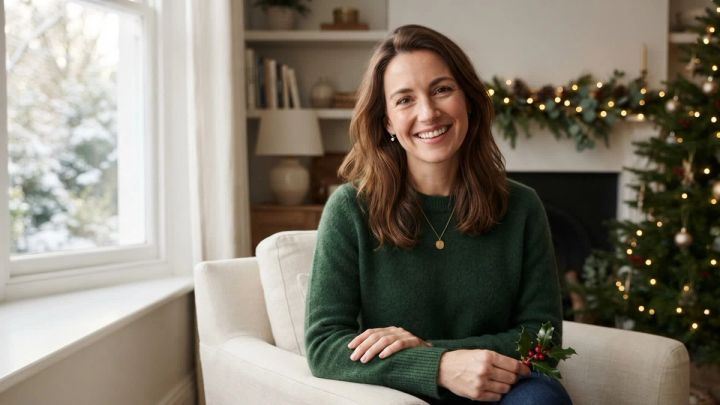
The live imageat page currently asks for one clear, front-facing photo of one adult. Hair should be visible, the face should be evenly lit, and sunglasses should be avoided. JPG, PNG, and WebP files up to 10 MB are accepted.
The output is a vertical 9:16 video about 12 seconds long with source audio. The page offers 480p and 720p controls, and higher resolution uses more paid-plan credits. The current cost is shown on the Generate button, so check the button before starting rather than relying on an older quoted amount.
- Open the Vlogmas intro cartoon workflow.
- Upload one portrait that you own or have permission to use.
- Choose the available resolution that fits your test or final export.
- Check the current credit cost on the Generate button.
- Generate, preview the full clip, and download the MP4 if the result is usable.
The page describes the example as source reference footage, not a personalized output, and says likeness is not guaranteed. Review the result rather than assuming every facial detail will transfer perfectly. Generation uses credits from a paid plan; do not treat it as a free workflow.
Source-photo checklist
A strong source image makes the character easier to read and reduces avoidable surprises. Before uploading, check that the photo has:
- one adult facing the camera;
- a sharp, unobstructed face;
- visible hair and a natural expression;
- even light without a strong color cast;
- no sunglasses, mask, or hand covering key features;
- enough resolution that the face is not a tiny crop;
- no other person whose features could be mixed into the result;
- permission from the person shown.
You do not need to wear the final cartoon outfit in the source photo because the template supplies the illustrated scene and clothing. Prioritize a clear identity reference over a complicated festive background.
A simple Vlogmas intro structure that keeps viewers watching
A reusable opening can follow this compact sequence:
- Cold open, 2–5 seconds: show an intriguing moment from later in the episode.
- Series intro, 5–12 seconds: play the recurring visual identity.
- Episode promise, one sentence: explain what is happening today.
- Immediate action: begin the first task, journey, or conversation.
Do not stack a long greeting, animated logo, cartoon intro, sponsor message, and recap before the episode starts. If the recurring intro is 12 seconds, keep the surrounding opening especially efficient.
For vertical social posts, the imageat template already uses 9:16. For a horizontal YouTube vlog, decide whether to place the vertical clip inside a designed 16:9 frame, crop it carefully, or use it only for Shorts and Reels. Cropping can remove the tree, vanity, or mirror, so preview the composition before committing.
Editing and export tips
Keep one untouched master file before adding episode numbers or platform-specific captions. That gives you a clean source for later edits.
If an export is too large for a platform or editing handoff, use the imageat video compressor. If the dimensions need to change for another placement, use the video resizer and inspect the crop rather than assuming an automatic conversion preserved the subject.
When adding text, keep it inside the platform’s safe area. Interface buttons and captions can cover the lower and right edges of a vertical video. Use high contrast, short wording, and a font you are licensed to use.
Common Vlogmas intro mistakes
Making the intro longer than the story needs
A beautiful opener can still cause drop-off if it delays the episode. Use the shortest version that creates recognition.
Changing every design element at once
If the music, type, color, transitions, and logo all change daily, viewers lose the recurring cue. Keep two or three elements fixed and vary one.
Using tiny decorative text
Fine script lettering often disappears on phones. Test the intro at actual mobile size and watch it once without pausing.
Copying a famous holiday sequence too closely
Use broad seasonal ideas—warm lights, winter streets, ornaments, pajamas—rather than reproducing a copyrighted character, logo, movie composition, or branded title treatment.
Publishing an AI result without watching every frame
Check face consistency, hands, background objects, text, and the final frame. A single distorted transition can be more noticeable than a minor issue in a still image.
Forgetting audio rights
Source audio included in a template and music added later are separate considerations. Confirm the rights and platform rules that apply to your final upload.
Frequently asked questions
How long should a Vlogmas intro be?
For most channels, about 5–12 seconds is enough to establish a recurring identity without slowing the episode. A longer cinematic sequence can work for a launch episode, but daily viewers usually benefit from a compact version.
Should every Vlogmas episode use the same intro?
It can, especially if the intro acts as series branding. Another option is to keep the same music, framing, and transition while changing one date, object, or daily clip.
What should a Vlogmas intro include?
Include one recognizable visual idea, a brief seasonal audio cue, and only essential text. The episode number or date is useful for a daily series, but a long explanation belongs after the intro.
Can I make a Vlogmas intro from one photo?
Yes. The imageat trend workflow uses one front-facing adult portrait and returns a fixed 12-second vertical cartoon sequence. A general image-to-video workflow can support other concepts, but it requires a clearer motion plan and more review.
Do I need a prompt for the imageat Vlogmas cartoon?
No. The trend page uses a predefined scene and action, so you upload a suitable portrait, choose an available resolution, check the credit cost, and generate.
Is the Vlogmas cartoon guaranteed to look exactly like me?
No. The page explicitly says likeness is not guaranteed. Use a clear source photo and review the whole result before posting.
Build one intro, then make it yours
Start with one repeatable motif, not a pile of holiday effects. Choose the cartoon, countdown, montage, sound cue, or practical shot that best matches your channel, then reserve your creative energy for the episode itself.
If the illustrated vanity-and-tree sequence fits your series, use the imageat Vlogmas intro cartoon, check the current paid-credit cost on the Generate button, and test it with a clear photo before your publishing schedule begins.