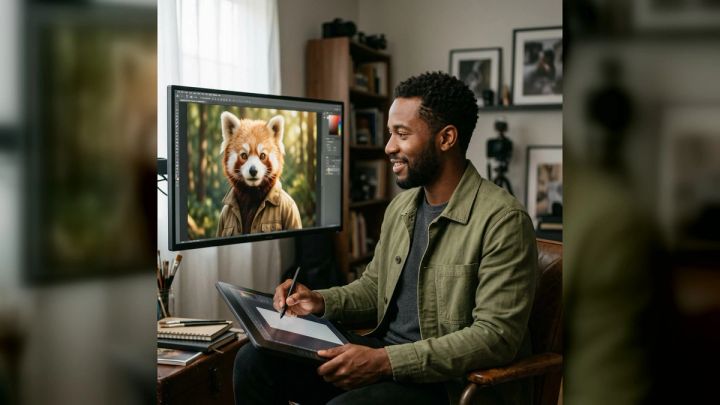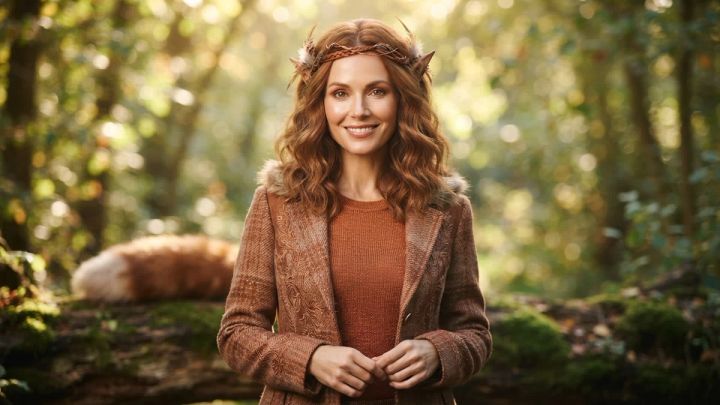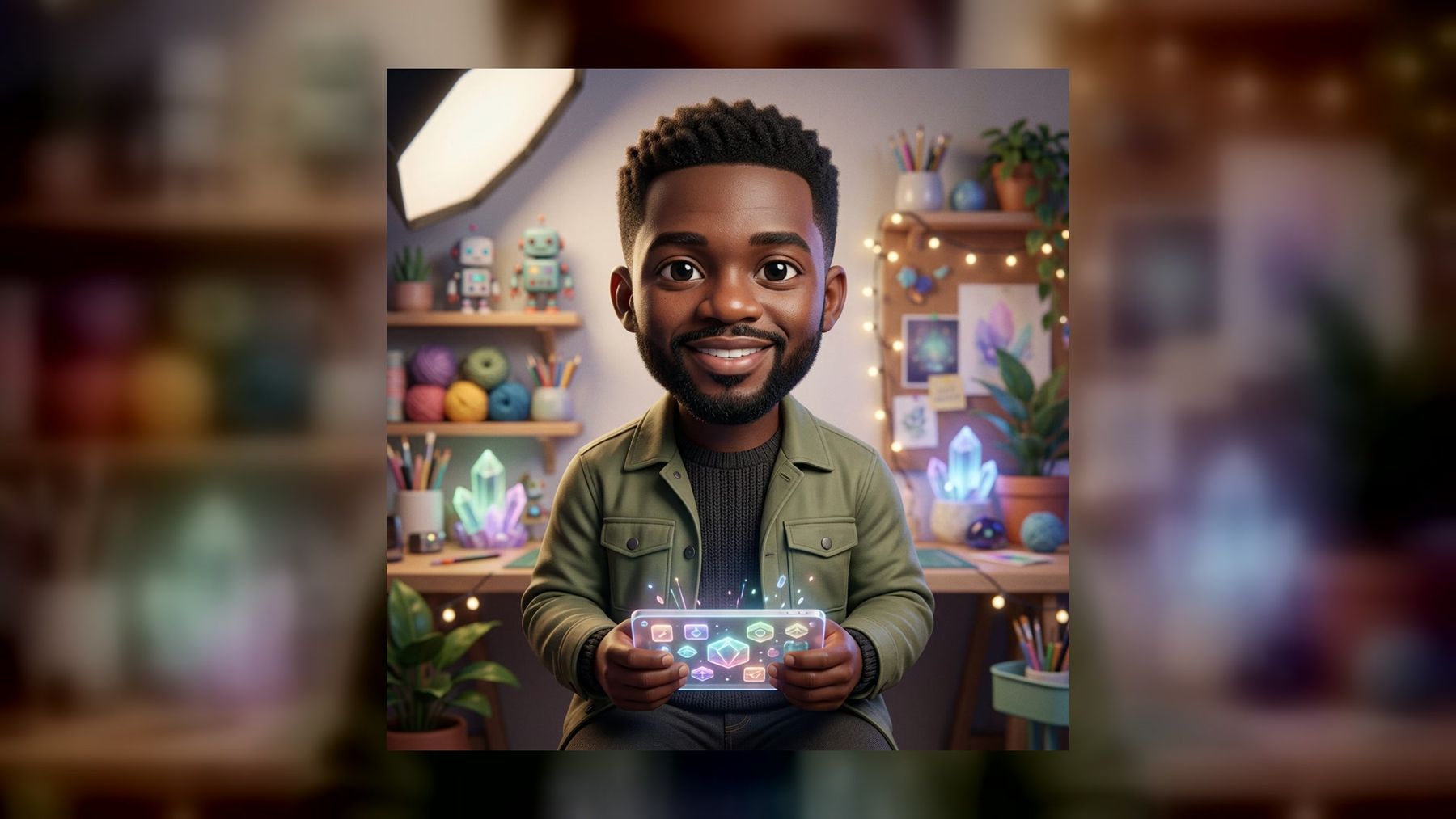
Turning a real portrait into a chibi character is not just a matter of making the head larger. A convincing result keeps the person recognizable while simplifying facial features, proportions, clothing, and surroundings into a coherent character design.
The imageat AI Chibi Character Generator is built for that specific photo-to-chibi task. The current pack turns one clear portrait into a polished 4:5 character image, offers three ready-made directions, and does not require prompt writing. This guide explains how to choose a source photo, select a style, evaluate the output, and prepare a chibi avatar for practical use.
What is an AI chibi generator from a photo?
An AI chibi generator from a photo uses a portrait as the identity reference for a stylized character. Chibi art typically exaggerates the head and eyes, reduces the body, and simplifies details to create a compact, expressive design. A photo-based workflow differs from a text-only character maker because it begins with visible identity cues rather than a written description.
Those cues can include face shape, hairstyle, skin tone, glasses, facial hair, and distinctive clothing. The goal is not a literal miniature photograph. It is a stylized interpretation that still feels connected to the source person.
This also makes the feature more specific than a general AI image generator. A general tool is useful when you want to invent an original character from a written idea. A guided chibi pack is the simpler route when you already have a portrait and want a consistent transformation without constructing a long prompt.
What the current imageat chibi pack includes
The live chibi feature currently presents a straightforward three-step workflow: upload a clear portrait, choose a ready-made style, then generate and download the result.
Its displayed features include:
- one clear portrait as the source;
- a polished 4:5 output;
- identity-preserving transformation;
- no prompt writing;
- high-resolution download;
- generation in seconds;
- three curated visual directions.
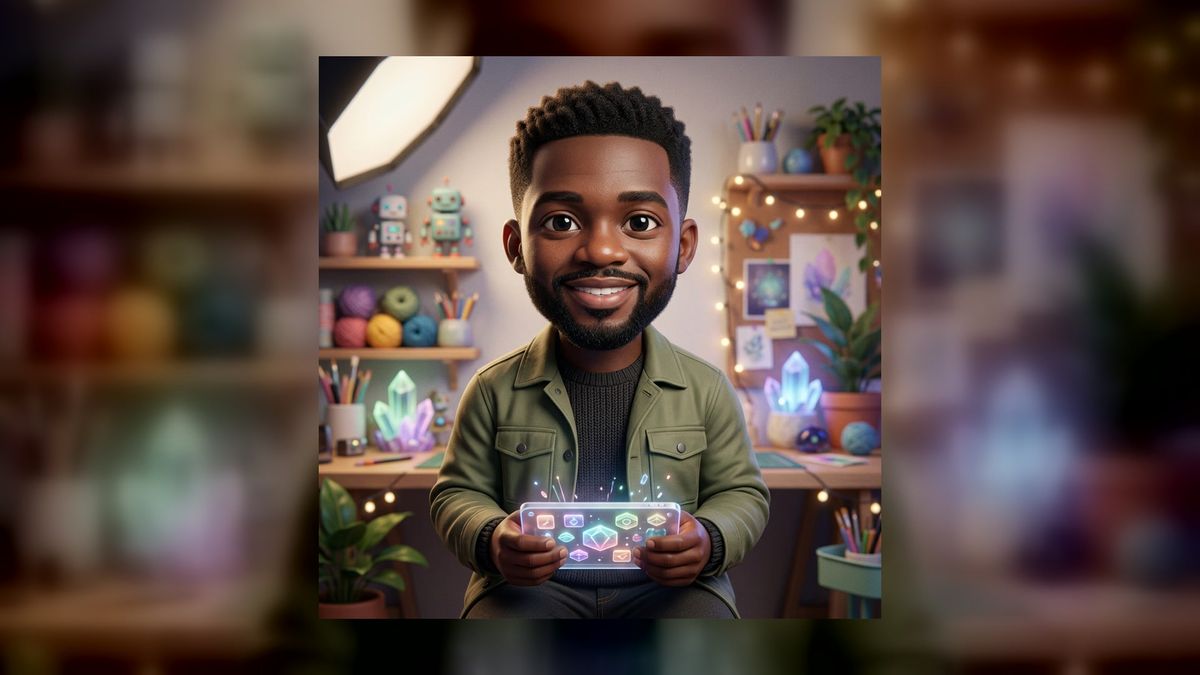
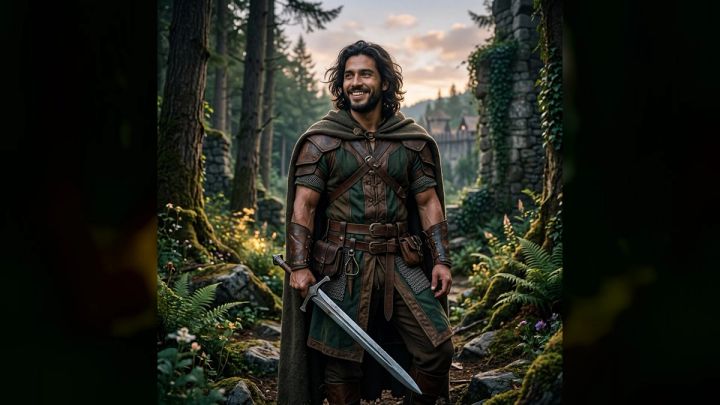
The three current directions are Kawaii studio, Fantasy adventure, and Cozy room. They are not merely color filters. Each direction changes the setting and visual mood around the recognizable subject.
Product details can change, especially generation or credit terms. Check the live feature and imageat pricing before planning a larger batch.
Choose a source photo that survives stylization
The output can only preserve details that are clear enough to interpret. Chibi style deliberately removes complexity, so the source image should make the important identity cues easy to see.
Use one clearly visible person
Choose a solo portrait rather than a crowded group photo. If several faces overlap, the model has to infer which person should become the character. A centered or clearly dominant subject reduces that ambiguity.
Keep the face large enough
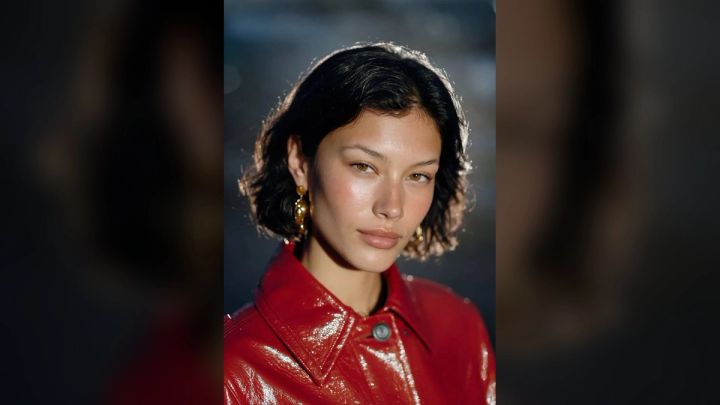
A distant full-body photo may contain an attractive setting but very little facial information. Use a head-and-shoulders or waist-up portrait in which the eyes, hairline, and face shape remain visible at normal screen size.
Prefer soft, even light
Strong backlighting can hide the face, while hard shadows may make one eye or cheek disappear. Window light or open shade usually provides enough detail without flattening the portrait. Avoid beauty filters that radically alter facial proportions before the chibi transformation begins.
Show the hairstyle and accessories you want to keep
Hair silhouette is one of the strongest identity signals in a simplified character. Avoid cropping the top of the head. If glasses, earrings, a headscarf, or facial hair matter to the likeness, make sure they are sharp and unobstructed.
Use a natural expression
A relaxed smile or neutral expression gives the generator a readable reference. Extreme angles, closed eyes, motion blur, or a hand covering the mouth may work creatively, but they make identity preservation harder to judge.
Avoid tiny logos and dense text
Chibi images are visual character art, not reliable text reproduction. A shirt with a slogan, an ID badge, or a detailed branded background can turn into distorted lettering. Choose plain clothing when possible, and do not rely on the output to reproduce a trademark, uniform insignia, or written message accurately.
How to make a chibi avatar from a photo
The current imageat workflow does not need a custom prompt.
- Open the AI Chibi Character Generator.
- Upload one clear portrait that you have permission to use.
- Review the three current directions: Kawaii studio, Fantasy adventure, and Cozy room.
- Choose the direction that best matches the final use, not simply the most dramatic preview.
- Generate the 4:5 character image.
- Compare the result with the source for identity, accessories, hands, and background artifacts.
- Download the strongest version and crop a copy for the platform where it will appear.
Do not upload a stranger’s portrait without permission. For children, use extra care with consent, account privacy, and public sharing.
How to choose among the three chibi styles
A useful style choice starts with context. An avatar for a community profile needs different visual energy from a fantasy character concept or a friendly creator graphic.
Kawaii studio
Kawaii studio is the cleanest starting point when the character itself should dominate. A controlled studio-like setting can work well for profile pictures, creator introductions, contact cards, or matching team avatars.
Choose a source portrait with a clear hairstyle and simple outfit. The result will read more quickly at a small size when the silhouette is not competing with elaborate scenery.
Fantasy adventure
Fantasy adventure is the most narrative direction. It suits role-playing profiles, campaign character concepts, game-night invitations, and imaginative social posts. The setting can add armor, adventure cues, or a storybook mood around the subject.
Review fantasy outputs carefully. Check whether hands, held objects, costume details, and left-right placement make visual sense. Treat generated weapons, emblems, and writing as decorative unless you have independently reviewed every detail.
Cozy room
Cozy room places the character in a warmer lifestyle setting. It is a natural fit for book, craft, study, journaling, gaming, or home-office themes. It can also feel more personal than a plain avatar while remaining less theatrical than the fantasy option.
Look for clean separation between hair, furniture, plants, and background objects. Busy room details should support the character rather than create tangents or confusing shapes around the face.
Style briefs for planning your result
The pack uses ready-made directions, so you do not need to paste these as prompts. Use them as planning briefs when selecting a photo and deciding where the finished image belongs.
Friendly profile avatar
Goal: a recognizable, welcoming character for a profile image.
Source: bright head-and-shoulders portrait, relaxed smile, simple top.
Direction: Kawaii studio.
Review priority: face, hair, glasses, and readability at a small circular crop.
Fantasy campaign character
Goal: a playful character portrait for a private role-playing group.
Source: front-facing portrait with the full hairstyle visible.
Direction: Fantasy adventure.
Review priority: costume continuity, hands, props, and absence of accidental symbols.
Cozy creator introduction
Goal: an illustrated portrait for a craft, reading, or study post.
Source: waist-up portrait with natural light and a calm expression.
Direction: Cozy room.
Review priority: clean background objects, accurate accessories, and enough contrast around the face.
If you need to invent a character without using a portrait, switch to the general AI image tool and describe the character explicitly. A useful text brief names the character’s age category, hairstyle, outfit, expression, pose, setting, palette, and intended crop. Never ask for a living artist’s exact style; describe visual traits such as soft cel shading, rounded proportions, pastel color, and clean linework instead.
How to evaluate the generated chibi character
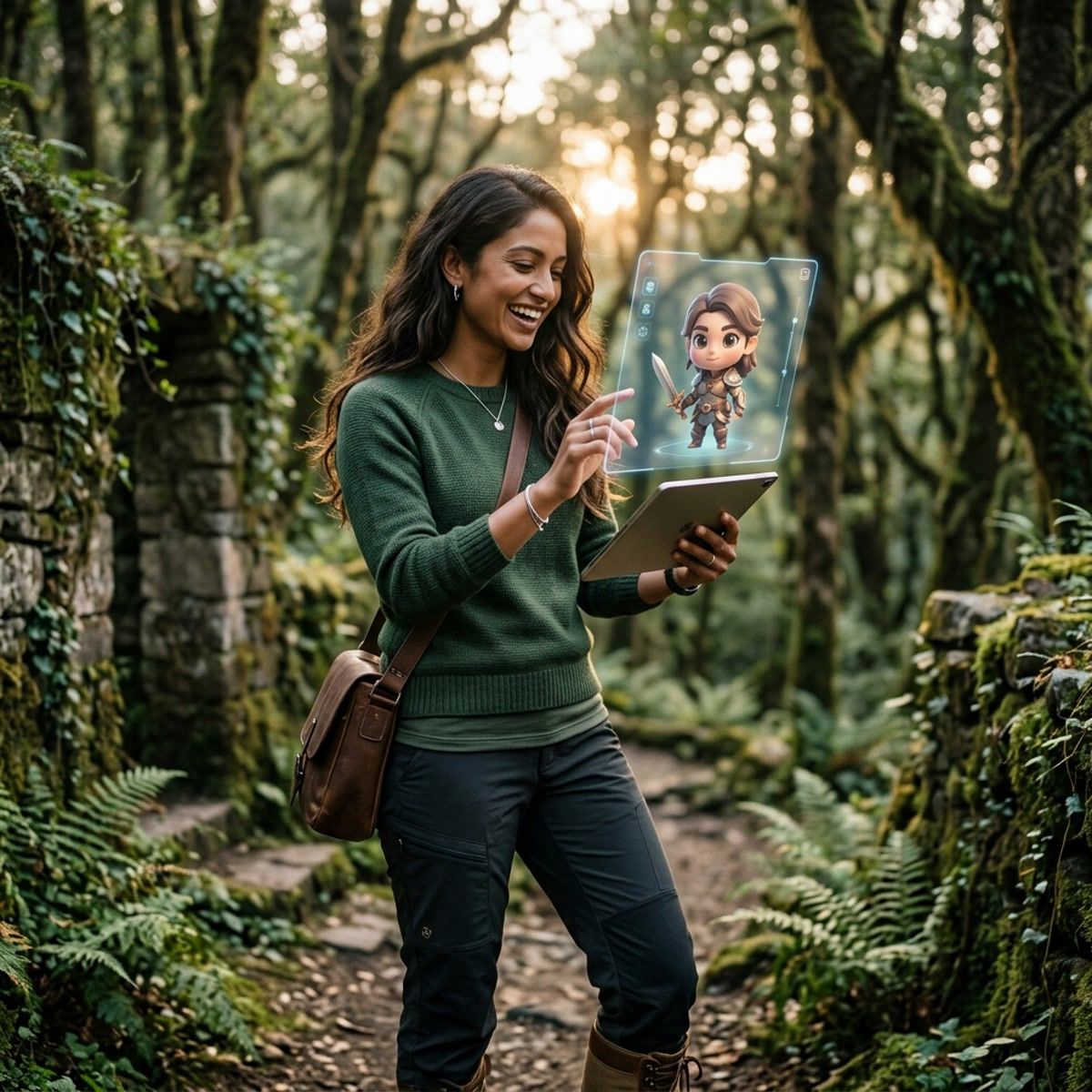
A result can look charming at first glance and still contain problems. Review it at full size before publishing.
Identity
Ask whether the character preserves the cues that matter most: face shape, skin tone, hairstyle, facial hair, glasses, and expression. Stylization will change proportions, so judge recognizable combinations rather than expecting photographic similarity.
Anatomy and pose
Count fingers when hands are visible. Check that arms connect naturally, legs do not merge with furniture, and props are held plausibly. Chibi proportions are intentionally unrealistic, but the pose should still be internally coherent.
Clothing and accessories
Confirm that earrings are paired correctly, glasses have complete frames, patterns do not melt into the background, and clothing layers make sense. If a distinctive accessory is wrong, regenerate from a clearer source rather than trying to explain the error away.
Background
Inspect shelves, windows, signs, books, and decorative objects. Generated scenes can contain repeated objects or text-like marks. Crop distracting edges when that does not harm the composition; regenerate if an artifact sits near the face or changes the meaning of the scene.
Small-size readability
A 4:5 image may later become a tiny avatar. Make a copy and preview it at roughly 96 pixels wide. If the face disappears, use a tighter crop. Keep the original high-resolution file separately.
Prepare a 4:5 result for different uses
The pack produces a portrait-oriented 4:5 image, a useful format for social posts and character cards. Other placements may require a derivative crop.
Square avatar
Duplicate the image and crop to 1:1 around the face and upper body. Leave some breathing room above the hair, because many platforms apply a circular mask that removes the corners.
Vertical social post
The original 4:5 ratio is already suitable for many feed placements. Avoid adding important captions too close to the edges, where app interfaces may cover them.
Sticker or cutout
For a sticker-like character, use imageat’s background remover on a downloaded copy. Inspect hair edges, glasses, and small accessories after removal. Add an outline in your design app only after the cutout is clean.
Larger display
If the character needs to appear on a larger canvas, an image upscaler can increase its dimensions. Upscaling does not fix malformed fingers, incorrect accessories, or fake text. Correct those problems at generation time first.
Further editing
Use the AI photo editor when the composition needs broader visual adjustment. Keep edits simple and compare each version with the approved source so the character does not gradually lose its identity.
Chibi avatar ideas that have a clear purpose
A focused use case produces better creative decisions than generating variations without a destination.
- Create matching avatars for a private gaming group, using similarly lit source portraits and the same direction.
- Make a character card for a birthday invitation, while keeping names and event details as normal editable text outside the generated image.
- Use a cozy character as a creator-profile illustration for a reading list, craft update, or study guide.
- Build a fantasy version of yourself for a tabletop campaign, clearly presenting it as fictional character art.
- Create a paired “portrait and chibi” slide that shows the source and transformation with consent.
- Explore more guided transformations in imageat photo packs, or compare the result with a broader photo-to-anime generator when you want less exaggerated proportions.
- Try the AI avatar generator when the goal is a more general avatar rather than a specifically chibi design.
Keep generated art separate from official identity photos, staff credentials, or documents. A chibi portrait is a creative representation, not proof of identity.
Common mistakes to avoid
Using a blurry screenshot
Compression and small face size remove the details needed for recognizable stylization. Use the original portrait file when available.
Choosing the scene before checking the face
A dramatic fantasy background cannot rescue a weak likeness. Evaluate face, hair, and accessories first; treat scenery as secondary.
Adding important text inside the generated art
Names, dates, prices, and event details should be added later with a normal text tool. That keeps them editable, searchable, and accurate.
Publishing the first result without inspection
Zoom into eyes, teeth, hands, jewelry, clothing edges, and background objects. Small errors are easier to catch before the image has been reused across several channels.
Assuming upscaling repairs generation errors
An upscaler can help with output size, but it cannot reliably reconstruct a missing finger or correct an invented symbol. Regenerate from a better source or choose another variation.
Frequently asked questions
Can I turn a real photo into a chibi character?
Yes. The current imageat chibi pack accepts one clear portrait and transforms it into a stylized 4:5 character image while aiming to preserve recognizable identity cues.
Do I need to write a chibi prompt?
No. The current guided pack uses three ready-made directions and explicitly presents a no-prompt-writing workflow.
Which chibi styles are currently available?
The live feature currently lists Kawaii studio, Fantasy adventure, and Cozy room.
What photo works best?
Use a sharp solo portrait with the face large in frame, the full hairstyle visible, even lighting, and no hands or objects covering important features.
Can I use the result as a profile picture?
Yes. Crop a copy to square, preview it with a circular mask, and check that the face remains clear at a small size.
Will text on my shirt remain accurate?
Do not rely on it. Generated images may distort letters, logos, or symbols. Use plain clothing or add accurate text later in a design editor.
Is chibi the same as anime style?
They overlap, but they are not identical. Chibi specifically emphasizes compact bodies, oversized heads, and simplified expressive features. Anime art can use a much wider range of proportions and rendering styles.
Can I make a chibi character without a source photo?
Use a text-based AI image generator when you want to invent an original character from a written description. The guided chibi pack is designed around transforming an uploaded portrait.
Can I use someone else’s portrait?
Only when you have appropriate permission. Do not use the tool to impersonate, embarrass, or misrepresent another person, and take extra care with images of children.
Create a chibi avatar with a clear destination
The strongest photo-to-chibi workflow starts before generation. Decide where the image will be used, choose a clear portrait, and select the direction that supports that purpose. Then inspect identity details, anatomy, accessories, background objects, and the final crop.
Start with the imageat AI Chibi Character Generator, choose Kawaii studio, Fantasy adventure, or Cozy room, and create one controlled version. A thoughtful source photo and a careful review will do more for the final avatar than generating dozens of random variations.