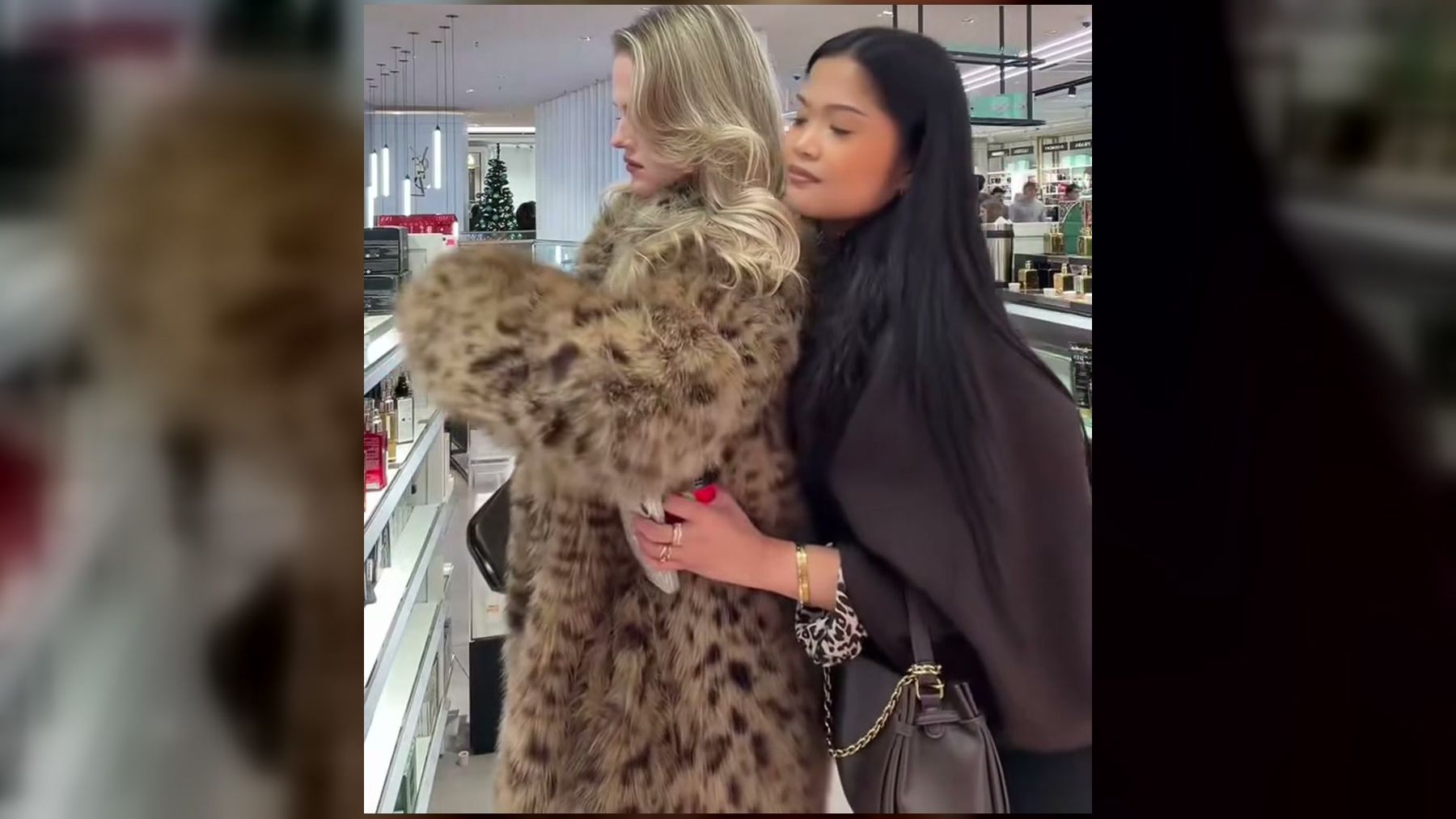
The broke boyfriend hug meme is a short friendship joke: one person clings to the friend who just paid for something, acting like an overly grateful boyfriend with an empty wallet. The humor comes from turning a small shopping favor into a dramatic relationship moment. The Broke Boyfriend Hug trend recreates the perfume-counter version from one or two photos.
The phrase is not a serious description of someone’s finances or relationship. It is a caption format and a physical gag. One friend plays the clingy “broke boyfriend,” the other plays the person who paid, and the exaggerated hug delivers the punchline before the viewer needs any explanation.
This guide explains what the meme means, why the joke works, how the current video format is structured, how to choose photos for it, and how to adapt the idea without making the post awkward or mean.
The short answer
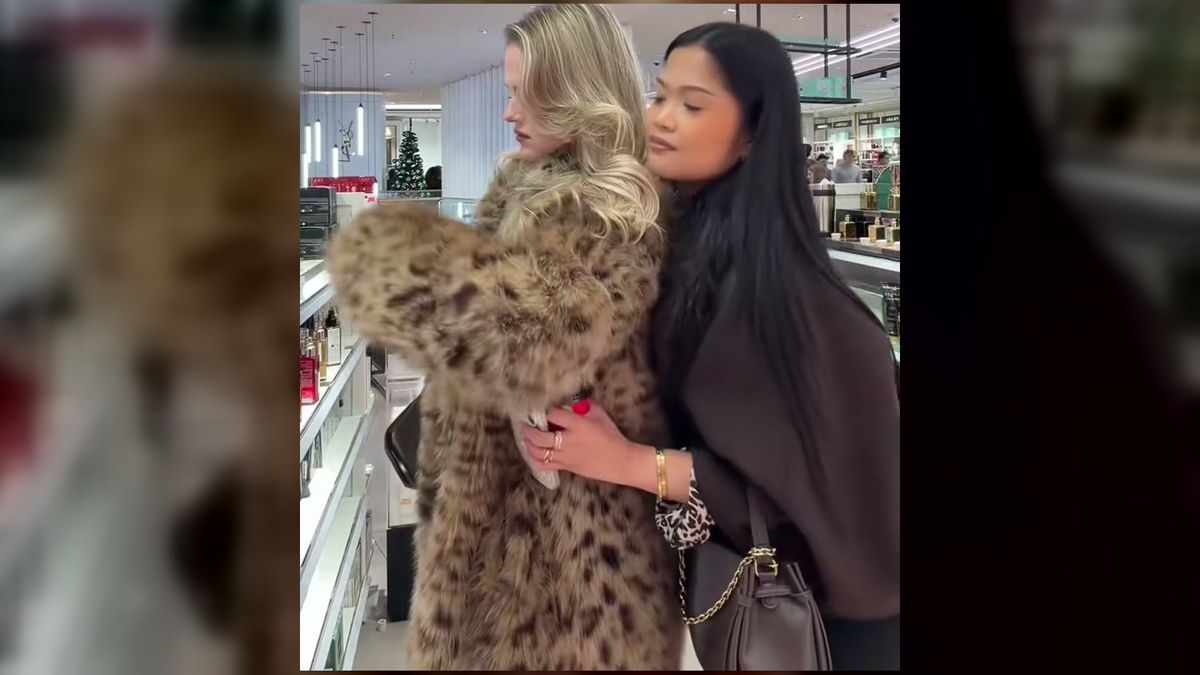
In the broke boyfriend hug meme, the person receiving a treat responds with an exaggerated side or back hug. The caption usually explains that they are “doing the broke boyfriend hug” because their friend paid for a purchase, meal, ticket, or other small expense.
The joke has three parts:
- A recognizable favor: one person paid for something.
- An exaggerated response: the other person becomes unusually clingy.
- A fictional role: the hugger is described as a broke boyfriend, even when the people are simply friends.
That role reversal is important. The post does not need to feature a real couple or a man. Friends can assign the parts for one seven-second joke, and the mismatch between the real friendship and the mock relationship makes the caption funnier.
What does “broke boyfriend hug” mean?
“Broke boyfriend hug” describes an affectionate, slightly theatrical hug from someone who is grateful that another person covered the bill. The “broke” part establishes the reason for the gratitude. The “boyfriend” part supplies a familiar comic character: a partner who has no money but compensates with affection.
Online captions often compress a whole situation into one label. Instead of explaining, “My friend bought my perfume, so I hugged her from behind and rested my head on her shoulder,” the caption calls the movement a broke boyfriend hug. The viewer immediately understands who paid, who benefited, and why the hug is intentionally overdone.
The label should be read as a meme role, not a diagnosis. A person can play the broke boyfriend in one clip without being a boyfriend, being broke, or depending on the other person. The post works best when everyone shown understands the joke.
Why the meme works
It tells a complete story in seconds
The format has a clear cause and effect. Someone pays; the beneficiary becomes clingy. The setting, body language, and caption communicate the entire premise before the video ends.
That simplicity makes the joke easy to adapt. Perfume is the recognizable version, but the same structure can follow coffee, concert tickets, lunch, a holiday gift, or an unexpectedly expensive snack.
The affection is deliberately excessive
A normal thank-you might be a smile or quick hug. The meme stretches that response into a full character performance: leaning in, resting a head on the payer’s shoulder, holding on too long, or looking completely comfortable while the other person continues shopping.
The exaggeration matters. Without it, the clip is only two friends standing together. With it, the physical pose becomes the punchline.
It reverses a familiar relationship cliché
Many money jokes rely on assumptions about who is expected to pay on a date. This meme moves the scenario into a friendship and lets anyone play either role. The caption borrows the cliché, while the casting and shopping context make it feel knowingly artificial.
The viewer can identify both characters instantly
The format creates two readable parts:
- the payer, who remains relatively composed;
- the hugger, who performs gratitude as if affection were the repayment plan.
Good visual jokes need roles that can be understood without dialogue. The pose does most of the work here.
Where did the broke boyfriend hug meme come from?
The current format circulates as a short social video built around a perfume-counter scene and an on-screen caption about a friend paying for perfume. Search wording also varies: people look for the broke boyfriend hug meme, the poor boyfriend hug, the boyfriend back hug, or the hugging-girlfriend version.
Those variations describe the same visual idea, but they do not prove one definitive origin. Reposts, remixes, cropped clips, and caption changes can make the first upload difficult to establish. Unless an original creator and timestamp can be verified directly, it is safer to describe the format than to credit a speculative source.
The imageat template follows the perfume-counter version. Its example is identified on the page as source reference footage, not a personalized result made from someone’s uploaded photo.
How the imageat version works
The current template turns one or two portraits into a seven-second vertical video. It preserves the scene, coats, caption, movement, and source audio from the reference clip while replacing the people with the subjects from the uploaded photos.
You can use it in two ways:
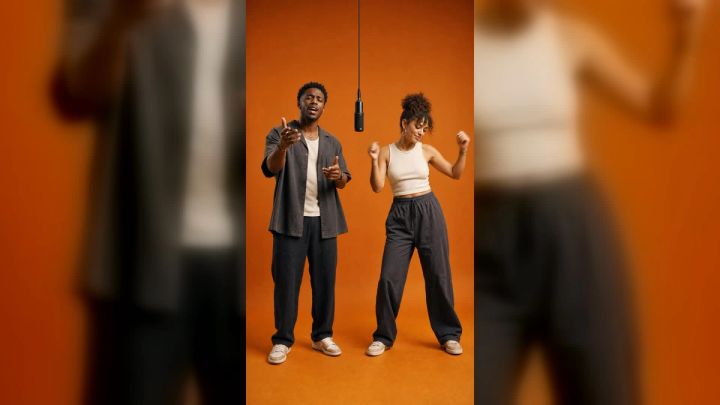
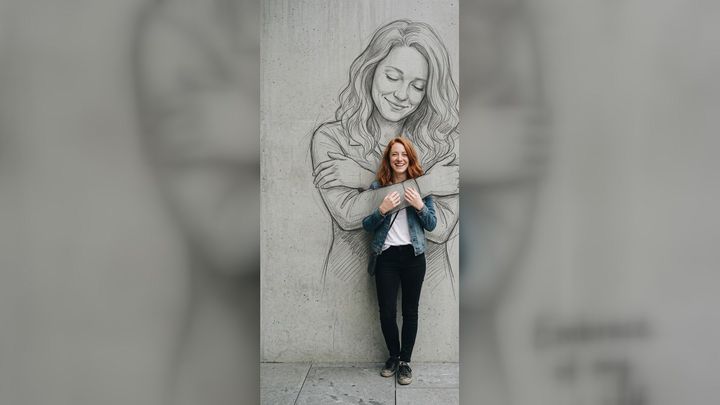
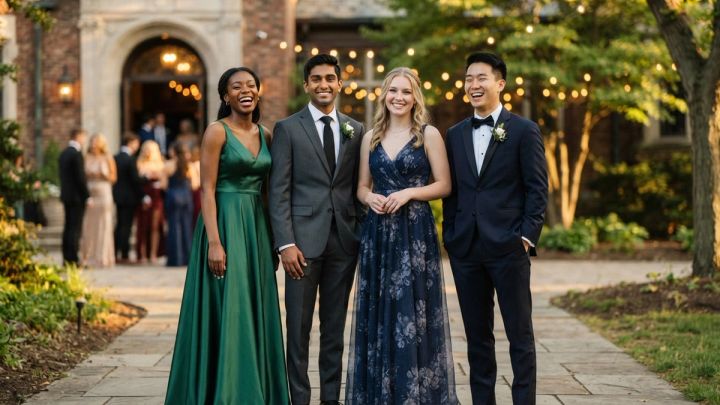
- Upload one photo. The uploaded person becomes the one giving the hug, while the original friend remains in the clip.
- Upload two photos. The first person becomes the hugger, and the second becomes the friend who paid.
The output is 9:16, which fits TikTok, Instagram Reels, and YouTube Shorts. The current page offers 480p and 720p. At the time of writing, one 480p generation costs 24 imageat credits, while 720p costs 48 credits. This is a paid-credit workflow, not a free local edit; check the Generate button before running it because pricing can change.
The template uses motion transfer rather than an open prompt. You do not write the action, camera movement, or setting. The reference clip controls those elements, and your main creative decisions are who appears and which resolution to use.
If you want to design a different setting or action, use the broader AI video generator. If you already have a composed still and want to animate it, start with an image-to-video workflow instead.
How to make the trend from photos
1. Decide who plays each role
Choose the hugger first. This is the person whose photo goes into the first slot. If you add a second photo, that person becomes the friend who paid.
Do not rely on filenames such as me.jpg and friend.jpg to remember the order. Write down the casting before uploading:
- Photo 1: hugger
- Photo 2: payer
If you reverse the inputs, the joke may still render correctly but assign the wrong person to the punchline.
2. Use one clear person per photo
A front-facing portrait in even light gives the workflow the clearest identity reference. The face should be large enough to inspect, with the eyes, hairline, and jaw visible.
Avoid:
- group photos with several possible subjects;
- heavy motion blur;
- sunglasses that hide the eyes;
- extreme side profiles;
- hands or phones covering the face;
- tiny faces inside a full-room photograph;
- beauty filters that significantly reshape features.
A chest-up or waist-up portrait is usually more useful than a distant full-body shot. The template already supplies the body movement and scene, so the upload mainly needs to establish the person’s appearance.
3. Match the source photos when possible
Two photos do not need identical backgrounds, but similar image quality helps. If one person is photographed in sharp daylight and the other is a dark, compressed screenshot, one identity may look more convincing than the other.
Try to use photos with:
- similar lighting direction;
- comparable face size;
- natural expressions;
- no strong color filter;
- enough resolution to preserve facial detail.
Use the image resizer to prepare an awkward crop before upload. Do not upscale a tiny screenshot and expect it to become a detailed portrait; resizing changes dimensions, not missing facial evidence.
4. Generate a lower-resolution draft first
For a casual post, 480p can be a practical first pass. It uses fewer credits and lets you check whether the roles, likenesses, and motion read correctly. Move to 720p when the draft works and you want a sharper final export.
This is an iteration strategy, not a promise that higher resolution will fix identity. Resolution affects output detail. A better source photo is usually the more effective solution when a face does not resemble the intended person.
5. Review the result before sharing
Watch the complete clip at normal speed and pause on the clearest face frames. Check:
- whether each person is assigned to the intended role;
- whether faces remain recognizable through the motion;
- whether hands, hair, and clothing behave plausibly;
- whether the caption is readable on a phone;
- whether the source sound suits the destination platform;
- whether both people consent to the final post.
A template can automate the edit, but it cannot decide whether the joke is appropriate for a particular friendship or audience.
Caption ideas that keep the joke personal
The original perfume line is immediately understandable, but the broader structure can fit other harmless favors. A strong caption names one concrete thing and lets the hug communicate the rest.
Try a short setup such as:
- doing the broke boyfriend hug because she bought the concert tickets;
- doing the broke boyfriend hug because he paid for brunch;
- doing the broke boyfriend hug because my coffee order had three extras;
- doing the broke boyfriend hug because she upgraded our seats;
- doing the broke boyfriend hug because he covered the holiday snacks;
- doing the broke boyfriend hug because my wallet stayed in the car;
- doing the broke boyfriend hug because she said “I’ve got this”;
- doing the broke boyfriend hug because he paid the delivery fee too.
Keep the detail plausible and brief. The video is only a few seconds long, so a caption should not require the viewer to decode a private story with five characters.
Avoid turning the joke into public criticism. “Because my useless friend never carries money” changes the target from the performer to the other person. The safest version makes the hugger the ridiculous character.
How to film your own version manually
You do not need motion transfer to use the comic structure. A manually filmed version can be more personal and gives you control over the setting, wardrobe, timing, and caption.
Set the frame
Use a vertical camera position and keep both people visible from at least the waist up. A shopping counter, café queue, ticket kiosk, or kitchen table gives the payment story a visual anchor. Lock the phone on a tripod or ask a third person to hold it steady.
Establish the favor
Show the payer holding the purchase, receipt, card, or bag. The object does not need readable branding. One visual cue is enough.
Perform the hug in one clean movement
The hugger should enter or lean in, wrap from the side or behind, and settle their head near the payer’s shoulder. Hold the final pose long enough for the viewer to read the caption.
Keep the movement comfortable. Do not surprise someone with a forceful grab for the sake of a reaction. Rehearse the pose and agree on where hands should go.
Add the caption after the best take
Write the setup in one sentence and place it where it does not cover either face. If the clip needs trimming, the video editor can help prepare the final cut.
Manual filming is a free local workflow if you already have a phone and editing software. AI template generation is different: it uses imageat credits because it synthesizes the identity transfer and video output.
Common problems and how to fix them
The wrong person gives the hug
Recheck the upload order. The first slot controls the hugger. Label the files by role before trying again.
One face looks less accurate
Replace the weaker source with a brighter, more direct portrait. Similar face size and image quality across both inputs can improve visual balance. Higher output resolution alone cannot restore details absent from the upload.
The result feels uncomfortable instead of funny
The caption may be too personal, or the viewer may not understand that both people agreed to the joke. Use a harmless purchase, keep the tone affectionate, and avoid captions about debt, unemployment, or private financial problems.
The post looks like a real event
A personalized AI video can be mistaken for footage. Do not use it to claim that someone attended a place, bought an item, or behaved in a way they did not. Label synthetic media when the platform or context calls for it, and follow imageat’s responsible-use terms.
The soundtrack causes a platform problem
A sound included in a generated clip is not a universal commercial license for every platform, region, account type, or advertising campaign. Check the destination platform’s rules. Mute or replace the audio when necessary.
The two-photo result is confusing
Assign one visual role to each photo and make sure both uploads show only one person. For more ways to structure two-character clips, see the guide to turning two photos into a video.
Consent and posting etiquette
The meme is lighthearted only when the people shown are comfortable with it. Ask before uploading a friend’s photo, especially when the result creates believable synthetic movement.
A useful consent check covers four questions:
- Can I upload this photo to create the clip?
- Are you comfortable playing the payer or hugger role?
- Can I post the result publicly?
- Can I tag you or mention what you paid for?
Permission to take a photo is not automatically permission to create an AI video from it. Permission to send the clip privately is not automatically permission to publish it.
Also consider the caption’s audience. A joke about one friend buying perfume may be harmless in a group chat but misleading if posted as an advertisement or presented as evidence of a real relationship.
Frequently asked questions
Is the broke boyfriend hug a real relationship pose?
It can resemble a normal side or back hug, but the meme label turns it into a comic role. The person giving the hug acts excessively grateful because the other person paid.
Do the people have to be dating?
No. The format commonly works as a friendship joke. “Boyfriend” names the character being performed, not the real relationship between the people shown.
Do I need two photos?
No. The imageat template accepts one or two. With one photo, the uploaded person replaces the hugger while the original friend remains. A second photo replaces the friend who paid.
How long is the video?
The current imageat output is approximately seven seconds in vertical 9:16 format with source audio.
Is it free?
No. The template uses paid imageat credits. The current page shows 24 credits for 480p and 48 credits for 720p. Check the Generate button for the live amount before running it.
Is the example video a personalized AI result?
No. The page labels it as source reference footage. A personalized result is created only after a user uploads one or two photos and generates the clip.
Can I change the store, action, or caption inside the template?
The fixed trend template follows the reference clip. For a different location, movement, camera plan, or story, use an open video-generation or manual editing workflow instead.
What photo works best?
Use a clear, front-facing portrait in good light, with one person per image and no obstruction over the face. A chest-up or waist-up composition is a reliable starting point.
The joke is simple—keep the post that way
The broke boyfriend hug meme works because the viewer understands it immediately: one person paid, and the other responds with comically intense affection. It does not need a complicated backstory or a harsh joke about anyone’s real finances.
Choose clear photos, assign the roles correctly, review the result with both people, and keep the caption focused on one harmless favor. When you are ready, use the Broke Boyfriend Hug template, check the current credit cost, and make sure everyone in the clip is happy to be part of the punchline.