Wan 3.0 prompts work best when they describe one coherent shot: what the viewer sees, what changes over time, how the camera moves, and what should be heard. The model can generate a continuous clip up to 30 seconds with native audio, but a longer duration does not fix an unfocused direction. Start with a simple visual idea, give each action a clear order, and reserve the final phrase for atmosphere and sound.
You can test that approach in the Wan 3.0 video generator, then refine the same idea with text, a starting image, first and last frames, or reference images. This guide focuses on prompt decisions rather than repeating the model page’s controls.
Wan 3.0 prompt structure at a glance
A reliable prompt can be built from six parts:
- Subject: the person, object, animal, place, or product that anchors the shot.
- Action: one main action, written as a sequence when it has several beats.
- Environment: location, time of day, weather, and practical background activity.
- Camera: framing, movement, lens feel, and the moment the camera should reveal.
- Look: lighting, color, texture, and a restrained style direction.
- Audio: dialogue, ambience, action sounds, music mood, or an explicit request for silence.
You do not need every part in every prompt. A still product shot may need precise surface and camera language but little action. A 20-second narrative shot needs stronger timing and continuity instructions.
What Wan 3.0 can generate on imageat
On imageat, Wan 3.0 supports clips from 2 to 30 seconds at 480p, 720p, or 1080p. Available aspect ratios include 16:9, 9:16, 1:1, 4:3, and 3:4, plus an automatic framing option. Audio is generated with the picture and can be disabled when you plan to add a separate soundtrack.
The model accepts text-to-video and image-to-video input. A second image can define the last frame, while the API path supports up to 10 reference images for consistency. The dedicated Wan 3.0 API page is the operational reference for current inputs, limits, and integration details.
These are paid generation workflows. Creating an account may be free, but rendering a Wan 3.0 clip uses credits or API balance; it is not a local, no-cost workflow.
Start with one shot, not a whole movie
The most common prompt mistake is trying to fit a trailer into a single generation. A request that jumps from a street to a kitchen, then to a mountain, forces the model to invent transitions and preserve too many unrelated details.
Instead, choose one location and one visual objective. “Reveal the café at sunrise” is a shot. “Tell the history of coffee” is a production brief that should become several shots.
For a longer take, describe connected beats inside the same space:
- Begin low beside a table.
- Move past the barista’s hands.
- Rise toward the window.
- End on the street waking outside.
That sequence gives the camera a route without demanding unrelated scenes.
Write actions in chronological order
Wan 3.0 needs to know what happens first, next, and last. Put actions in playback order instead of listing them by importance.
A useful action fragment might be: “The cyclist checks the empty road, pushes off, accelerates through the turn, then slows beside the market entrance.” Each verb creates a visible beat. The prompt does not need timestamps unless timing is critical.
Avoid stacking simultaneous actions that compete for attention. If the subject runs, changes clothes, delivers dialogue, picks up an object, and enters a vehicle in eight seconds, continuity is likely to weaken. Split the idea or keep only the action that serves the shot.
Direct the camera with physical verbs
Camera language is more useful when it describes movement through space. Try verbs such as:
- Track beside the subject.
- Push slowly toward the product.
- Orbit halfway around the table.
- Rise above the rooftops.
- Pull back to reveal the crowd.
- Hold a locked medium shot.
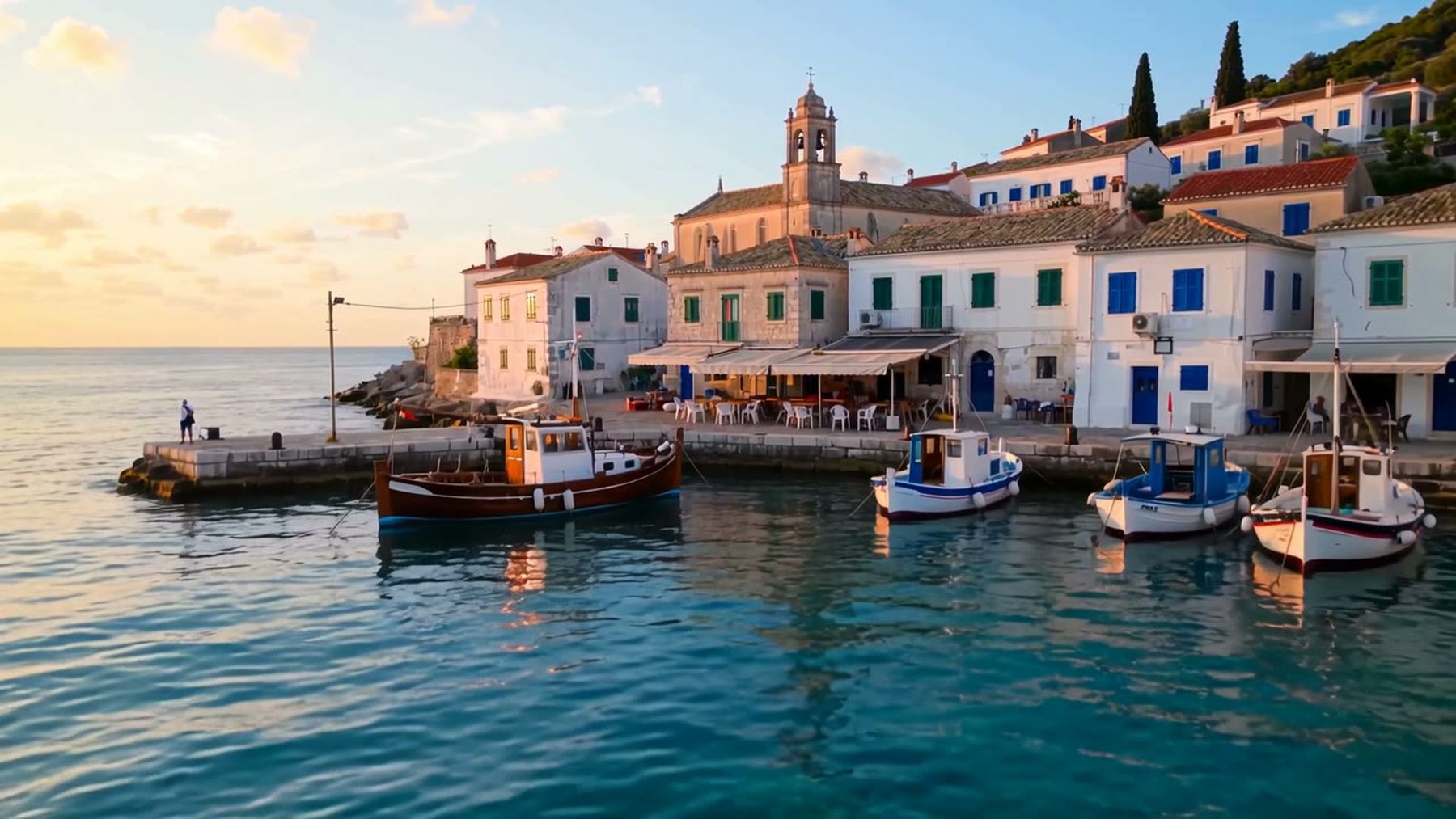
“Cinematic camera” is too vague on its own. Add direction, speed, framing, and the reveal. For example: “A slow shoulder-height tracking shot follows two steps behind, then arcs left to reveal the harbor.”
Use one dominant camera move. Combining a whip pan, crane rise, orbit, zoom, and handheld shake in the same short shot can make the result feel accidental rather than energetic.
Prompt long takes as connected stages
Wan 3.0 can render one continuous take up to 30 seconds. Longer clips benefit from a beginning, middle, and end that remain visually connected.
A practical long-take outline is:
- Opening frame: establish the subject and direction of travel.
- Middle development: introduce one environmental change or secondary action.
- Final reveal: arrive at a destination, uncover a wider view, or settle on a product detail.
Use transition words such as “then,” “as,” and “finally.” They are simple, but they make the intended order explicit. Also state “one continuous take, no cuts” when a cut would break the concept.
Do not assume 30 seconds is automatically better. Ten focused seconds can be more usable than a half-minute shot with empty motion. Choose the shortest duration that completes the action.
Add audio as part of the scene
Wan 3.0 generates dialogue, ambience, and synchronized action sounds with the picture. Treat sound as another layer of direction rather than an afterthought.
For ambience, name two or three sources: “gentle waves, distant gulls, soft harbor chatter.” For action, connect the sound to a visible event: “the cup touches the saucer with a light ceramic click.” For dialogue, keep the line short enough for the selected duration and identify who says it.
Avoid asking for many competing audio elements. Dialogue, loud music, traffic, rain, footsteps, and crowd noise can make the intended focal sound unclear. Decide what the audience should notice first.
If you need a tightly controlled voice performance or want to replace speech later, generate without audio and finish the clip with a dedicated video editing workflow. For separate speech synchronization, the AI lipsync tool is a more targeted option than repeatedly rerendering the whole scene.
Use image-to-video prompts to describe motion, not appearance
When you upload a starting image, much of the appearance is already defined. Repeating every visible detail can distract from the motion you want.
Focus the prompt on four questions:
- What should move?
- What should remain stable?
- How should the camera move?
- What sound belongs to the moment?
For a portrait, specify restrained movement such as a glance, breath, fabric motion, or slight camera drift. For a product photo, describe the turn, lighting change, liquid movement, or background motion while asking the product shape and label placement to remain stable.
The image-to-video workflow is useful when composition and identity matter more than visual invention. Start from the strongest possible source image; generation cannot reliably repair a blurry face, clipped product, or unreadable packaging while also animating it.
Guide the shot with first and last frames
A last frame gives the model a destination. This is useful for a camera reveal, controlled product rotation, day-to-night change, or movement between two known compositions.
Choose frames that could plausibly belong to the same shot. Large changes in identity, lens position, lighting, and environment all at once make the path between them harder to resolve.
Your text should explain the transition rather than restate the frames. Describe the movement, pace, and intermediate action: “The camera glides around the left side as the display lights come on, ending in the centered close-up.”
Use reference images for consistency
Through the API, Wan 3.0 can accept up to 10 reference images. References are most useful when they each have a clear job: character appearance, wardrobe, product design, location, or visual tone.
More references are not automatically better. Conflicting angles, outfits, lighting, or product versions can weaken consistency. Curate a small set with the same defining traits and remove anything that introduces ambiguity.
For recurring characters or products, test a short clip first. Once identity and motion work, increase duration or complexity. That approach reduces the cost of discovering a bad reference set during a 30-second 1080p render.
Match the aspect ratio to the final placement
Choose framing before you write camera directions. A horizontal tracking move that looks natural in 16:9 may feel cramped in 9:16. A tall frame favors forward motion, full-body movement, vertical reveals, and subjects approaching the camera.
Wan 3.0 supports native 9:16 output, so a vertical social clip does not have to be cropped from a landscape composition. Keep important faces, hands, and products away from the extreme edges, especially when the camera moves.
For multi-model exploration, the broader AI video generator lets you compare workflows before committing to a final production route.
Choose resolution after the motion test
A practical workflow is to test composition, action, and timing at a lower resolution, then rerun the approved direction at the delivery resolution. This does not guarantee an identical result—the generation is still new—but it helps you identify prompt-level problems before paying for a higher-resolution clip.
Current imageat website pricing is per second: 2 credits at 480p, 4 credits at 720p, and 7 credits at 1080p. The live page lists one credit as $0.10 and says failed generations are refunded automatically. For example, the page’s current examples price a five-second 720p clip at 20 credits and a ten-second 1080p clip at 70 credits.
Check API pricing before production because billing surfaces and rates can change. Keep website credits and prepaid API balance separate when estimating a batch.
A compact prompt formula
Use this as an editing checklist rather than a rigid template:
Subject + ordered action + environment + camera move + lighting/look + audio + ending frame.
A short product fragment could begin with “A glass perfume bottle on dark stone; condensation gathers as the camera pushes in…” Then finish the variables that matter to your campaign: light direction, background movement, focal detail, and sound.
A vertical character fragment could begin with “Full-body 9:16 shot; the dancer takes two measured steps toward camera…” Add the wardrobe behavior, camera distance, final pose, and intended ambience yourself. Specific creative decisions usually outperform a generic copied prompt.
Improve a weak result one variable at a time
When a generation misses, diagnose the failure before rewriting everything.
If the motion feels chaotic
Reduce the number of actions and keep one camera move. Replace broad adjectives with physical directions.
If the subject changes appearance
Shorten the clip, simplify occlusions, use a stronger starting image, or provide consistent references through the API.
If the camera ignores the reveal
Move the reveal earlier in the prompt and describe the route to it. Remove competing camera instructions.
If the audio is crowded
Keep one focal sound, one ambience layer, and short dialogue. Disable audio if post-production control matters more.
If the ending feels abrupt
Add a final state: “the camera settles,” “the subject holds the pose,” or “the product remains centered for the final second.”
Production checks before export
Watch the full clip at normal speed and again frame by frame around fast movement. Check hands, faces, text, product geometry, reflections, shadows, object contact, and the moment an action begins or ends.
Listen separately for speech timing, sudden ambience changes, clipped words, and sounds that do not match the visible event. A convincing first impression can hide a small continuity error that becomes obvious after looping.
If the output needs localized changes rather than a full rerender, evaluate editing first. imageat’s video editor can be more efficient for a targeted visual change, while a fresh Wan 3.0 generation makes sense when the shot design itself is wrong.
Wan 3.0 API workflow for developers
The imageat API uses the wan3 model with the video endpoint. The current integration supports text-to-video, image-to-video, first and last frames, and reference images. Consult the API documentation for the live request schema, authentication, polling, and error handling instead of copying an old payload from a blog post.
For teams evaluating several production models, the model catalog provides a single place to compare available image, video, and language endpoints. API use draws from prepaid balance after applicable account credits; it should not be described as a free local generation method.
Wan 3.0 prompt FAQ
How detailed should a Wan 3.0 prompt be?
Detailed enough to remove ambiguity, but not so long that several instructions compete. Prioritize the subject, ordered action, one camera move, visual conditions, and focal sound.
Should I include timestamps?
Use them only when exact pacing matters. For most shots, chronological language—first, then, finally—is clearer and easier to revise.
Can Wan 3.0 create vertical videos with sound?
Yes. On imageat, it supports native 9:16 generation and audio created with the picture. Other supported ratios include 16:9, 1:1, 4:3, and 3:4.
Is Wan 3.0 free to use?
No. Account creation may be free, but Wan 3.0 rendering uses website credits or API balance. Resolution and duration affect the cost.
When should I use an image instead of text only?
Use image-to-video when the starting composition, person, product, or visual identity must be constrained. Use text-to-video when exploration matters more than matching a supplied frame.
What is the best first test?
Generate a short shot with one subject, one action, one camera move, and simple ambience. Confirm continuity before adding duration, references, dialogue, or more complex staging.
Create a more controllable first shot
The best Wan 3.0 prompt is not the longest one. It is the one that gives the model a clear path from the opening frame to the final beat. Define one shot, order the action, direct the camera physically, and make sound serve the visible scene.
When the direction is ready, open Wan 3.0 on imageat, test the shortest useful version, and refine only the variable that failed.