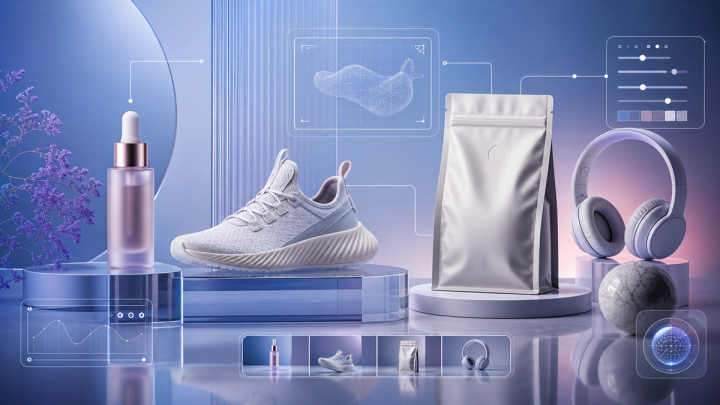
The best Seedance 2.5 prompts do more than describe a visual style. They separate what the subject does from what the camera does, give audio a clear role, and tell the model which details must remain stable. This guide explains that control system and gives you 100 copy-ready templates to customize in the Seedance 2.5 Video Generator.
Use the practical sections first when you need camera, motion, native-audio, image-to-video, first-last-frame, or Omni Reference guidance. Then jump to the 100-prompt library for cinematic stories, product ads, UGC, fashion, food, travel, wildlife, VFX, animation, and transitions.
If you prefer to save, fork, or contribute to a plain-text collection, visit the community-maintained Seedance 2.5 prompt library and practical guide on GitHub. The templates below adapt that library for the current imageat workflow and add updated product guidance. The repository is a prompt resource, not official ByteDance API documentation.
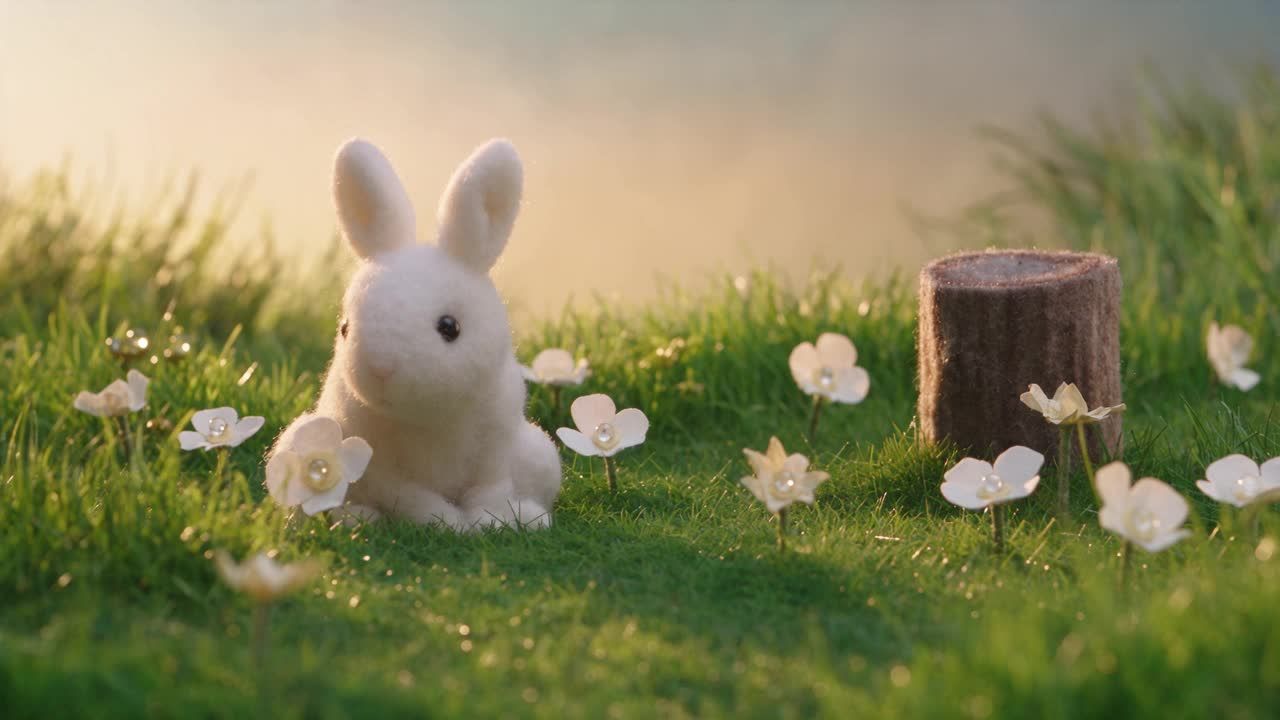
Official ByteDance Seed showcase output mirrored on imageat's CDN for reliable playback. It was not generated through imageat.
Seedance 2.5 Quick Reference
On imageat, the current Seedance 2.5 workflow includes:
- Text-to-video
- Image-to-video
- First-last-frame generation
- Omni Reference
- 4–30 second duration
- 480p and 720p output
- 16:9, 9:16, 4:3, 3:4, 1:1, and 21:9 aspect ratios
- Native audio
- Up to 20 images, 6 video clips, and 6 audio files in Omni Reference
Product options can change, so check the current Seedance 2.5 features and limits before a large production run.
How to Write a Better Seedance 2.5 Prompt
A reliable formula is:
Subject + clear action + environment + framing and lens + one camera path + lighting and visual style + timing and audio + continuity constraints
For example:
A ceramic perfume bottle rotates slowly on wet black stone as tiny water droplets catch the light. Macro 85mm product shot, slow clockwise orbit, shallow depth of field, cool rim light and one warm spotlight. Soft glass chime and distant rain. Keep the label readable, the bottle geometry unchanged, and the motion continuous. No extra objects, subtitles, or watermark.
Each phrase has a job. The opening establishes what viewers see and what changes. Camera and lighting instructions control presentation. Audio gives the scene a restrained sound direction. Continuity rules protect identity, geometry, color, typography, or composition.
For more consistent results:
- Put the subject and main action first.
- Choose one dominant camera movement instead of stacking conflicting moves.
- Name one primary lighting setup and one coherent visual style.
- Use timed beats for a multi-shot or 20–30 second sequence.
- In image-to-video prompts, describe movement instead of redescribing the entire source image.
- State what must remain unchanged: face, clothing, product shape, label, room geometry, or background.
- Ask for clean frames with no subtitles, watermark, duplicated objects, abrupt cuts, or anatomy distortion.
- Test a short draft first, review motion and identity, then increase duration or quality.
Camera and Lighting Cheat Sheet
- Move closer: slow push-in or dolly in
- Reveal a scene: crane up or pull-back reveal
- Follow motion: steadicam follow or side tracking shot
- Circle a subject: slow orbit or 180-degree arc
- Create fast energy: whip pan, handheld chase, or FPV flight
- Keep composition stable: locked-off camera or fixed tripod
- Shift attention: rack focus from foreground to subject
- Create premium warmth: golden-hour cinematography or warm practical lights
- Add dramatic depth: chiaroscuro, volumetric haze, or strong rim light
- Build a clean commercial look: softbox lighting and controlled reflections
- Keep natural realism: diffused daylight or available light
- Add night color: neon reflections and tungsten practicals
Watch Three Seedance 2.5 Prompt Examples
These are official ByteDance Seed showcase outputs mirrored on imageat's CDN for reliable playback. They were not generated through imageat, so treat them as visual references rather than guaranteed outputs.
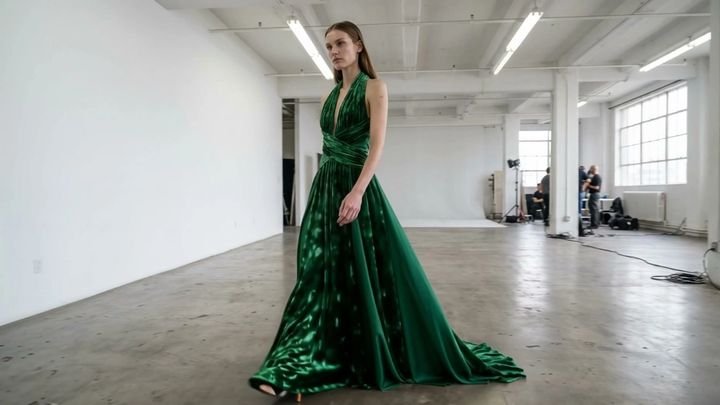
- Cinematic couture dance — Separate performer movement from camera direction and preserve the monochrome studio look.
- Reference-guided car material control — Define what may change, such as material and color, and what must stay fixed, such as geometry and viewing angle.
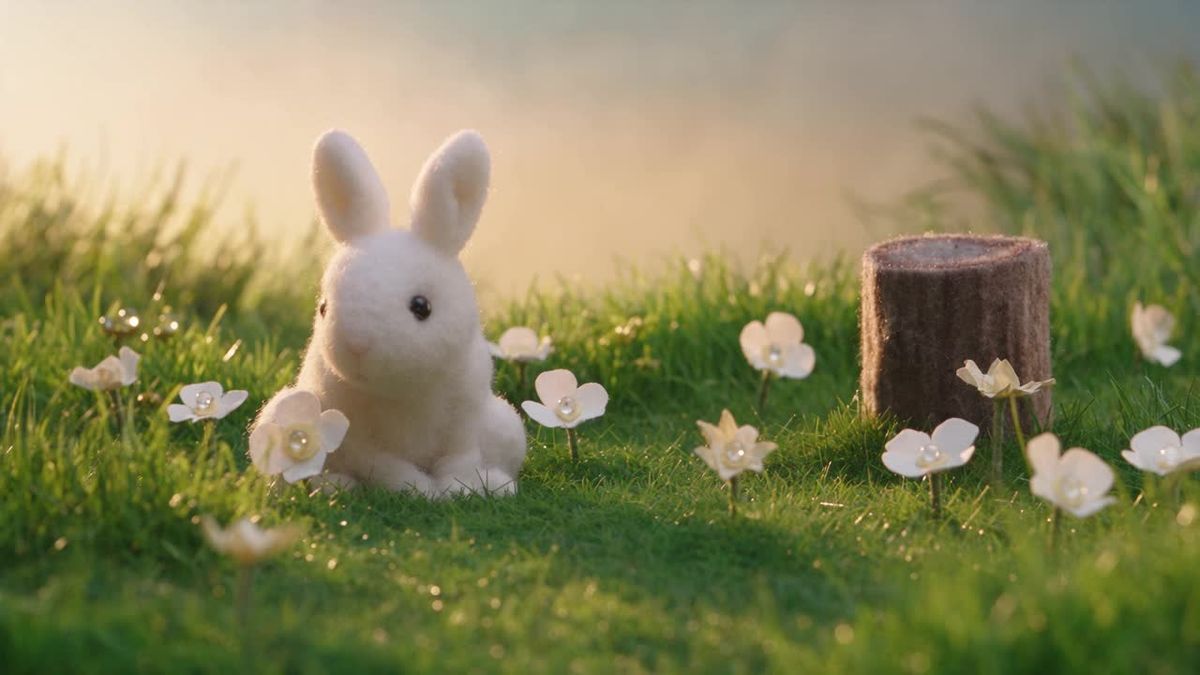
- Handmade felt animal story — Lock tactile material and character proportions, then give the subject one readable action and a restrained camera move.
100 Seedance 2.5 Prompt Examples
All prompts are written in English because production and camera vocabulary is commonly interpreted most reliably in English. Replace the subject, product, color, location, or sound direction with your own details. Do not upload or imitate a real person's identity without permission.
Cinematic And Storytelling Prompts
Use these for narrative scenes, emotional beats, controlled reveals, and one-shot sequences. Keep the subject action and camera path separate so the motion remains readable.
1. Rainy neo-noir arrival
A solitary detective steps from a vintage taxi into a rain-soaked city alley at midnight. Slow dolly-in from street level, 40mm anamorphic lens, neon reflections, drifting steam, restrained noir palette. Footsteps, rainfall, distant traffic. Preserve the detective's face and coat; no text, no jump cuts.
2. Desert discovery
An archaeologist brushes red sand from a luminous ancient doorway as a storm builds behind her. Low-angle push-in followed by a gentle crane reveal, golden-hour backlight, realistic dust physics, epic natural scale. Wind and low stone resonance. One continuous shot, consistent clothing and doorway geometry.
3. Last train home
A tired musician runs along an empty platform as the final train begins to move. Handheld tracking shot transitioning into smooth slow motion when a carriage door opens, cool fluorescent station light, warm carriage interior, cinematic realism. Rhythmic footsteps and train brakes; maintain identity and instrument shape.
4. Lighthouse keeper
An elderly lighthouse keeper climbs a spiral staircase during a violent coastal storm. Camera follows from below, then orbits as the beacon ignites, dramatic chiaroscuro, wet surfaces, realistic cloth and rain. Thunder, metal creaks, crashing waves. No scene warping or duplicate limbs.
5. Floating library
A child enters a vast library where books float like birds beneath a glass dome. Slow steadicam follow, rack focus from the child's hand to the soaring pages, soft sunrise beams and suspended dust, magical realism. Paper flutter and quiet orchestral swell. Keep the child consistent and motion graceful.
6. One-shot rooftop chase
A courier races across tiled rooftops at dawn, jumping a narrow gap while drones search the streets below. Continuous gimbal chase, brief side profile during the leap, 24mm lens, crisp morning haze, grounded physics. Wind, shoes on tile, distant alarms. No cuts, no body distortion.
7. The tiny astronaut
A thumb-sized astronaut explores a kitchen counter as if it were an alien planet, climbing past a steaming coffee cup. Macro lens, low tracking shot, shallow depth of field, warm morning sunlight, photoreal scale. Tiny radio chatter and deep environmental hum; preserve scale and suit details.
8. Winter reunion
Two old friends recognize each other across a snowy village square. Begin with a wide locked shot, slowly push toward their faces, then subtle orbit as they embrace. Soft overcast daylight, visible breath, natural emotion. Muted crowd ambience and gentle piano; consistent faces, no melodramatic motion.
9. Time stops in the café
A woman lifts a coffee cup as everyone and everything around her freezes mid-motion, including spilled droplets. Camera performs a slow 180-degree arc, warm window light, realistic frozen particles, elegant surrealism. Room tone fades to a heartbeat. Only the woman moves; no flicker or object duplication.
10. Forest guardian
A moss-covered stone guardian awakens beside a waterfall and protects a lost fox cub. Wide establishing shot to gentle close-up, volumetric forest light, realistic moss, water, and stone movement, quiet fantasy tone. Birds, flowing water, deep stone breath. Maintain scale and anatomy throughout.
Product Advertising Prompts
These commercial templates prioritize stable product geometry, controlled reflections, tactile materials, and a clean final hero frame. Add typography later in an editor rather than asking the model to invent readable packaging copy.
11. Luxury watch reveal
A brushed-steel watch rises from a dark mirror of water as droplets slide across the crystal. Macro 100mm lens, slow orbit, precise controlled reflections, black and silver palette, premium commercial finish. Deep pulse and delicate ticking. Keep the dial, hands, logo area, and proportions perfectly stable.
12. Skincare serum
A clear serum bottle stands among translucent petals while a wave of water curls around it without touching the label. Slow push-in, butterfly lighting, pale peach and pearl palette, clean beauty campaign style. Water shimmer and soft glass tones. Preserve bottle geometry, label readability, and cap position.
13. Sneaker energy film
A performance sneaker lands on a dark running track, sending a controlled ring of blue energy across the surface. Low-angle 50fps slow motion, rapid macro cuts of mesh and sole, cool rim lights, high-contrast sports commercial. Impact, breath, subtle bass. Product color and silhouette never change.
14. Coffee packaging ad
A matte coffee bag rotates on a walnut table as roasted beans sweep into a perfect spiral around it. Smooth tabletop orbit, warm sunrise light, rich brown and copper tones, tactile food-commercial realism. Beans rolling, grinder ambience, gentle steam. Keep packaging artwork front-facing and readable.
15. Electric car reveal
A sleek electric car emerges from darkness as narrow light strips travel across its bodywork. Controlled dolly from front quarter to side profile, glossy studio floor, cool white rim light, premium automotive cinematography. Subtle electric hum. Preserve wheel design, panel lines, badge, and reflections without morphing.
16. Headphone sound visualization
Minimal over-ear headphones float in a black studio while fine colored particles pulse outward to the rhythm. Slow 360-degree orbit, macro detail inserts, magenta and cyan edge lighting, elegant tech-ad finish. Clean electronic beat. Keep earcups symmetrical, logo stable, and particles away from the product surface.
17. Chocolate hero shot
A dark chocolate bar breaks cleanly in slow motion, revealing a textured hazelnut center as cocoa dust blooms behind it. Macro probe-lens move, warm side light, deep brown background, crisp food detail. Satisfying snap and soft crumble. No melting geometry, no extra pieces, packaging visible at the end.
18. Fragrance in moonlight
A faceted fragrance bottle rests on black stone under moonlight while silver mist flows around its base. Slow vertical crane down into a close product orbit, cool highlights and one amber internal glow, luxury editorial mood. Distant night ambience. Keep glass edges, liquid level, and typography stable.
19. Smart ring demonstration
A smart ring rotates above a clean pedestal, then smoothly settles onto a person's finger as subtle health-data light trails appear around it. Macro tracking shot, softbox lighting, white and graphite palette, modern technology campaign. Gentle UI chimes; no floating text, stable ring dimensions and hand anatomy.
20. Sparkling drink commercial
A chilled citrus drink can opens in extreme close-up; condensation beads jump as bright fruit slices sweep through a sunlit scene. Fast macro montage ending on a locked hero shot, saturated yellow and green, crisp summer commercial lighting. Can pop, fizz, ice. Preserve brand panel and can shape.
Social Media And Ugc Prompts
These ideas are designed for hooks, transformations, loops, creator-style clips, and vertical delivery. For Reels, Shorts, and TikTok, keep the key action centered and avoid placing essential details at the top or bottom edges.
21. Creator desk transformation
A creator points at a cluttered desk; on the finger snap it transforms into a clean filming setup. Vertical 9:16, natural phone-camera movement, quick match cut, bright window light, authentic UGC style. Finger snap and room ambience. Keep the creator's face, clothes, and room layout consistent.
22. Three-look fashion transition
A fashion creator walks toward the camera and changes into three coordinated outfits with each whip pan. Vertical 9:16, full-body framing, energetic but smooth transitions, daylight studio, social editorial style. Beat-synced fabric swishes. Same person and background; accurate hands, shoes, and garments.
23. Morning routine reel
A calm five-shot morning routine: curtains open, water pours, skincare applied, coffee brewed, shoes tied. Vertical 9:16, 0–2 second clean cuts, soft morning light, warm minimal apartment, relatable UGC realism. Natural household sounds, no voiceover, no on-screen captions.
24. Restaurant reaction
A diner tastes a signature noodle dish and gives a genuine surprised smile to camera. Vertical close-up, subtle handheld phone look, warm restaurant practicals, visible steam and realistic food texture. Chopsticks, room chatter, one natural spoken reaction. Consistent face and bowl; no exaggerated expression.
25. Fitness progress loop
An athlete performs one controlled kettlebell swing that loops perfectly from start to finish. Vertical 9:16, side profile, locked camera, bright training studio, realistic muscle and fabric motion. Breath and gym ambience. Correct form, stable anatomy, no camera shake, seamless final-to-first frame.
26. Travel reveal short
A traveler covers the lens with a passport, then reveals a turquoise coastal village from a cliff viewpoint. Vertical 9:16 match transition, wide-angle phone look, midday sea sparkle, joyful travel-reel energy. Wind and gulls. Keep the traveler identical across transition; no text or logos.
27. Unboxing first impression
A creator opens a premium gadget box at a bright kitchen table and reacts with restrained excitement. Vertical overhead-to-face rack focus, natural handheld movement, soft window light, credible UGC ad style. Cardboard sounds and one short natural comment. Product, hands, and packaging remain accurate.
28. Pet comedy clip
A serious-looking corgi sits beside a tiny birthday cake, waits for permission, then gently steals one strawberry. Vertical medium shot, locked phone camera, cozy home light, comedic pause, realistic animal behavior. Clock tick and tiny bite. Safe food prop, stable dog markings, no human-like limbs.
29. Street interview opener
A friendly host approaches one passerby in a lively pedestrian street and asks a short question. Vertical 9:16, stabilized handheld camera, natural daylight, documentary UGC style, clean lip sync and believable eye contact. Street ambience under clear voices. No subtitles, no crowd duplication.
30. Satisfying room reset
A messy bedroom resets itself as objects glide smoothly into their correct places one by one. Vertical wide shot, fixed camera, soft afternoon light, satisfying time-lapse rhythm with realistic trajectories. Cloth folds, drawer clicks, gentle beat. No teleport flicker; finish with a clean still frame.
Fashion And Beauty Prompts
Fashion prompts work best when they lock identity, garment design, fabric color, hand anatomy, and the dominant lighting setup while giving the subject one clear movement.
31. Couture hallway
A model in a sculptural ivory gown walks through a brutalist concrete hallway while the train flows behind her. Slow backward tracking shot, 50mm lens, cool diffused top light, luxury fashion-film grading. Heels and fabric movement. Preserve face, gown construction, and architecture across the shot.
32. Makeup pigment macro
Extreme close-up of an eye as shimmering emerald pigment spreads smoothly across the eyelid with one brush stroke. Macro beauty lens, precise butterfly lighting, high skin detail without plastic texture, rich editorial color. Soft brush sound. Natural blinking, accurate lashes, no eye or brush deformation.
33. Hair movement campaign
A woman turns gently as glossy curls catch a controlled breeze against a warm beige backdrop. 120fps-inspired slow motion, medium close-up, soft rim and beauty light, polished shampoo campaign. Subtle wind and fabric. Keep facial identity, hair length, curl pattern, and shoulder anatomy consistent.
34. Jewelry light study
A gold necklace rests on dark velvet while a narrow beam travels across each gemstone. Macro slider move, shallow depth of field, controlled sparkle, deep burgundy and gold palette, luxury catalog realism. Delicate metallic chime. Preserve stone count, chain links, clasp, and pendant symmetry.
35. Editorial mirror walk
A model walks between tall mirrors, creating repeating reflections that align as the camera tracks sideways. 35mm lens, hard white spotlight, black tailoring, avant-garde magazine style. Footsteps and low ambient tone. Reflections must match exactly; consistent face, outfit, proportions, and direction.
36. Lip color transformation
A beauty close-up transitions through three lipstick colors as the subject turns her head through matching poses. Locked camera, seamless match cuts, clean studio background, soft beauty lighting, realistic skin texture. One subtle beat per transition. Same face and lip shape; no makeup outside lip boundaries.
37. Streetwear night campaign
A streetwear model crosses a wet neon-lit intersection, then pauses beneath a glowing sign. Low steadicam follow, 28mm lens, cyan and red reflections, energetic urban fashion film. Traffic wash and distant bass. Keep garment graphics readable and identity consistent; no invented signage.
38. Fabric-to-dress metamorphosis
A ribbon of cobalt silk circles a model and naturally forms an elegant evening dress around her. Slow orbit, black stage, volumetric spotlight, realistic cloth simulation, refined transformation VFX. Silk movement and orchestral rise. Respect anatomy; continuous fabric, stable face, no sudden costume jumps.
39. Nail polish commercial
A hand places a polished glass sphere onto a mirrored table, revealing glossy cherry-red nails in reflection. Macro 85mm, slow lateral slide, crisp softbox highlights, clean beauty-ad composition. Glass tap and subtle chime. Five accurate fingers, consistent nail shape and color, no warped reflections.
40. Vintage summer editorial
Two friends ride bicycles along a sunlit seaside road in 1970s-inspired outfits. Side tracking shot, gentle handheld texture, warm 16mm film grain, faded pastel palette, carefree fashion editorial. Bicycle bells and sea wind. Stable faces, clothing, wheels, and natural pedaling physics.
Food And Beverage Prompts
Food videos benefit from precise material behavior: steam should rise, liquid should pour with believable weight, crumbs should fall naturally, and plated elements should not multiply or change shape.
41. Pasta preparation
A chef tosses fresh pasta in a copper pan, then plates it with herbs in one fluid movement. Close side tracking shot, warm kitchen practicals, realistic steam and sauce physics, premium restaurant film. Sizzle, pan movement, quiet kitchen ambience. No extra utensils or changing dish geometry.
42. Croissant layers
A warm croissant is pulled apart in extreme close-up, revealing crisp laminated layers and rising steam. Macro lens, slow push-in, soft morning window light, tactile bakery realism. Crisp crackle and quiet café ambience. Natural hands, no excessive stretching, stable color and crumb texture.
43. Sushi precision
A sushi chef slices tuna and forms one piece of nigiri with precise economical movements. Overhead-to-side rack focus, cool clean counter light, documentary food cinematography. Knife, rice, and room sounds. Correct hand anatomy and food handling; no duplicated ingredients or sudden cuts.
44. Honey pour
Golden honey pours from a wooden dipper onto thick yogurt and berries, forming a smooth spiral. Macro 100mm, locked shot, warm backlight, rich natural color, slow-motion food commercial. Viscous pour and ceramic tap. Realistic fluid physics, no floating fruit, bowl remains unchanged.
45. Iced matcha ritual
Matcha is whisked, poured over clear ice, and finished with cold milk in a transparent glass. Three clean macro shots with match cuts, bright diffused daylight, fresh green and white palette. Whisk, ice clink, liquid pour. Accurate layers and fluid mixing, no text overlays.
46. Fire-grilled vegetables
Colorful vegetables char over an open grill as a cook turns them with metal tongs. Low close-up, warm flame light, realistic smoke and sparks, rustic documentary style. Fire crackle and outdoor ambience. Keep food count, grill structure, and hand motion coherent.
47. Berry splash loop
Strawberries and blueberries fall into clear sparkling water, creating a crown splash that resolves back into the opening frame. High-speed macro look, white studio, crisp backlight, bright beverage-ad color. Splash and fizz. Realistic refraction, stable fruit shapes, seamless loop.
48. Pizza oven reveal
A wood-fired pizza turns inside a stone oven, cheese bubbling, then slides toward camera on a wooden peel. Smooth low dolly out, orange firelight, authentic Italian kitchen texture. Fire, bubbling cheese, wooden scrape. Preserve topping placement and circular shape; no burned or floating elements.
49. Tea in the rain
Hot tea pours into a handmade ceramic cup beside a rain-streaked window. Slow close-up push-in, shallow depth of field, muted blue exterior and warm interior light, quiet cinematic comfort. Rain and pouring tea. Consistent cup glaze, natural steam, no abrupt background change.
50. Fine-dining dessert
A pastry chef pours warm sauce over a glossy chocolate sphere, which opens to reveal a delicate dessert. Table-level macro, controlled spotlight, dark restaurant background, elegant slow motion. Sauce pour and soft crack. Physically plausible opening, precise plate and garnish placement.
Travel, Nature, And Architecture Prompts
Use these templates for destination films, landscapes, walkthroughs, weather, and architectural reveals. Preserve horizons, straight lines, building geometry, and the direction of natural light.
51. Cappadocia sunrise
Hot-air balloons rise above Cappadocia at sunrise as the camera glides between rock formations. Smooth aerial forward motion, golden haze, natural scale, travel-documentary realism. Wind and distant burner bursts. No balloon collisions, stable terrain, gradual motion, no time-lapse flicker.
52. Alpine cabin reveal
Begin close on frost crystals on a cabin window, then pull back to reveal a snowy alpine valley at dawn. Macro-to-wide continuous move, cool blue shadows and warm interior glow, crisp natural realism. Fire crackle and mountain wind. Stable cabin architecture and landscape.
53. Tokyo rain walk
A traveler with a transparent umbrella walks through a narrow Tokyo side street after rain. Side tracking shot, 35mm lens, neon reflections, natural pedestrian motion, cinematic travel film. Rain drips, footsteps, distant station announcement. No readable brand signs, consistent traveler and umbrella.
54. Mediterranean boat
A small wooden boat crosses crystal-clear Mediterranean water beneath white cliff houses. High drone shot descending into a side follow, bright midday light, realistic water caustics, premium tourism film. Waves, gulls, quiet motor. Stable coastline and boat proportions, no speed changes.
55. Iceland waterfall approach
A hiker approaches a massive Icelandic waterfall through mist and black volcanic ground. Wide rear tracking shot, slow crane up, diffused cloudy daylight, epic documentary scale. Roaring water and wind. Keep the hiker small and consistent; realistic spray, no changing waterfall shape.
56. Desert night sky
A quiet desert camp sits beneath a dense Milky Way while a lantern flickers beside one tent. Locked wide shot with a very slow push-in, natural low-light exposure, warm foreground and cool sky. Wind, cloth, distant fire crackle. No accelerated stars, no extra tents or people.
57. Rainforest macro journey
A camera travels from a dew drop on a leaf to reveal a bright rainforest canopy and a distant waterfall. Seamless macro pullback and crane rise, volumetric morning beams, realistic insects and moisture, nature-film detail. Birds and water. Smooth scale transition, no plant morphing.
58. Modern house walkthrough
One continuous architectural walkthrough enters a minimalist concrete house, crosses a sunlit living room, and opens onto an ocean terrace. Gimbal movement at eye level, 24mm lens, clean daylight, accurate straight lines. Soft footsteps and sea ambience. Preserve room geometry, furniture, and exposure.
59. Autumn train journey
A red train curves along a mountain railway through dense autumn forest. Long-lens aerial tracking shot, soft overcast light, saturated but natural foliage, cinematic travel documentary. Rail rhythm and distant horn. Train follows tracks precisely; no carriage count changes or tree flicker.
60. Bioluminescent shore
Each step of a barefoot traveler along a dark beach activates blue bioluminescent waves. Low side tracking shot, moonlit night, realistic wet sand reflections, subtle magical realism. Waves and soft footsteps. Accurate feet and footprints, consistent glow response, no excessive particles.
Animals And Wildlife Prompts
Ask for one biologically plausible action and restrained documentary camera work. Stable anatomy and realistic movement matter more than stacking dramatic effects.
61. Snow leopard ridge
A snow leopard walks carefully along a narrow Himalayan ridge as snow drifts across the frame. Long-lens documentary shot, slow pan, pale dawn light, realistic fur and paw placement. Wind and distant ravens. Natural animal behavior, stable markings, no human-like expression.
62. Hummingbird slow motion
A hummingbird hovers beside a red flower, drinks, then turns toward the light. High-speed macro style, locked composition, bright natural backlight, detailed feathers and wing blur. Wings and garden ambience. Correct beak contact and flight physics, no duplicated wings or flowers.
63. Elephant family crossing
An elephant family crosses a shallow river at sunset, the calf staying safely between adults. Wide low riverbank shot, slow lateral tracking, golden rim light, natural wildlife documentary. Water, birds, soft rumbles. Consistent herd count, realistic weight, splashes, trunks, and reflections.
64. Red fox in snow
A red fox listens beneath fresh snow, leaps, and lands nose-first with playful accuracy. Medium telephoto, fixed camera with gentle follow, soft winter daylight, BBC-style nature realism. Snow crunch and quiet wind. Natural timing and anatomy, stable coat markings, no exaggerated cartoon motion.
65. Underwater turtle
A sea turtle glides above a healthy coral reef while a school of silver fish changes direction around it. Slow underwater tracking shot, sunbeams through clear water, realistic buoyancy and particles. Bubbles and soft ocean ambience. Stable shell pattern, fish count feels natural, no collisions.
66. Owl takeoff
A barn owl launches silently from an old wooden beam and flies through a moonlit barn door. Slow-motion side profile, 85mm lens, cool moonlight and warm interior dust, detailed feathers. Wing movement and night insects. Correct wing anatomy, continuous trajectory, no camera teleport.
67. Otter breakfast
A sea otter floats on calm water, holds a shell on its chest, and opens it with a small stone. Close documentary shot at water level, soft morning light, realistic fur and ripples. Shell taps and water. Natural paws, stable object positions, no human gestures.
68. Horse through lavender
A white horse runs along a path between lavender fields at golden hour. Side tracking vehicle shot, 50mm lens, warm backlight, flowing mane, romantic cinematic realism. Hooves, wind, distant birds. Correct gait, stable horse anatomy, plants react naturally without excessive dust.
69. Penguin dive
A group of penguins approaches an ice edge; one dives and the others follow into clear blue water. Wide locked shot transitioning underwater, crisp polar daylight, documentary realism. Calls, splash, underwater bubbles. Consistent group count, believable entry physics, no scene discontinuity.
70. Butterfly emergence
A monarch butterfly slowly emerges from its chrysalis and opens its wings for the first time. Extreme macro time-compressed look, soft natural daylight, botanical documentary detail. Leaves, tiny movement, morning ambience. Biologically plausible sequence, stable wing pattern, no abrupt morphing.
Sci-Fi, Fantasy, And Vfx Prompts
For visual effects, describe how the effect interacts with the environment through light, shadow, reflection, gravity, dust, or displaced air. That makes the scene feel integrated rather than pasted together.
71. Orbital greenhouse
An astronaut tends floating plants inside a rotating orbital greenhouse while Earth passes beyond curved windows. Smooth zero-gravity camera drift, realistic sci-fi surfaces, soft plant light and blue Earth glow. Ventilation hum and radio clicks. Stable suit, believable inertia, no floating-object duplication.
72. Cyberpunk motorcycle
A rider accelerates through a neon megacity tunnel on an electric motorcycle. Low rear chase camera, controlled motion blur, wet reflections, cyan-magenta lighting, high-detail cinematic sci-fi. Motor whine and tunnel echoes. Stable rider, bike geometry, lane direction, and speed progression.
73. Dragon over ruins
A weathered dragon rises from ancient mountain ruins and opens its wings into the sunrise. Begin close on a stone carving, crane up into a wide reveal, volumetric golden light, grounded fantasy realism. Stone debris, wing pressure, deep call. Consistent scale, wings, limbs, and ruins.
74. Portal in the subway
A commuter notices a circular portal opening at the end of an empty subway platform, revealing a quiet tropical beach. Slow push-in behind the commuter, fluorescent light mixing with warm sunset, realistic portal reflections. Train hum fades into waves. Stable person and architecture, clean circular boundary.
75. Liquid metal dancer
A contemporary dancer performs one flowing turn as a ribbon of liquid metal mirrors the movement without touching the body. 180-degree orbit, black studio, sharp silver rim light, elegant VFX realism. Breath and metallic resonance. Accurate anatomy, continuous ribbon topology, stable reflections.
76. Miniature city assembly
A futuristic miniature city assembles itself from thousands of precise mechanical parts across a workbench. Macro tilt-shift lens, top-down to low reveal, warm workshop light, intricate practical-effects style. Tiny clicks and motors. Buildings form logically, no overlapping pieces, consistent scale.
77. Gravity reversal room
Inside a quiet living room, gravity slowly reverses and lightweight objects float toward the ceiling while a seated woman remains calmly anchored. Locked wide camera, natural afternoon light, realistic physics and subtle surrealism. Clock and fabric movement. Stable room layout, no object duplication or body distortion.
78. Cloud whale
A colossal whale made of clouds swims slowly above a coastal city at sunrise, casting a soft moving shadow. Wide rooftop perspective, slow pan, pastel golden light, poetic photoreal fantasy. Wind and distant whale song. Maintain whale form, city geometry, scale, and gentle speed.
79. Holographic map
An explorer activates a holographic map in a dark cave; blue terrain rises above her glove and illuminates ancient walls. Close-up rack focus to wide orbit, cool volumetric glow, tactile cinematic sci-fi. Electronic pulse and cave drips. Accurate hands, stable hologram, no floating text.
80. Sand-to-glass transformation
A desert gust gathers sand into a transparent glass sculpture of a galloping horse, then sunlight travels through it. Slow ground-level orbit, golden backlight, realistic particles and refraction, premium VFX showcase. Wind and crystalline chime. Continuous transformation, stable sculpture anatomy, no debris popping.
Animation And Stylized Prompts
Name the medium first—clay, paper-cut, watercolor, pixel art, ink, felt, or cel animation—then preserve the rules of that medium throughout the shot.
81. Hand-painted train
A hand-painted blue train travels through watercolor mountains as wet pigments gently bleed at the edges. Side-scrolling composition, layered parallax, soft paper texture, expressive 2D animation. Rhythmic wheels and light music. Consistent train design, controlled pigment motion, no random text.
82. Clay bakery morning
In a stop-motion clay bakery, a tiny baker shapes dough that rises into an oversized loaf. Fixed three-quarter camera, warm miniature lights, visible handcrafted fingerprints, charming 12fps feel. Soft taps and oven bell. Stable character proportions, deliberate frame-by-frame motion, no melting surfaces.
83. Anime rooftop wind
A student stands on a school rooftop as wind lifts loose papers into the sunset. Slow anime-style push-in, clean linework, detailed sky, warm rim light, restrained emotional acting. Wind, paper flutter, distant city. Consistent face, uniform, line weight, and paper trajectories.
84. Paper-cut forest
A red paper fox travels through a layered paper-cut forest while the camera tracks sideways. Visible cardstock texture, handcrafted shadows, limited warm palette, storybook animation. Paper rustle and wooden percussion. Preserve layer order, fox silhouette, and smooth parallax without 3D realism.
85. Pixel-art night market
A pixel-art hero walks through a rainy night market where lanterns reflect in puddles. Side-view tracking, consistent 16-bit pixel grid, limited neon palette, loopable character walk. Chiptune ambience and rain. No resolution changes, no modern text, stable sprite and tile scale.
86. Ink dragon calligraphy
Black ink strokes flow across rice paper and form a dragon that circles one red seal before dissolving into mist. Top-down camera, monochrome brush texture with one vermilion accent, elegant traditional animation. Brush, paper, wind. Continuous strokes, clean negative space, no extra symbols.
87. Retro-future cartoon
A cheerful family enters a chrome flying car outside a 1950s retro-future home. Smooth cel animation, wide locked composition, bold geometric shapes, pastel palette, vintage film texture. Optimistic orchestral sting and door click. Consistent character sheets, vehicle shape, and linework.
88. Knitted ocean
A small knitted sailboat crosses an ocean made entirely of blue yarn while fabric clouds drift overhead. Gentle miniature camera follow, soft studio lighting, tactile stop-motion texture. Yarn waves and tiny bell. All materials remain knitted, stable stitches, believable soft-body motion, seamless loop.
89. Isometric city loop
An isometric miniature city completes one day-to-night cycle as trains, bicycles, and lights move in coordinated loops. Fixed orthographic view, clean stylized 3D, pastel daylight shifting to warm night. Soft city ambience. Stable buildings, collision-free paths, exact final-frame loop.
90. Charcoal dancer
A dancer drawn in expressive charcoal performs one leap across textured paper, leaving a fading trail of gestural marks. Side profile, fixed frame, monochrome with subtle gray dust, fine-art animation. Charcoal scratch and breath. Correct anatomy, purposeful marks, no background flicker.
Image-To-Video And Transition Prompts
A source image already defines appearance. Focus on motion, camera behavior, audio, and what must stay unchanged. Prompts 96–98 are especially suited to first-last-frame transitions.
91. Portrait micro-motion
Animate the input portrait with one natural blink, a subtle breath, and a gentle head turn toward the window light. Slow 5% push-in, preserve facial identity, hairstyle, clothing, background, color grade, and camera angle exactly. No talking, no beauty-filter skin, no new objects.
92. Product photo orbit
Use the input product photo as the exact hero frame. Create a slow 20-degree camera orbit with realistic parallax and a narrow highlight traveling across the surface. Keep the product shape, label, colors, scale, and background design unchanged; no added text or accessories.
93. Landscape breeze
Animate the landscape photo with gentle grass movement, slow clouds, and subtle sunlight shifting across the hills. Camera remains locked. Preserve every landmark, horizon, building, and color relationship. Natural wind ambience, no people, no dramatic weather, no geometry changes.
94. Interior daylight motion
Animate the interior image with sheer curtains moving softly, tree shadows drifting across the floor, and a small candle flame. Very slow push-in only. Preserve furniture placement, wall lines, materials, exposure, and architectural geometry; no new décor, no warping, no flicker.
95. Food photo steam
Bring the dish photo to life with delicate steam, one slow sauce drip, and a subtle rack focus from garnish to the full plate. Keep plating, ingredient count, plate shape, table texture, and colors identical. No utensils entering frame, no melting, no camera shake.
96. First-to-last frame season change
Transition smoothly from the supplied summer frame to the supplied winter frame. Keep the camera path, building geometry, and viewpoint perfectly aligned while green leaves turn amber, fall, and become snow-covered. Natural gradual light shift, realistic wind, no hard cut or object morphing.
97. Sketch-to-building reveal
Begin from the supplied architectural sketch and gradually construct the exact final building image: guide lines become structural edges, materials fill in logically, then landscaping appears. Locked perspective, clean daylight, precise geometry. No extra floors, windows, signs, or changes to the final composition.
98. Day-to-night storefront
Transform the input storefront from late afternoon to evening in one continuous locked shot. Shadows lengthen, interior lights switch on naturally, and a few reflections appear on the glass. Preserve storefront design, logo area, products, sidewalk, and perspective; no added people or text.
99. Character turnaround
Animate the supplied character into a slow, natural 45-degree turn and one small smile. Neutral camera, soft studio light, minimal background. Preserve exact facial identity, body proportions, costume details, accessories, colors, and art style. Accurate hands and eyes, no dialogue or redesign.
100. Seamless poster-to-film loop
Start from the input poster frame. Add subtle depth parallax, drifting atmospheric particles, one controlled light sweep, and gentle subject motion, then return precisely to the original composition for a seamless loop. Preserve all typography and artwork exactly; no invented letters, cuts, or zoom jumps.
How to Use These Prompts on imageat
- Open the Seedance 2.5 generator.
- Choose text-to-video, image-to-video, first-last-frame, or Omni Reference.
- Select an aspect ratio for the destination: 16:9 for YouTube or website video, 9:16 for Reels and Shorts, 1:1 or 4:3 for feed content, 3:4 for portrait fashion, or 21:9 for a cinematic panorama.
- Copy a relevant template and replace its subject, location, palette, action, and sound.
- Start with one clear action and one camera move. Add complexity only after the first result is stable.
- Review identity, anatomy, product geometry, typography, background, and motion before creating a longer final version.
If you already have a source frame, the dedicated image-to-video AI workflow is a useful starting point. For other models and production styles, explore the broader AI video generator.
How to Adapt a Prompt Without Breaking It
Change one group of variables at a time:
- Subject: person, animal, vehicle, product, building, or illustrated character
- Action: walk, reveal, rotate, pour, transform, assemble, look up, or return to a loop
- Environment: studio, street, forest, kitchen, showroom, coast, spacecraft, or miniature set
- Camera: locked shot, push-in, tracking, orbit, crane, rack focus, or FPV move
- Lighting: diffused daylight, golden hour, softbox, rim light, neon, chiaroscuro, or moonlight
- Audio: room tone, footsteps, wind, fabric, water, mechanical sound, or one short spoken line
- Constraints: identity, anatomy, label, product geometry, colors, object count, perspective, and background
Avoid changing the subject, camera path, visual medium, lighting, and narrative structure all at once. A prompt becomes harder to diagnose when every variable competes for attention.
Common Seedance Prompt Problems and Fixes
The result looks generic
Replace broad adjectives such as “cinematic” or “beautiful” with visible direction: lens, framing, camera speed, key light, palette, surface detail, and one specific action.
The camera ignores the instruction
Remove conflicting movements. Ask for one primary path such as a slow clockwise orbit. If necessary, add “one continuous shot” and explicitly rule out cuts or zoom jumps.
A face, outfit, or product changes
Use image-to-video or Omni Reference, reduce the amount of motion, shorten the clip, and repeat the exact features that must remain stable. Extreme rotations are risky when identity or product geometry matters.
The scene contains extra objects or distorted anatomy
Simplify the action and add a short exclusion list: no duplicated objects, no extra limbs, accurate hands, stable object count, and no background changes.
Text or labels become unreadable
Keep the product angle and camera movement controlled. Ask the model to preserve the supplied label area, but add final marketing copy in an editor. The imageat video editor is safer for readable text than generating it inside the scene.
A long sequence feels chaotic
Divide the prompt into timed beats. For example: 0–5 seconds establish the environment, 5–12 seconds perform the main action, and 12–18 seconds end on a stable hero frame. Keep the same subject, palette, and direction of light across every beat.
Rights, Consent, and Commercial Use
Prompt text does not remove the need to respect rights. Use only images, faces, voices, music, products, logos, and reference media you own or are permitted to use. Review the platform terms that apply to your account and generated output. For client work, keep a record of source permissions and perform a final human review before distribution.
Seedance 2.5 Prompt FAQ
What is the best format for a Seedance 2.5 prompt?
Start with the subject and one visible action. Then add the environment, framing or lens, one camera movement, lighting, style, audio, and the details that must remain unchanged. Clear production language is more useful than a long list of adjectives.
Can Seedance 2.5 generate a video from an image?
Yes. Image-to-video animates a starting image while preserving its subject and composition. On imageat, first-last-frame mode can also guide a transition between compatible opening and ending images.
Does Seedance 2.5 support native audio?
The current imageat workflow supports native audio. Ask for specific and restrained sounds—rain, footsteps, fabric, room tone, machinery, or one short spoken line—rather than an overloaded soundscape.
How long can a Seedance 2.5 video be on imageat?
The current interface supports 4–30 second clips at 480p or 720p. Product limits can evolve, so confirm the live generator options before production.
How do I keep a character or product consistent?
Use image-to-video or Omni Reference, request small controlled motion, avoid extreme rotations, and specify which features must stay fixed. For a product, protect geometry, color, label area, material, and object count. For a person, protect identity, facial proportions, hair, clothing, and accessories.
Are these prompts suitable for Reels, TikTok, and YouTube Shorts?
Yes. Choose 9:16, keep the subject and main action near the center, and avoid placing essential details at the extreme top or bottom where platform interface elements may cover them.
Is the linked GitHub repository an official Seedance API guide?
No. It is a community-maintained prompt library and practical writing guide. The repository name includes “API,” but the current README does not provide authentication, endpoints, request schemas, SDK instructions, or runnable API examples.
Where can I learn more about Seedance 2.5?
Read the broader Seedance 2.5 guide for current features and workflow context, then return to this library when you need a copy-ready prompt.
Start Creating With Seedance 2.5
Choose one prompt, replace the variables, and test it in the Seedance 2.5 Video Generator. Begin with a short, controlled draft. Once the motion, identity, and camera behavior are stable, expand the concept into a longer sequence.