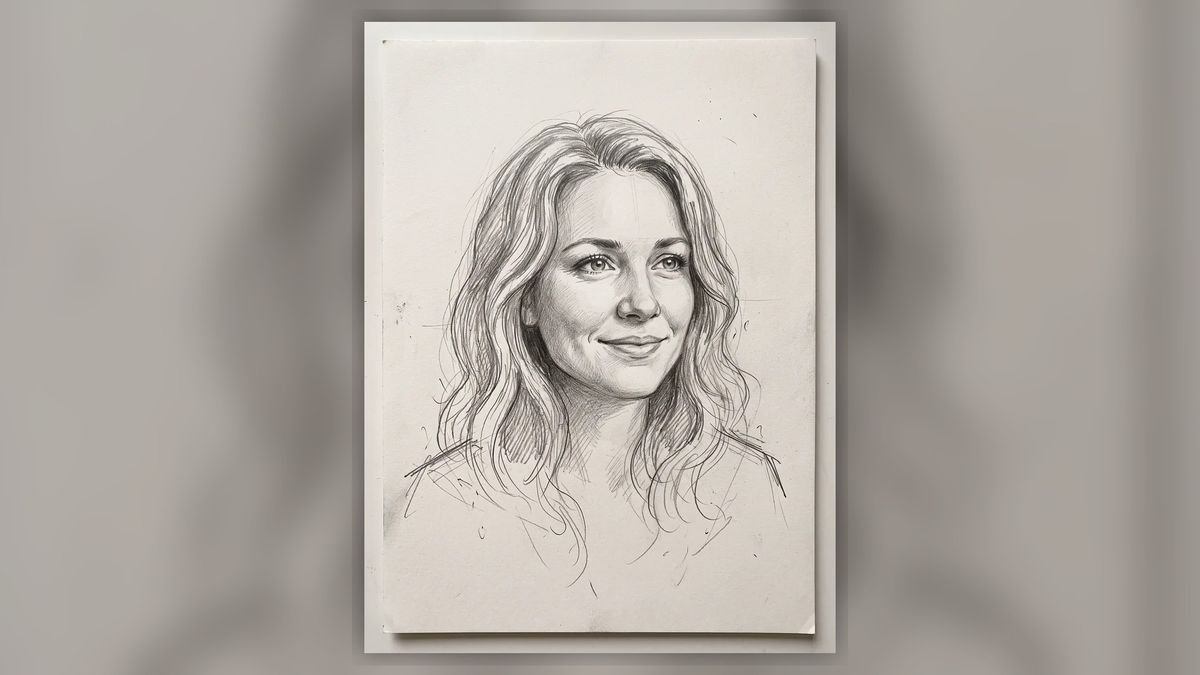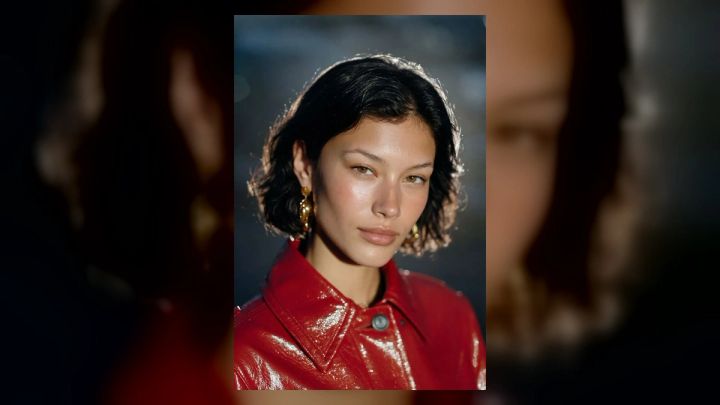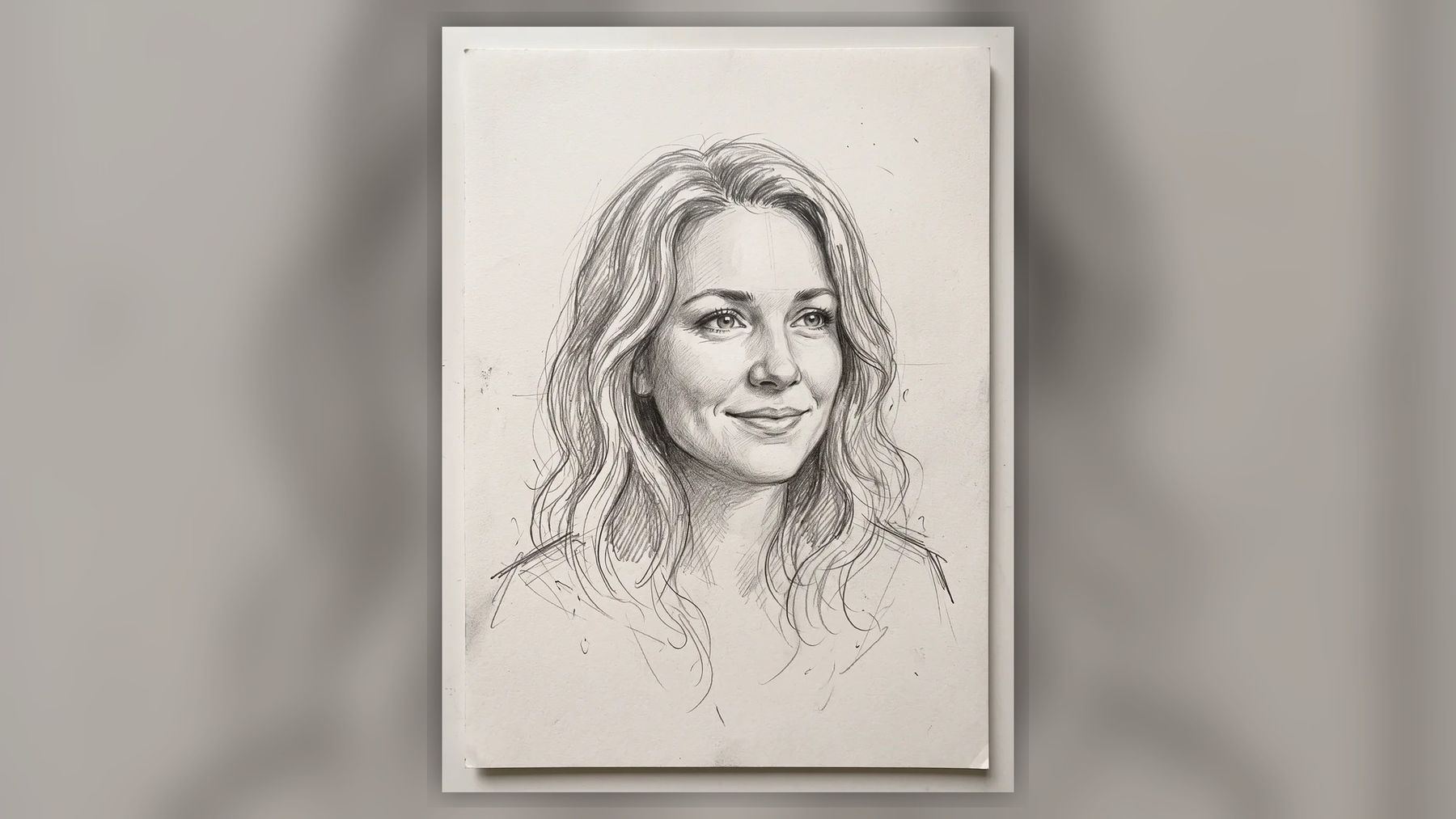
If you have ever wondered what your future partner might look like, an AI soulmate sketch turns that question into a pencil portrait you can share. It does not identify a real person or predict whom you will meet. It creates an imagined face from a few creative choices, making the result closer to a personalized character exercise than a psychic reading.
You can try the AI soulmate sketch tool to choose who you are looking for, select a personality-inspired vibe, optionally add a zodiac sign, and generate a graphite-style portrait. The useful way to approach it is with curiosity: treat the sketch as a conversation starter, story seed, or playful visual—not evidence about your future.
The short answer
An AI cannot know what your soulmate looks like because there is no factual data connecting a future relationship to one specific face. A soulmate sketch generator instead translates your selections—such as romantic, adventurous, artsy, or intellectual—into visual cues and composes an original portrait.
That distinction matters. The result can feel surprisingly specific because faces carry many recognizable signals: expression, hairstyle, gaze, age cues, and drawing style. Specificity makes the image engaging, but it does not make it a forecast.
What is an AI soulmate sketch?
An AI soulmate sketch is a generated portrait of an imagined partner, usually rendered as graphite or charcoal on paper. It borrows the visual language of hand-drawn portrait studies: loose construction lines, detailed eyes, shaded hair, and softer unfinished marks around the shoulders.
The format became popular because it creates a satisfying reveal. A blank question—“What might my future partner look like?”—becomes a concrete face in seconds. Friends can compare results, invent a backstory, or debate whether the portrait resembles someone familiar.
Unlike a face-matching service, the generator is not searching a database for a compatible person. Unlike photo editing, it does not need to transform an existing selfie. It generates a new fictional subject from the options you provide.
How does an AI soulmate sketch generator work?
The workflow has three practical stages.
1. You choose a broad direction
First, you choose whether the imagined person should be a woman, a man, or a surprise. This establishes the broad portrait direction without requiring personal information or a photo.
2. You choose a vibe
A vibe acts as a compact creative brief. On imageat, the current options include romantic, adventurous, artsy, and intellectual. Each one suggests a different combination of expression, styling, and atmosphere:
- Romantic may lean toward a warm smile and soft eyes.
- Adventurous may suggest windswept hair or an outdoorsy presence.
- Artsy may produce a more unconventional, expressive character.
- Intellectual may use thoughtful styling cues, including glasses.
These are artistic associations, not rules about personality or appearance. Two generations using the same option can still produce different faces.
3. The model draws an original portrait
The system converts the selections and any optional detail into a visual instruction, then generates a graphite-style portrait. The tool currently returns one 2K image without a watermark. It usually takes about 15 to 40 seconds, although generation time can vary.
The process uses paid generation credits. Free sign-up does not mean that every generation is free: the soulmate sketch currently costs 6 credits per image, and the product page states that credits are returned when a generation fails. The credit guide explains how imageat credits apply across its creation tools.
Does the generator need a selfie?
No. The soulmate sketch workflow does not require a photo upload. You choose the portrait direction, vibe, and optional sign or detail, then generate the drawing.
That makes it different from an AI portrait generator, which is more useful when you want a recognizable portrait based on a real person. It is also different from an AI dating photo generator, where preserving your own identity is central to the result.
No-selfie generation is a better fit for this concept because the output is meant to depict an imagined character rather than modify your appearance.
What does the zodiac option actually do?
The zodiac field is an optional creative input. It can influence the mood or styling associated with the portrait, but it does not calculate compatibility, read a birth chart, or derive a real partner’s appearance.
Think of a zodiac sign as one more art-direction hint. It may help you make one result feel different from another, especially when comparing several sketches with friends. You can also skip it entirely; the generator can create a portrait from the person and vibe choices alone.
This is a healthier and more accurate interpretation than treating facial features as predetermined by astrology. A generated face has no evidentiary relationship to a person you will meet.
How to make a soulmate sketch step by step
Step 1: Decide what kind of result you want
Before opening the generator, decide whether you want a sincere romantic portrait, a funny group-chat reveal, or a fictional character reference. Your goal should guide your choices.
For a softer portrait, choose romantic. For a more energetic result, try adventurous. If you are writing a character, artsy or intellectual may provide a clearer starting point.
Step 2: Select who you are looking for
Choose a woman, a man, or the surprise option. Surprise is useful when the reveal itself is the main attraction and you do not want to over-direct the outcome.
Step 3: Pick a vibe
Choose one strong direction rather than trying to combine every possible trait. A clear vibe tends to produce a more coherent character. You can create a second version later if you want to compare directions.
Step 4: Add the optional sign or detail
Select a zodiac sign only if it adds to the game. The extra-detail field is better used for a short visual preference than a long biography. For example, you might suggest curly hair, a calm expression, or vintage styling.
Keep the note open enough for the model to interpret. The fun of the tool comes partly from seeing how a small cue becomes a complete face.
Step 5: Generate and review the portrait
Generate the image, then inspect the full result rather than focusing only on whether the face matches a person you know. Look at the drawing quality, expression, line work, and overall character.
If the service reports a failed generation, check the account credit history before trying again. The tool page says failed generations are refunded, but a successful result you simply dislike is not the same as a technical failure.
Step 6: Download or develop the idea
Download the 2K sketch for sharing or keep it as a character reference. If you want a larger export for print, the image upscaler can increase dimensions after generation. Upscaling can improve output size and edge presentation, but it cannot reveal a “truer” face hidden in the original.
How to get a more interesting result
Choose a mood, not a checklist
Long lists of ideal-partner traits often produce a visually confused portrait. “Warm, quietly confident, slightly windswept” gives the model a more unified direction than a dozen unrelated requirements.
Use visible details
A visual model can depict a hairstyle, expression, accessory, or clothing era. It cannot reliably turn abstract relationship qualities such as loyalty or emotional maturity into objective facial features. Translate the idea into something visible, or leave it as a mood.
Allow room for surprise
If every feature is specified, the exercise becomes ordinary character design. Leaving some details open creates a stronger reveal and reduces the temptation to judge whether the system followed a rigid imaginary specification.
Generate variations intentionally
When comparing two results, change one variable at a time. Keep the vibe the same and switch the optional detail, or keep the sign the same and change the vibe. This makes it easier to see what affected the composition.
Do not repeatedly regenerate in search of a supposedly “correct” person. Each output is a new creative variation, not a step closer to a hidden answer.
Why can an invented face feel familiar?
Generated portraits often feel familiar for ordinary psychological reasons.
First, the face is made from common human features arranged into a plausible whole. You may notice a smile like one friend’s, hair like a former classmate’s, or eyes that resemble an actor’s. Your mind is very good at matching new faces to stored memories.
Second, a pencil sketch leaves some information ambiguous. Unlike a sharp photograph, soft shading and unfinished lines invite interpretation. Different viewers can project different people onto the same drawing.
Third, broad descriptions feel personal when they align with our expectations. If you chose “intellectual” and receive a thoughtful expression, the result appears responsive because the image reflects the direction you supplied.
None of this means the image secretly identifies someone. It means the generator and your own pattern recognition are working together to create a compelling experience.
Are AI soulmate sketches real or accurate?
They are real as generated artworks, but not accurate predictions. There is no reliable method for deriving the face of a future romantic partner from a vibe, zodiac sign, or short text field.
A responsible soulmate sketch tool should make that limitation clear. imageat labels its result as entertainment and describes the person as imagined. That framing protects the experience from becoming a misleading claim about fate, compatibility, or psychic certainty.
Be cautious with any service that promises guaranteed recognition, claims to know a named future partner, or pressures you to buy an “accuracy” upgrade. A more expensive image can be more detailed, but detail does not turn fiction into evidence.
Creative uses beyond the trend
A character seed for fiction
A portrait can help a writer move past a blank page. Give the person a name, occupation, contradiction, and immediate problem. The image supplies appearance; you create the character.
If you want to develop that face in a different visual style, an AI image generator can explore scenes and wardrobe directions. Describe the character consistently rather than assuming one sketch alone will preserve identity across every image.
A group-chat game
Create results using different vibes and let friends guess which option produced each portrait. Keep the tone light and avoid claiming that one drawing reveals anyone’s real romantic future.
A mood-board portrait
The graphite format works well in collages, journals, or fictional relationship mood boards. You can pair it with colors, locations, and objects that imply a story without assigning the face to a real person.
A color-art experiment
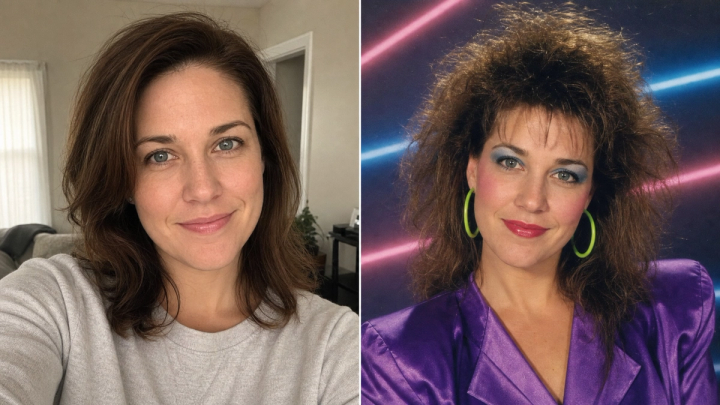
The dedicated tool produces a classic graphite look. To explore a color version, bring the downloaded sketch into the AI photo editor and request a painting or cinematic portrait inspired by the same composition. This is a separate AI edit and may alter facial details, so compare it with the original if consistency matters.
Sharing the result responsibly
The generated subject is fictional, but your caption can still mislead people. Say that the portrait is an AI soulmate sketch or a just-for-fun result. Do not present it as a psychic guarantee or attach the identity of a real person without their permission.
If a result happens to resemble someone you know, avoid using that coincidence to imply a relationship, secret attraction, or endorsement. Similarity can be accidental.
The same principle applies if you use the portrait as a character reference. Do not deliberately imitate a private individual or public figure and then describe the output as an unrelated prediction. imageat’s responsible use policy provides broader guidance for handling generated media.
AI soulmate sketch vs a custom portrait prompt
A dedicated soulmate sketch tool is faster when you want a recognizable format and a guided set of choices. It keeps the experience simple: pick a person direction, pick a vibe, optionally add a sign or detail, and receive a pencil drawing.
A general image generator gives you more control over composition, medium, setting, age range, wardrobe, and lighting. That flexibility is valuable for character design, but it also requires more art direction.
Use the dedicated tool for a quick reveal and the general generator for a production brief. Neither route can predict a real partner.
Frequently asked questions
Can AI really draw my future soulmate?
AI can draw an imagined person based on your creative choices. It cannot know who your future partner will be or determine that person’s real appearance.
Is an AI soulmate sketch free?
Signing up is free, but the current imageat soulmate sketch generation costs 6 credits per image. The result is delivered in 2K without a watermark, and failed generations are stated to receive a credit refund. Check the live tool page before generating because product details can change.
Do I need to upload my face?
No. The imageat soulmate sketch tool does not require a selfie. It generates a fictional portrait from the options and optional detail you select.
Can I choose the gender of the portrait?
The current tool lets you choose a woman, a man, or a surprise result.
Does my zodiac sign determine the face?
No. The sign is an optional creative cue, not a factual calculation of someone’s appearance or romantic compatibility.
Why does my result look like someone I know?
Human faces share many features, pencil sketches leave room for interpretation, and people naturally connect new faces to memories. A resemblance does not show that the generator found or predicted that person.
Can I make the sketch look more realistic?
You can use an AI editor or generator to reinterpret the drawing as a realistic portrait, but the new image may change identity details. It remains a fictional creative output rather than a prediction.
Can I print the drawing?
The tool currently returns a 2K image, which may be enough for a modest print depending on the final dimensions and printer. For a larger print, upscale the file and inspect hair, eyes, and paper texture at full size before ordering.
Final perspective
The most useful answer to “What does my soulmate look like?” is not that an algorithm knows the future. It is that a creative tool can turn the question into an image worth discussing.
Use the sketch as entertainment, a writing prompt, or a playful reveal. Keep the limits visible, distinguish free sign-up from paid credit usage, and enjoy the portrait for what it is: an original drawing of an imagined person.
Ready to make one? Create an AI soulmate sketch, choose a vibe, and see what appears on the page.