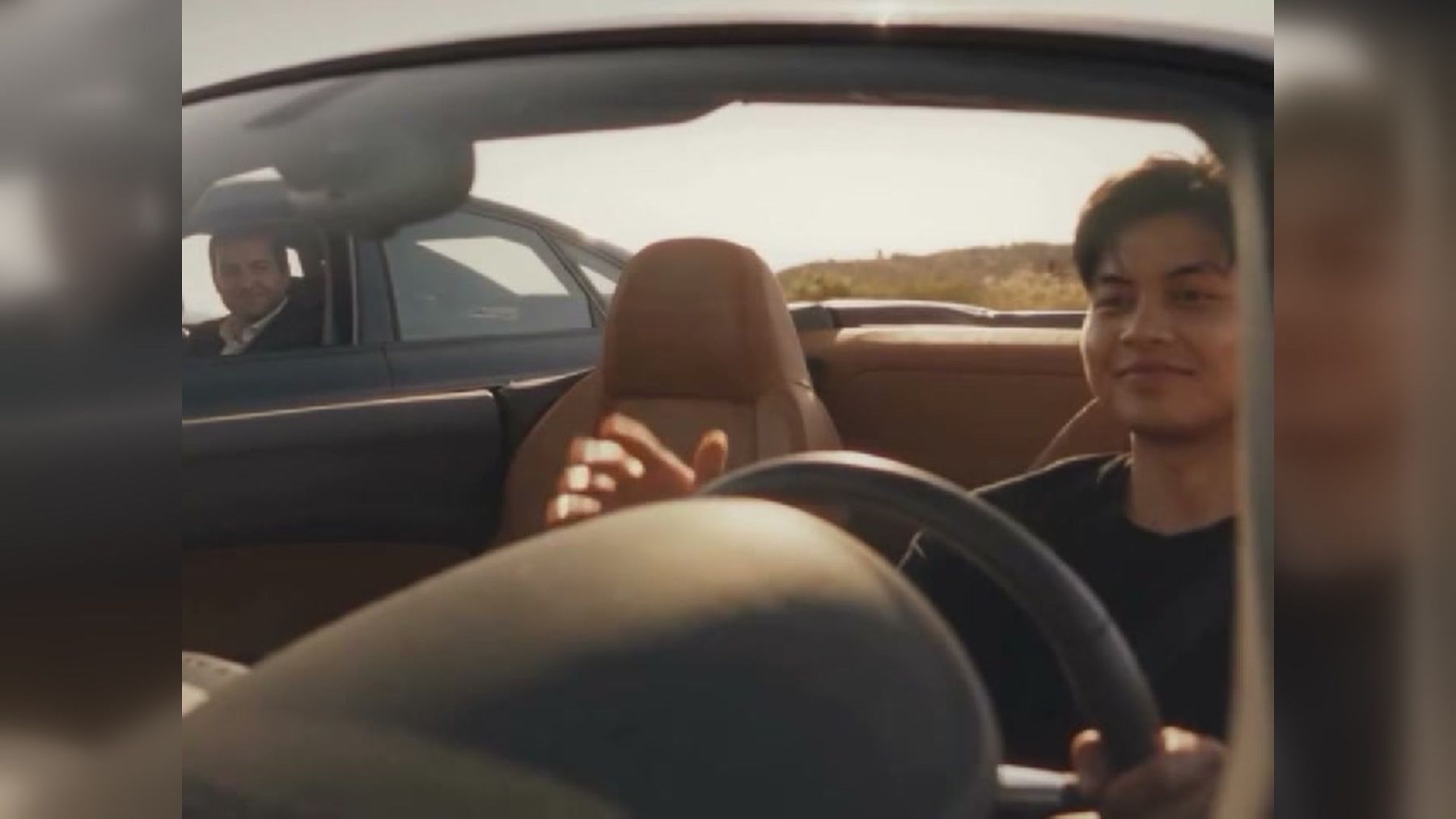
The GTA 5 goodbye video is a fan-made farewell edit, not a scene from an official game ending. It places a personalized driver beside Michael on a sunlit road, then reveals Franklin in the rearview mirror. The GTA 5 goodbye farewell video trend on imageat recreates that sequence from one photo.
The appeal is simple: the clip turns a familiar open-world cast into a compact goodbye story. A smile between drivers, a moving road, a mirror adjustment, and one final salute communicate closure without dialogue. That makes the format useful for gaming memories, graduation posts, team farewells, project wrap-ups, and personal end-of-an-era edits.
Quick answer: what is the GTA 5 goodbye trend?
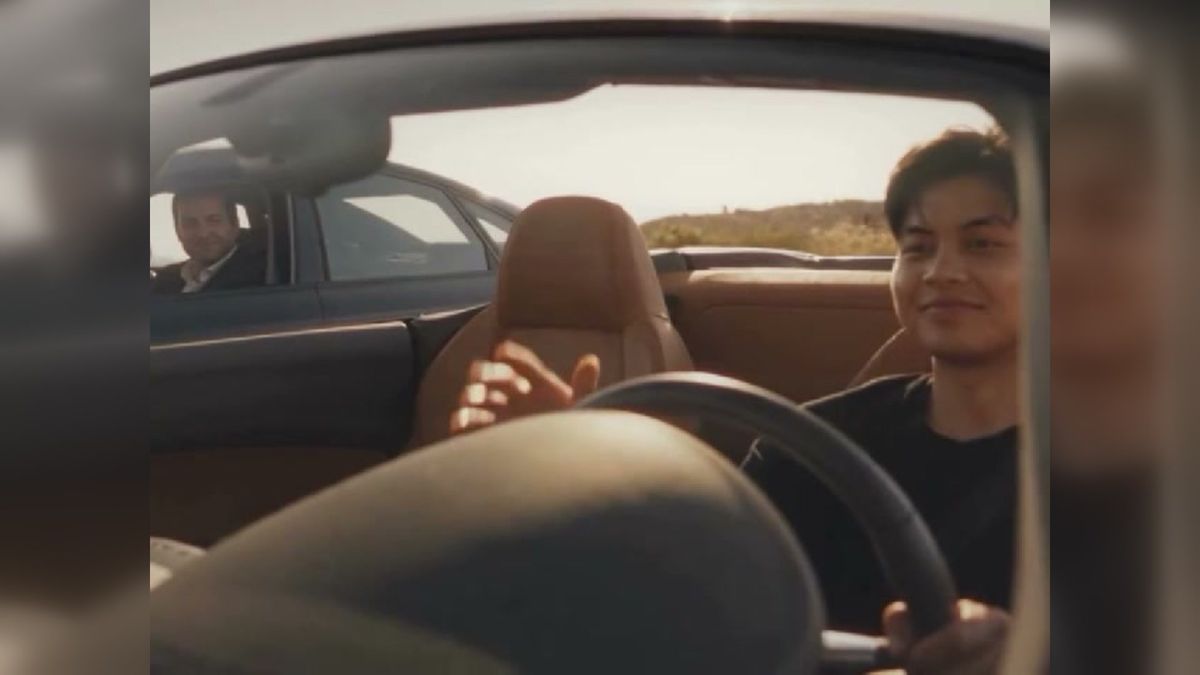
The GTA 5 goodbye trend is a short fan-style video in which a driver in a white convertible travels beside Michael, exchanges a final look, and then sees Franklin approach on a motorcycle. A personalized version replaces the convertible driver with the person from an uploaded photo while retaining the established road scene, supporting characters, camera sequence, and source audio.
It should not be confused with one of Grand Theft Auto V's playable endings. The clip borrows recognizable characters and cinematic visual language, but the farewell sequence is a creative social-video format rather than official story canon.
What happens in the video?
The finished clip lasts about 10 seconds and follows a clear three-part structure.
1. The parallel drive establishes the relationship
The personalized driver moves along a bright desert road in a white convertible. Michael drives beside them in a darker car. The side-by-side movement makes the two characters feel connected before either does much.
This is the setup. Viewers immediately understand that the people are sharing a final stretch of road rather than racing or confronting each other.
2. The shared look creates the goodbye
The drivers acknowledge one another through their windows. The expression is restrained rather than dramatic, which is why the moment can suit several kinds of farewell. It may read as gratitude, mutual respect, nostalgia, or a quiet “see you later,” depending on the caption surrounding it.
3. The mirror reveal supplies the final beat
The driver reaches toward the rearview mirror. As the reflection changes, Franklin appears behind on a green motorcycle and offers a salute. The reveal widens the farewell from two characters to the broader group and gives the clip a recognizable ending.
The structure works because each shot has one job: establish, acknowledge, reveal. There is no need for explanatory dialogue.
Is it an official GTA 5 ending scene?
No. The trend page identifies the sequence as a fan-made style template and states that it is not affiliated with Rockstar Games or Take-Two Interactive. Michael and Franklin are recognizable references, but the personalized road farewell is not presented as official gameplay footage or a canonical ending.
That distinction matters when you caption or share the result. Describe it as a fan edit, tribute, GTA-style farewell, or game-inspired video. Avoid wording that implies a new official cutscene, leaked update, or endorsement from the game's publisher.
The actual game has its own branching narrative and ending choices. This trend uses familiar characters to tell a separate, self-contained goodbye story in a format designed for short-form posts.
Why does the farewell format work?
A successful farewell video needs more than recognizable characters. This one combines several storytelling devices that remain clear on a small phone screen.
Movement suggests transition
The characters are already traveling when the clip begins. A road naturally signals departure, progress, and a destination beyond the frame. The video does not need to show where anyone is going; forward motion does that emotional work.
The scene avoids an exaggerated reaction
A small smile can be interpreted more broadly than crying, cheering, or an elaborate speech. Viewers can attach their own context to it, whether they are leaving a game, finishing school, changing jobs, ending a season, or archiving a long creative project.
The mirror turns memory into a visual action
Rearview mirrors already carry a familiar metaphor: looking back while moving forward. Here, adjusting the mirror creates a literal reveal. The final salute then closes the scene without stopping the journey.
The clip has a complete miniature arc
Many short edits are only transformations. This one has a beginning, middle, and end. Even viewers who do not know the exact format can follow the emotional progression.
How to make the GTA 5 goodbye video
The imageat trend is a preset workflow, so you do not need to write a prompt or assemble the shots manually.
- Open the GTA 5 goodbye farewell trend page.
- Upload one clear photo of one person.
- Choose 480p or 720p.
- Check the current paid-plan credit cost on the Generate button.
- Generate the video, review the result, and download the MP4.
The live page accepts JPG, PNG, or WEBP images up to 10 MB. It produces a 10-second, 4:3 video with source audio. Generation uses paid-plan credits, and the current cost shown on the Generate button is authoritative because pricing can change.
The uploaded person replaces the convertible driver across several views, including the side profile, blurred foreground appearance, and mirror reflection. The person's visible outfit also informs the generated driver. Michael, Franklin, the vehicles, road, cuts, and music remain part of the template.
For a more open-ended workflow in which you direct the scene yourself, use the AI video generator. To animate a still outside a fixed template, the image-to-video tool offers a broader starting point.
How to choose a photo that holds up across every shot
The input image appears to be simple—one portrait—but the output asks that portrait to work from more than one angle. Choose the source carefully.
Use one clearly visible person
Group photos create ambiguity about who should become the driver. Crop to a single subject before uploading. If the original contains several people, use the image resizer to prepare a clean frame without repeatedly saving a compressed screenshot.
Prefer front-facing or gently turned poses
A straight-on photo gives the model the most balanced information about both sides of the face. A slight three-quarter angle can also work, but a hard profile hides too much for the front and mirror views.
Keep the face large enough to read
Avoid distant full-body photos in which the face occupies only a few pixels. A chest-up or waist-up frame usually provides useful facial detail while still showing clothing.
Choose even, natural light
Strong shadows can make one side of the face difficult to reconstruct. Backlighting can erase facial detail, while colored club lighting may produce skin tones that do not fit the warm road scene. Soft daylight or an evenly lit indoor portrait is a safer starting point.
Treat the outfit as part of the result
The template carries clothing cues from the uploaded photo into the driver. Pick an image whose outfit suits the tone you want. A casual shirt feels like a personal gaming farewell; a team jersey can turn it into a season-ending post; workwear can support a project wrap-up.
Remove accidental obstructions
Sunglasses, hands over the face, large microphones, masks, and deep hat shadows can weaken identity. Keep intentional accessories only if you want them to influence multiple shots.
Caption and story ideas
The clip is most useful when the caption gives the goodbye a specific object. Instead of posting only “goodbye,” tell viewers what chapter is closing.
A long-running game save
Use the video as a send-off for a character, online crew, role-play server, or campaign. Mention a memorable milestone rather than claiming the fan edit is an official game scene.
Caption starter: “One last drive after [milestone]...”
Graduation or the end of a school year
The road image supports classmates moving toward different destinations. Keep the caption focused on shared memories, then tag only people who want to be included.
Caption starter: “Different roads after [year or program], same memories...”
Leaving a team or workplace
A restrained farewell often feels more sincere than an exaggerated montage. Add a short note about the people or work you appreciated.
Caption starter: “Signing off from [team or project] with gratitude for...”
The end of a creative project
The clip can mark the final upload in a series, the completion of a film, a product launch, or a community event. Pair it with one result viewers can revisit.
Caption starter: “The final chapter of [project] is complete...”
A playful temporary goodbye
Not every use needs to be serious. It can announce a vacation, exam break, platform hiatus, or switch to a new game.
Caption starter: “Me leaving [activity] for exactly [time period]...”
These fragments are starting points, not fixed scripts. Complete the person, milestone, and emotional tone yourself so the post reflects a real story.
Common mistakes and how to fix them
Calling it a real ending cutscene
Problem: The caption presents the fan-made sequence as official GTA footage.
Fix: Label it as a fan edit, tribute, game-inspired farewell, or personalized trend.
Uploading a photo with two people
Problem: The result may blend identities or choose the wrong subject.
Fix: Crop to one clearly visible person before generating.
Using a tiny face
Problem: The side view and mirror reflection lose recognizable detail.
Fix: Start with a sharper, closer portrait. Do not rely on generation to recover information that is absent from the source.
Ignoring the outfit
Problem: The video carries an accidental uniform, costume, or sleepwear look into every driver shot.
Fix: Choose a source image with clothing that matches the farewell's context.
Adding too much text over the reveal
Problem: A large caption covers the mirror or Franklin's entrance.
Fix: Put the main text before the reveal, after the clip, or in the platform caption. Keep on-screen text away from the mirror area.
Over-compressing the download
Problem: Repeated exports introduce blocks and blur, especially around faces and moving car edges.
Fix: Keep the original MP4 as a master. If a platform requires a smaller file, compress one copy with the video compressor instead of sending the file through multiple messaging apps.
How to edit the result without weakening the story
The template already has tight timing, so additions should support rather than interrupt its three beats.
Start with the original sequence. If you add a title, keep it brief enough to read before the shared look. Let the mirror turn remain unobstructed. A final card can provide a date, project name, or thank-you after the salute.
For a vertical post, avoid simply stretching the 4:3 frame. Use a blurred background, a designed border, or a careful crop that preserves both cars and the mirror action. Preview the result inside the destination platform's safe area so interface buttons do not cover the final reveal.
If you want to build a separate game-inspired clip rather than modify this exact farewell, read the guide to making a GTA 6 style video of yourself. Its focus is broader scene preparation, while this trend keeps the farewell shots fixed.
Responsible sharing and fan-content boundaries
Only upload a photo you own or have permission to use. Do not place another person into the farewell without consent, especially if the caption could imply a real resignation, breakup, death, or public statement.
Be clear when a likeness is AI-generated. Do not use the clip to impersonate someone, fabricate an endorsement, or suggest that a public figure participated. imageat's responsible-use terms provide the platform rules for uploaded identities and generated media.
The same care applies to the game's intellectual property. Fan framing helps viewers understand that the video is a creative tribute, not official marketing or a new canonical scene. Avoid selling the result as licensed game footage or removing context in a way that encourages that misunderstanding.
Frequently asked questions
Is the GTA 5 goodbye video from the game?
No. It is a fan-made farewell format that uses recognizable GTA V-style characters and a personalized driver. It is not an official ending cutscene.
Who appears in the farewell clip?
The personalized driver travels beside Michael. Franklin appears later on a green motorcycle during the rearview-mirror reveal.
What do I need to upload?
One clear, front-facing photo of one person. The live workflow accepts JPG, PNG, or WEBP files up to 10 MB.
How long is the generated video?
The current trend page describes a 10-second, 4:3 MP4 with source audio.
Can I write my own prompt for this trend?
The preset does not require prompt writing. It follows a fixed reference sequence. Use a general video-generation workflow if you want to control the setting, action, camera, or dialogue yourself.
Does it use credits?
Yes. Generation uses paid-plan credits. Check the Generate button for the current cost before starting rather than relying on an older quoted amount.
Which resolution should I choose?
Use 480p for a lower-cost draft or 720p when you are satisfied with the source photo and want a sharper export. Confirm the displayed credit cost before each generation.
Can I use a group photo?
A one-person portrait is the intended input. Crop a group image to the chosen person first, and make sure you have permission to use the photo.
The takeaway
The GTA 5 goodbye video works because it compresses a complete farewell into three visual beats: traveling together, sharing one last look, and seeing a friend arrive in the mirror. It is a fan-made tribute rather than an official game ending, so accurate framing matters.
Choose one sharp, well-lit portrait, consider the clothing visible in it, and give the post a real reason for saying goodbye. When you are ready, create your version with the GTA 5 goodbye farewell video trend, check the paid-credit cost on the Generate button, and review the final clip before sharing it.