Social commerce campaigns
AI Product Post Generator
Upload your product and generate campaign posts around it — launch frames, sale frames, story frames — each composed for its platform with space left clear for your words.
Your product stays the reference · Six platform formats · Space reserved for your copy
One product, many campaigns
The same product, six different jobs
A launch frame and a sale frame are not the same picture with different words on it. The objective changes where the product sits, how hard the light is, and — most of all — where the frame is left empty.
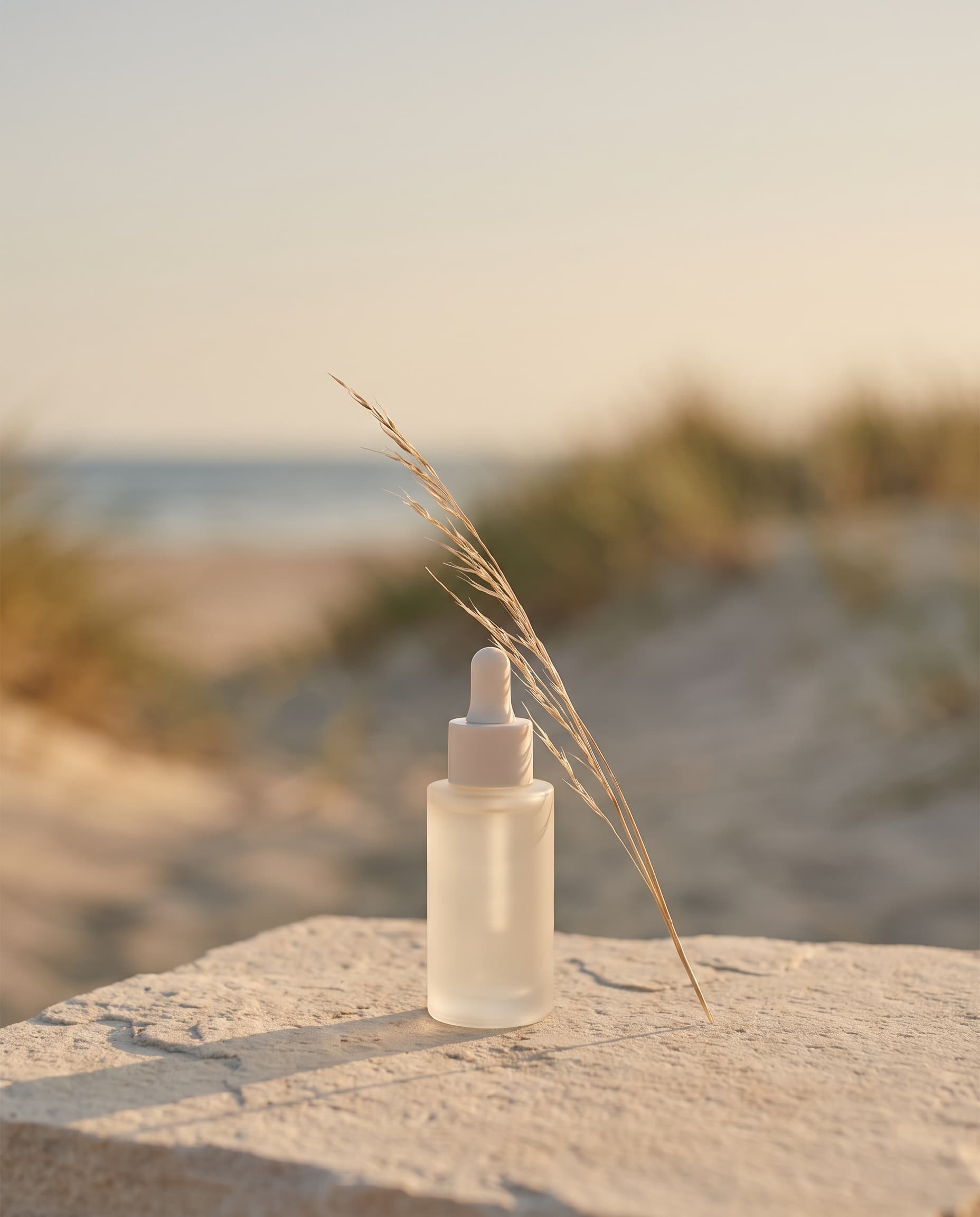
Launch
Centre the product and leave the top of the frame open. The image says "this is new" and your headline says what it is.
product centred low, wide clear margin above for a headline
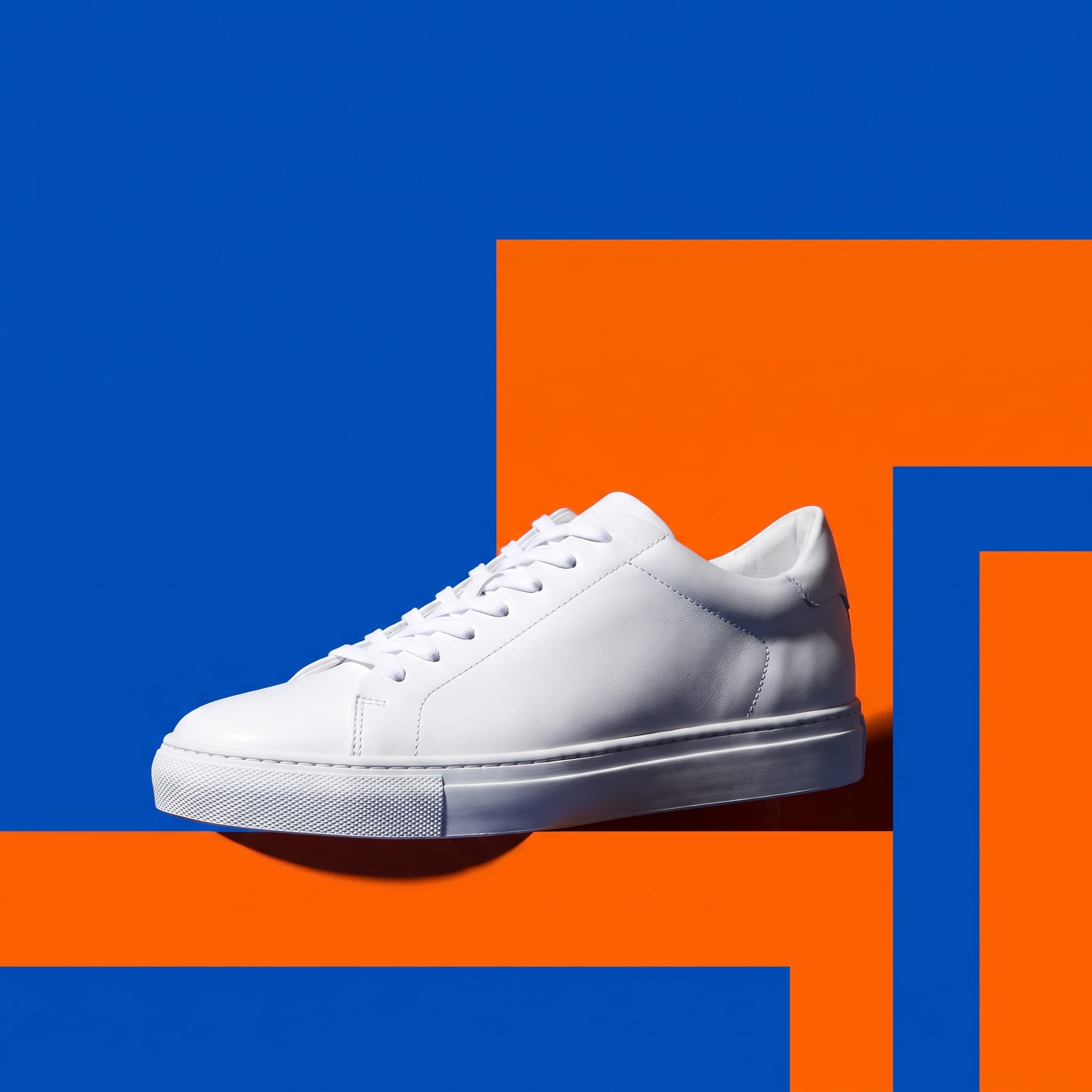
Sale
Raise the energy with colour and harder light, and keep one corner genuinely empty so a badge does not cover the product.
bold colour blocking, upper-left corner kept clear for a badge
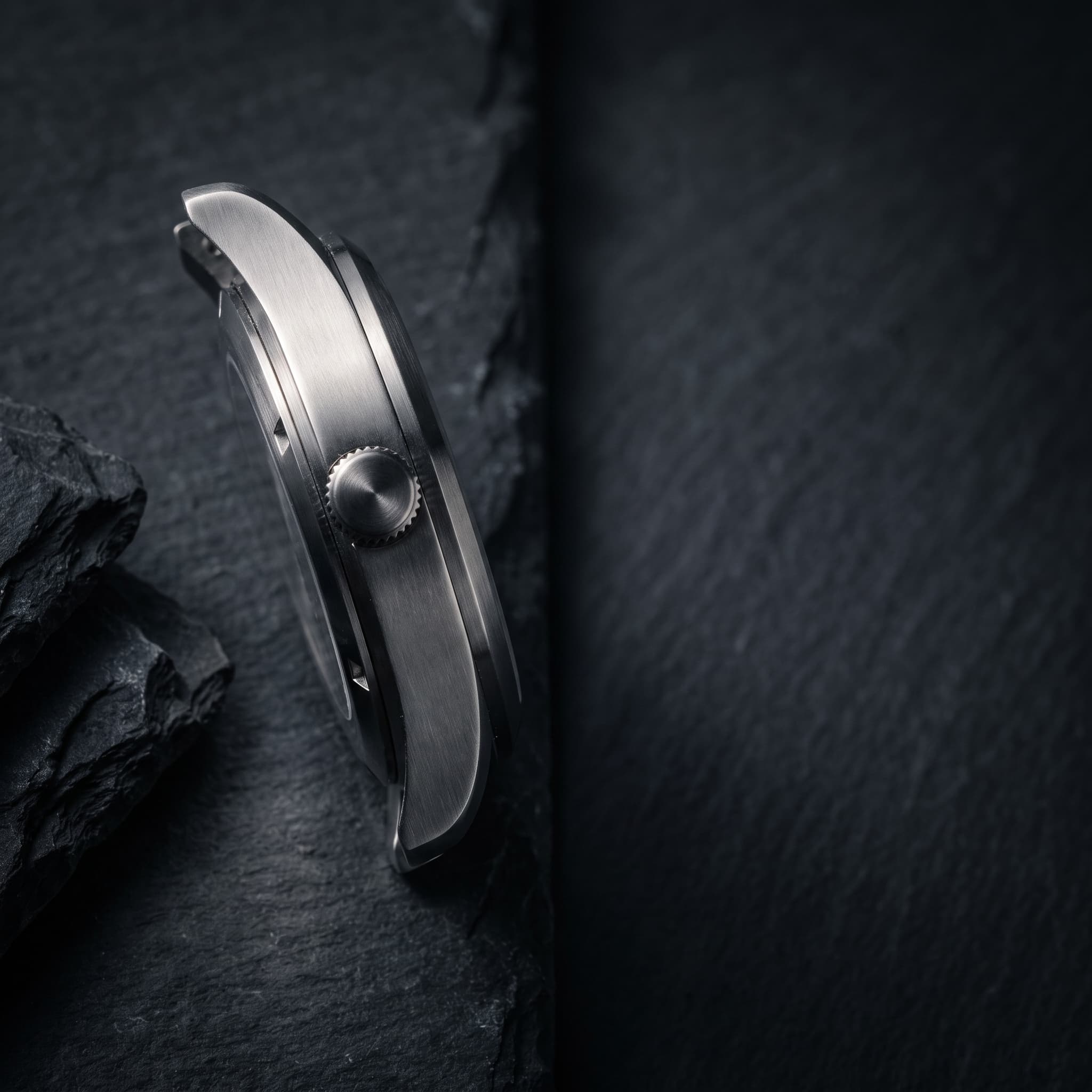
Feature
Move closer. When the point is a material or a finish, the frame should be mostly that finish.
close detail frame, directional light raking across the surface
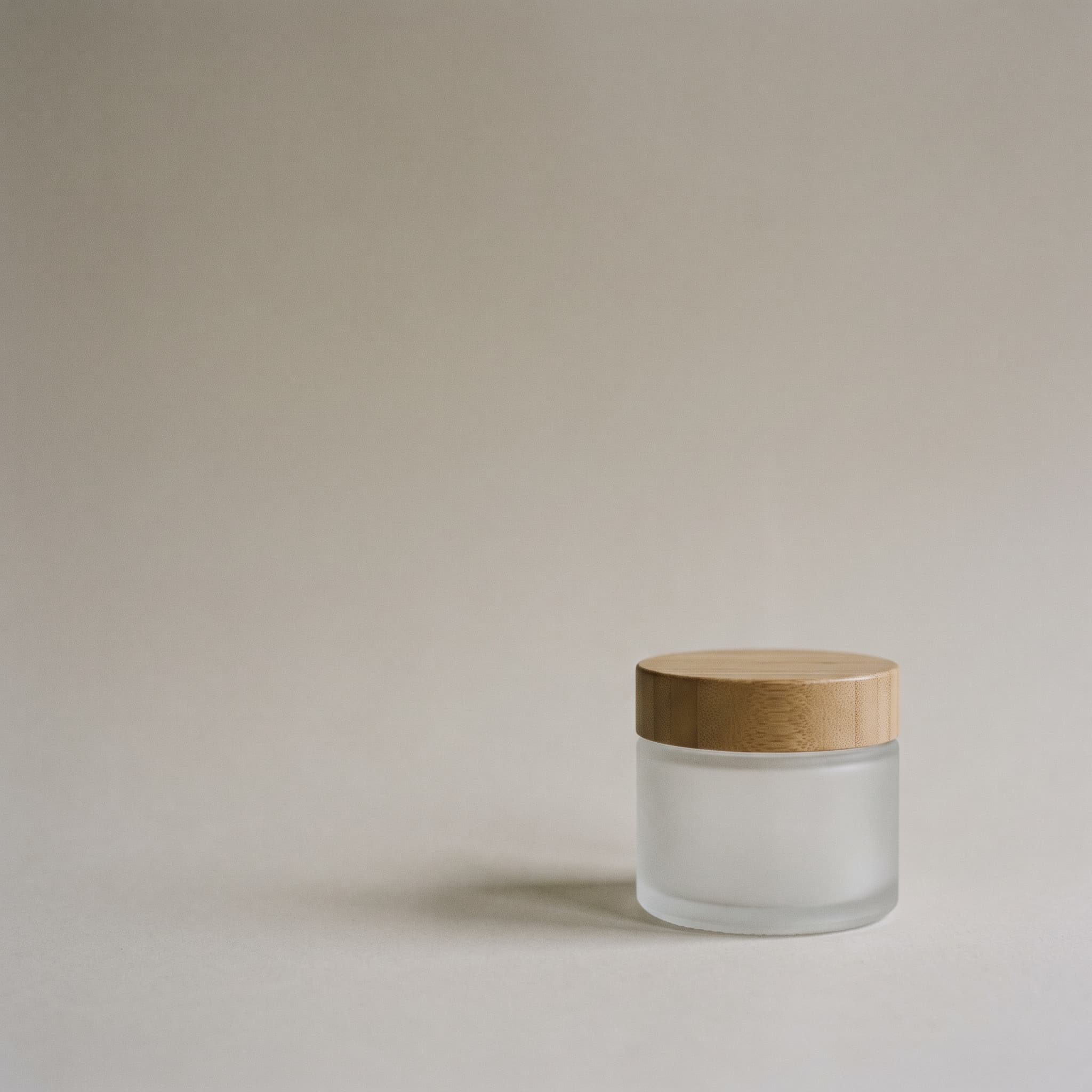
Testimonial
Build an empty stage. The product sits low and small, and the rest of the frame waits for a quote you supply yourself.
product low and to one side, upper two thirds left empty
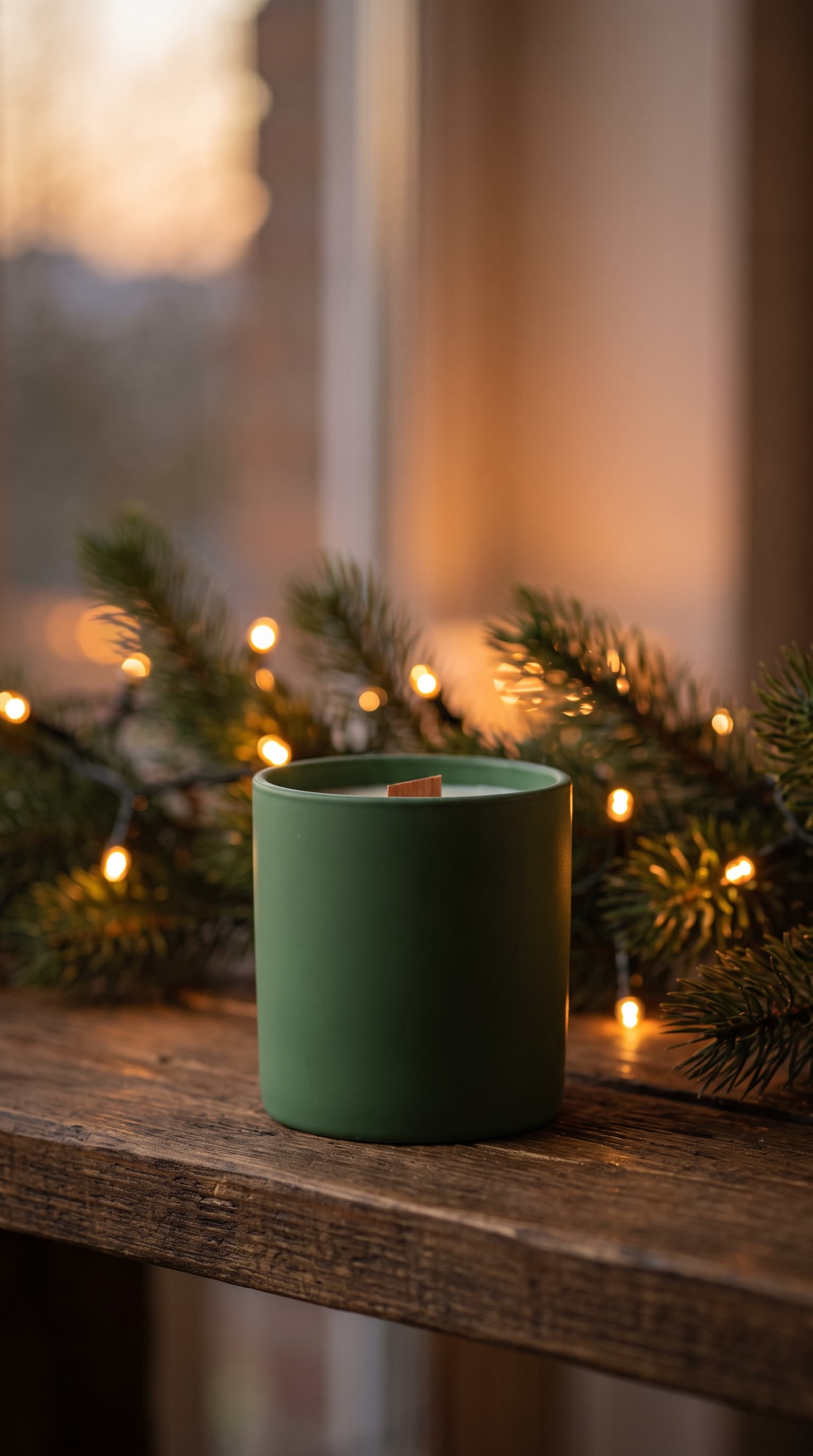
Seasonal
Let light and two or three props carry the season. Heavy decoration dates fast and buries the product.
warm bokeh lights behind, pine sprigs, product still the subject
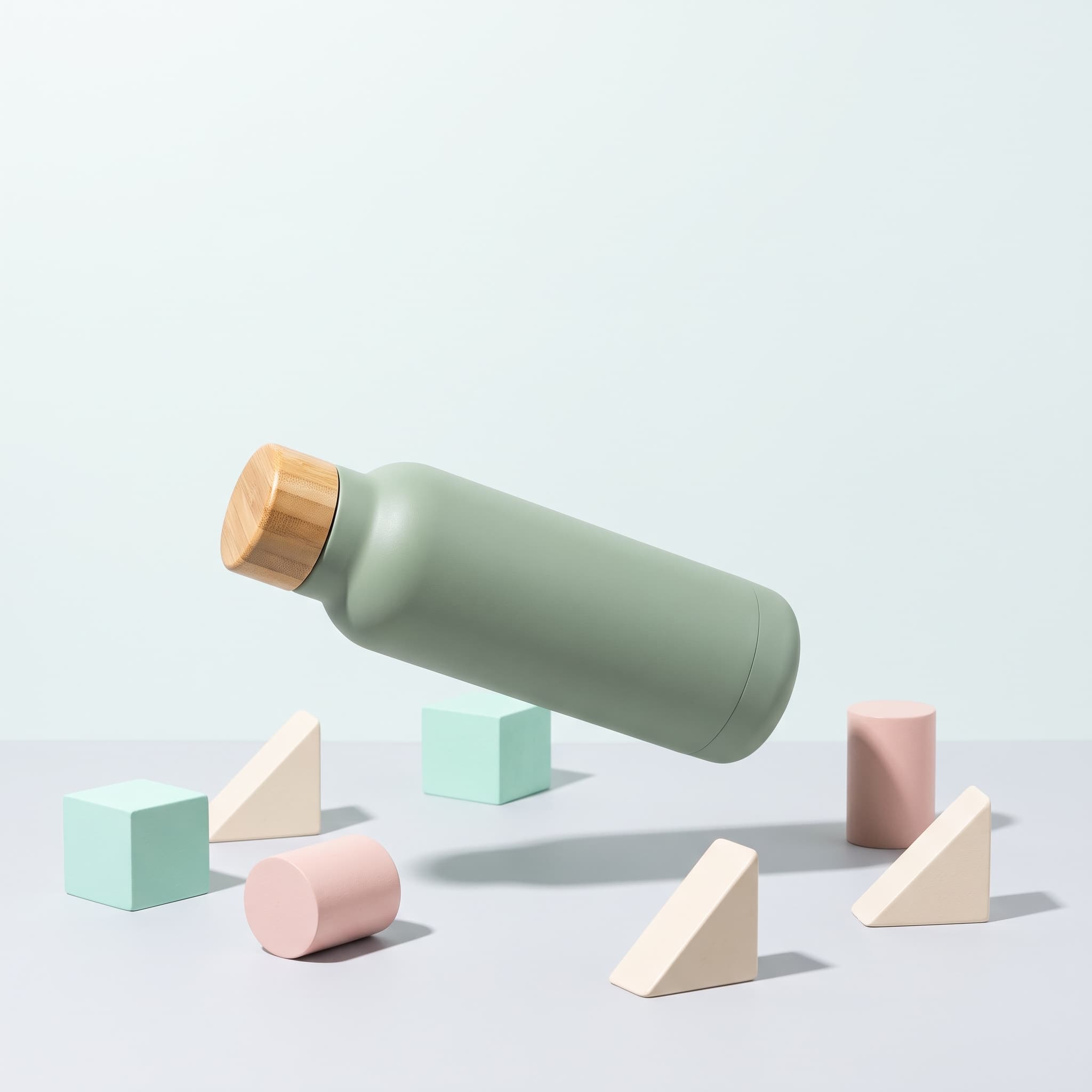
Brand
Sell a mood, not an offer. These are the posts that make a feed look like a brand instead of a catalogue.
considered styled scene, cohesive palette, generous negative space
Made with imageat
Campaign posts generated from a brief
Each post below came from the prompt shown with it, and each leaves space where a headline or badge would go. Open one to see how that space is asked for.
Summer Launch
4:5 · Instagram Portrait
Product Launch · Organic
An announcement frame with the top third deliberately left empty.
Show the promptHide the prompt
An unbranded frosted glass serum bottle standing on pale coastal stone with a sprig of dried grass beside it, warm late-afternoon light from the left, muted sand and sea-glass palette, product centred low in the frame with a wide clear margin above for a headline, organic campaign photography, no text, no logos, no watermark
Sale Colour Block
1:1 · Instagram Square
Sale · Bold Retail
High-energy colour with one corner kept clear for a badge.
Show the promptHide the prompt
A plain white leather sneaker with no branding against bold graphic colour blocking in cobalt and tangerine, hard punchy studio light, strong saturated contrast, upper-left corner kept completely clear for a discount badge, bold retail campaign photography, no text, no logos, no watermark
Story Frame
9:16 · Instagram Story
Seasonal Campaign · Lifestyle
Full-screen vertical with the middle band left readable.
Show the promptHide the prompt
An unbranded matte ceramic candle on a warm wooden shelf, pine sprigs and soft golden bokeh lights blurred behind, cosy low evening light, deep green and amber palette, vertical composition with the product low in the frame and the upper half kept soft and clear, seasonal lifestyle campaign photography, no text, no logos, no watermark
Feature Detail
1:1 · Facebook Feed
Feature Highlight · Luxury
Close on the finish, with room beside it for one short line.
Show the promptHide the prompt
A close detail frame of an unbranded stainless steel watch case and crown resting on dark slate, precise directional light raking across the brushed metal, controlled specular highlights, deep charcoal palette, product on the left with generous empty space on the right for a short annotation, luxury campaign photography, no text, no logos, no watermark
Quote Card Layout
1:1 · LinkedIn Square
Testimonial Layout · Minimal
Built as an empty stage — you add the customer's own words.
Show the promptHide the prompt
An unbranded frosted glass jar with a wooden lid set low and to the right against a soft plain warm-grey backdrop, gentle even light, very soft shadow, muted oat and grey palette, the upper two thirds of the frame left completely empty and uncluttered as a place for a quote to be typed later, minimal campaign photography, no text of any kind, no logos, no watermark
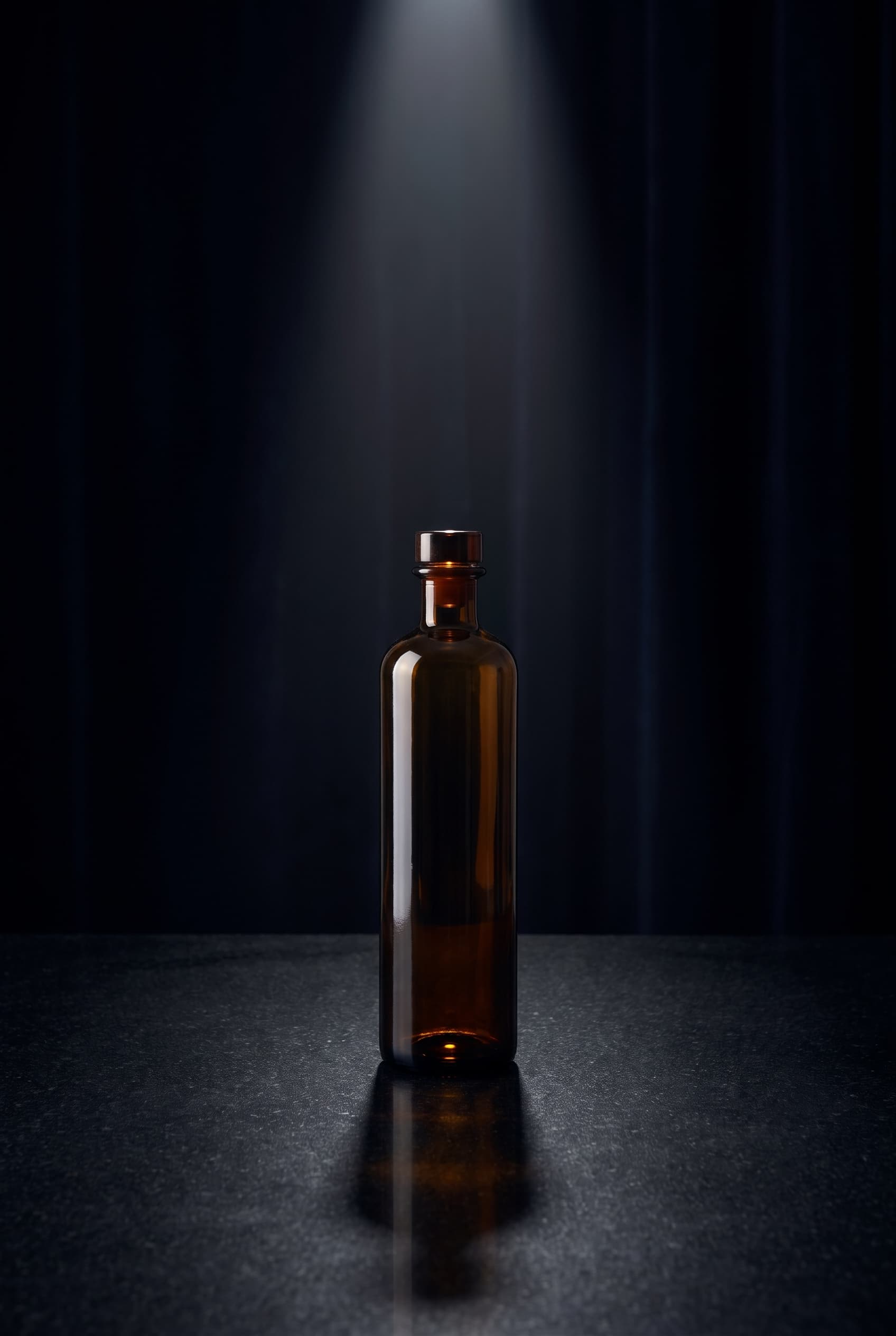
Limited Drop
2:3 · Pinterest Pin
Limited Edition · Luxury
A tall pin shape with the drama carried by one light.
Show the promptHide the prompt
An unbranded dark amber glass bottle standing on polished black stone, single dramatic key light from above with deep shadow falloff, faint reflection beneath, near-black background, tall vertical composition with clear space above the product, premium limited-edition campaign photography, no text, no logos, no watermark
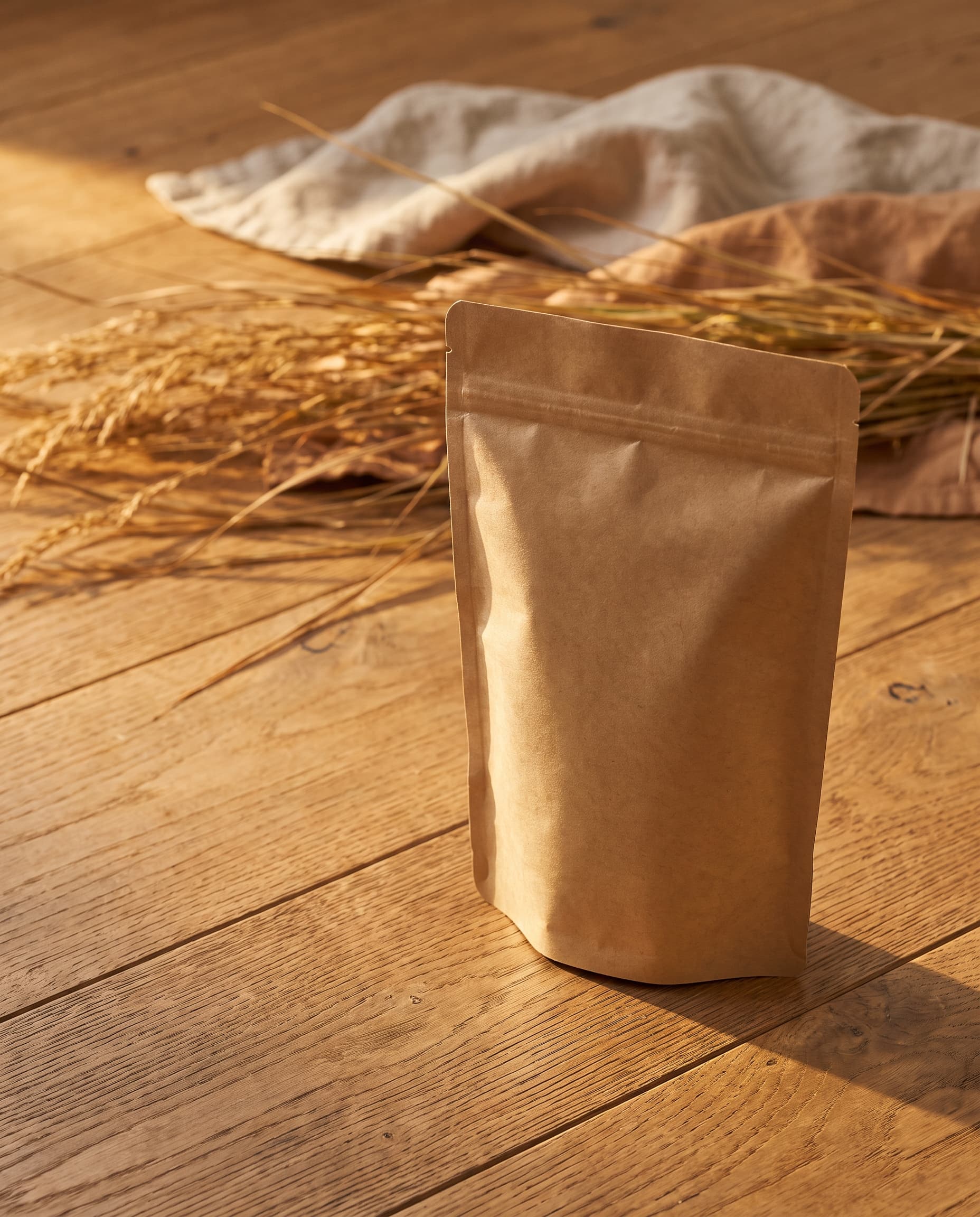
Autumn Arrival
4:5 · Instagram Portrait
New Arrival · Editorial
Seasonal without props taking over the frame.
Show the promptHide the prompt
An unbranded kraft paper pouch standing on warm oak boards with dried grasses and a folded linen cloth softly out of focus behind, low autumn sunlight from the side, warm ochre and oat palette, product off-centre with clear space along the left edge, editorial campaign photography, shallow depth of field, no text, no logos, no watermark
Playful Float
1:1 · Instagram Square
Brand Awareness · Playful
A brand-mood frame that is not selling a discount.
Show the promptHide the prompt
An unbranded matte sage-green water bottle floating slightly above simple pastel geometric blocks in mint blush and cream, crisp even studio light, soft drop shadows beneath each form, cheerful light-hearted arrangement, generous negative space around the product, playful brand campaign photography, no text, no logos, no watermark
Platform formats
Generate the shape the placement actually wants
A square cropped from a story loses the top and bottom of the composition. Generating at the right ratio from the start means the negative space survives the crop.
Instagram Square
1:1
Feed posts and carousels
Instagram Portrait
4:5
The tallest the feed allows
Instagram Story
9:16
Full-screen stories and Reels covers
Facebook Feed
1:1
Square feed and catalogue ads
Pinterest Pin
2:3
Standard tall pin
LinkedIn Square
1:1
Company page posts
Pinterest recommends a 1000×1500 pin, which is 2:3 — the closest shape the generator supports, and the one this page sends. imageat produces and downloads the image file; it does not connect to any platform, so posting and scheduling stay with you.
Where it helps
For launch weeks, promotions and always-on posting
One product photo covers the announcement, the feature details and the story frame — the posts a shop needs between shoots, not just on launch day.
Launch week
Fill a week of posts from one product photo: the announcement, two feature details, and a story frame.
Sales and promotions
Generate sale frames with space already reserved for the badge, so the discount never lands on top of the product.
Always-on content
Keep a feed moving between launches without booking a shoot for every ordinary posting day.
Paid social testing
Run the same product through several visual directions and let the results decide which one to spend behind.
Multi-platform campaigns
Generate the square, the portrait and the story version of one idea so a campaign stays recognisable everywhere.
Small shops and makers
Get campaign-grade visuals from a phone photo when there is no studio, no set and no photographer on call.
Prompt guide
The product post prompt formula
Keep the product, name the objective, then the platform shape, the scene, the mood, and exactly where the frame stays empty. Your own headline is optional and always last.
- 01
Keep the product
The attached photo is the subject, unchanged
- 02
Campaign objective
Launch, sale, feature, testimonial, brand
- 03
Platform composition
The shape, and where the product sits in it
- 04
Scene and lighting
The surface, the props, the source and direction of light
- 05
Brand mood
The two or three colours and the feeling
- 06
Negative space
Exactly where the frame must stay empty
- 07
Your headline
Optional, and only ever your own words
- 08
Exclusions
No invented logos, labels or watermarks
Launch post
1:1Keep the product from the attached photo exactly as it is and build a launch post around it, product centred low on a pale stone surface, warm soft light from the left, muted sand and ivory palette, wide clear margin across the top for a headline, no added text, no invented logos, no watermark
Sale post with badge space
1:1Keep the product from the attached photo exactly as it is and build a sale post around it, bold graphic colour blocking in cobalt and tangerine, hard punchy studio light, high saturated contrast, upper-left corner kept completely clear for a discount badge, no added text, no invented logos, no watermark
Story frame
9:16Keep the product from the attached photo exactly as it is and build a full-screen vertical story frame around it, product low in the frame on a warm wooden shelf, soft golden bokeh behind, cosy evening light, upper half kept soft and clear for text, no added text, no invented logos, no watermark
Testimonial layout
1:1Keep the product from the attached photo exactly as it is and build a quote-card layout around it, product set low and to the right against a soft plain warm-grey backdrop, gentle even light, upper two thirds of the frame left completely empty for a quote to be added later, no text of any kind in the image, no invented logos, no watermark
Pinterest pin
2:3Keep the product from the attached photo exactly as it is and build a tall pin around it, product on polished dark stone under a single dramatic key light, deep shadow falloff, near-black background, clear space above the product, no added text, no invented logos, no watermark
Brand mood post
4:5Keep the product from the attached photo exactly as it is and build an editorial brand post around it, product off-centre in a styled scene of linen and dried botanicals, natural window light, cohesive oat and sage palette, generous negative space along the left edge, no added text, no invented logos, no watermark
How it works
From a product photo to a post you can publish
- 01
Upload your product
Attach a clear photo of the product the campaign is about. It becomes the reference the generator builds the post around, so the product in the finished image is the one you sell.
- 02
Pick the platform, objective and look
Choose the format for where the post is going, the post type — launch, sale, feature, testimonial and so on — and a visual style. Add a campaign note if you have something specific in mind.
- 03
Generate, add your words, publish
Generate the image, which comes with space deliberately left clear. Add your own headline, price or quote on top in any editor, then download and post it.
FAQ
Questions about product posts
What is an AI product post generator?
It turns a photo of your product into social-commerce campaign visuals. You upload the product, choose the platform format, the campaign objective and the look, and it generates a post image built around that product — with space left clear where your own headline or badge needs to sit.
How is this different from the AI product photo generator?
The product photo generator makes product photography: a clean listing shot or a lifestyle scene, judged on how accurately it shows the product. This page makes campaign frames: composed for a specific platform shape and a specific objective, with negative space planned for the words you add. Many people generate the photo first and the post second.
Does it write the headline or the caption?
No, and that is deliberate. The generator composes the image and leaves room for your words; you type the headline, price or quote yourself. AI-rendered lettering is unreliable, and for a sale or a claim the wording has to be exactly what you meant.
What does the Testimonial Layout actually produce?
An empty stage — the product set low and to one side against a soft backdrop, with most of the frame left clear. It never invents a customer quote, a name, a star rating or a review, because those would be fabricated claims about real people. You paste in a real quote you have permission to use.
Which formats and platforms are supported?
Instagram square and portrait, Instagram story, Facebook feed, Pinterest pin and LinkedIn square, plus 3:2 and 16:9 for wider placements. These map to the aspect ratios the generator actually supports — Pinterest's tall pin uses 2:3, the closest supported shape to its recommended size. imageat generates and downloads the image; it does not connect to any platform and cannot post or schedule for you.
How accurately is my product kept?
Your uploaded photo is the reference and the prompt instructs the model to keep the product's shape, proportions, colour and material unchanged. The overall form usually holds well, but small print, logo detail, packaging copy and fine geometry can shift, and reflective or transparent items are harder. Compare the result against your original before publishing.
What does it cost, and where do the results go?
Each generation costs credits depending on the model you pick, and the panel shows the cost before you run it. You need an account to generate, and credits come with a monthly plan; subscribers can top up with one-time credit packs. Your upload is processed on imageat's servers by the AI provider behind the model you chose, not in your browser, and finished posts are saved to your generation history and mirrored to imageat's own CDN.
Can I use these posts in paid ads?
People use them for organic posts and paid social, and under the imageat terms of service you own the images you generate. Each ad platform has its own rules about claims, badges and disclosure, and generated images are not cleared for trademarks or likenesses, so check the policy for the platform you are advertising on.
For the product photography itself, use the AI product photo generator; to isolate a product from a busy photo first, use the AI background remover. imageat generates and downloads images and does not post or schedule to any platform. Rights and permitted use are governed by the imageat terms of service.
Build the campaign around what you sell
Upload the product once, pick the platform and the objective, and generate until the frame leaves room for exactly what you need to say.