Vertical video for the feed
AI Instagram Reels Generator
Describe the shot and generate a vertical clip composed clear of Instagram's caption and action rail, ready to edit and post.
Original clips · 9:16 vertical · Safe areas applied automatically
Made with imageat
Reels composed for the middle of the frame
Each clip came from the prompt shown with it, safe-area wording included. Press play, then open one in the studio.
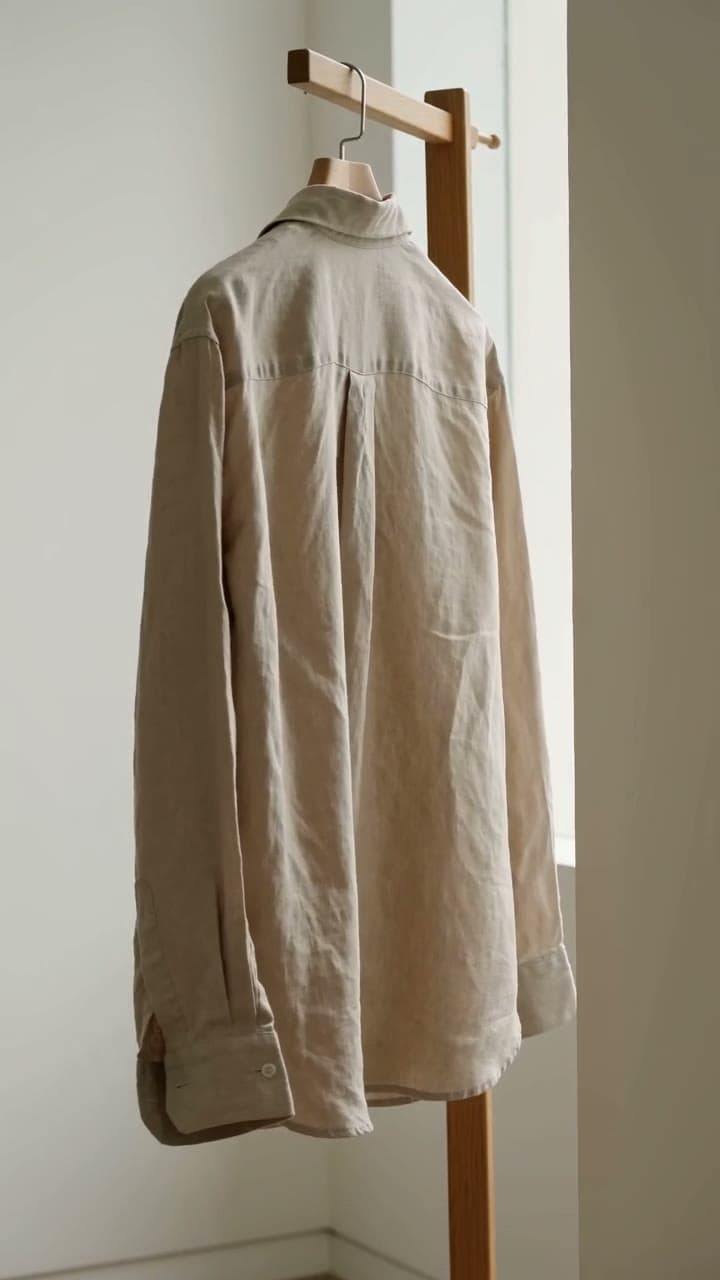 8s · Seedance 2.0
Soft Goods
Product showcase
A slow turn that lets the fabric do the selling.
Show the promptHide the prompt
A linen shirt on a wooden hanger turning slowly in soft window light, fabric texture catching the sun, the product presented in a considered setting with a slow deliberate camera move, editorial cinematography with natural available light, vertical full-screen composition with the subject centred, the lower third and right edge kept visually calm where the caption and action buttons sit, no text overlays, no watermark
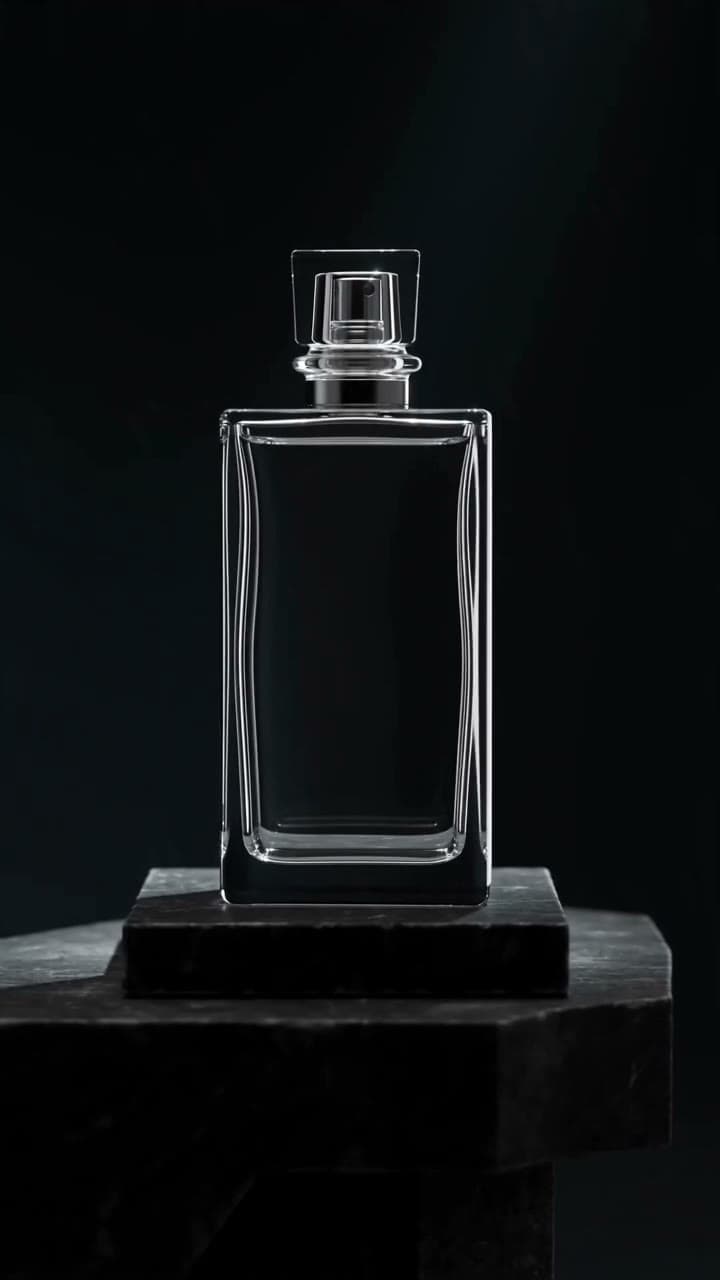 6s · Seedance 2.0
Glass and Light
Luxury
Premium styling with one controlled light move.
Show the promptHide the prompt
An unbranded glass perfume bottle rotating slowly on a stone plinth, light sweeping across the glass and refracting, premium styling with deep shadows and polished surfaces, slow controlled camera, vertical full-screen composition with the subject centred, the lower third and right edge kept visually calm where the caption and action buttons sit, no text overlays, no logos, no watermark
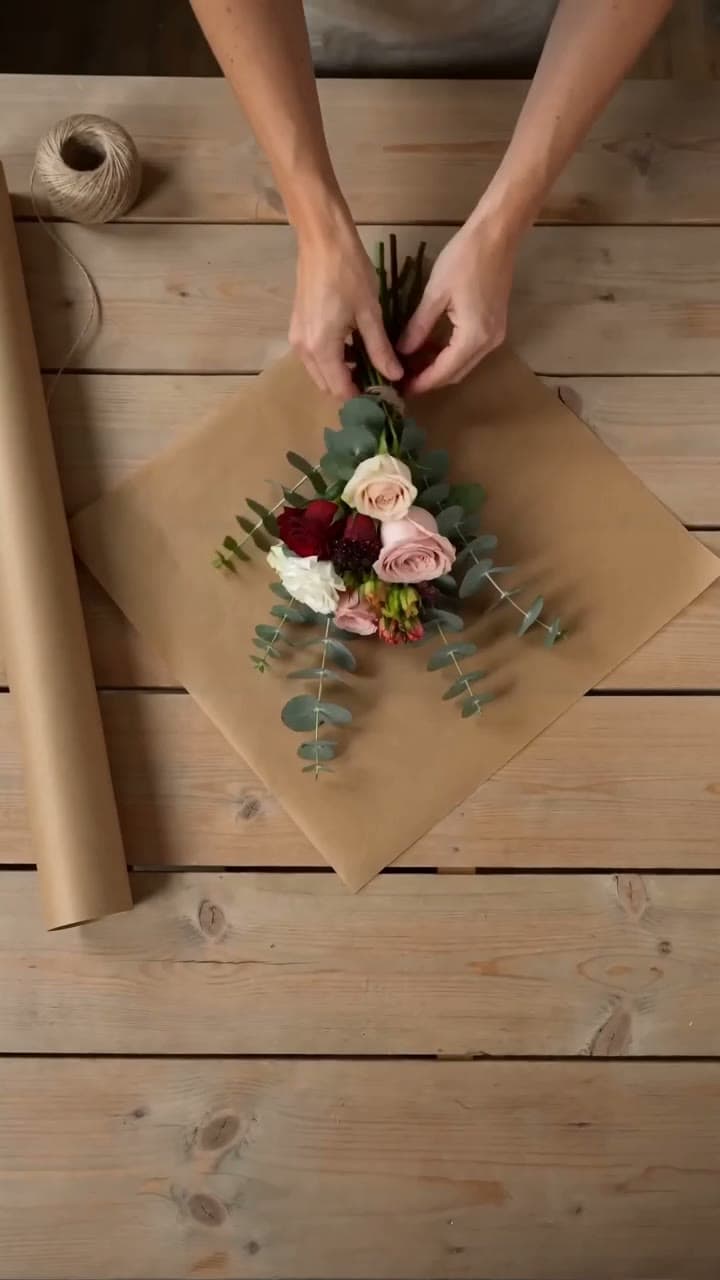 8s · Seedance 2.0
Behind the Counter
Brand story
The work behind the product, shot as documentary.
Show the promptHide the prompt
Hands arranging a bouquet and wrapping it in brown paper, petals settling, soft natural daylight, a quiet observational moment of the work behind a product with documentary framing, warm relaxed setting, vertical full-screen composition with the subject centred, the lower third and right edge kept visually calm where the caption and action buttons sit, no text overlays, no watermark
Clips play muted and only when you press play.
Approximate overlay areas on a 9:16 reel
Reel-safe composition
The caption and the buttons come later
Instagram draws the caption across the bottom and the action rail up the right side. A clip composed edge to edge loses its subject to both — so safe-area wording is appended to every prompt here automatically.
Lower third
The caption, the audio name and the account row sit here. A product placed low in the frame ends up behind text.
Right edge
Like, comment, share and the menu run up this side. Keep the subject off the right margin so nothing important is under a button.
Centre
The only area guaranteed to stay clear. Compose the subject here — it is what the safe-area wording in every prompt asks for.
Where it helps
Product, fashion and brand storytelling
Shops, studios and small brands use the same studio for showcases, behind-the-scenes clips and paid social tests.
Product showcases
A slow, considered look at one product instead of a static photo.
Fashion and beauty
Movement shows drape, texture and finish in a way a still never can.
Brand storytelling
Quiet observational clips of the work behind what you sell.
UGC-style ads
Honest phone-shot looking footage for paid social tests.
Consistent series
Reuse one look across several reels so a feed holds together.
Behind the scenes
Keep posting on weeks when nothing was filmed.
Prompt guide
A Reels prompt formula
One subject and one unhurried camera move, then the light and the palette. Reels reward a single considered idea more than a sequence of quick cuts.
Beauty product
6sA glass jar of cream opening as a finger lifts a small amount, close detail on the texture, soft flattering light, unhurried pacing, premium styling with polished surfaces, vertical full-screen composition with the subject centred and the lower third kept calm, no text overlays, no logos, no watermark
Fashion
8sA model in a long wool coat walking toward camera on a quiet street, coat moving with each step, city softly out of focus behind, editorial cinematography with natural light, vertical full-screen composition with the subject centred and the lower third kept calm, no text overlays, no watermark
Before and after
10sOne continuous shot panning across a workbench as scattered tools become a tidy arranged set, the change visible without a cut, warm workshop light, vertical full-screen composition with the subject centred and the lower third kept calm, no text overlays, no watermark
Food
8sA wide bowl of pasta being finished with grated cheese and cracked pepper, steam rising, close detail with textures in sharp focus, warm kitchen daylight, vertical full-screen composition with the subject centred and the lower third kept calm, no text overlays, no watermark
How it works
From an idea to a reel you can upload
- 01
Describe the shot
Say what is in frame and how the camera moves. Reels reward one unhurried idea more than a sequence of quick cuts.
- 02
Choose the type, look and length
Pick a content type and a visual direction, then a duration and resolution the selected model supports. Vertical 9:16 and the safe-area wording are applied for you.
- 03
Generate, then add audio in the app
The brief opens in the imageat video studio with everything preloaded. Download the finished clip and add licensed music, captions or stickers inside Instagram.
FAQ
Questions about AI reels
What is an AI Instagram Reels generator?
It creates short vertical video clips from a written description. You describe the shot, choose a content type, a visual direction and a length, and the clip is generated at 9:16 with the composition kept clear of Instagram's own interface.
Can it publish the reel to Instagram?
No. imageat generates and stores video; it has no connection to your Instagram account and cannot post or schedule. You download the clip and upload it through the app.
Can it add music from the Instagram library?
No. That catalogue is licensed to Instagram and only available inside the app. Add your track there after uploading, where the licence is handled for you. Some models generate ambient audio of their own, and the panel says which.
What are the reel safe areas?
Instagram draws the caption across the lower part of the frame and the like, comment and share buttons up the right edge. Wording asking for those areas to stay visually calm is appended to every prompt here, so your subject is not sitting behind a button.
How long can a reel clip be?
It depends on the model — Seedance 2.0 covers 4 to 15 seconds, Seedance 2.5 reaches 30, and Veo covers 4 to 8 at higher fidelity. Only the durations the selected model supports are offered, and longer reels are usually several clips edited together.
Can I use my own product photo as the starting frame?
Yes, in the studio. Upload an image there and the model animates from it, which is the most reliable way to keep a real product looking like itself rather than an approximation.
What does it cost?
Video generation spends credits based on the model, duration and resolution. The studio shows the cost before you run it, and a failed generation is refunded automatically.
How is this different from the TikTok and Shorts pages?
All three open the same studio at 9:16. This page is built around polished product and brand storytelling with Instagram's safe areas in mind; the TikTok page is built around hooks and the first three seconds; the Shorts page around a complete idea with a payoff.
imageat generates and stores video. It does not post to Instagram or supply music from Instagram’s licensed library — add that in the app after uploading. Rights and permitted use are governed by the imageat terms of service.
Give the product a moment to move
Describe one shot and one camera move, pick a supported length, and generate until it looks like your brand.