Full-screen vertical
AI Instagram Story Generator
Generate 9:16 story frames with the subject centred and the edges kept clear, so nothing important hides behind Instagram's own interface.
Original results · Safe zones applied automatically · Add text and stickers in the app
Made with imageat
Story frames built for the middle band
Each frame below came from the prompt shown with it, safe-zone wording included. Open one in the generator and make it yours.

Product Drop
9:16 · Story
Product drop
Centred product with the top and bottom deliberately quiet.
Show the promptHide the prompt
A single pair of gold hoop earrings resting on folded champagne silk, soft overhead light with gentle highlights on the metal, premium styling with a restrained charcoal and gold palette, vertical full-screen composition with the subject centred in the middle of the frame, top and bottom edges kept visually quiet and free of important detail, clear negative space for text to be added later, no text, no watermark
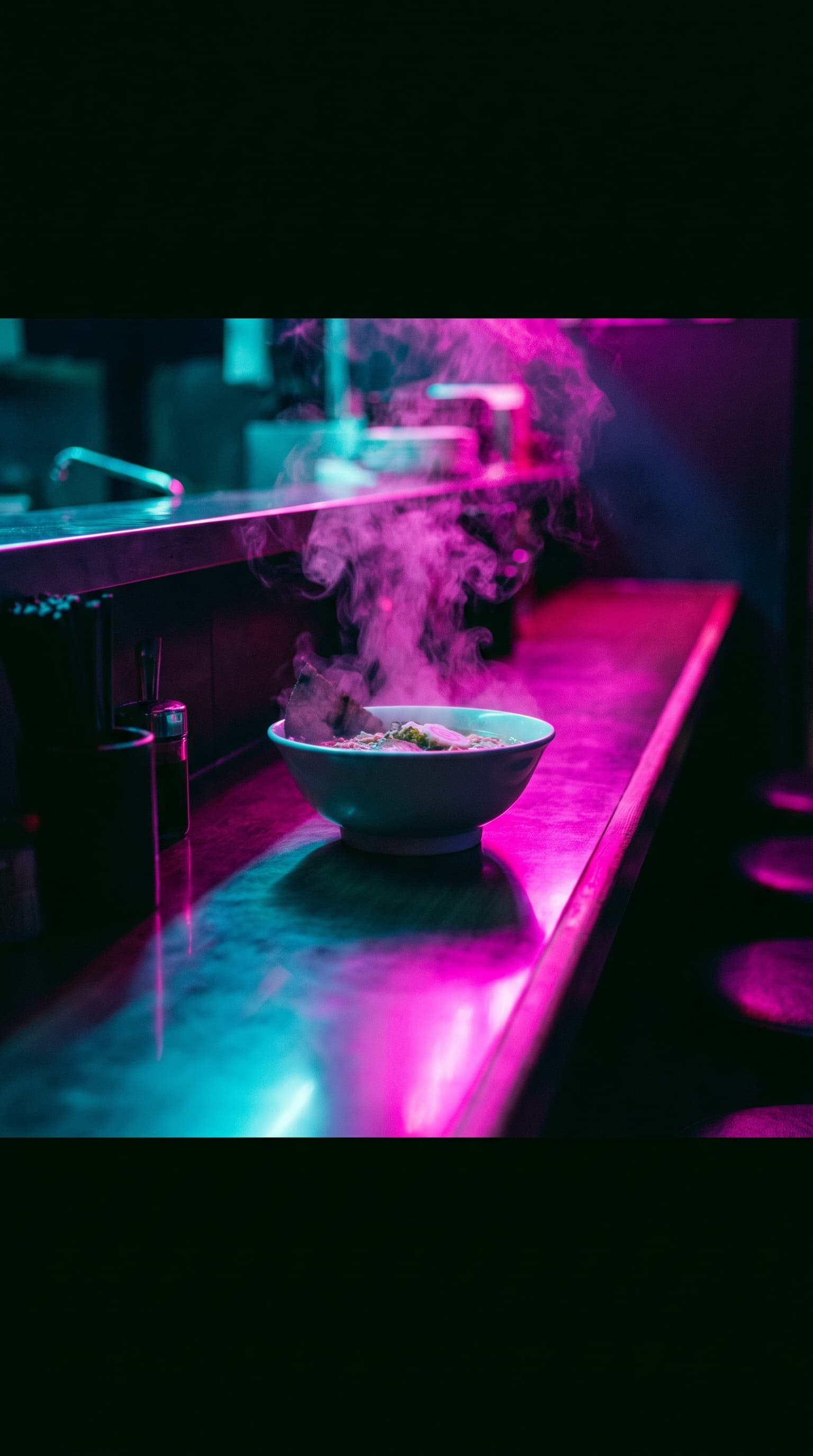
Night Service
9:16 · Story
Behind the scenes
Neon and steam, with the action held in the middle band.
Show the promptHide the prompt
A neon-lit ramen counter at night with steam rising from a bowl, saturated magenta and cyan glow reflecting off the counter, deep shadows, vertical full-screen composition with the subject centred in the middle of the frame, top and bottom edges kept visually quiet and free of important detail, clear negative space for text to be added later, no text, no watermark
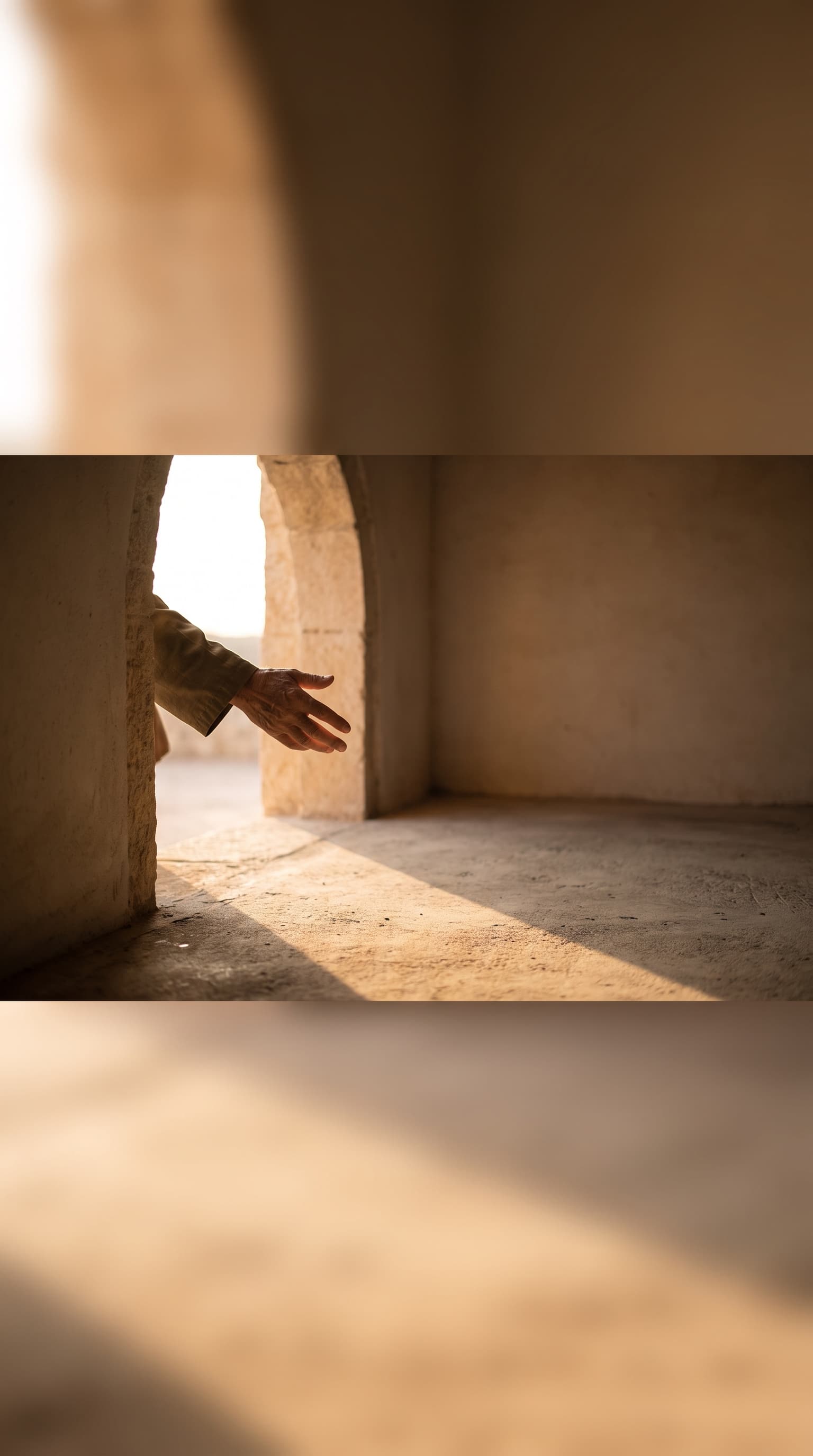
Coming Soon
9:16 · Story
Countdown
An anticipatory frame with a big open centre for a countdown.
Show the promptHide the prompt
A hand reaching into a sunlit doorway, warm light spilling across a bare concrete floor, quiet anticipatory mood, minimal composition with a restrained warm palette, vertical full-screen composition with the subject centred in the middle of the frame, top and bottom edges kept visually quiet and free of important detail, clear negative space for text to be added later, no text, no watermark
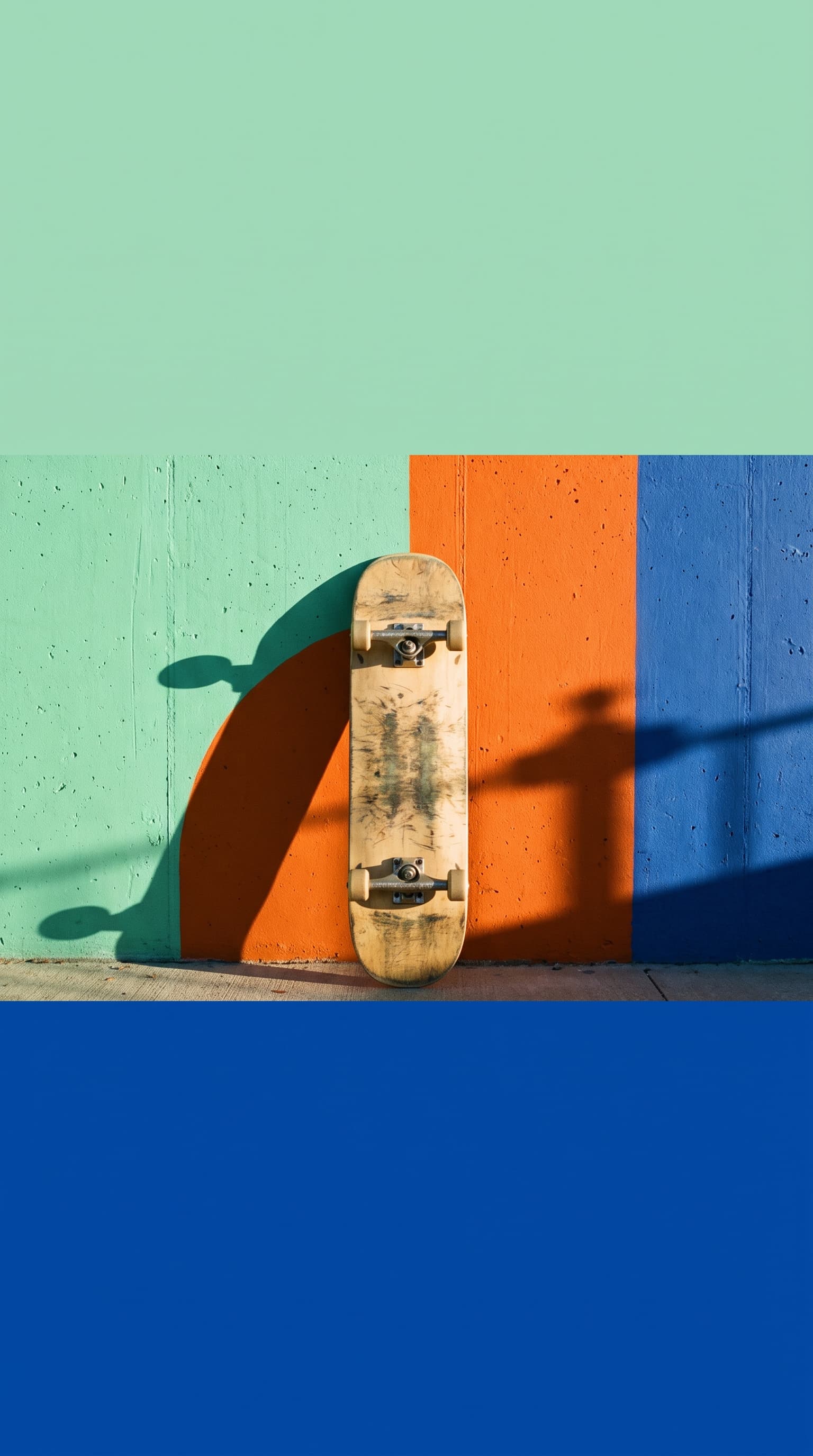
Weekend Sale
9:16 · Story
Sale
Bold, simple, and built to carry large type over the top.
Show the promptHide the prompt
A skateboard leaning against a painted mint concrete wall at golden hour, one long hard shadow across the wall, bold graphic backdrop built from flat colour fields designed to carry large type, vertical full-screen composition with the subject centred in the middle of the frame, top and bottom edges kept visually quiet and free of important detail, clear negative space for text to be added later, no text, no watermark
Approximate overlay areas on a 9:16 story
Story-safe composition
A third of the screen is not yours
Instagram draws its own interface over the top and bottom of every story. Compose for the middle band and nothing important disappears behind it — which is why the safe-zone wording is added to your prompt automatically here.
Top ~14%
Your profile picture, name and the progress bars sit here. Anything important in this band is partly covered.
Middle ~66%
The safe area. Put the subject and any text you want read here — it is the only part guaranteed to stay visible.
Bottom ~20%
The reply bar and share controls. Avoid putting a subject, a price or a call to action down here.
Three frames, one campaign
Stories are watched in a run
A single story is easy. A sequence that holds together is what people actually remember. Keep the palette, the light and the surfaces identical, and let only the subject move forward through tease, reveal and use.
Shared across all three: warm terracotta and bone palette, soft directional afternoon light, matte ceramic and linen surfaces
- 01 Tease
Something is coming, but not what.
A closed cardboard box tied with cotton string on a linen surface
- 02 Reveal
The product, isolated and centred.
An unglazed ceramic vase standing alone on a linen surface
- 03 Act
In use, with room for a link or a swipe-up line.
The same ceramic vase holding dried grasses beside a doorway
Where it helps
For sales, drops and everyday posting
Shops, creators and small teams use the same generator for a one-off frame or a whole sequence.
Sales and offers
A bold full-screen frame with room to drop the offer over the top.
Product drops
Isolate the product in the middle of the frame so the interface never covers it.
Post teasers
Generate a cropped detail that points people at a new feed post.
Event promotion
Atmospheric scenes with the edges kept calm for dates and a swipe-up line.
Behind the scenes
Documentary-style frames for days when you have nothing filmed.
Story sequences
Keep one palette and lighting description across several frames so a sequence reads as one campaign.
Prompt guide
A story prompt formula
One subject, centred. Then the light and the palette, then the safe-zone wording — which is already appended for you when you use the panel above.
Flash sale
9:16A single pair of tan leather boots standing on a flat cobalt blue surface, hard directional light casting one crisp shadow, bold graphic backdrop built from flat colour fields, vertical full-screen composition with the subject centred in the middle of the frame, top and bottom edges kept visually quiet and free of important detail, clear negative space for text to be added later, no text, no watermark
Behind the scenes
9:16A potter's hands shaping clay on a wheel, clay slip on the fingers, warm window light from the left, candid documentary moment with natural available light, vertical full-screen composition with the subject centred in the middle of the frame, top and bottom edges kept visually quiet and free of important detail, clear negative space for text to be added later, no text, no watermark
Question sticker backdrop
9:16A soft gradient backdrop of blush fading into warm cream with a subtle paper grain, no subject, gentle even light, generous open middle area left completely clear for a question prompt to be added, vertical full-screen composition with top and bottom edges kept visually quiet, no text, no watermark
Event promotion
9:16A rooftop bar at dusk with string lights and blurred silhouettes, warm amber against deep blue sky, atmospheric sense of occasion, vertical full-screen composition with the subject centred in the middle of the frame, top and bottom edges kept visually quiet and free of important detail, clear negative space for text to be added later, no text, no watermark
How it works
From an idea to a frame you can upload
- 01
Describe the story frame
Say what should be in the frame and what the story is for. Keep it to one clear subject — a story is seen for a few seconds on a phone, so busy scenes rarely land.
- 02
Choose the type and look
Pick a content type such as sale, product drop or behind the scenes, add a visual style, and keep the 9:16 format so the image fills the screen.
- 03
Generate, then add text and stickers
Safe-zone wording is added to your prompt automatically, so the top and bottom stay clear. Download the image and add your text, stickers or links in the Instagram app.
FAQ
Questions about Instagram stories
What is an AI Instagram story generator?
It creates full-screen 9:16 images for Instagram stories from a written description. You describe the frame, choose what the story is for and how it should look, and the image is generated with the composition centred so the app's own interface does not cover anything important.
What are story safe zones, and how are they handled?
Instagram overlays your profile row across the top of a story and the reply bar across the bottom, so roughly the top seventh and bottom fifth of the frame are partly covered. This page appends wording to every prompt asking for the subject to sit in the middle with the top and bottom kept quiet, so you do not have to remember it each time.
Can it add stickers, polls, countdowns or links?
No. Those are Instagram features, not image features — this generates a still image only. Download the result and add stickers, polls, countdowns, music or links inside the Instagram app, where they actually function.
Can it post the story to Instagram for me?
No. There is no connection to your Instagram account. You download the generated image and upload it through the app yourself.
Will my text render correctly in the image?
Treat any text in the image as unreliable. AI models still make mistakes with lettering, and story text needs to be legible at a glance. The better approach is to generate a frame with clear space and add the words in Instagram's own text tool, which also keeps them selectable and on-brand.
How do I make a sequence of stories look related?
Keep the palette, lighting and style wording identical across frames and change only the subject. Three stories that share a colour and a light direction read as one campaign, even when the contents are quite different.
Do I need an account or credits?
Browsing is free, but generating an image requires an account and spends credits. The cost depends on the model and settings you pick, and the generator shows the price before you run it. Signing up is free; credits come with a monthly plan, and subscribers can top up with one-time credit packs.
How is this different from the Instagram post generator?
The post generator makes feed images at 1:1 and 4:5, where the picture sits in a grid next to a caption. This page makes 9:16 frames that fill a phone screen for a few seconds, so the composition is centred and the edges are kept clear for the interface.
imageat generates still images only — no stickers, polls, countdowns, links or publishing. Add those in the Instagram app after downloading. Rights and permitted use are governed by the imageat terms of service.
Fill the screen properly
Describe one clear subject and generate. The safe-zone wording keeps it centred, so your text has somewhere to go.