Keep On Steppin AI Video Generator
Performance reference
Watch video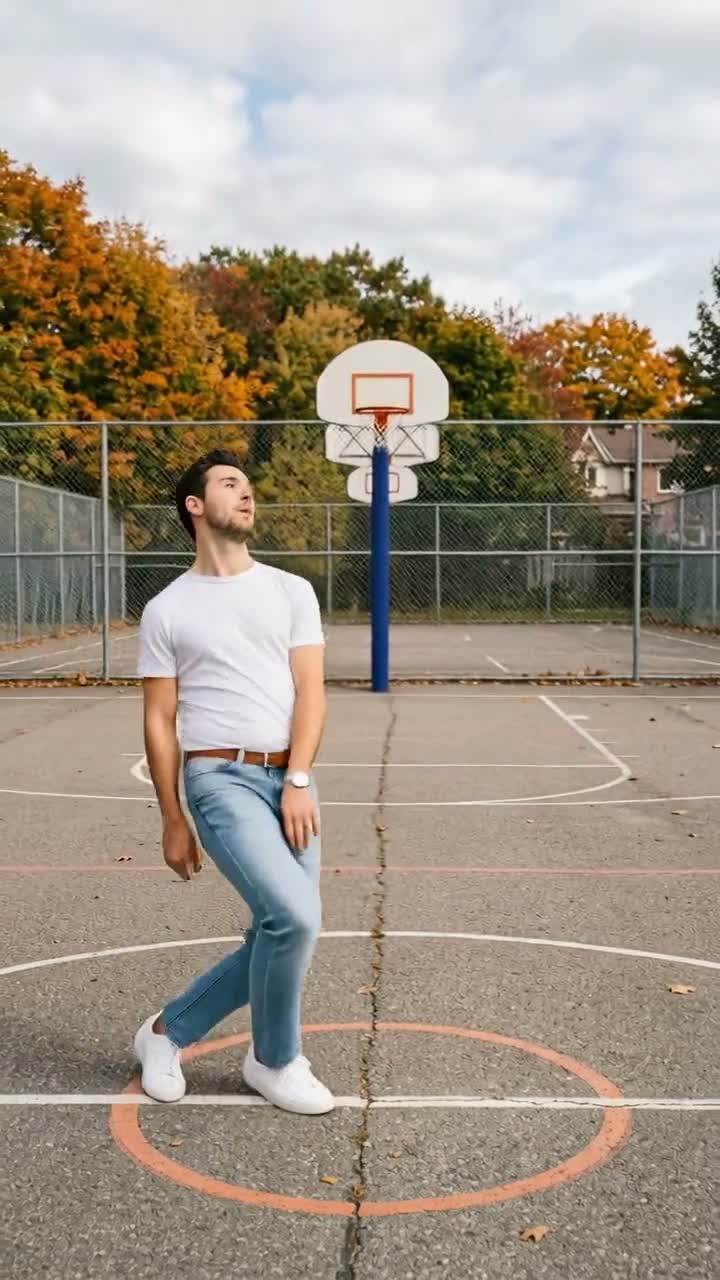
Keep On Steppin AI Video Generator
Keep On Steppin
Upload Your Photo
Upload one clear, full-body or waist-up photo of one person. Your face, hair, gender presentation and outfit come from the photo; the footwork, court and sound come from the reference.
Resolution
About 6 seconds · vertical 720×1280 · source audio. Higher resolution uses more credits per generation.
About 6 seconds · vertical 720×1280 · source audio
Keep On Steppin is a short footwork routine. The built-in reference is set on an outdoor basketball court on an autumn day: a dancer bounces through side steps and quick footwork inside the painted circle, checks their wrist, leans into a shoulder move and turns away from the camera to finish. Upload one photo and that person performs the routine. Your photo supplies the face, skin tone, gender presentation, body proportions, hairstyle, hair color and outfit, and baldness or facial hair are kept when present. The reference supplies the steps, timing, the court, the trees and fence, the static full-body camera and the audio. Because the dancer turns away at the end, the back of your hair and outfit are filled in to match your photo. The result follows the reference at about 6 seconds in vertical 720×1280. Choose 480p or 720p and check the exact credit cost before generating. The clip on this page is a performance reference: a generated example made to show the moves, not verified original footage and not a personalized result.
What is the Keep On Steppin AI Video Generator?
A 6-second footwork routine on an outdoor basketball court: bouncing side steps, a wrist check, a shoulder lean and a turn away from the camera. This template uses AI motion transfer to give those moves to the person in your photo.
How to Create Your Keep On Steppin AI Video Generator Video
Creating your own keep on steppin ai video generator video is simple:
- 1Upload one clear photo of one person, ideally showing the whole outfit.
- 2Choose 480p or 720p. Length and framing follow the built-in reference.
- 3Check the credit cost on the button, then generate.
- 4Preview the result, check the face, hands and feet, then download the MP4.
What comes from where
Your photo supplies the face, facial features, skin tone, gender presentation, body proportions, hairstyle, hair color and outfit. The reference supplies the footwork, timing, court, background, full-body framing, camera and audio.
Photo tips
The dancer is shown head to toe, so a full-body photo with your shoes visible works best. Use good light, keep the face uncovered and avoid group photos and heavy filters.
About the preview
The video on this page is a performance reference: a generated example that shows the moves. It is not verified original footage and not a personalized result.
Limitations
Quick footwork can blur feet and the turn away from the camera relies on the model to fill in the back of your hair and outfit. Likeness can shift briefly. Only upload photos you own or have permission to use.
Tips for Best Results
- Use a full-body photo of one person.
- Keep the face fully visible and well lit.
- Wear the outfit and shoes you want in the video.
- Try 480p first, then use 720p for the final version.
Why Choose ImageAt for Keep On Steppin AI Video Generator
Fast turnaround
Most generations finish quickly; busy periods can take longer—we deliver your video here the moment processing completes.
Realistic Transformation
Powered by cutting-edge AI algorithms for incredibly realistic transformations.
Social Media Ready
Create shareable content perfect for TikTok, Instagram, and Twitter.
FAQs About Keep On Steppin AI Video Generator
Create this trend with imageat
Go beyond the keep on steppin ai video generator — generate any AI video from text or an image with Veo, Kling, Seedance and more.