Photo Booth MacBook Selfie Trend Generator
Transform your photos with our photo booth macbook selfie trend generator AI effect. Create viral-worthy content in seconds.
Example results
Preview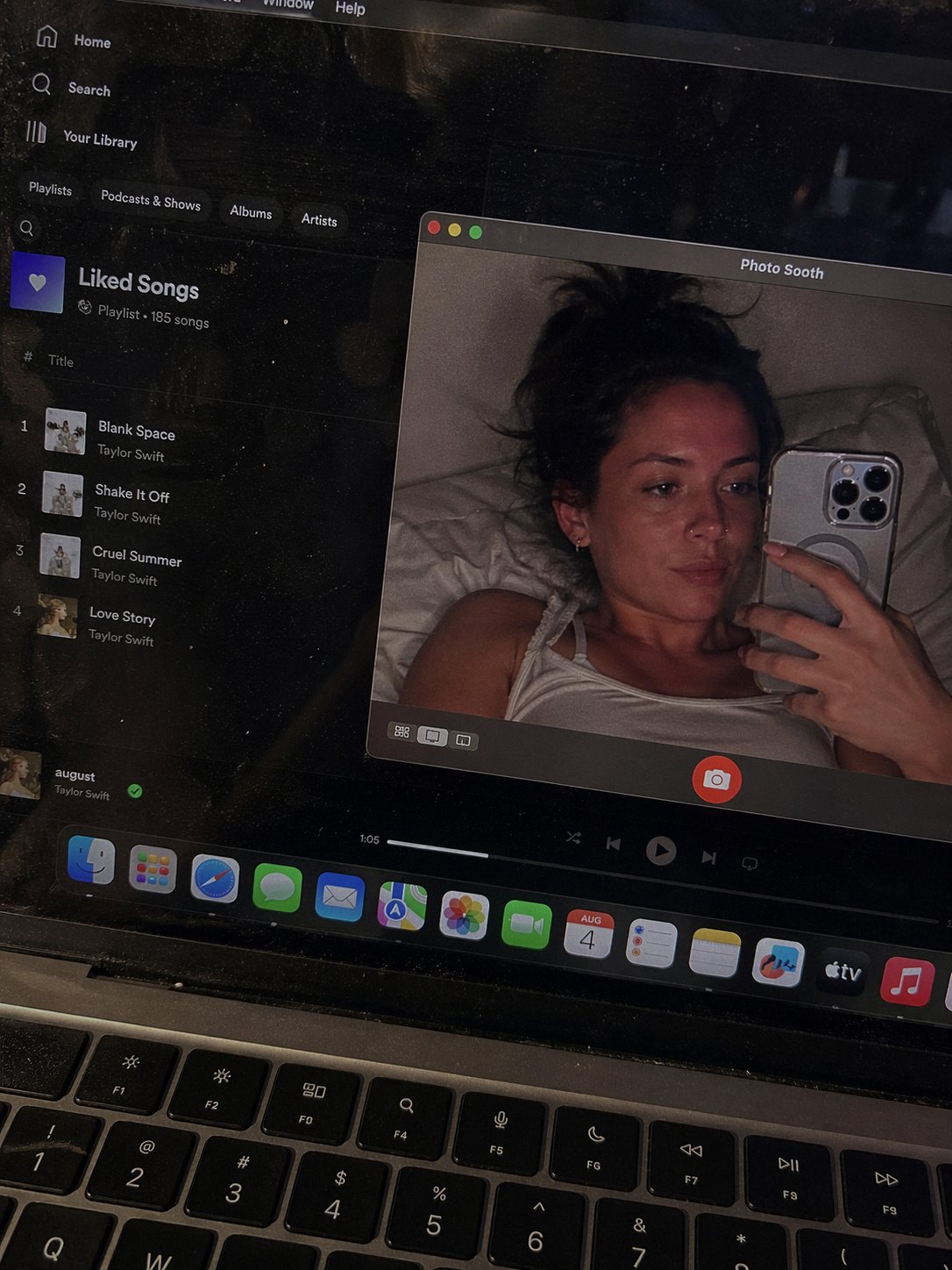
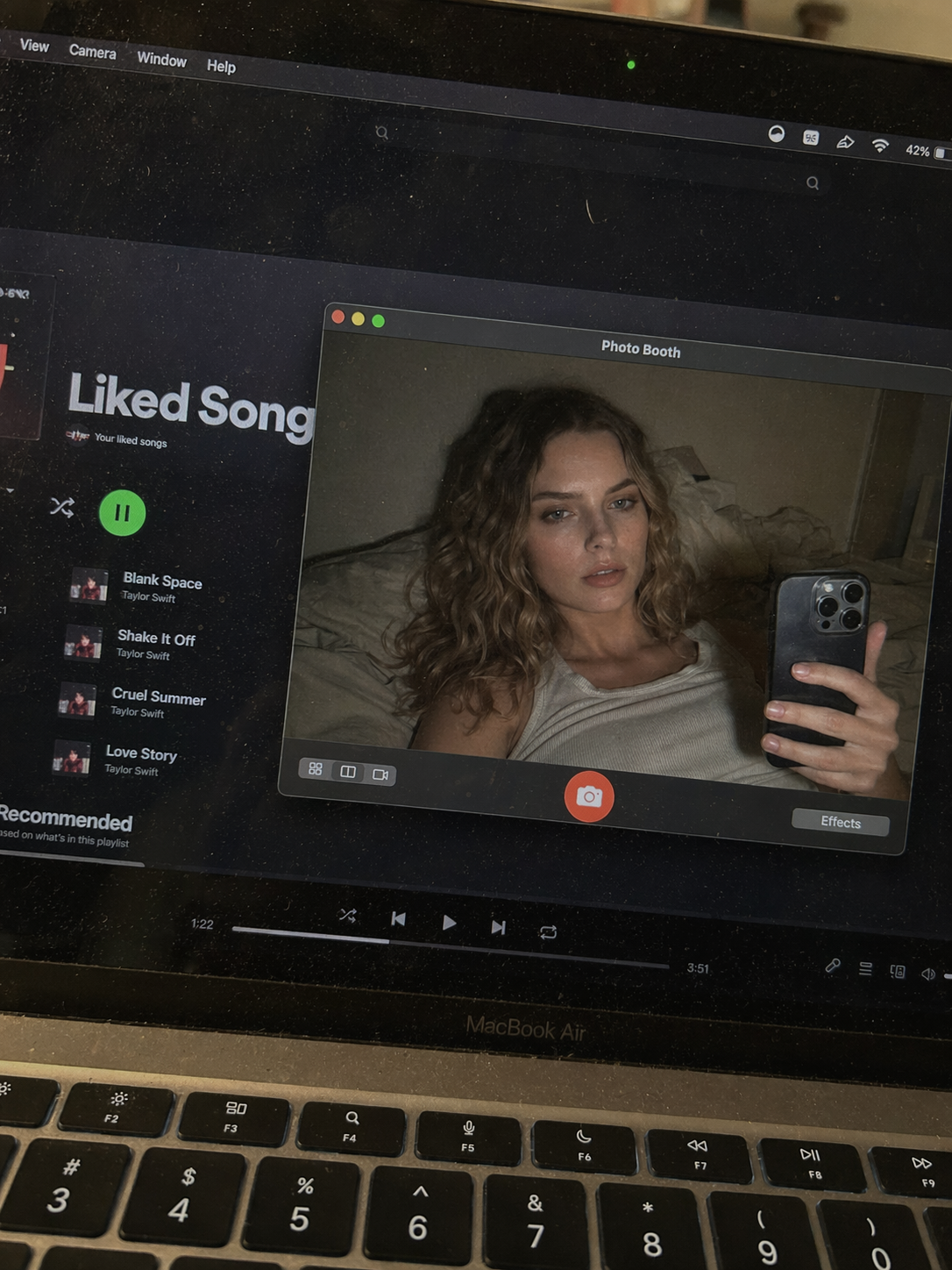
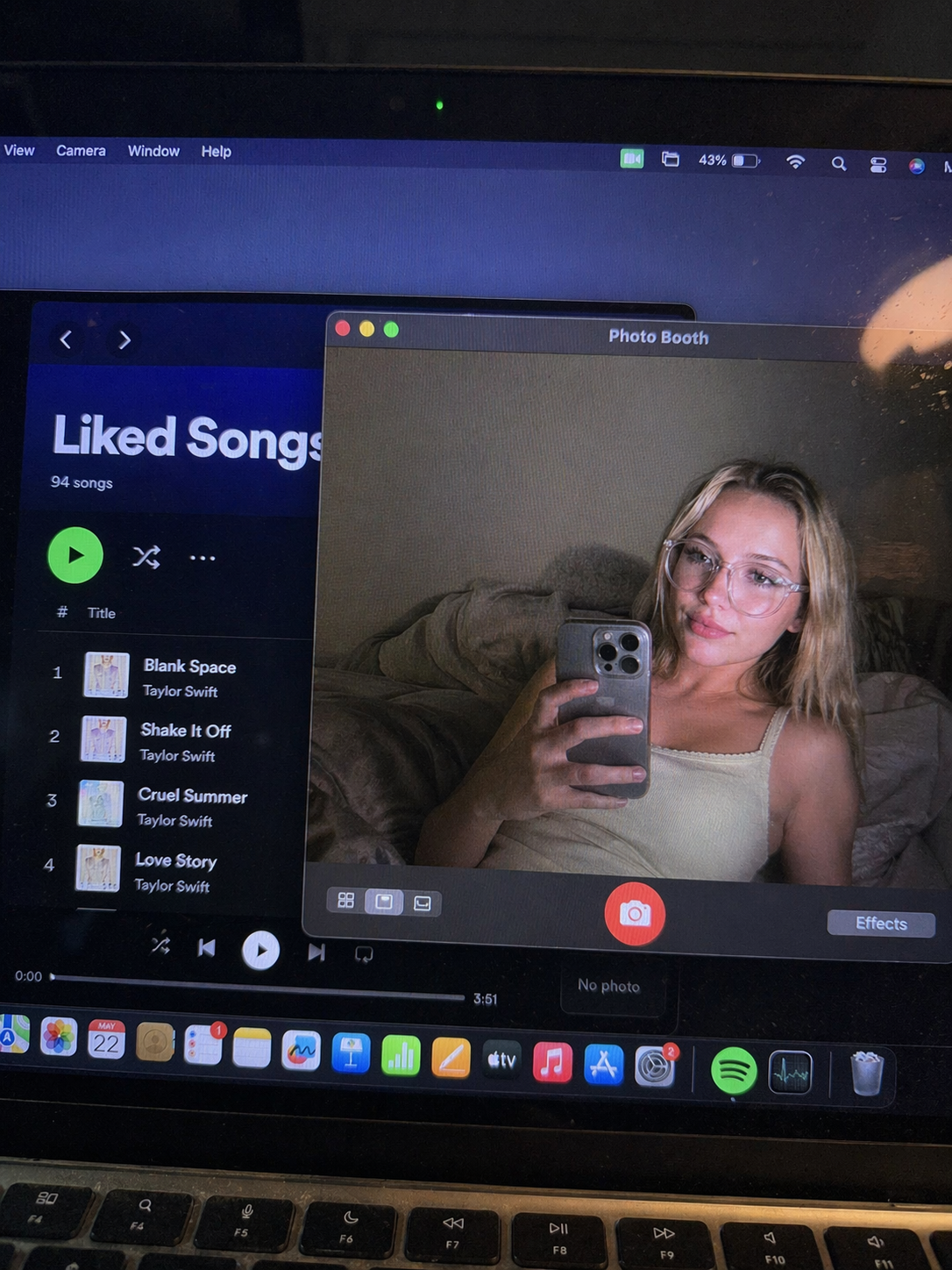
Photo Booth MacBook Selfie Trend Generator
Photo Booth MacBook Selfie Trend
Upload Your Photo
By uploading or generating, you confirm you own these photos or have the person's permission, and you won't impersonate real people or celebrities. Responsible use
Quick answer
To do the Photo Booth MacBook Selfie Trend, upload one clear photo where your face is easy to see, then press generate. imageat recreates your photo in the trend's look, and the image is ready to download when it finishes. One generation costs 10 imageat credits; no prompt writing or editing app is needed.
The finished image captures a point-of-view shot looking down at an open MacBook resting on a desk or bed. On the laptop display, macOS runs in dark mode with Spotify visible in the background showing a playlist of songs. An open Photo Booth window floats in the center, showing you holding a phone and taking a casual webcam selfie from bed against rumpled pillows. The physical laptop keyboard rests along the bottom edge, and the screen shows subtle glass reflections, faint dust specks, and a soft pixel grid. Your uploaded photo supplies your face, expression, hair, and skin tone. The generator builds the surrounding laptop scene, including the dark desktop interface, the background music window, the Photo Booth frame with its red shutter button, and the realistic screen glow. The output is a single still image ready for social media feeds and stories.
What is the Photo Booth MacBook Selfie Trend Generator?
The MacBook Photo Booth trend originated on TikTok and Instagram as a casual, low-fi aesthetic. Instead of polished studio portraits, creators share late-night mirror selfies and webcam snapshots framed inside the Photo Booth app on an Apple laptop screen. The look captures a cozy bedroom mood, often paired with visible desktop apps like Spotify in the background. The Photo Booth MacBook Selfie Trend Generator on imageat recreates this exact laptop point-of-view image from a single uploaded photo without requiring a Mac.
How to Do the Photo Booth MacBook Selfie Trend
Here is how to make your own version on imageat:
- 1Upload a clear front-facing photo of yourself with visible facial features.
- 2Generate your MacBook screen image with your likeness inside the Photo Booth window.
- 3Download the finished image and share it on Instagram, TikTok, or Pinterest.
Tips for Best Results
- Use high-quality photos for best results
- Good lighting makes a big difference
- Try different angles and poses
- Experiment with various styles
- Share your creations on social media
Best Prompts for Photo Booth MacBook Selfie Trend Generator
Want more control over the look? Copy one of these prompts and use it in our AI image generator to fine-tune the photo booth macbook selfie trend generator style.
Photorealistic photo booth macbook selfie trend generator, ultra-detailed skin and hair, realistic lighting, 8k quality, true-to-life colors
Cinematic photo booth macbook selfie trend generator, teal-and-orange grade, anamorphic depth, movie-still composition
Minimal Photo Booth MacBook Selfie Trend portrait, simple background, balanced composition, soft natural light
Photo Booth MacBook Selfie Trend style with a single dramatic spotlight, chiaroscuro shadows, high contrast, intense mood
Photo Booth MacBook Selfie Trend Generator at a Glance
What to upload
1 clear photos, one per person.
What you get
An AI image, ready to download and post on TikTok, Reels or Shorts.
What it costs
10 imageat credits per image. The price is shown before you generate, and a failed generation is refunded.
FAQs About Photo Booth MacBook Selfie Trend Generator
Create this trend with imageat
Create unlimited variations beyond the photo booth macbook selfie trend generator with imageat's AI image generator.