Meshy 3D Model
Generator. Now 7.1.
Turn a photo, up to four views or a text prompt into a textured 3D model with Meshy 7.1. Up to 4K geometry, PBR materials, Smart Topology, rigging and animation, exported as GLB, FBX, OBJ, USDZ and STL.
Every model on this page was generated with Meshy 7.1 on imageat. Drag any of them to look around.
Meshy 7.1 is an AI 3D model generator that builds a complete, textured 3D model from a text prompt, a single image or one to four views of the same object. It adds 4K geometry resolution and two Smart Topology versions to Meshy 7, and on imageat it runs in the AI 3D Model Generator for 36 credits per textured model.
One photo in. A full model out.
Upload a product shot, a character drawing or a render. Meshy 7.1 rebuilds the object in 3D, including the sides the photo never showed, and paints matching textures across the whole surface.
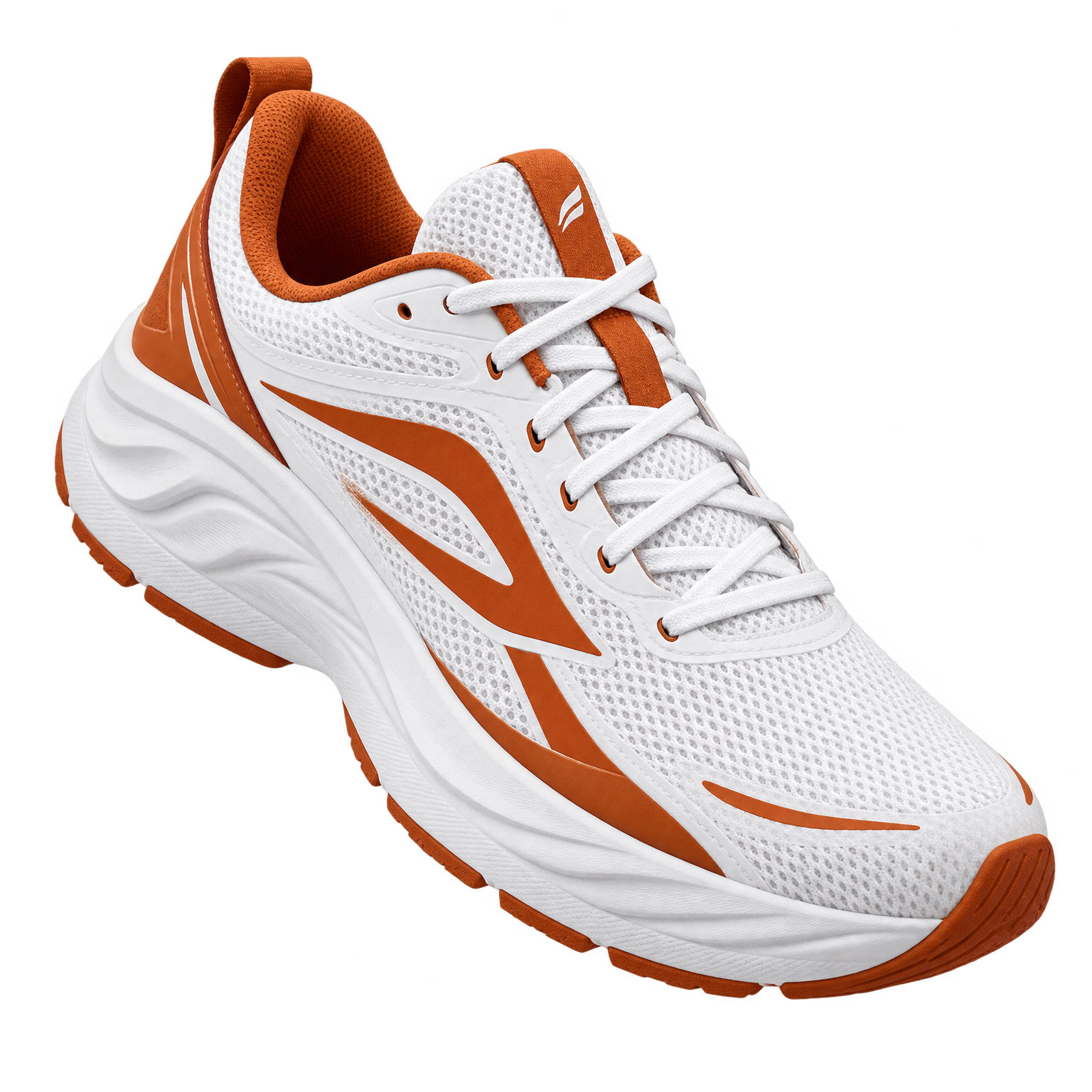 Your photo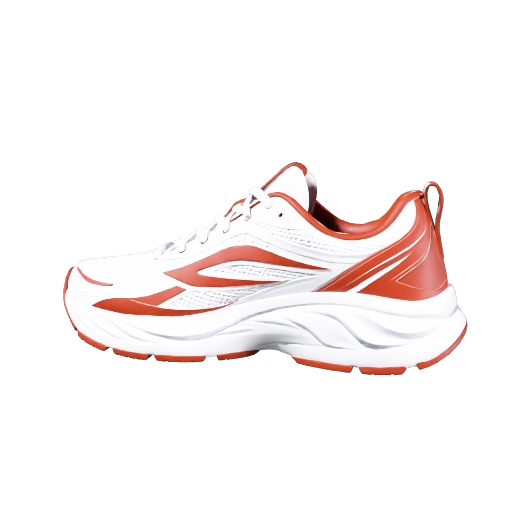
Made with Meshy 7.1
Each model is the first result for the prompt below it. Open one in the generator to make your own version.
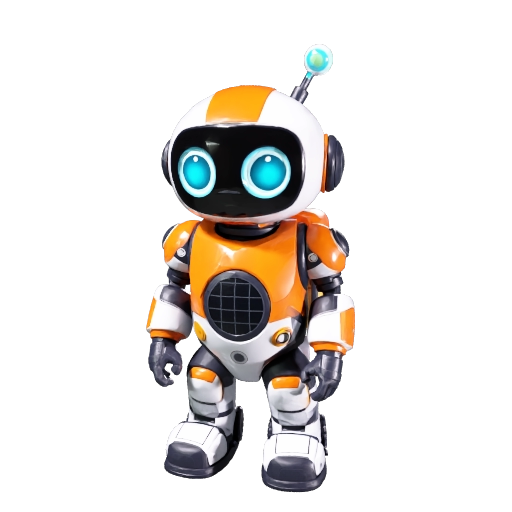
Robot mascot
A friendly little explorer robot mascot standing upright, round glossy head with two big glowing cyan eyes, short antenna with a lime green light, chunky orange and white body panels with visible screws, small backpack with a solar panel, stubby arms and wide rubber boots. Stylized game character, clean shapes.
Try this prompt
Treasure chest prop
A fantasy treasure chest with a rounded lid, dark oak planks with deep wood grain, worn brass corner guards and studs, an ornate brass lock plate shaped like a lion head, gold coins and a ruby necklace spilling over the front edge. Game-ready prop.
Try this prompt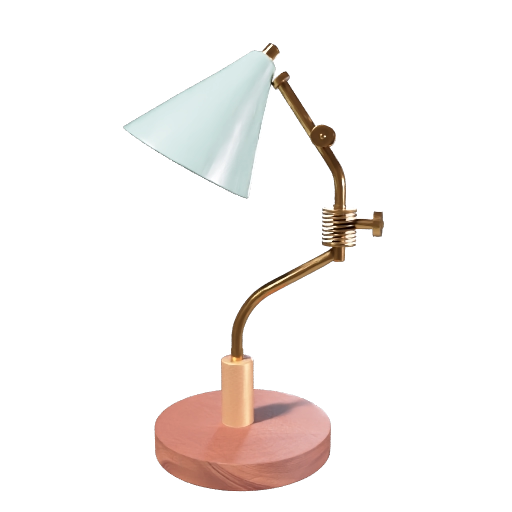
Mid-century desk lamp
A mid-century modern desk lamp with a matte sage green conical metal shade, brushed brass articulated arm with two joints and a visible spring, round heavy walnut wood base, fabric braided cable. Product design render, realistic materials.
Try this promptEverything in Meshy 7.1
Every Meshy 7.1 control is available in the imageat 3D generator, from polycount and symmetry to texture prompts, pose and animation presets.
Start Now!4K geometry
Choose Standard, 2K or 4K geometry resolution. 4K is new in Meshy 7.1 and keeps fine edges, engravings and small parts crisp for text and single-image models.
Smart Topology
Clean, triangle-only meshes with natively separated parts. T2.5 for sharper detail up to 30,000 polygons, T2 for faster, lighter meshes up to 15,000.
PBR textures
Base color plus metallic, roughness and normal maps, so materials react to light in Blender, Unity, Unreal and three.js. Steer the look with a texture prompt or reference image.
Low poly
A low-poly mesh with cleaner polygons for mobile games, AR and stylized scenes, or set your own target polycount from 100 to 300,000 with quad or triangle topology.
Rigging and animation
Auto-rig a humanoid character with walking and running animations included, then apply any of Meshy's animation presets by ID. A-pose and T-pose generation make rigging cleaner.
Multi-view input
Upload one to four views of the same object, such as front, left, back and right, and Meshy 7.1 uses all of them to get the hidden sides right.
How to use Meshy 3D
Add a photo or a prompt
Upload one image, up to four views of the same object, or describe the object in up to 600 characters.
Choose mesh and quality
Pick Standard, Low Poly or Smart Topology, a geometry resolution up to 4K, and turn on PBR, rigging or animation if you need them.
Generate and download
Rotate the finished model in the browser, then download GLB, FBX, OBJ, USDZ or STL for your engine, editor or AR viewer.
Meshy 7.1 specs
on imageat
| Model | Meshy 7.1 (meshy/v7.1) |
|---|---|
| Inputs | Text prompt up to 600 characters, one image, or 1–4 views of the same object (JPG, PNG, WebP) |
| Mesh types | Standard, Low Poly, Smart Topology T2.5 and T2 (Smart Topology for text and single image) |
| Geometry resolution | Standard, 2K or 4K (multi-view up to 2K) |
| Polycount | 100 to 300,000 target polygons, quad or triangle topology, symmetry off / auto / on |
| Textures | Base color, optional PBR maps (metallic, roughness, normal), texture prompt or reference image |
| Characters | A-pose / T-pose, humanoid auto-rigging with walk and run cycles, animation presets |
| Output | GLB, FBX, OBJ, USDZ and STL, plus a preview image, saved to your 3D history |
Get better models
One object
Describe a single object, not a scene. Backgrounds, floors and skies are not part of the model.
Shape first
Lead with the silhouette and parts: rounded lid, two-jointed arm, wide boots, then add detail.
Name materials
Say what each part is made of: walnut wood, brushed brass, matte plastic. Turn on PBR to keep them physical.
Clean photos
For image to 3D, use a sharp, evenly lit photo of the object on a plain background, nothing cropped off.
Pay per model
Rigging adds 6 credits and an animation preset 4. The generator shows the total before you start, and credits are only spent when a model is delivered.
Meshy and Tripo, side by side
The imageat 3D generator also runs Tripo H3.1 and Tripo P1. Switch providers with one click, keep the same image or prompt, and compare results in your history.
Meshy 7.1
4K geometry, PBR, Smart Topology, rigging, 5 export formats
Tripo H3.1
Standard or HD textures, detailed geometry, quad topology
Tripo P1
Fast, low-cost geometry for blocking out ideas
Meshy 7.1Make your first
3D model
Drop in a photo or write a prompt. Your model is ready to rotate, download and drop into Blender, Unity, Unreal or AR.
Questions, answered
Meshy is a trademark of its owner. imageat is not affiliated with Meshy.