Real models, drag to rotate
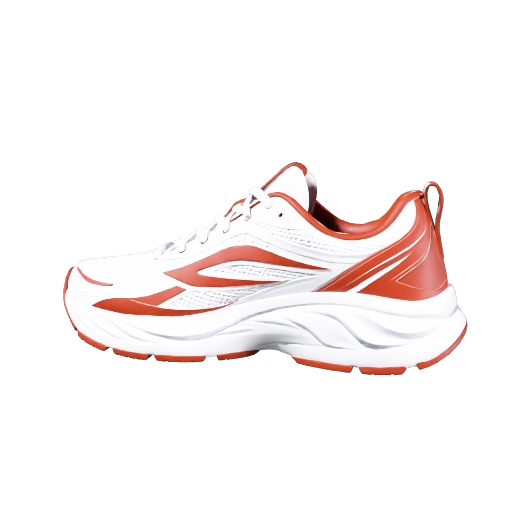
Sneaker from one photo
Image to 3D · Meshy 7.1
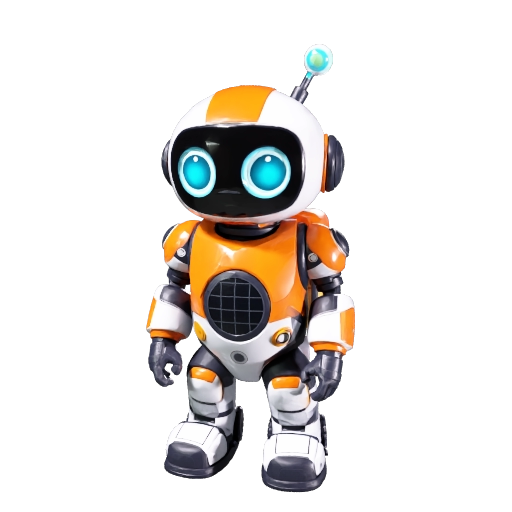
Robot mascot
Text to 3D · Meshy 7.1

Treasure chest prop
Text to 3D · Meshy 7.1
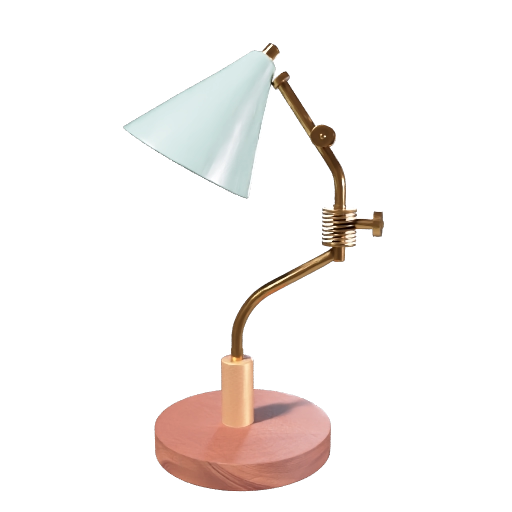
Mid-century desk lamp
Text to 3D · Meshy 7.1
Three ways to make 3D
Text to 3D
Describe one object, its shape, materials and style, and get a textured model. Great for game props, mascots and concept pieces.
Image to 3D
Upload a single photo, drawing or render. The model rebuilds the full object, including the sides the picture does not show.
Multiview to 3D
Add front, left, back and right views of the same object for the most accurate shape. Meshy accepts 1–4 views, Tripo 2–4.
Pick the model
for the job
Meshy 7.1
New- Standard, 2K or 4K geometry
- PBR textures and texture prompts
- Low Poly and Smart Topology T2.5 / T2
- Humanoid rigging and animation
- GLB, FBX, OBJ, USDZ and STL
Tripo H3.1
Premium- None, standard or HD textures
- Detailed geometry option
- Quad topology
- Face limit for lighter meshes
- Text, image and multiview
Tripo P1
Fast- Quick geometry for blocking out
- Optional texture
- Text and image input
- Low-poly preset
How to make a 3D model
Pick a mode
Text → 3D, Image → 3D or Multiview. Upload your photo or write a prompt.
Choose model and quality
Meshy 7.1 or Tripo, then mesh type, textures and resolution. The credit total updates live.
Generate and download
Rotate, light and inspect the model in the viewer, then download it. Past models stay in your history.
From idea to engine-ready
Every model comes back as a GLB you can preview here and open anywhere. Meshy 7.1 adds FBX, OBJ, USDZ and STL, so the same model works in a game engine, a slicer and an AR viewer.
Game assets
Props, characters and environment pieces for Unity, Unreal and Godot, with low-poly and Smart Topology options.
E-commerce and AR
Turn a product photo into a USDZ or GLB customers can rotate on a product page or place in AR.
3D printing
Download the STL from Meshy 7.1 and drop it into your slicer for figurines, miniatures and prototypes.
Animation and film
Rig a humanoid character, add a walk or run cycle and take the FBX into Blender or Maya.