1917 War Movie Scene AI Video Generator
Upload one selfie and run through a WWI trench in a continuous-take war film scene, recreated with Kling 3.0 motion control.
Example results
Preview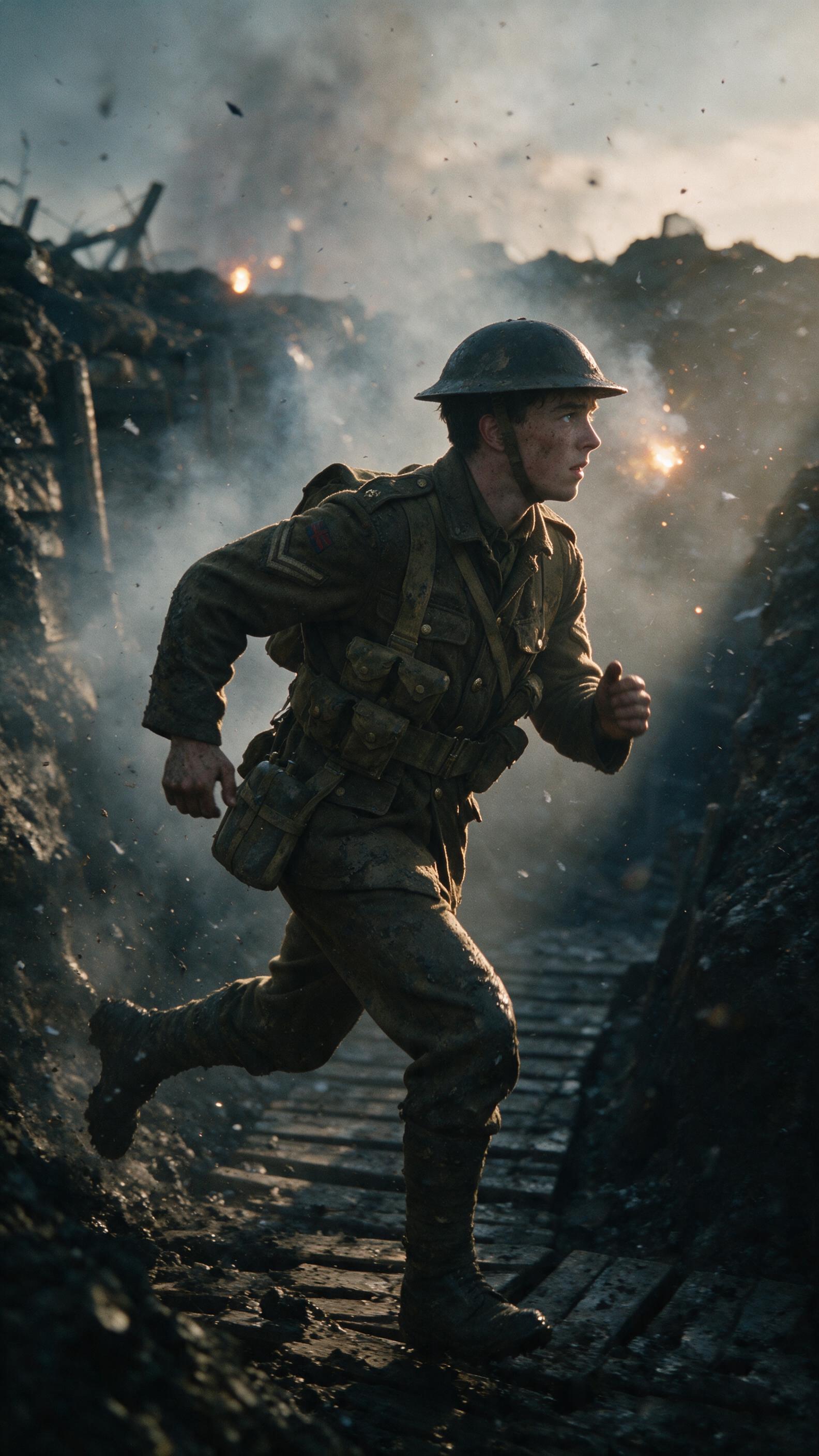
1917 War Movie Scene AI Video Generator
1917 War Movie Scene
Upload Your Photo
For the best likeness: one person per photo, face clearly visible from the front, good light, nothing covering the face (phone, sunglasses, hand). Upload the original photo, not a screenshot.
By uploading or generating, you confirm you own these photos or have the person's permission, and you won't impersonate real people or celebrities. Responsible use
Quick answer
To do the 1917 War Movie Scene trend, upload one clear photo where your face is easy to see, then press generate. imageat places you into the trend's original video, and the video is ready to download when it finishes. One generation costs 49 imageat credits; no prompt writing or editing app is needed.
This war movie scene ai video places your face onto a soldier sprinting through a muddy trench under heavy artillery fire. Dirt trench walls, wooden duckboards, and drifting smoke frame the sprint as explosions flash across the sky. The camera stays locked alongside the character during the run, recreating the look of a continuous one take war scene generator where the camera never cuts away. Your uploaded selfie supplies your facial identity, skin tone, and features under the wartime helmet. The template provides the physical sprint, camera tracking, uniform, battlefield environment, and the source clip's sound. The result is a vertical 9:16 video running about 7 seconds, ready to save and share.
What is the 1917 War Movie Scene AI Video Generator?
The 1917 War Movie Scene AI Video Generator is a video trend inspired by the continuous trench run sequences seen in the 2019 First World War film 1917. On TikTok, Instagram Reels, and YouTube, creators use motion templates to place themselves directly into historical battlefield set pieces with mud, smoke, and charging soldiers. The trend lets anyone put yourself in a war film without physical costumes or greenscreen setups. On imageat, you upload a single selfie to map your face onto a motion-controlled wwi trench ai video in one step.
How to Do the 1917 War Movie Scene Trend
Here is how to make your own video on imageat:
- 1Upload one clear selfie
- 2Kling 3.0 motion control recreates the 1917 scene against its driver video
- 3Download your vertical 9:16 scene
Tips for Best Results
- Use one sharp, front-facing adult selfie
- Keep the face and hairstyle unobstructed — no sunglasses or hats
- Avoid group photos and heavy beauty filters
- A waist-up photo gives the model better body and wardrobe context
- Keep sound on — the driver video carries the original scene audio
1917 War Movie Scene AI Video Generator at a Glance
What to upload
One clear photo with the face easy to see.
What you get
An AI video that follows the trend's original take, ready to download and post on TikTok, Reels or Shorts.
What it costs
49 imageat credits per video. The price is shown before you generate, and a failed generation is refunded.
FAQs About 1917 War Movie Scene AI Video Generator
Create this trend with imageat
Go beyond the 1917 war movie scene ai video generator — generate any AI video from text or an image with Veo, Kling, Seedance and more.