Create AI UGC Models Front of the Car
Get the professional flash photography AI UGC models look for your social media feed in seconds.
Example results
Preview
Create AI UGC Models Front of the Car
Create AI UGC Models Front of the Car
Upload Your Photo
By uploading or generating, you confirm you own these photos or have the person's permission, and you won't impersonate real people or celebrities. Responsible use
Quick answer
To do the Create AI UGC Models Front of the Car trend, upload one clear photo where your face is easy to see, then press generate. imageat recreates your photo in the trend's look, and the image is ready to download when it finishes. One generation costs 8 imageat credits; no prompt writing or editing app is needed.
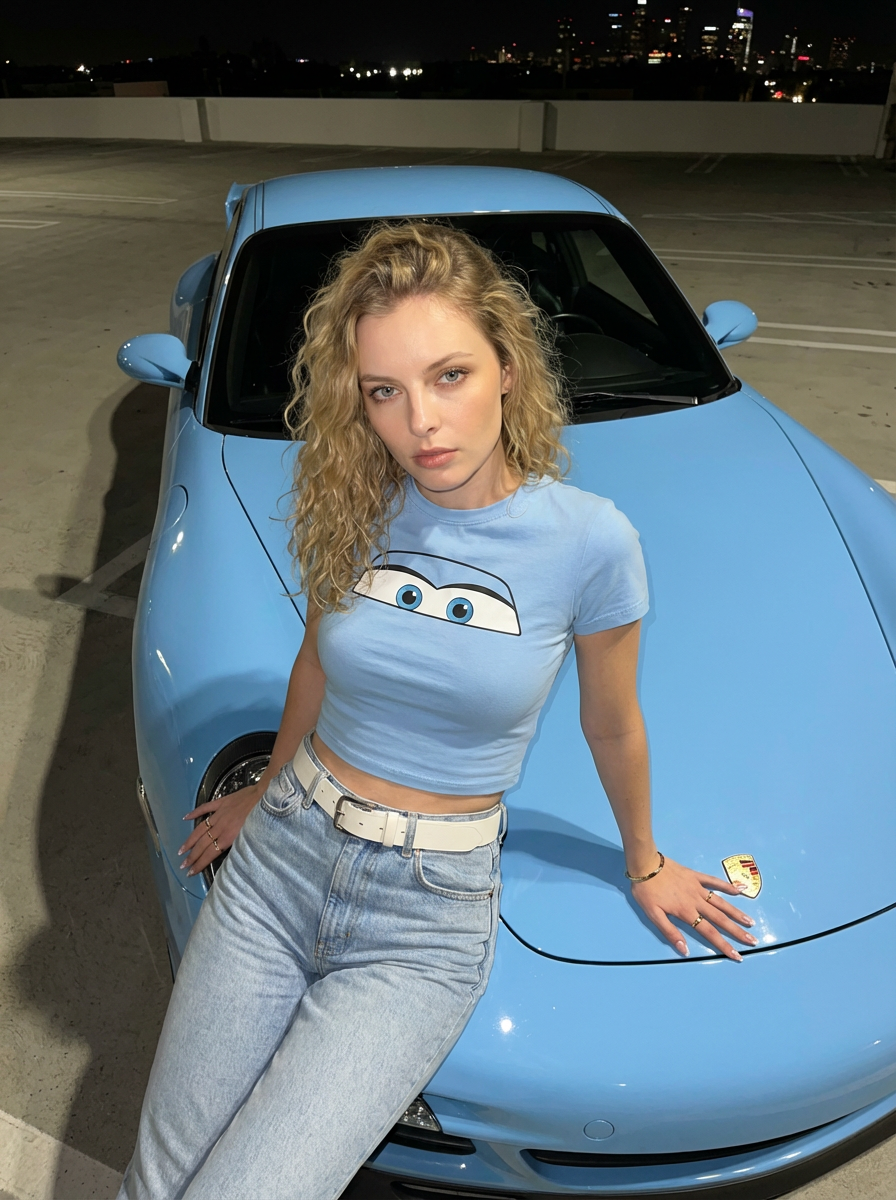
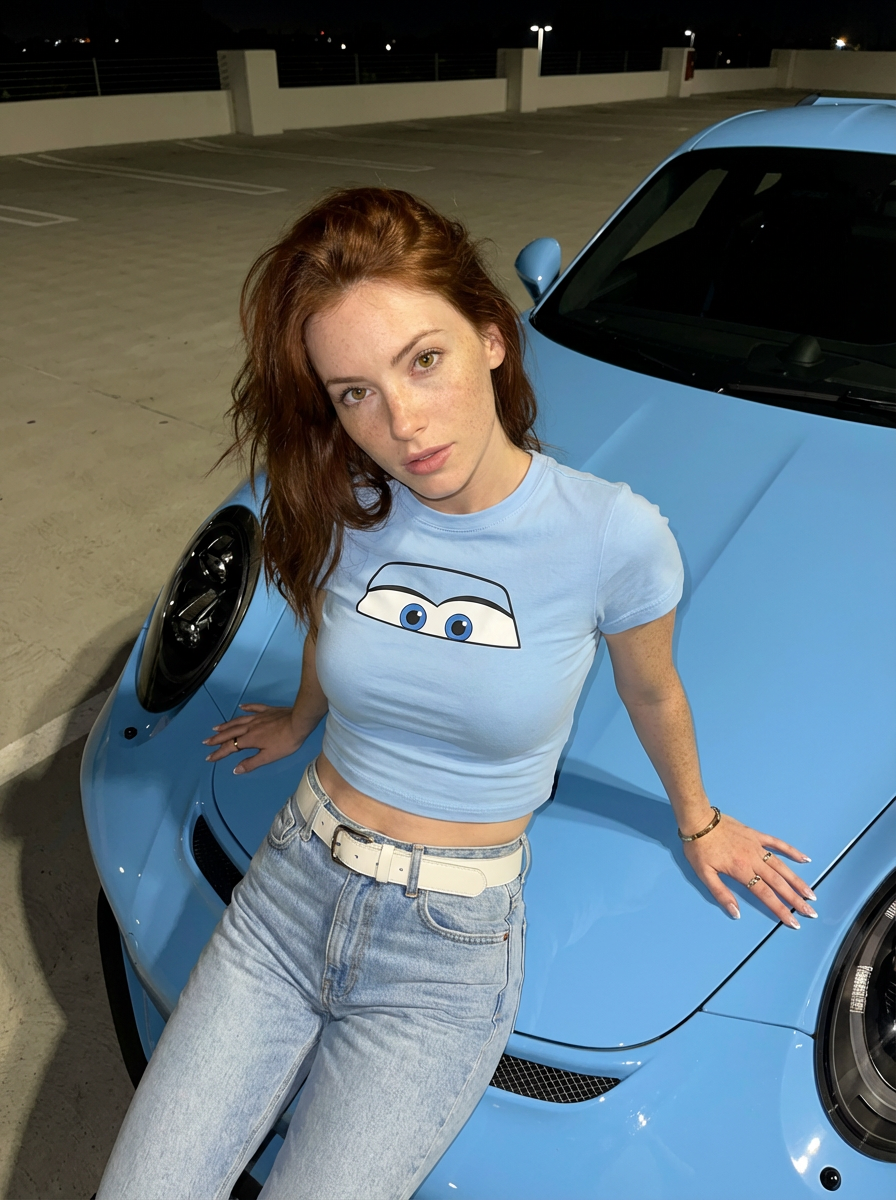
The finished image places you in a late-night parking lot photoshoot in front of a glossy baby blue Porsche GT3 RS. Captured from a high three-quarter angle under direct camera flash, you lean back against the car's hood dressed in a matching baby blue crop top with the animated Sally eyes graphic, light-wash jeans, and a white belt. Your uploaded picture provides your facial likeness, eye color, and natural expression. imageat generates the surrounding scene, including the sports car, the concrete parking deck, the direct-flash shadows, the outfit, and subtle gold jewelry, producing a vertical 3:4 photo ready for your feed.
What is the Create AI UGC Models Front of the Car?
The Create AI UGC Models Front of the Car trend stems from creator-style candid nightlife photography on TikTok and Instagram. Influencers and car culture pages frequently post high-contrast, flash-lit photos leaning against luxury vehicles, often styled with casual Y2K fashion like the baby blue graphic tee referencing Sally Carrera from Pixar's Cars. The aesthetic emphasizes raw, direct-flash lighting on open parking decks rather than polished studio portraits. imageat lets you place your likeness straight into this viral baby blue Porsche photoshoot using a single headshot.
How to Do the Create AI UGC Models Front of the Car Trend
Here is how to make your own version on imageat:
- 1Use our pre-made prompt featuring the Porsche and Sally eyes top.
- 2Enter the text into our AI photo tool and select your aspect ratio.
- 3Save your high-quality photo and post it to your favorite platform.
Tips for Best Results
- Use high-angle shots for a more natural look.
- Keep the makeup natural to match the UGC style.
- Mention specific car colors like baby blue for consistency.
- Ensure the 'direct flash' keyword is in your prompt.
- Focus on small details like nail style and jewelry.
- Keep the background simple like a parking lot.
Best Prompts for Create AI UGC Models Front of the Car
Want more control over the look? Copy one of these prompts and use it in our AI image generator to fine-tune the create ai ugc models front of the car style.
Create AI UGC Models Front of the Car look as a clean studio portrait, even softbox lighting, neutral background, crisp skin texture
Create AI UGC Models Front of the Car style during golden hour, warm backlight, lens flare, natural skin tones, bokeh background
Create AI UGC Models Front of the Car aesthetic as a fashion magazine cover, bold styling, sharp detail, professional color grade
Create AI UGC Models Front of the Car effect with vintage 35mm film grain, faded colors, light leaks, nostalgic mood
Create AI UGC Models Front of the Car at a Glance
What to upload
1 clear photos, one per person.
What you get
An AI image, ready to download and post on TikTok, Reels or Shorts.
What it costs
8 imageat credits per image. The price is shown before you generate, and a failed generation is refunded.
FAQs About Create AI UGC Models Front of the Car
Create this trend with imageat
Create unlimited variations beyond the create ai ugc models front of the car with imageat's AI image generator.