AI Frozen Winter Frames 3×3 Storyboard Trend
Transform your photos with our ai frozen winter frames 3×3 storyboard trend AI effect. Create viral-worthy content in seconds.
Example results
Preview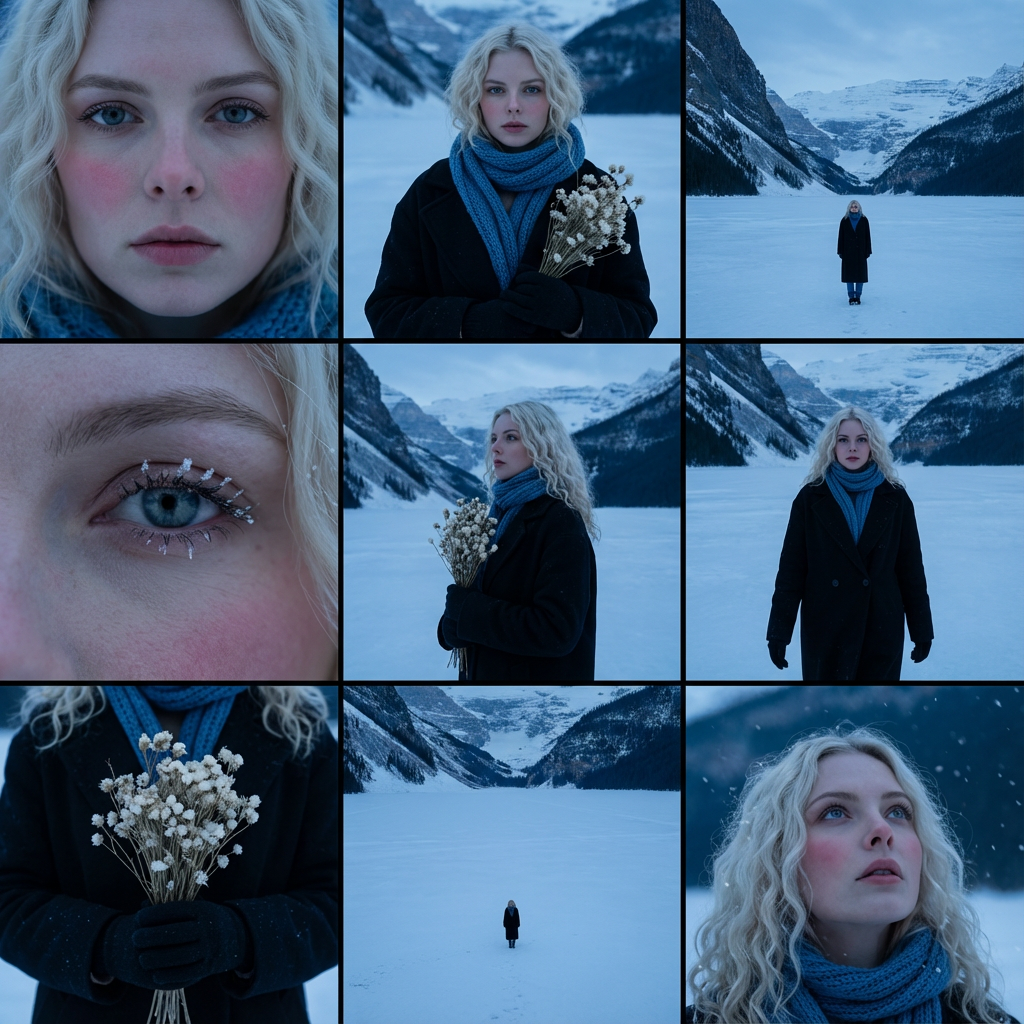
AI Frozen Winter Frames 3×3 Storyboard Trend
AI Frozen Winter Frames 3×3 Storyboard Trend
Upload Your Photo
By uploading or generating, you confirm you own these photos or have the person's permission, and you won't impersonate real people or celebrities. Responsible use
Quick answer
To do the AI Frozen Winter Frames 3×3 Storyboard Trend, upload one clear photo where your face is easy to see, then press generate. imageat recreates your photo in the trend's look, and the image is ready to download when it finishes. One generation costs 8 imageat credits; no prompt writing or editing app is needed.
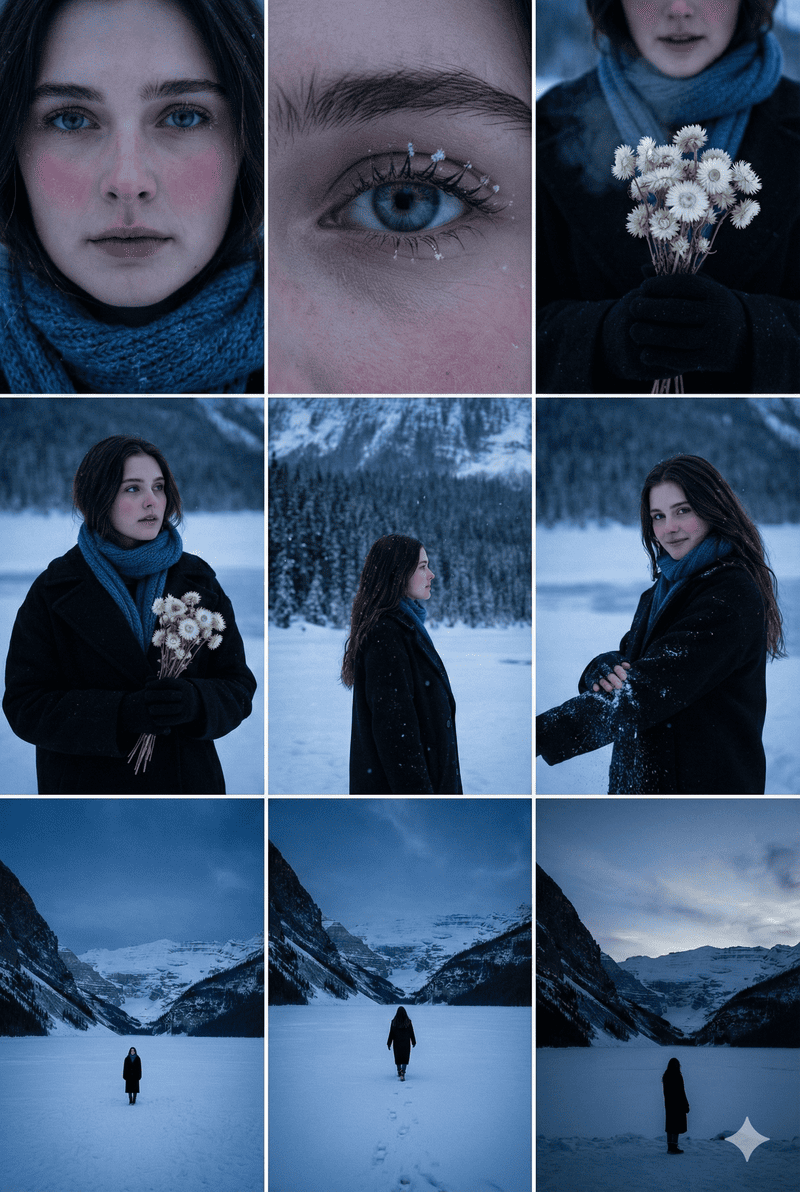
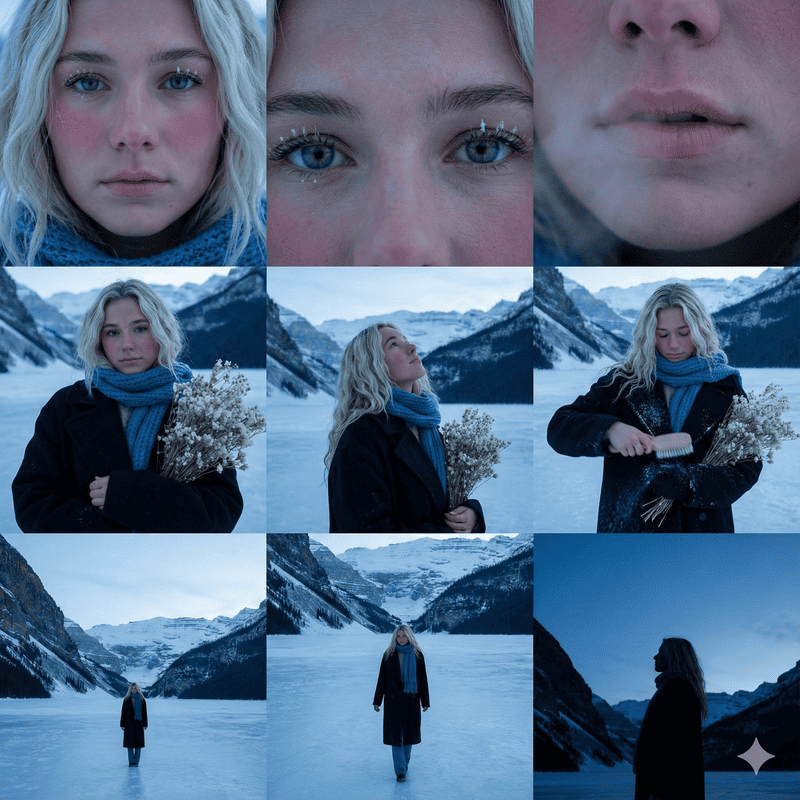
The AI Frozen Winter Frames 3×3 Storyboard Trend creates a cinematic nine-panel contact sheet set in a cold alpine landscape at blue hour. Across the 3×3 grid, you appear from different camera distances against snowy mountain peaks and a vast frozen lake. The frames range from extreme close-ups highlighting rosy cheeks and frosted eyelashes to medium portraits in a dark wool coat and blue knit scarf, alongside distant wide shots capturing a solitary figure in the snowy wilderness. Your uploaded photo supplies your face, which imageat places consistently into every panel while preserving your likeness. The template establishes the winter setting, cold twilight lighting, wardrobe, dried white flower bouquet, and film-style layout. You receive one composite image formatted as a complete cinematic storyboard.
What is the AI Frozen Winter Frames 3×3 Storyboard Trend?
The AI Frozen Winter Frames 3×3 Storyboard Trend is a cinematic photo format popular on Instagram and TikTok, inspired by film director contact sheets and visual mood boards. Instead of a single portrait, the trend displays a nine-panel grid that explores a moody winter narrative in alpine twilight. The panels alternate between detailed close-ups with frosted eyelashes, medium portraits wrapped in cold-weather knitwear, and wide shots on a vast frozen lake beneath snow-covered peaks. On imageat, you can create your own winter storyboard image simply by uploading one clear portrait.
How to Do the AI Frozen Winter Frames 3×3 Storyboard Trend
Here is how to make your own version on imageat:
- 1Upload a clear, well-lit photo of your face looking toward the camera.
- 2Select Generate to let the AI build your nine-panel winter scene.
- 3Download the full-resolution image to your device.
- 4Share your 3x3 winter storyboard on Instagram, TikTok, or your favorite social feed.
Tips for Best Results
- Use high-quality photos for best results
- Good lighting makes a big difference
- Try different angles and poses
- Experiment with various styles
- Share your creations on social media
Best Prompts for AI Frozen Winter Frames 3×3 Storyboard Trend
Want more control over the look? Copy one of these prompts and use it in our AI image generator to fine-tune the ai frozen winter frames 3×3 storyboard trend style.
AI Frozen Winter Frames 3×3 Storyboard Trend style portrait, keeping the original face and pose, cinematic lighting, high detail, sharp focus
AI Frozen Winter Frames 3×3 Storyboard Trend aesthetic with soft diffused light, pastel color grade, gentle film grain, shallow depth of field
High-contrast ai frozen winter frames 3×3 storyboard trend version, saturated colors, dramatic rim lighting, glossy editorial finish
AI Frozen Winter Frames 3×3 Storyboard Trend effect at night, neon ambiance, deep shadows, reflective highlights, atmospheric haze
AI Frozen Winter Frames 3×3 Storyboard Trend at a Glance
What to upload
1 clear photos, one per person.
What you get
An AI image, ready to download and post on TikTok, Reels or Shorts.
What it costs
8 imageat credits per image. The price is shown before you generate, and a failed generation is refunded.
FAQs About AI Frozen Winter Frames 3×3 Storyboard Trend
Create this trend with imageat
Create unlimited variations beyond the ai frozen winter frames 3×3 storyboard trend with imageat's AI image generator.