Ballroom Fashion AI Video Generator
Put your look inside a cinematic ballroom performance. Add a hall reference and your portrait or outfit photo while following the original poses, camera cuts and timing.
Example results
Watch video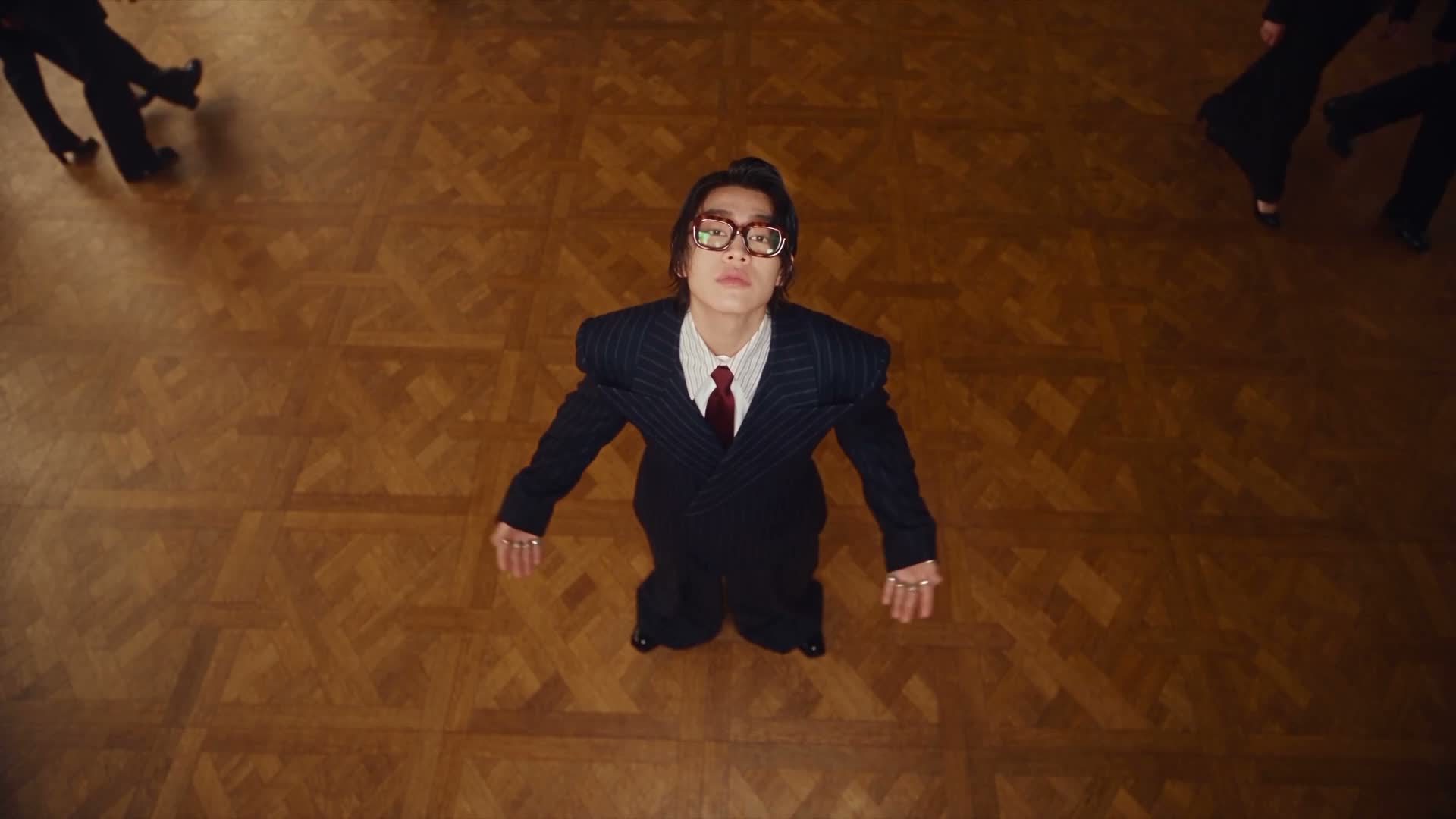
Ballroom Fashion AI Video Generator
Ballroom Fashion
Upload Your Photo
For the best likeness: one person per photo, face clearly visible from the front, good light, nothing covering the face (phone, sunglasses, hand). Upload the original photo, not a screenshot.
Resolution
Higher resolution uses more credits per generation.
By uploading or generating, you confirm you own these photos or have the person's permission, and you won't impersonate real people or celebrities. Responsible use
Quick answer
To do the Ballroom Fashion trend, upload 2 clear photos of the people you want in it, then press generate. imageat places the people from your photos into the trend's original video, and the video is ready to download when it finishes. One generation costs 144 imageat credits; no prompt writing or editing app is needed.
The Ballroom Fashion AI Video Generator places you in the center of an editorial ballroom fashion performance. Standing on an expansive parquet floor, you look directly up into an overhead camera, strike deliberate poses, and adjust a pair of rectangular glasses while background figures walk past the edges of the frame. Your first photo sets the replacement hall or grand venue, while your second photo determines your facial features, hairstyle, clothing, and footwear. The template controls all camera cuts, movement, pacing, gestures, and the source clip's sound, rendering a finished 16:9 video ready to export.
What is the Ballroom Fashion AI Video Generator?
The Ballroom Fashion AI Video Generator is a visual trend that turns individual portraits into stylized dance and fashion performance clips. Popular across TikTok, Instagram Reels, and YouTube Shorts, the aesthetic draws inspiration from high-concept music videos featuring dramatic top-down angles, sharp tailoring, and confident glasses adjustments inside ornate halls. Creators share these clips to showcase streetwear, evening wear, or avant-garde outfits in a polished dance sequence. On imageat, you can generate your own version by uploading a location photo for the hall and a portrait or outfit reference to lead the performance.
How to Do the Ballroom Fashion Trend
Here is how to make your own video on imageat:
- 1Upload a clear image of an interior hall, architectural space, or ballroom for the first slot.
- 2Upload a sharp portrait or full-body outfit photo of yourself for the second slot.
- 3Click generate to apply the choreography, camera cuts, and source clip's sound to your character.
- 4Download your 16:9 video and share it to TikTok, Instagram Reels, or YouTube Shorts.
Tips for Best Results
- Keep the upload order: hall first, person second.
- Use a clear full-body photo when you want the outfit, shoes and accessories to carry through.
- An uncluttered hall reference with visible flooring and architecture gives the environment clearer guidance.
- The template includes eyeglasses and their adjustment gesture, so choose a portrait with clearly visible facial features.
- Review hands, glasses alignment and lighting around the performer before sharing.
Ballroom Fashion AI Video Generator at a Glance
What to upload
Image 1 — replacement hall or ballroom location; Image 2 — your portrait or full-body outfit reference.
What you get
An AI video that follows the trend's original take, ready to download and post on TikTok, Reels or Shorts.
What it costs
144 imageat credits per video at 720p. The price is shown before you generate, and a failed generation is refunded.
FAQs About Ballroom Fashion AI Video Generator
Create this trend with imageat
Go beyond the ballroom fashion ai video generator — generate any AI video from text or an image with Veo, Kling, Seedance and more.