Drake Burning Bridges AI Video Generator
Upload one photo and take the centre spot in the Burning Bridges party scene: the same gestures, waves and silver cup in the chandelier-lit banquet hall, with the original sound. Choose 15 or 29 seconds.
Source reference footage, not a personalized result
Watch video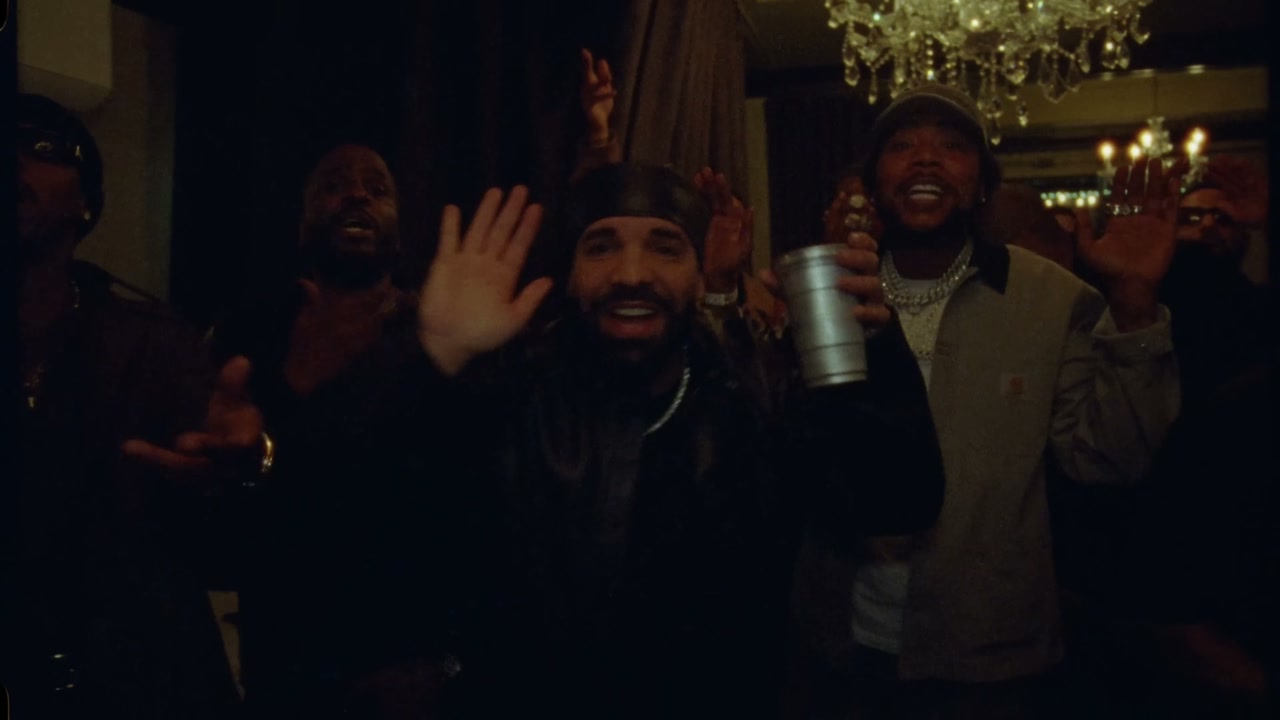
Drake Burning Bridges AI Video Generator
Drake Burning Bridges
Upload Your Photo
Upload one photo of one person, face clear, sharp and well lit. Your face, skin tone and build replace the man at the centre; the durag, leather jacket, chain, cup, moves and sound come from the clip. Likeness depends on the photo and is not guaranteed.
Video length
Longer videos use more credits per generation.
Resolution
15s or 29s · 16:9 · source audio. Higher resolution uses more credits per generation.
15s or 29s · 16:9 · source audio
By uploading or generating, you confirm you own these photos or have the person's permission, and you won't impersonate real people or celebrities. Responsible use
Quick answer
To do the Drake Burning Bridges trend, upload one clear photo where your face is easy to see, then press generate. imageat places you into the trend's original video, and the video is ready to download when it finishes. One generation costs 205 imageat credits; no prompt writing or editing app is needed.
Turn one photo into a Drake Burning Bridges AI video with directed camera motion and a share-ready cinematic result. Upload a clear starting frame, generate the effect, then preview and download the finished clip for Reels, TikTok, Shorts, ads, or creative projects.
What is the Drake Burning Bridges AI Video Generator?
Drake Burning Bridges is a reference-driven AI video trend. Instead of inventing motion from a still photo, the generator follows a fixed source video and puts the people from your uploads into it. The source take supplies the motion, timing and camera work; your photos supply each person's face, hair, build and outfit.
How to Do the Drake Burning Bridges Trend
Here is how to make your own video on imageat:
- 1Upload a clear source image with the main subject easy to identify
- 2Generate the Drake Burning Bridges effect and let the video model build the motion from your starting frame
- 3Preview the clip, regenerate if you want a variation, then download the finished video
Tips for Best Results
- Start with a sharp, well-lit image
- Leave visual space around the subject for generated movement
- Match the aspect ratio to the platform where you will publish
- Regenerate when you want a different motion path or pacing
Why Choose ImageAt for Drake Burning Bridges AI Video Generator
Fast turnaround
Most generations finish quickly; busy periods can take longer—we deliver your video here the moment processing completes.
Realistic Transformation
Powered by cutting-edge AI algorithms for incredibly realistic transformations.
Social Media Ready
Create shareable content perfect for TikTok, Instagram, and Twitter.
FAQs About Drake Burning Bridges AI Video Generator
Create this trend with imageat
Go beyond the drake burning bridges ai video generator — generate any AI video from text or an image with Veo, Kling, Seedance and more.