Fashion Clones AI Video Generator
Turn your photo into a cinematic fashion reel with repeated versions of you, the original camera movement and an optional setting reference.
Example results
Watch video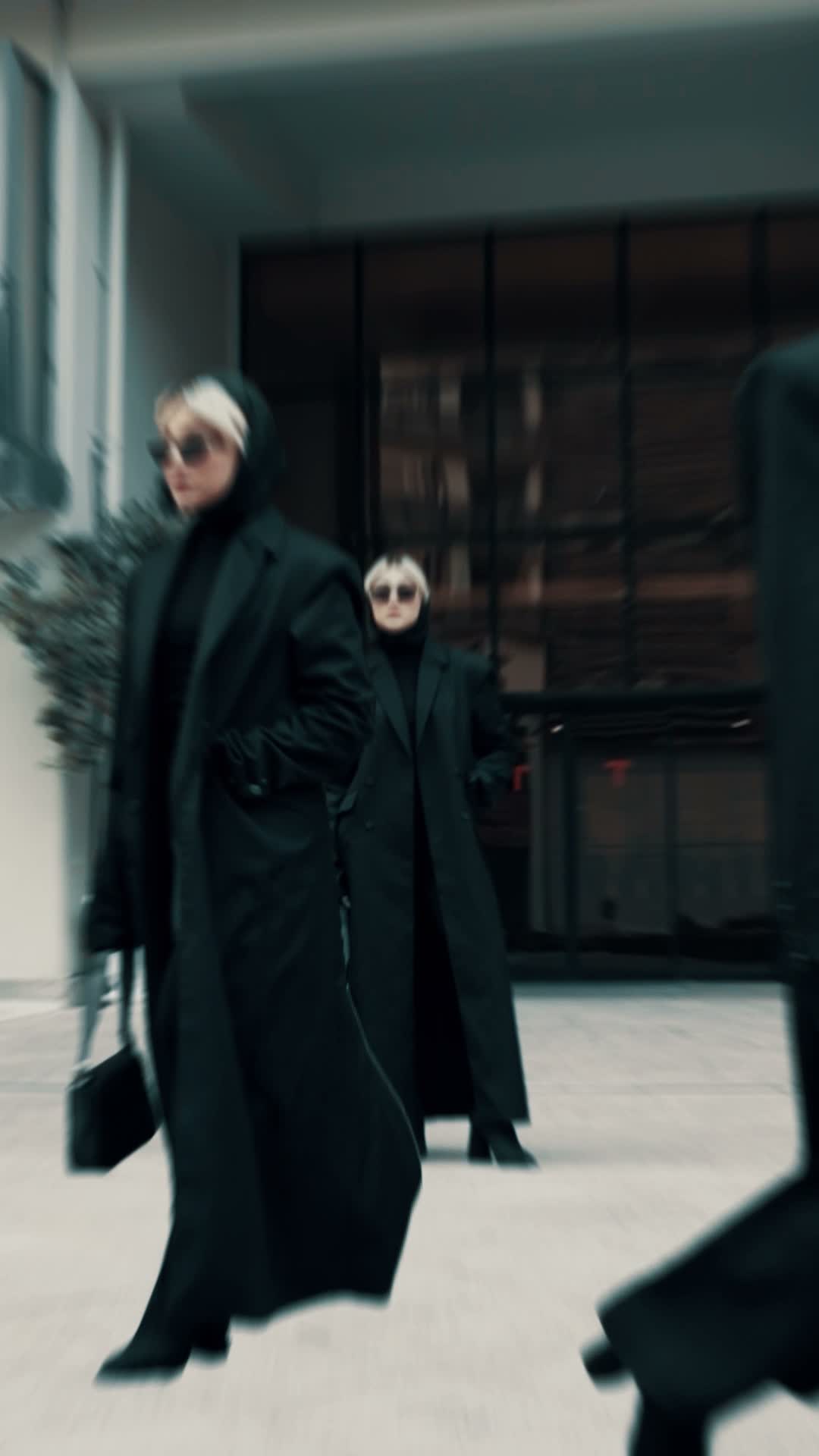
Fashion Clones AI Video Generator
Fashion Clones
Upload Your Photo
For the best likeness: one person per photo, face clearly visible from the front, good light, nothing covering the face (phone, sunglasses, hand). Upload the original photo, not a screenshot.
Resolution
Higher resolution uses more credits per generation.
By uploading or generating, you confirm you own these photos or have the person's permission, and you won't impersonate real people or celebrities. Responsible use
Quick answer
To do the Fashion Clones trend, upload 1 to 2 clear photos of the people you want in it, then press generate. imageat places the people from your photos into the trend's original video, and the video is ready to download when it finishes. One generation costs 252 imageat credits; no prompt writing or editing app is needed.
The finished video shows multiple copies of you walking in formation through an urban architectural setting. Dressed in coordinated editorial streetwear, your clones stride past the camera with steady pacing and synchronized movement. The moving camera tracks alongside the group, capturing layered depth, sharp poses, and street styling as each clone follows the original walking path. Your uploaded photo supplies your facial features, skin tone, hair, and physique across every walking figure. If you submit a full-body outfit photo, the clones wear your styling; if you upload a portrait, they keep the source black coats and sunglasses. An optional second photo sets the architectural backdrop. The template controls the camera motion, spacing, gestures, and audio, producing a 13.44-second vertical 9:16 video.
What is the Fashion Clones AI Video Generator?
The Fashion Clones trend comes from editorial runway videos and street style reels on TikTok and Instagram, where creators appear as their own squad of synchronized models. In these clips, identical versions of the same person walk past modern buildings in luxury outerwear, often wearing long tailored coats, dark sunglasses, and monochrome streetwear. Creators share these edits as aesthetic outfit showcases, personal branding reels, and modeling concepts. On imageat, you upload a portrait or fashion photo, and the generator maps your likeness onto every walking clone while preserving the exact 13.44-second camera travel and movement of the source clip.
How to Do the Fashion Clones Trend
Here is how to make your own video on imageat:
- 1Upload a sharp portrait or full-body fashion photo of one person.
- 2Add an optional second photo if you want to guide the architectural background.
- 3Select generate to map your likeness onto the moving clones.
- 4Download your finished 9:16 video and post it directly to TikTok or Instagram Reels.
Tips for Best Results
- Use a sharp image with one clearly visible person for the identity reference.
- Choose a full-body photo if the outfit is important; a portrait alone keeps the source black-coat styling.
- Use the second upload only for architecture or setting, not another person.
- The repeated figures share one identity, so do not use a group portrait as the first image.
- Review faces, figure spacing and ground contact before sharing.
Fashion Clones AI Video Generator at a Glance
What to upload
Your portrait or full-body fashion photo; Optional: location and architecture reference.
What you get
An AI video that follows the trend's original take, ready to download and post on TikTok, Reels or Shorts.
What it costs
252 imageat credits per video at 720p. The price is shown before you generate, and a failed generation is refunded.
FAQs About Fashion Clones AI Video Generator
Create this trend with imageat
Go beyond the fashion clones ai video generator — generate any AI video from text or an image with Veo, Kling, Seedance and more.