Five Nights at Freddy's 2 Marionette Scene AI
Source reference footage, not a personalized result
Watch video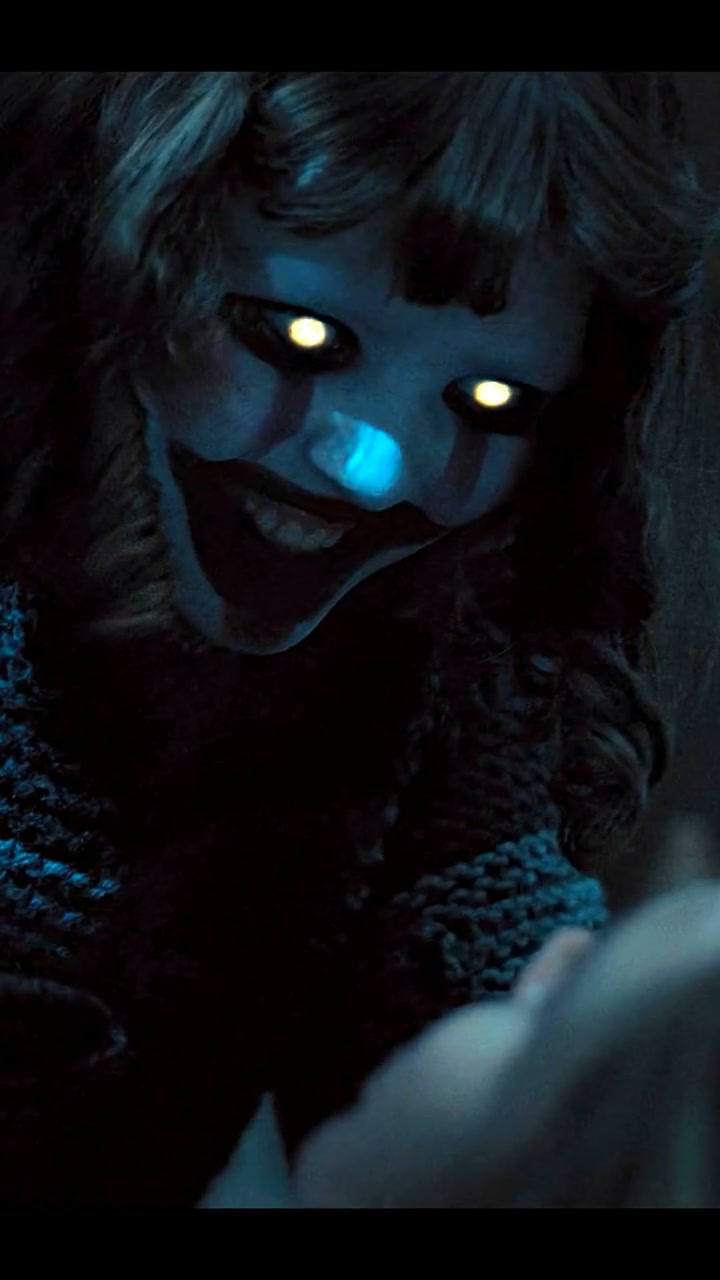
Five Nights at Freddy's 2 Marionette Scene AI
Five Nights at Freddy's 2 Marionette Scene AI
Upload Your Photo
Upload one clear, well-lit photo of one person with the face visible. Whoever is in the photo, man or woman, takes the lead role; the Marionette stays the same.
Video length
Longer videos use more credits per generation.
Resolution
15 or 30 seconds · 9:16 · source audio. Higher resolution uses more credits per generation.
15 or 30 seconds · 9:16 · source audio
Five Nights at Freddy's 2 Marionette Scene AI puts you inside one of the film's most-shared horror moments. In a dark house, a young woman in a dark blue jacket comes face to face with the Marionette, a masked creature with glowing eyes and long striped arms. She runs, checks behind a door, and is caught and pinned to the floor. Upload one photo and the person in it takes her place in every shot. The template follows your photo for the face, hair, skin tone, build and gender presentation, so a man becomes a man in the scene and a woman stays a woman. The Marionette, the house, the camera, the cuts and the original audio follow the source. Choose the first 15 seconds for the encounter and the run, or 30 seconds to continue into the attack. Likeness is a generation target, not a guarantee: it can vary in the dark shots, fast movement and close-ups. The reference contains burned-in subtitles, which the template asks the model to leave out. The video on this page is the source reference footage, not a personalized result. This is an independent AI template, not affiliated with or endorsed by Blumhouse, Universal Pictures, Scott Cawthon, the Five Nights at Freddy's franchise, the cast, or the uploader of the clip.
What is the Five Nights at Freddy's 2 Marionette Scene AI?
A one-photo AI video template that uses motion transfer to put the person from your photo into the lead role of the Five Nights at Freddy's 2 Marionette scene.
How to Create Your Five Nights at Freddy's 2 Marionette Scene AI Video
Creating your own five nights at freddy's 2 marionette scene ai video is simple:
- 1Upload one clear photo of the person who should take the lead role.
- 2Choose 15 or 30 seconds, then 480p or 720p, and check the credit cost.
- 3Generate your vertical horror clip.
- 4Check the likeness through the dark shots and the close-ups, then download the MP4.
Anyone can take the role
Whoever is in your photo replaces the woman in the scene, man or woman, with their own face, hair and build. Only the lead role changes; the Marionette stays the same.
15 or 30 seconds
Both versions start at the beginning of the scene. 15 seconds covers the encounter, the run and the door; 30 seconds continues until the Marionette has you on the floor.
About the preview
The page video is the source reference footage, including the subtitles of the original edit. It is not a personalized example.
Tips for Best Results
- Use a sharp, front-facing photo with even lighting and the whole face visible.
- Show one person only, without sunglasses or heavy filters.
- The scene is very dark, so a clear, bright photo helps the likeness hold.
- Try 15 seconds at 480p first before generating 30 seconds or 720p.
- Only upload photos you own or have permission to use.
Why Choose ImageAt for Five Nights at Freddy's 2 Marionette Scene AI
Fast turnaround
Most generations finish quickly; busy periods can take longer—we deliver your video here the moment processing completes.
Realistic Transformation
Powered by cutting-edge AI algorithms for incredibly realistic transformations.
Social Media Ready
Create shareable content perfect for TikTok, Instagram, and Twitter.
FAQs About Five Nights at Freddy's 2 Marionette Scene AI
Create this trend with imageat
Go beyond the five nights at freddy's 2 marionette scene ai — generate any AI video from text or an image with Veo, Kling, Seedance and more.