Become the Protector in the Viral Knight Cat Video
Become the large protector beside the viral tiny kitten knight on a misty moor. Upload your photo and optionally add your cat as the armored knight with an oversized sword.
Original Knight Cat reference, not a personalized result
Watch video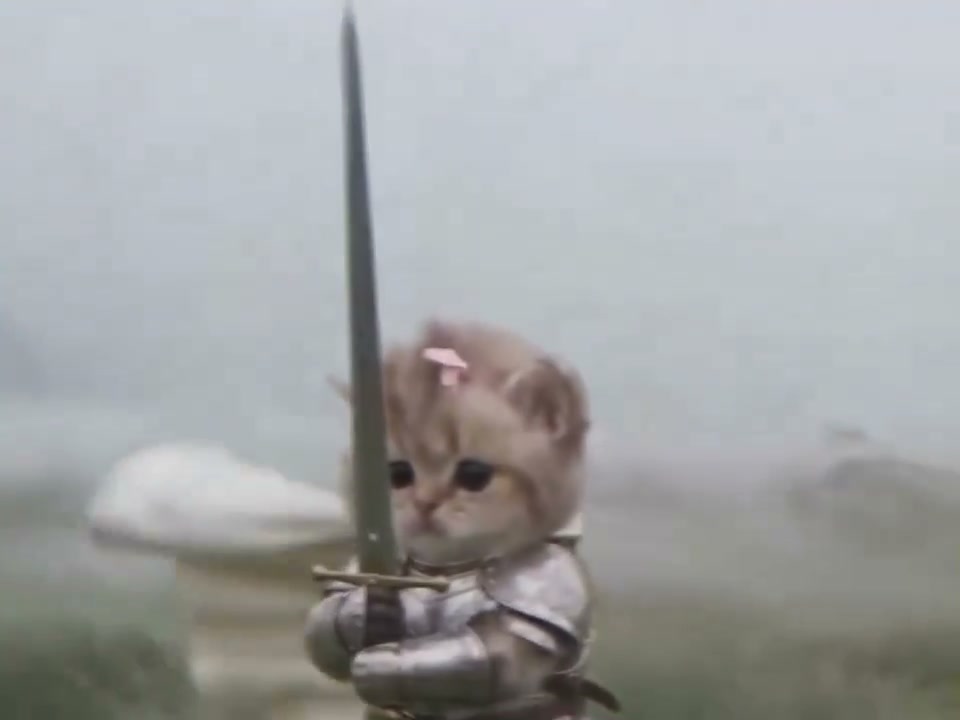
Knight Cat AI Video
Knight Cat AI Video
Upload Your Photo
Add one clear person photo in the first slot for the human protector. Optionally add your cat in the second slot, ideally showing its whole body and fur markings.
Resolution
About 9.6 seconds · 4:3 · source audio. Higher resolution uses more credits per generation.
About 9.6 seconds · 4:3 · source audio
By uploading or generating, you confirm you own these photos or have the person's permission, and you won't impersonate real people or celebrities. Responsible use
Quick answer
To do the Knight Cat trend, upload 1 to 2 clear photos of the people you want in it, then press generate. imageat places the people from your photos into the trend's original video, and the video is ready to download when it finishes. One generation costs 137 imageat credits; no prompt writing or editing app is needed.
Knight Cat turns a tiny armored kitten with a sword larger than itself into a brave fantasy hero. This version starts close to the kitten on a misty, windswept rocky moor, then pulls back to reveal a large human protector standing beside it. Upload your person photo in the first slot to become the large human protector, keeping your face, hair and identity with the source fantasy-warrior body and costume. Add a cat in the optional second slot to replace the tiny knight with its face, fur color and markings; otherwise the original kitten remains. The kitten keeps the fitted silver armor, pink bow and pale cape. Motion, camera, scenery and timing follow the built-in reference. The source is about 9.6 seconds in landscape 4:3 format. Choose 480p or 720p.
What is the Knight Cat AI Video?
The cat knight, kitten knight or cat-with-a-sword meme depicts a small but brave armored cat standing firm against the wind. The big-and-small version adds a human protector beside the kitten.
How to Do the Knight Cat Trend
Here is how to make your own video on imageat:
- 1Upload your person photo in the first slot.
- 2Optionally upload your cat photo for the tiny knight in the second slot.
- 3Choose 480p or 720p and generate.
- 4Check your face and the kitten’s fur, armor and sword, then download the MP4.
Your cat, the tiny knight
The optional second photo supplies your cat’s face, fur and markings. Without it, the original kitten remains. The reference supplies the armor, bow, cape, giant sword, small scale, motion and scenery.
Become the human protector
The first photo is required and supplies the human protector's face, hair and identity. The source supplies the fantasy body, pose and costume. With one photo, you stand beside the original kitten.
About the preview
The page video shows the original reference, not a generated example. It shows the camera pullback and roles your result will follow.
Limitations
Fur markings, paws, fingers, armor and the sword can vary during motion. The workflow asks for source audio and close motion matching, but results can differ. Upload photos you own or have permission to use.
Tips for Best Results
- Use one visible face in the required person photo.
- For the optional cat photo, keep its eyes, ears and fur markings visible.
- A clear full-body cat photo helps preserve proportions.
- Try 480p first to check the result.
Knight Cat AI Video at a Glance
What to upload
Your photo — required; Your cat — optional.
What you get
An AI video (About 9.6 seconds · 4:3 · source audio) that follows the trend's original take, ready to download and post on TikTok, Reels or Shorts.
What it costs
137 imageat credits per video at 720p. The price is shown before you generate, and a failed generation is refunded.
FAQs About Knight Cat AI Video
Create this trend with imageat
Go beyond the knight cat ai video — generate any AI video from text or an image with Veo, Kling, Seedance and more.