Me as a Monk AI Video Generator
Turn one selfie into a peaceful cinematic monk character, then bring the portrait to life in a quiet mountain-temple moment.
Example results
Preview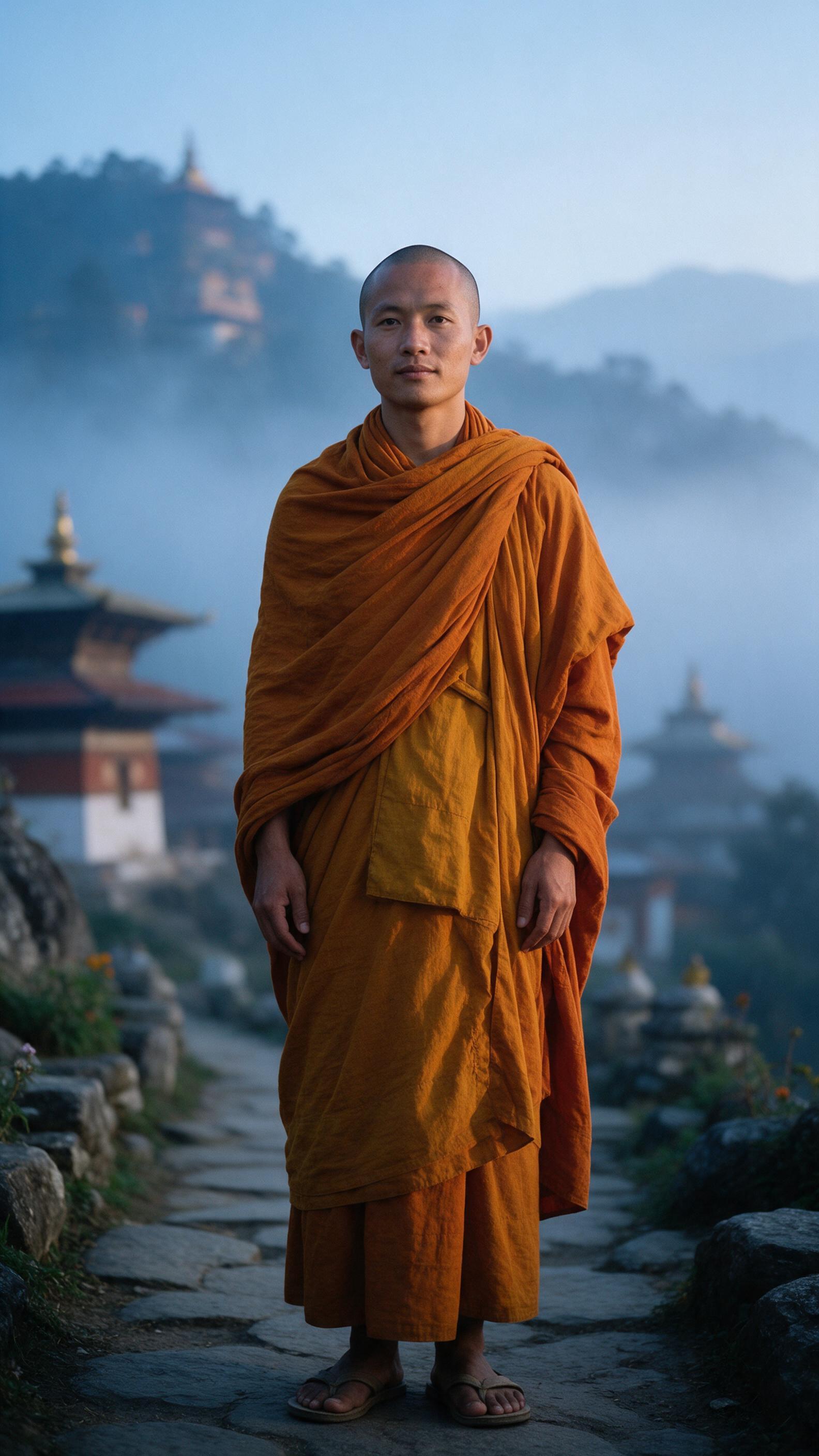
Me as a Monk AI Video Generator
Me as a Monk
Upload Your Photo
For the best likeness: one person per photo, face clearly visible from the front, good light, nothing covering the face (phone, sunglasses, hand). Upload the original photo, not a screenshot.
By uploading or generating, you confirm you own these photos or have the person's permission, and you won't impersonate real people or celebrities. Responsible use
Quick answer
To do the Me as a Monk trend, upload one clear photo where your face is easy to see, then press generate. imageat turns your photo into the trend's AI video, and the video is ready to download when it finishes. One generation costs 72 imageat credits; no prompt writing or editing app is needed.
The Me as a Monk trend rebuilds a single selfie as a calm monastic character — a monk or a nun, matching how you present — standing on a stone path outside a mountain temple at dawn. Seedream 5 Pro reads your uploaded photo as an identity reference and keeps your facial geometry, skin tone and natural texture while replacing hair, wardrobe and setting with layered saffron robes and pale morning haze. Seedance 2.5 then animates that exact frame into an eight-second vertical clip: two slow steps toward camera, a breeze moving only the outer robe, and a quiet turn toward the valley. Because the video is generated from the still rather than from your selfie directly, the face and costume you approve in the first stage are the ones that move.
What is the Me as a Monk AI Video Generator?
Me as a Monk is an AI video effect that animates a still image with a directed camera move or subject action. The source photo anchors the opening composition while the video model generates coherent motion, depth, and new frames around it.
How to Do the Me as a Monk Trend
Here is how to make your own video on imageat:
- 1Upload one clear, front-facing selfie with even lighting and nothing covering your face.
- 2Seedream 5 Pro generates a 9:16 full-body monk portrait that keeps your facial features.
- 3Seedance 2.5 animates that portrait into an 8-second vertical temple sequence with ambient sound.
- 4Preview the clip and download it, or run it again for a different take on the walk.
Tips for Best Results
- Front-facing selfies with both eyes visible give the character generator the most to work with.
- Avoid heavy shadows across one side of the face — uneven light tends to shift the jawline.
- Hats, headphones and sunglasses fight the shaved-head look; remove them before uploading.
- A neutral expression reads as more believable here than a wide smile, given the calm scene.
- Higher-resolution selfies preserve skin texture, which keeps the result from looking plastic.
Best Prompts for Me as a Monk AI Video Generator
Want more control over the motion? Copy one of these prompts and use it in our AI video generator to fine-tune the me as a monk ai video generator style.
Photorealistic 9:16 full-body portrait of a contemporary Buddhist monastic figure standing in a sunlit stone temple courtyard at midday, layered saffron and burnt-orange cotton robes, clean-shaven head, serene neutral expression, realistic fabric folds and skin texture, 35mm photographic realism, no text or watermark.
8-second vertical 9:16 single continuous shot of a monk walking slowly along a misty mountain path, camera tracking backward at chest height with subtle handheld movement, loose outer robe moving in a light breeze, natural blinking and breathing, ambient wind and distant bell, no music or narration, no cuts.
Photorealistic 9:16 portrait of a monastic figure seated in quiet meditation on a worn wooden platform, saffron robes draped naturally, eyes softly closed, pale blue dawn haze, soft diffused light, restrained natural film color, grounded realistic hands, no jewelry, halo, or fantasy effects.
8-second vertical 9:16 clip: the character pauses on a stone ledge and looks out over a misty valley as the camera arcs gently fifteen degrees to reveal the landscape, calm breathing, cloth physics in a light wind, soft wind and one distant temple bell, no speech, chanting, captions, or camera whip.
Why Choose ImageAt for Me as a Monk AI Video Generator
Fast turnaround
Most generations finish quickly; busy periods can take longer—we deliver your video here the moment processing completes.
Realistic Transformation
Powered by cutting-edge AI algorithms for incredibly realistic transformations.
Social Media Ready
Create shareable content perfect for TikTok, Instagram, and Twitter.
FAQs About Me as a Monk AI Video Generator
Create this trend with imageat
Go beyond the me as a monk ai video generator — generate any AI video from text or an image with Veo, Kling, Seedance and more.