Vlog With Memes AI Video Generator
Create a 30-second one-take smartphone vlog where seven classic meme moments unfold around your AI character on a New York street.
Example results
Preview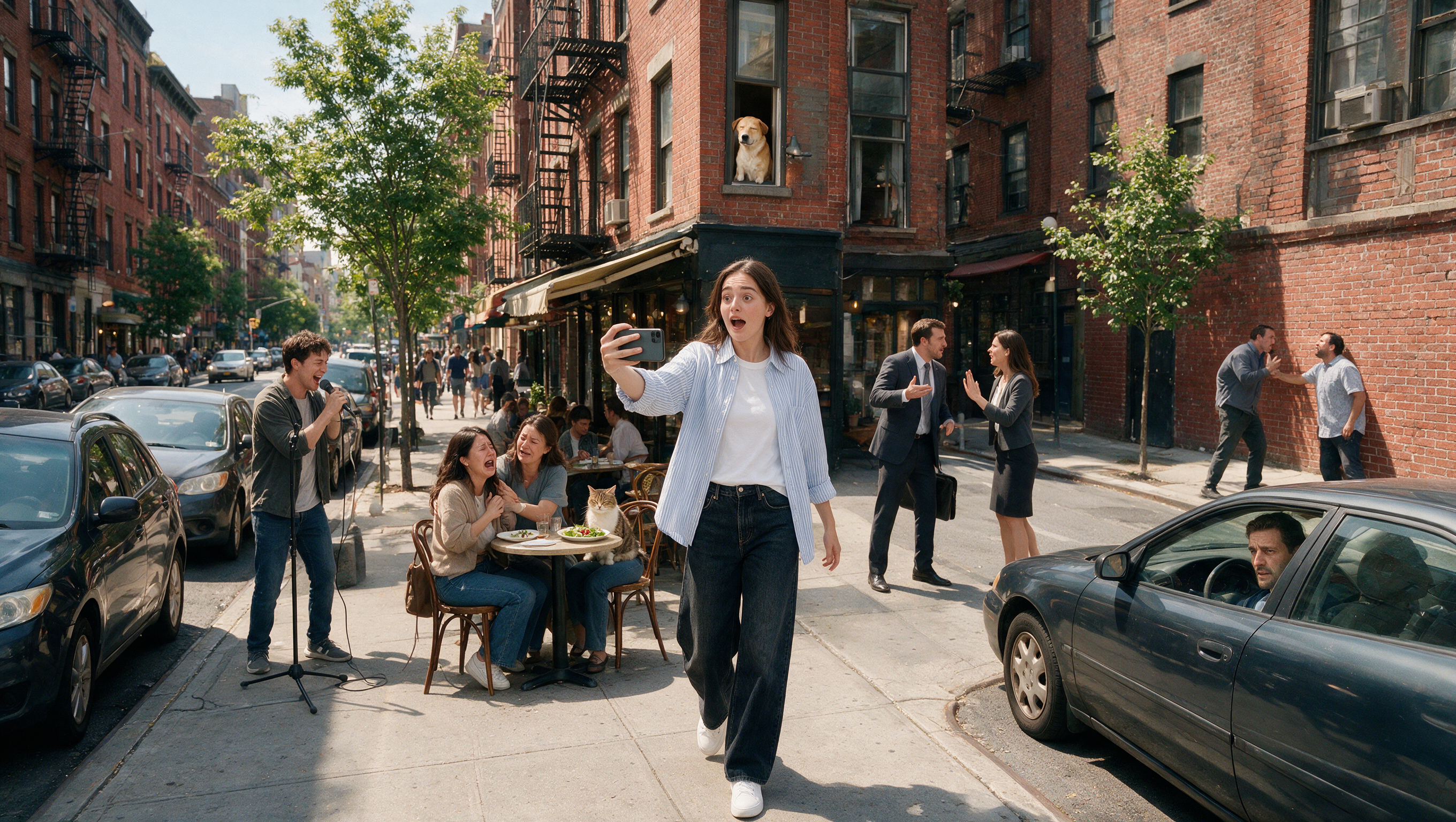
Vlog With Memes AI Video Generator
Vlog With Memes
Upload Your Photo
For the best likeness: one person per photo, face clearly visible from the front, good light, nothing covering the face (phone, sunglasses, hand). Upload the original photo, not a screenshot.
By uploading or generating, you confirm you own these photos or have the person's permission, and you won't impersonate real people or celebrities. Responsible use
Quick answer
To do the Vlog With Memes trend, upload one clear photo where your face is easy to see, then press generate. imageat turns your photo into the trend's AI video, and the video is ready to download when it finishes. One generation costs 248 imageat credits; no prompt writing or editing app is needed.
This two-stage workflow first turns your selfie into a consistent full-body character sheet, then uses it with eight scene and pose references to produce one continuous vertical street vlog. Seedance 2.5 keeps the camera moving through seven fast meme-inspired encounters while generating dialogue and natural city ambience in the same pass.
What is the Vlog With Memes AI Video Generator?
The Vlog With Memes AI Video Generator is based on a social media video trend where an everyday handheld phone vlog turns into a walk through real-life internet memes. Creators share these clips on TikTok and Instagram Reels, framed as an uninterrupted street walk down a sunny New York sidewalk. As the camera pans and walks forward, recognizable viral moments happen in the background, like the pointing woman and cat at a sidewalk cafe, a dog leaning from a brick window, and people arguing near parked cars. Uploading one front-facing selfie on imageat creates a full-body character and places you in the center of the continuous meme-filled vlog.
How to Do the Vlog With Memes Trend
Here is how to make your own video on imageat:
- 1Upload a clear front-facing selfie.
- 2Seedream 5 Pro creates the two-view character sheet used throughout the clip.
- 3Seedance 2.5 combines your character with the street and meme-pose references in one 30-second take.
- 4Preview and download the finished vertical video.
Tips for Best Results
- Use a well-lit selfie with both eyes visible and no sunglasses.
- Keep the face near the center so the character sheet preserves identity accurately.
- The finished video is intentionally fast and handheld, like a spontaneous phone vlog.
- Because the full sequence is generated as one take, small variations between runs are normal.
Best Prompts for Vlog With Memes AI Video Generator
Want more control over the motion? Copy one of these prompts and use it in our AI video generator to fine-tune the vlog with memes ai video generator style.
Make every reaction immediate and energetic, with very short whip pans and no lingering shots.
Use restrained reactions, realistic walking bounce and subtle exposure changes like an unedited phone recording.
Add layered traffic, footsteps, café chatter and occasional distant horns while keeping dialogue intelligible.
Vlog With Memes AI Video Generator at a Glance
What to upload
Upload one clear front-facing selfie.
What you get
An AI video, ready to download and post on TikTok, Reels or Shorts.
What it costs
248 imageat credits per video. The price is shown before you generate, and a failed generation is refunded.
FAQs About Vlog With Memes AI Video Generator
Create this trend with imageat
Go beyond the vlog with memes ai video generator — generate any AI video from text or an image with Veo, Kling, Seedance and more.