Nightmare Cartoon Halloween: Turn Your Photo Into a Gothic Animated Video
Turn your photo into a whimsical gothic cartoon with big eyes and slim spooky proportions, animated under a full moon with fog, pumpkins and Halloween music.
Example results
Watch video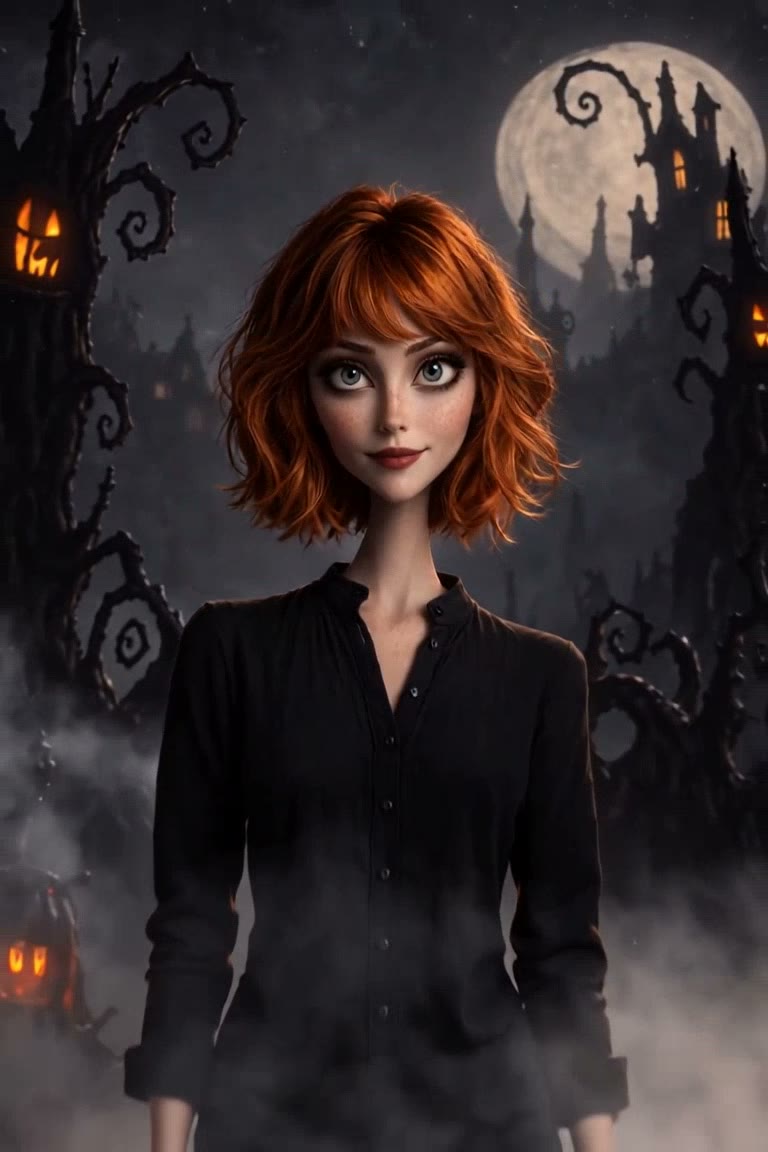
Nightmare Cartoon Halloween
Nightmare Cartoon Halloween
Upload Your Photo
Upload one clear photo. The pose, outfit, hairstyle, pets and background stay; everyone gets a gothic cartoon look with big expressive eyes, then the scene comes alive with fog and flickering pumpkins.
Output
6 seconds · 2:3 · with music
By uploading or generating, you confirm you own these photos or have the person's permission, and you won't impersonate real people or celebrities. Responsible use
Quick answer
To do the Nightmare Cartoon Halloween trend, upload one clear photo where your face is easy to see, then press generate. imageat turns your photo into the trend's AI video, and the video is ready to download when it finishes. One generation costs 10 imageat credits; no prompt writing or editing app is needed.
Nightmare Cartoon Halloween keeps the scene of your photo (the composition, the pose, the people and pets in it, hair, clothes, accessories and background) and changes only the style. Everyone becomes a gothic cartoon character with big eyes and stylised features, rendered like a polished animated film with a cute-spooky mood. The cartoon picture is then animated into a 6-second vertical clip: fog rolls in, pumpkin lights flicker, particles float and small facial movements bring it to life. A Halloween music track is added, so the video is ready to post.
What is the Nightmare Cartoon Halloween?
The Nightmare Cartoon Halloween trend redraws a photo as a dark, whimsical 3D cartoon: slim elongated proportions, large expressive eyes, slightly eerie but playful faces and moody moonlit lighting. This version also animates the result, so your cartoon self stands in drifting fog among glowing pumpkins with a Halloween soundtrack.
How to Do the Nightmare Cartoon Halloween Trend
Here is how to make your own video on imageat:
- 1Upload one clear photo with the faces visible.
- 2Check the credit cost on the button.
- 3Generate the video.
- 4Preview and download your 2:3 MP4 with music.
What stays and what changes
Your photo decides the scene: the pose, the number of people or animals, hair, clothes, accessories and the background layout. The trend adds the gothic cartoon style (big eyes, slim proportions, moody 3D rendering), the spooky atmosphere, the animation and the music.
Length and sound
Every result is a 6-second 2:3 vertical video with a Halloween music track. The price is fixed and shown on the button before you generate; failed generations are refunded.
Photo tips
Sharp, well-lit photos keep the likeness best. Couples, families and pets work too. Avoid heavy filters, sunglasses and very dark pictures.
Tips for Best Results
- Use a sharp photo where every face is visible.
- Pets keep their markings, so pet photos work well.
- Only upload photos of people who agreed to it.
Best Prompts for Nightmare Cartoon Halloween
Want more control over the motion? Copy one of these prompts and use it in our AI video generator to fine-tune the nightmare cartoon halloween style.
Nightmare Cartoon Halloween, smooth controlled camera movement, realistic motion, cinematic lighting, stable composition, natural depth
Nightmare Cartoon Halloween, immediate visual hook, smooth motion, clear centered subject, polished 9:16 social video
Nightmare Cartoon Halloween, gradual movement, atmospheric depth, elegant pacing, wide cinematic reveal
Nightmare Cartoon Halloween, energetic camera movement, strong parallax, dramatic scale, crisp detail
Nightmare Cartoon Halloween at a Glance
What to upload
Your photo — people, pets or a group, faces visible.
What you get
An AI video (6 seconds · 2:3 · with music), ready to download and post on TikTok, Reels or Shorts.
What it costs
10 imageat credits per video. The price is shown before you generate, and a failed generation is refunded.
FAQs About Nightmare Cartoon Halloween
Create this trend with imageat
Go beyond the nightmare cartoon halloween — generate any AI video from text or an image with Veo, Kling, Seedance and more.