Sketch Buddy with Your Cat Clip Generator
Put your real cat into a playful hand-drawn stick-figure 'buddy' scene across three poses, then stitch the frames into a short looping clip.
Example results
Preview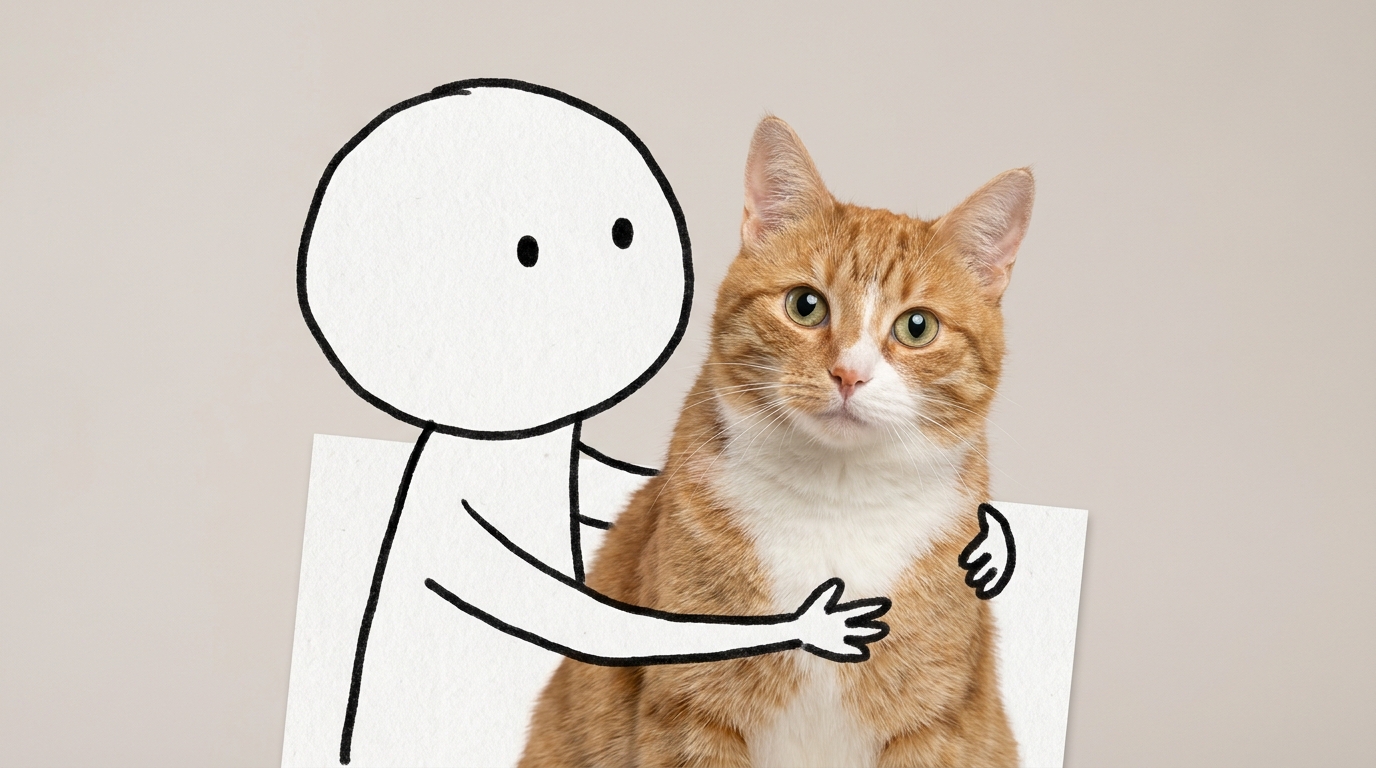
Sketch Buddy with Your Cat Clip Generator
Sketch Buddy with Your Cat Clip
Upload Your Photo
For the best likeness: one person per photo, face clearly visible from the front, good light, nothing covering the face (phone, sunglasses, hand). Upload the original photo, not a screenshot.
By uploading or generating, you confirm you own these photos or have the person's permission, and you won't impersonate real people or celebrities. Responsible use
Quick answer
To do the Sketch Buddy with Your Cat Clip trend, upload one clear photo where your face is easy to see, then press generate. imageat turns your photo into the trend's AI video, and the video is ready to download when it finishes. One generation costs 24 imageat credits; no prompt writing or editing app is needed.
The finished video shows your real cat interacting with a playful hand-drawn stick figure across three comical scenes. In the first scene, the black line-art buddy gently pulls the cat across the floor by its hind paws. In the second scene, the drawn companion lifts your cat upright against its chest with its back legs dangling. In the final scene, the figure cradles your pet like a baby in its arms before the sequence loops. Your uploaded photo supplies your cat's exact fur pattern, face, eye color, and markings. The template provides the minimalist doodle character, studio floor background, and three-part posing structure, merging each frame into an MP4 video clip.
What is the Sketch Buddy with Your Cat Clip Generator?
The Sketch Buddy with Your Cat trend is a popular social media format on TikTok and Instagram that pairs real pets with minimalist cartoon doodles. In this trend, a hand-drawn black line-art stick figure with an oval head and dot eyes interacts with a real cat in three funny poses, including dragging the pet by its paws, holding it upright, and cradling it like a baby. Pet owners share these animations as short comedy clips. This imageat generator lets you recreate the trend by uploading one cat photo to produce a three-part looping video.
How to Do the Sketch Buddy with Your Cat Clip Trend
Here is how to make your own video on imageat:
- 1Upload a clear, well-lit photo of your cat into the Cat slot.
- 2Click Generate to create the three hand-drawn stick figure scenes.
- 3Preview the stitched video and download the MP4 file to your device.
- 4Post the finished clip directly to TikTok, Instagram Reels, or YouTube Shorts.
Tips for Best Results
- Use high-quality photos for best results
- Good lighting makes a big difference
- Try different angles and poses
- Experiment with various styles
- Share your creations on social media
Best Prompts for Sketch Buddy with Your Cat Clip Generator
Want more control over the motion? Copy one of these prompts and use it in our AI video generator to fine-tune the sketch buddy with your cat clip generator style.
Sketch Buddy with Your Cat Clip Generator, smooth controlled camera movement, realistic motion, cinematic lighting, stable composition, natural depth
Sketch Buddy with Your Cat Clip Generator, immediate visual hook, smooth motion, clear centered subject, polished 9:16 social video
Sketch Buddy with Your Cat Clip Generator, gradual movement, atmospheric depth, elegant pacing, wide cinematic reveal
Sketch Buddy with Your Cat Clip Generator, energetic camera movement, strong parallax, dramatic scale, crisp detail
Sketch Buddy with Your Cat Clip Generator at a Glance
What to upload
Cat.
What you get
An AI video, ready to download and post on TikTok, Reels or Shorts.
What it costs
24 imageat credits per video. The price is shown before you generate, and a failed generation is refunded.
FAQs About Sketch Buddy with Your Cat Clip Generator
Create this trend with imageat
Go beyond the sketch buddy with your cat clip generator — generate any AI video from text or an image with Veo, Kling, Seedance and more.