Smash and Grab AI Video Generator
Upload a photo of yourself and a photo of any object. You become the thief who spots it on the back seat, breaks the window and runs — in a 15-second cinematic clip with sound.
Example results
Watch video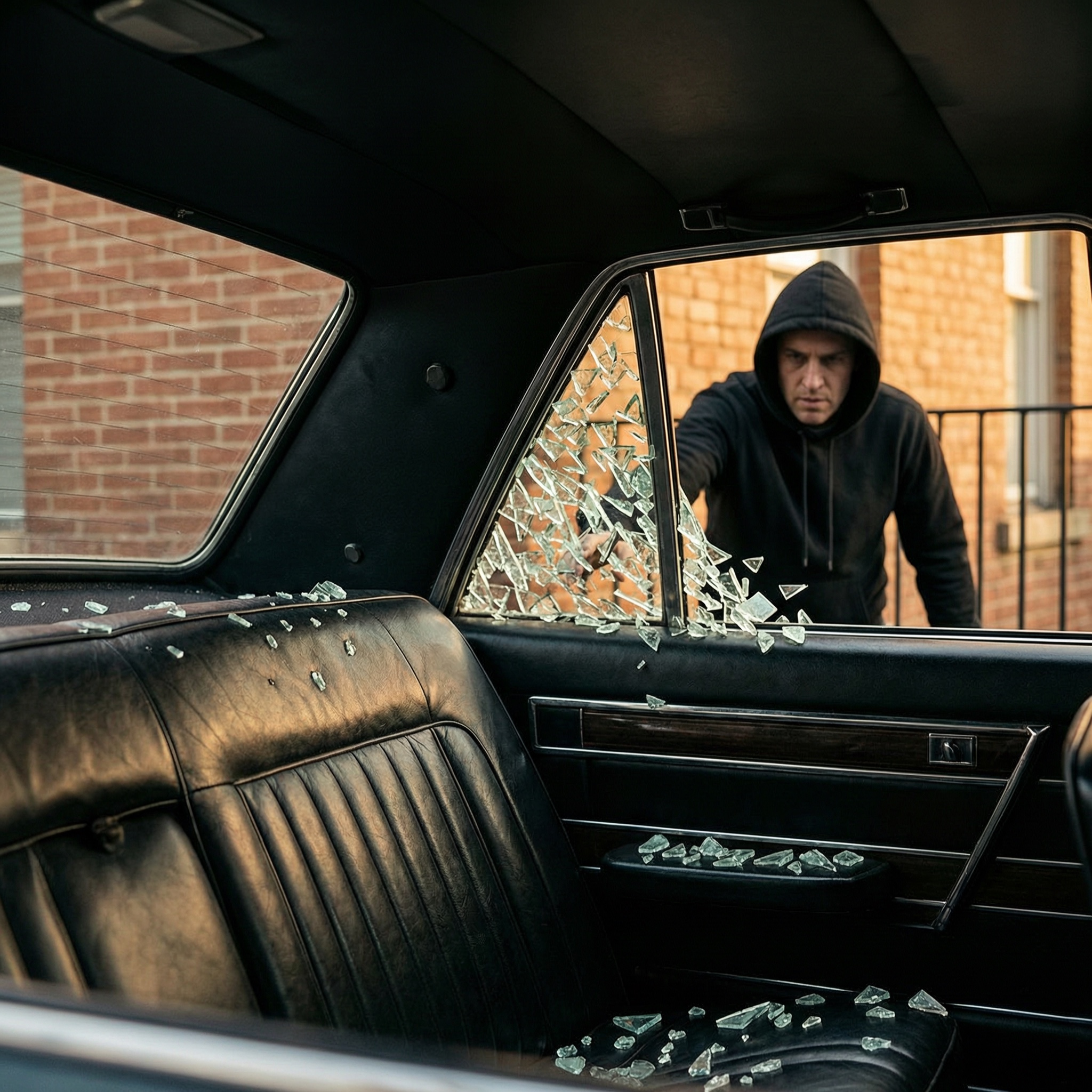
Smash and Grab AI Video Generator
Smash and Grab
Upload Your Photo
For the best likeness: one person per photo, face clearly visible from the front, good light, nothing covering the face (phone, sunglasses, hand). Upload the original photo, not a screenshot.
Resolution
Higher resolution uses more credits per generation.
By uploading or generating, you confirm you own these photos or have the person's permission, and you won't impersonate real people or celebrities. Responsible use
Quick answer
To do the Smash and Grab trend, upload 2 clear photos, one per person, then press generate. imageat turns your photos into the trend's AI video, and the video is ready to download when it finishes. One generation costs 120 imageat credits; no prompt writing or editing app is needed.
The smash-and-grab AI video generator turns two photos into a 15-second cinematic break-in. Your first upload becomes the thief and keeps their face, hair, build and full outfit for the whole clip; your second upload becomes the object left on the back seat, kept pixel-accurate down to its shape, colour, materials and markings. The scene is fixed: a locked camera inside a vintage sedan watches the thief spot the object through the window, smash the glass, reach in and take it, then a handheld exterior shot follows the getaway as a police cruiser rolls in. Because the object is read from your photo rather than a preset, the model works out how that specific item would really be carried — by a handle, under an arm or hugged to the chest — and gives it believable weight.
What is the Smash and Grab AI Video Generator?
The Smash and Grab AI video trend is a viral short-form video format on TikTok and Instagram Reels that stages a fast, cinematic car break-in. In these clips, a thief peers into the rear window of a car, shatters the glass, grabs an item off the seat, and runs down the street as police sirens rise. Creators share the scene as an action meme or a promo hook to show off sneakers, bags, and electronics. The imageat generator recreates this 15-second clip using one photo of the person and one photo of the object being stolen.
How to Do the Smash and Grab Trend
Here is how to make your own video on imageat:
- 1Upload one clear photo of the person who plays the thief — a full-body shot keeps the outfit consistent.
- 2Upload a photo of the object you want stolen, on a plain background if possible.
- 3Choose 480p for a faster run or 720p for the sharper cut.
- 4Generate and download the finished 15-second vertical video with sound.
Tips for Best Results
- A full-body photo locks the outfit and shoes better than a head-and-shoulders crop, since the final shot shows the thief running.
- Photograph the object straight-on against a plain background so its shape, colour and details stay accurate while it moves.
- Keep the uploads in order: the first photo is always the person, the second is always the object.
- Almost anything works as the object — a phone, a camera, a handbag, a guitar case — the grip and carry adapt to what you upload.
Best Prompts for Smash and Grab AI Video Generator
Want more control over the motion? Copy one of these prompts and use it in our AI video generator to fine-tune the smash and grab ai video generator style.
Smash and Grab AI Video Generator, smooth controlled camera movement, realistic motion, cinematic lighting, stable composition, natural depth
Smash and Grab AI Video Generator, immediate visual hook, smooth motion, clear centered subject, polished 9:16 social video
Smash and Grab AI Video Generator, gradual movement, atmospheric depth, elegant pacing, wide cinematic reveal
Smash and Grab AI Video Generator, energetic camera movement, strong parallax, dramatic scale, crisp detail
Smash and Grab AI Video Generator at a Glance
What to upload
Upload a photo of the person who steals it; Upload a photo of the object being stolen.
What you get
An AI video, ready to download and post on TikTok, Reels or Shorts.
What it costs
120 imageat credits per video at 720p. The price is shown before you generate, and a failed generation is refunded.
FAQs About Smash and Grab AI Video Generator
Create this trend with imageat
Go beyond the smash and grab ai video generator — generate any AI video from text or an image with Veo, Kling, Seedance and more.