Stadium Broadcast Video Generator
Create your videos with our stadium broadcast video generator. Create viral-worthy baseball stadium broadcast videos in seconds.
Example results
Watch video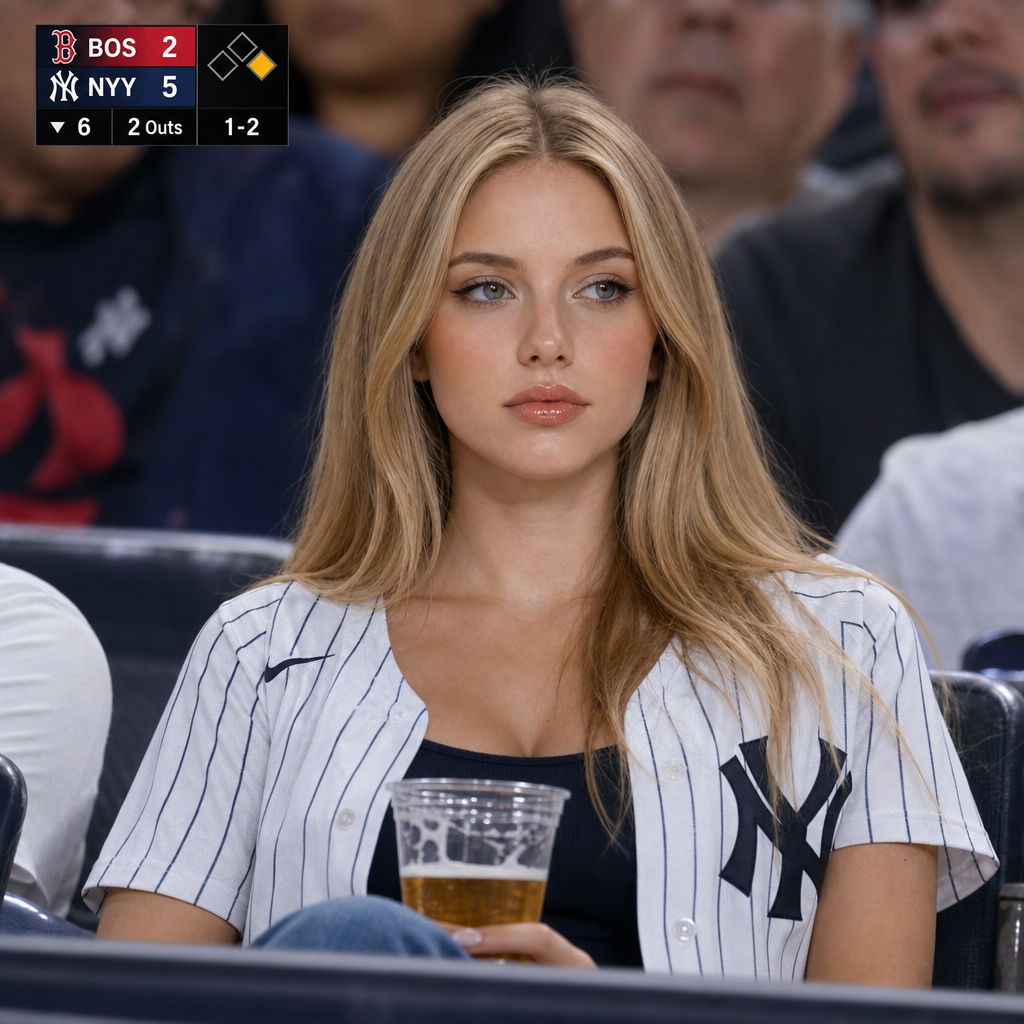
Stadium Broadcast Video Generator
Stadium Broadcast
Upload Your Photo
For the best likeness: one person per photo, face clearly visible from the front, good light, nothing covering the face (phone, sunglasses, hand). Upload the original photo, not a screenshot.
By uploading or generating, you confirm you own these photos or have the person's permission, and you won't impersonate real people or celebrities. Responsible use
Quick answer
To do the Stadium Broadcast trend, upload one clear photo where your face is easy to see, then press generate. imageat turns your photo into the trend's AI video, and the video is ready to download when it finishes. One generation costs 55 imageat credits; no prompt writing or editing app is needed.
The finished video shows you seated in the spectator stands at Yankee Stadium during an MLB game between the New York Yankees and Boston Red Sox. You wear an open white pinstriped Yankees jersey over a navy top and hold a clear plastic cup of beer while looking out toward the field. The camera captures you from a distance like a live television sports broadcast, complete with stadium floodlights, a soft-focus crowd behind you, and an on-screen score graphic in the corner. Your uploaded photo provides your facial features, skin tone, eye color, and hair. The stadium broadcast video generator supplies the stadium seating, crowd atmosphere, team apparel, lighting, and scoreboard overlay before animating the scene into a ten-second video clip.
What is the Stadium Broadcast Video Generator?
The stadium broadcast trend originated on TikTok and Instagram as viral AI spectator clips modeled after live television sports coverage, especially baseball broadcasts. These clips mimic the candid look of a telephoto broadcast lens panning across stadium seats, catching a fan relaxed in the stands with subtle movement, authentic stadium lighting, and live game scoreboards. People share the videos across social feeds as realistic spectator cutaways. This stadium broadcast video generator recreates the trend by transforming a single portrait photo into an animated ten-second stadium video set at a New York Yankees game.
How to Do the Stadium Broadcast Trend
Here is how to make your own video on imageat:
- 1Upload a clear portrait photo of one person.
- 2Start the generator to render your stadium broadcast still and animate the scene.
- 3Preview your finished ten-second sports broadcast video.
- 4Download the video file and share it on TikTok, Instagram Reels, or YouTube Shorts.
Tips for Best Results
- Use high-quality photos for best results
- Good lighting makes a big difference
- Try different angles and poses
- Experiment with various styles
- Share your creations on social media
Best Prompts for Stadium Broadcast Video Generator
Want more control over the motion? Copy one of these prompts and use it in our AI video generator to fine-tune the stadium broadcast video generator style.
Stadium Broadcast Video Generator, smooth controlled camera movement, realistic motion, cinematic lighting, stable composition, natural depth
Stadium Broadcast Video Generator, immediate visual hook, smooth motion, clear centered subject, polished 9:16 social video
Stadium Broadcast Video Generator, gradual movement, atmospheric depth, elegant pacing, wide cinematic reveal
Stadium Broadcast Video Generator, energetic camera movement, strong parallax, dramatic scale, crisp detail
Stadium Broadcast Video Generator at a Glance
What to upload
Person.
What you get
An AI video, ready to download and post on TikTok, Reels or Shorts.
What it costs
55 imageat credits per video. The price is shown before you generate, and a failed generation is refunded.
FAQs About Stadium Broadcast Video Generator
Create this trend with imageat
Go beyond the stadium broadcast video generator — generate any AI video from text or an image with Veo, Kling, Seedance and more.