Street Style Walk AI Video
Step into a street style fashion reel with one photo. Recreate the handbag walk, outfit poses and playful turns in a 15-second vertical video with the original audio.
Reference video
Watch video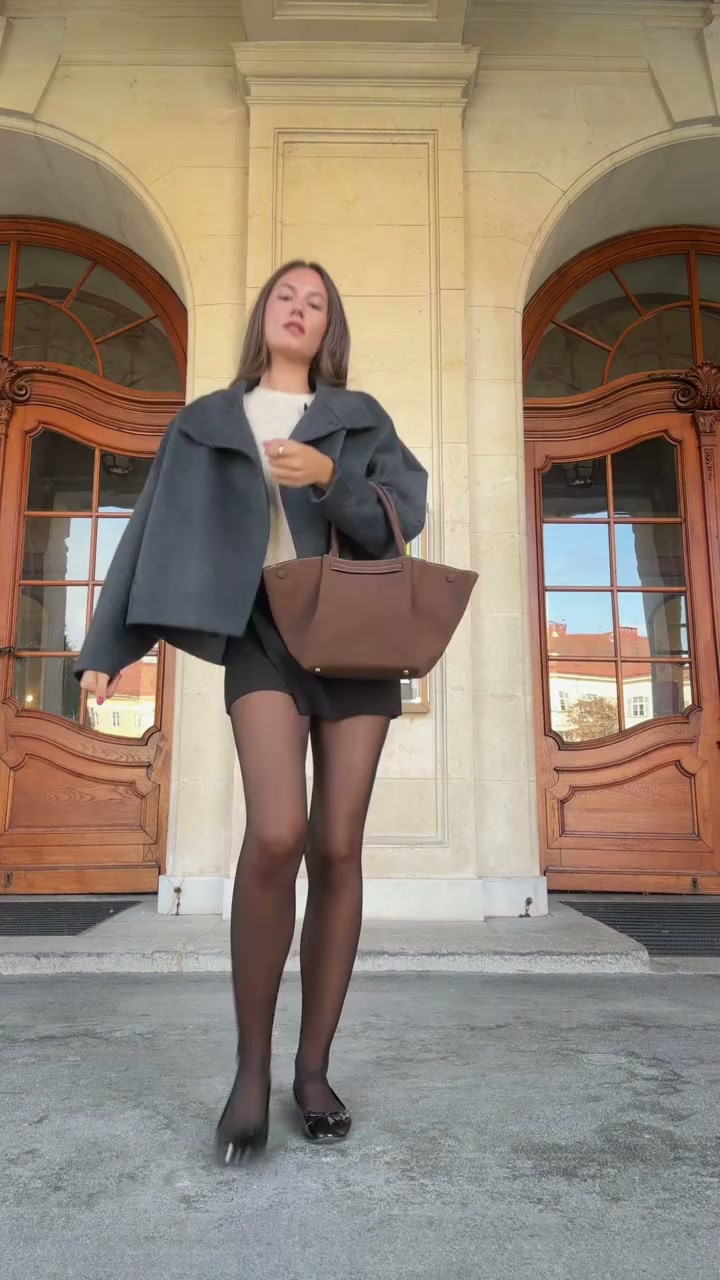
Street Style Walk AI Video
Street Style Walk AI Video
Upload Your Photo
Upload one clear photo of a single person. Your face, hair and eyewear become the identity reference; the built-in clip supplies the outfit, handbag, location and movements.
Resolution
15s · 9:16. Higher resolution uses more credits per generation.
15s · 9:16
By uploading or generating, you confirm you own these photos or have the person's permission, and you won't impersonate real people or celebrities. Responsible use
Quick answer
To do the Street Style Walk trend, upload one clear photo where your face is easy to see, then press generate. imageat places you into the trend's original video, and the video is ready to download when it finishes. One generation costs 205 imageat credits; no prompt writing or editing app is needed.
Street Style Walk AI Video turns one identity photo into a 15-second fashion reel. The built-in clip follows a woman posing outside a pale stone building with ornate wooden doors: she approaches the camera with a brown handbag, steps back for a full-body outfit check, turns to show the look from behind and finishes with another close-up. Your uploaded photo supplies the face, hair and eyewear, while the original clip supplies the oversized dark blazer, light top, black shorts, sheer tights, shoes and handbag. The workflow is designed to preserve the original walk, poses, camera framing, location, timing and sound while replacing the featured person's identity. Choose 480p or 720p for a vertical 9:16 result ready for Instagram Reels, TikTok or YouTube Shorts. The preview is the source reference, not a generated result.
What is the Street Style Walk AI Video?
The Street Style Walk template is a one-photo AI fashion video built around a handbag walk and outfit-check performance. It transfers the source person's poses and turns to your identity rather than creating new choreography or a new location.
How to Do the Street Style Walk Trend
Here is how to make your own video on imageat:
- 1Upload one sharp identity photo with the face and hair clearly visible.
- 2Choose 480p or 720p and review the displayed credit cost.
- 3Generate the fixed 15-second street style reel.
- 4Preview and download your vertical video with the source audio.
A fashion walk built around your identity
Your photo controls the person's face, skin tone, hair and eyewear. The source controls the wardrobe, handbag, movement and setting. This template does not offer custom clothing uploads.
Handbag poses, turns and close-ups
The performance includes a camera approach, full-body poses, a back turn and a final close-up. The pale stone facade, wooden doors and pavement remain part of the built-in scene.
Vertical fashion content from one photo
The fixed 15-second 9:16 format suits outfit inspiration posts, fashion mood boards, Reels and Shorts. No filming or manual motion prompt is required.
Choosing a useful reference photo
Use a clear photo of one person with visible facial features and hair. Eyewear shown in your photo is part of the identity reference. Fast turns and close-ups can affect likeness, so review the result before sharing.
Tips for Best Results
- Use one person per photo and avoid heavy filters.
- Show the whole face and hairstyle in even light.
- Use eyewear in the photo only if you want it carried into the video.
- Use a photo you own or have permission to use.
Street Style Walk AI Video at a Glance
What to upload
Your identity photo.
What you get
An AI video (15s · 9:16) that follows the trend's original take, ready to download and post on TikTok, Reels or Shorts.
What it costs
205 imageat credits per video at 720p. The price is shown before you generate, and a failed generation is refunded.
FAQs About Street Style Walk AI Video
Create this trend with imageat
Go beyond the street style walk ai video — generate any AI video from text or an image with Veo, Kling, Seedance and more.