Street Sunglasses AI Video Generator
Step into a cinematic street clip with your own face, black sunglasses and your reference outfit while keeping the original performance and setting.
Example results
Watch video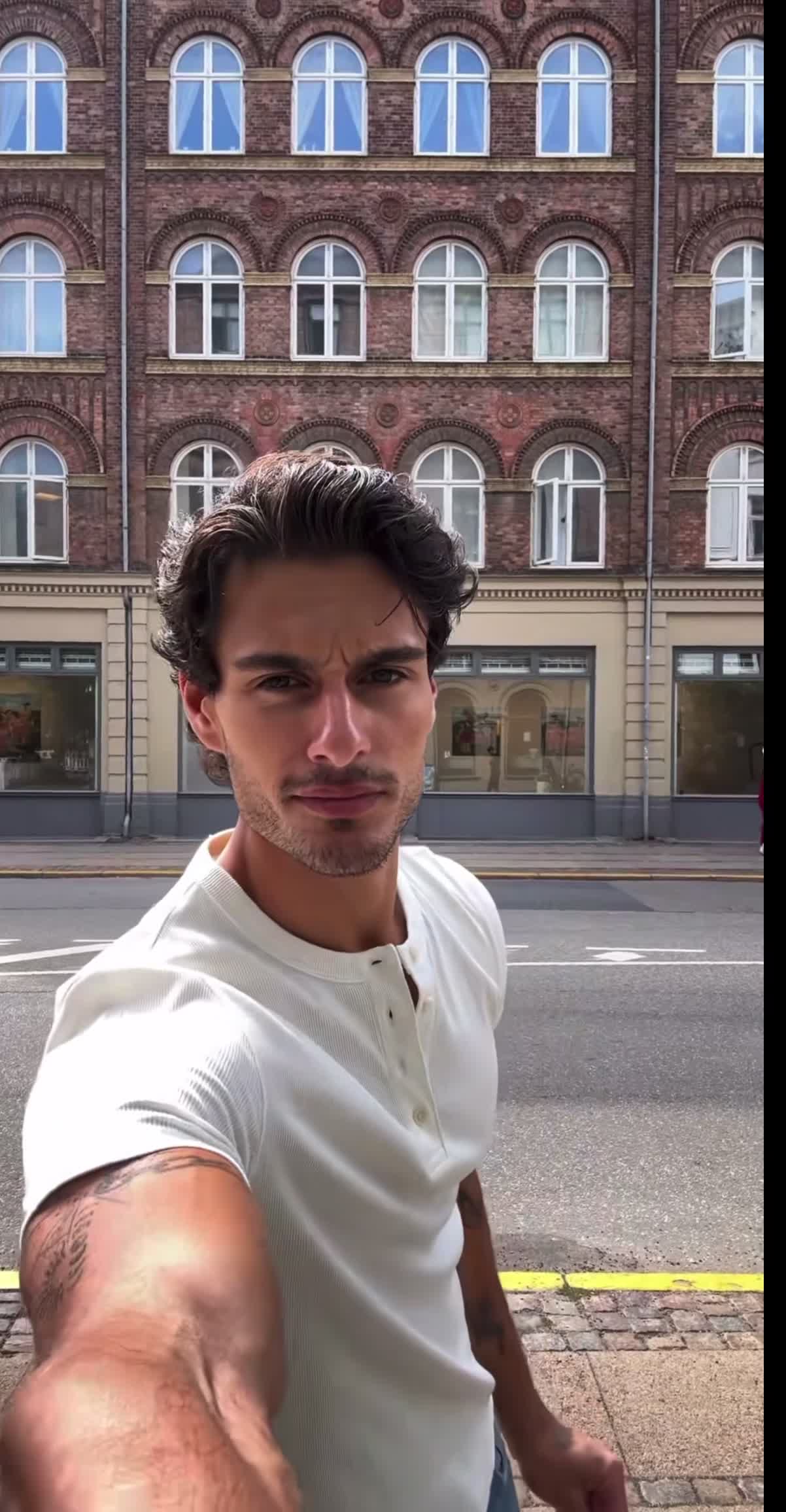
Street Sunglasses AI Video Generator
Street Sunglasses
Upload Your Photo
For the best likeness: one person per photo, face clearly visible from the front, good light, nothing covering the face (phone, sunglasses, hand). Upload the original photo, not a screenshot.
Resolution
Higher resolution uses more credits per generation.
By uploading or generating, you confirm you own these photos or have the person's permission, and you won't impersonate real people or celebrities. Responsible use
Quick answer
To do the Street Sunglasses trend, upload 1 to 4 clear photos of the people you want in it, then press generate. imageat places the people from your photos into the trend's original video, and the video is ready to download when it finishes. One generation costs 180 imageat credits; no prompt writing or editing app is needed.
The finished video places you into a cinematic urban street scene. You take over the role of the male lead, holding the camera in a walking selfie angle against European brick architecture with arched windows. As you move along the sidewalk, you sport dark black sunglasses and perform the exact head turns, expressions, and gestures of the original clip. Your uploaded portrait provides your facial features, while optional reference photos supply your outfit, body shape, and extra facial angles. The source clip controls the urban backdrop, camera movements, lighting, and sound, keeping any other figures in the scene untouched. The final output delivers a vertical video formatted at an aspect ratio of 1202:2312 ready to share.
What is the Street Sunglasses AI Video Generator?
The Street Sunglasses AI Video Generator trend comes from viral street style clips shared across TikTok and Instagram Reels, where creators showcase slick urban looks while strolling past historic storefronts and brick facades. In this trend, a subject walks with handheld camera perspective, wearing dark sunglasses and casual clothing while checking their reflection or engaging the lens. It gives everyday personal photos the polished feel of a European city fashion shoot. On imageat, you can generate your own version in seconds by uploading your portrait into the fixed template clip.
How to Do the Street Sunglasses Trend
Here is how to make your own video on imageat:
- 1Upload a clear front-facing portrait photo to replace the male character in the street scene.
- 2Add up to three optional reference photos showing different facial angles or your preferred outfit.
- 3Select generate to transfer your face and styling into the video.
- 4Download your finished video and post it directly to TikTok or Instagram Reels.
Tips for Best Results
- Use one person per reference image and keep the identity consistent across uploads.
- A clear portrait helps facial likeness; a full-body reference helps clothing and physique.
- Do not upload a location photo: the original street environment is preserved.
- Black sunglasses are part of the template styling and may obscure eye detail.
- Review face alignment, gestures and any other people in the result before sharing.
Street Sunglasses AI Video Generator at a Glance
What to upload
Your portrait — replaces only the male character; Optional: another angle of the same person; Optional: your outfit or full-body reference; Optional: another reference of the same person.
What you get
An AI video that follows the trend's original take, ready to download and post on TikTok, Reels or Shorts.
What it costs
180 imageat credits per video at 720p. The price is shown before you generate, and a failed generation is refunded.
FAQs About Street Sunglasses AI Video Generator
Create this trend with imageat
Go beyond the street sunglasses ai video generator — generate any AI video from text or an image with Veo, Kling, Seedance and more.