Subway Freeze AI Video Generator
Upload your photo and star in a 12-second 1990s subway film: you snap your fingers, the whole carriage freezes, and you walk off with the product. Add your own product photo or use ours.
Example results
Watch video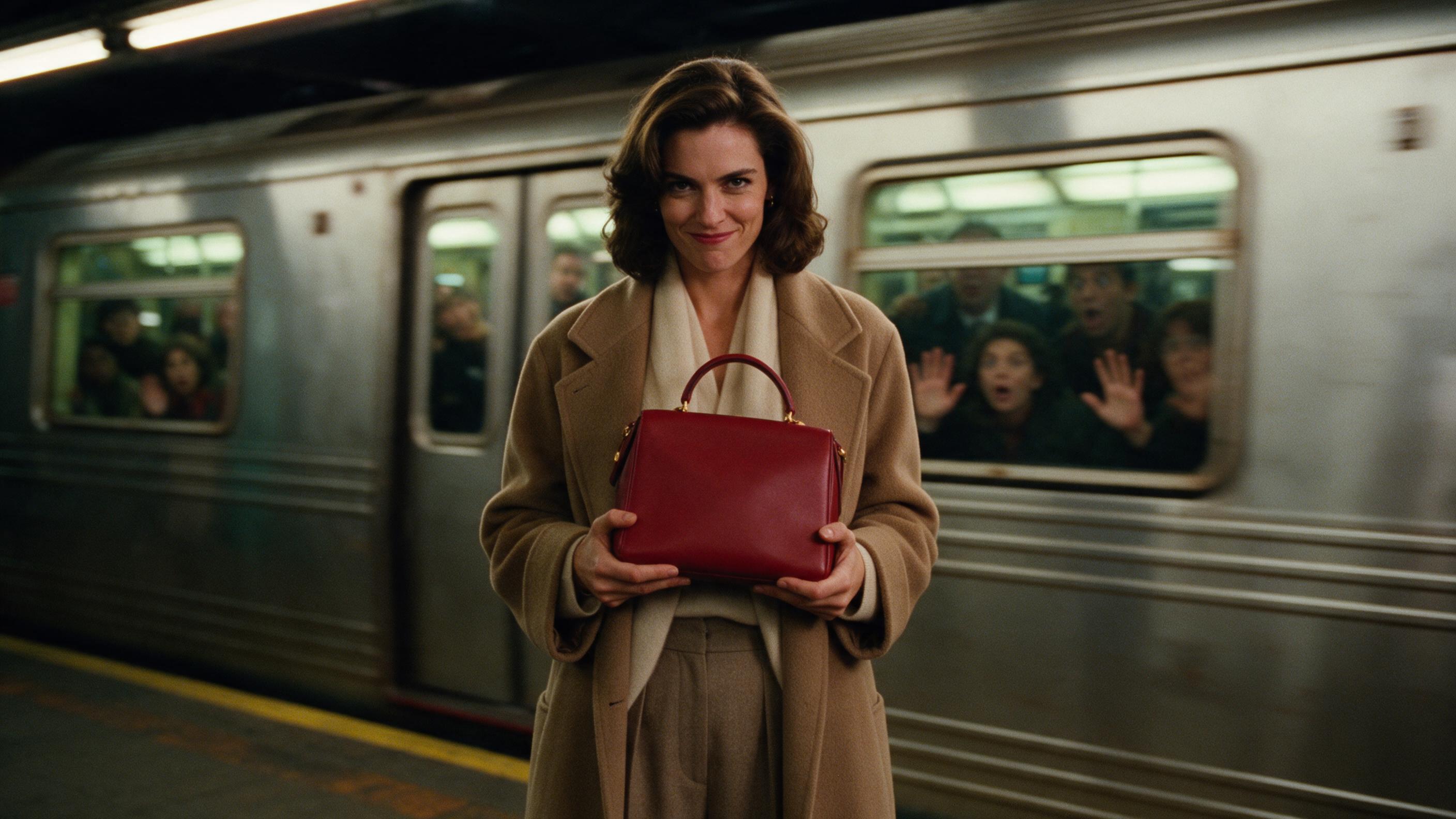
Subway Freeze AI Video Generator
Subway Freeze
Upload Your Photo
For the best likeness: one person per photo, face clearly visible from the front, good light, nothing covering the face (phone, sunglasses, hand). Upload the original photo, not a screenshot.
Resolution
Higher resolution uses more credits per generation.
By uploading or generating, you confirm you own these photos or have the person's permission, and you won't impersonate real people or celebrities. Responsible use
Quick answer
To do the Subway Freeze trend, upload 1 to 2 clear photos, one per person, then press generate. imageat turns your photos into the trend's AI video, and the video is ready to download when it finishes. One generation costs 96 imageat credits; no prompt writing or editing app is needed.
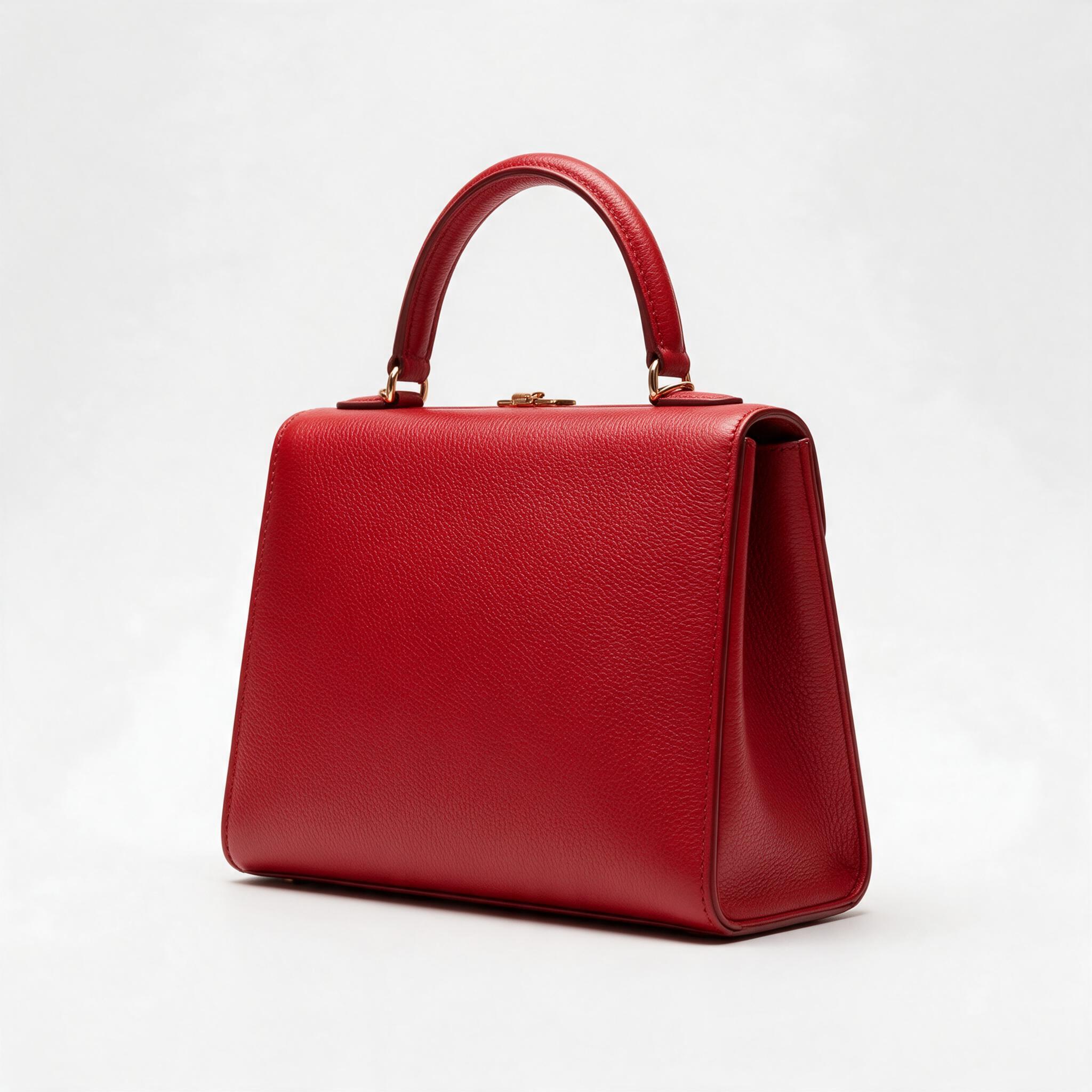
A 12-second cinematic short where you are the lead. You step into a crowded 1990s American subway carriage in editorial high-fashion tailoring, notice a product sitting on a passenger seat, and snap your fingers — and every one of the forty-odd passengers freezes mid-gesture, mid-sentence, mid-step. You walk through the frozen carriage, pick the product up, step out onto the platform, and the doors close behind you. Time restarts, the passengers rush to the glass in disbelief, and you turn to the camera with the product in your hands and a small knowing smirk. Your photo controls identity only: the wardrobe, the carriage, the crowd and the entire 35mm 1990s television-drama film look are built from the prompt, so a plain phone selfie still comes out looking like a luxury house campaign. Leave the second slot empty and our red leather handbag plays the hero object; upload your own product and it takes the role instead, kept physically unchanged from the seat to the final frame.
What is the Subway Freeze AI Video Generator?
The Subway Freeze AI video trend takes cues from vintage high-fashion commercials and 1990s film aesthetics. In these videos, a protagonist walks into a crowded subway car, snaps their fingers, and instantly halts time around dozens of passengers. While everyone else remains frozen mid-gesture, the character calmly picks up a featured product, slips through the subway doors onto the platform, and lets time resume as shocked commuters press against the glass. Creators share these cinematic clips across TikTok, Instagram Reels, and YouTube as luxury-style spec ads and personal hero edits. On imageat, you upload a portrait and an optional product photo to generate your own twelve-second 16:9 subway freeze video.
How to Do the Subway Freeze Trend
Here is how to make your own video on imageat:
- 1Upload a clear photo of yourself — front-facing, face well lit and unobstructed.
- 2Optionally upload your own product as the second photo. Leave it empty to use our default handbag.
- 3Choose 480p or 720p, then generate the 12-second landscape film.
- 4Preview and download the finished video with its natural subway sound and the finger snap.
Tips for Best Results
- Your photo sets identity only — face, hair, build and gender presentation. The outfit is always replaced by the tailored 1990s wardrobe, so what you are wearing in the photo does not matter.
- Shoot your product against a plain, uncluttered background: the model copies its shape, materials, colours and logo, and a busy background gives it more to misread.
- Products with an obvious way to be held — a bag, a bottle, a box, a pair of shoes — read best, because the pickup and the final hero shot both show the grip.
- The wardrobe is locked to muted neutrals on purpose so your product stays the only saturated colour in frame; a colourful product benefits most.
- A sharp, evenly lit, front-facing portrait holds your likeness best across the 12 seconds; sunglasses, heavy shadow and extreme angles cost identity.
- 480p renders faster and costs less; step up to 720p for the sharper final cut.
Best Prompts for Subway Freeze AI Video Generator
Want more control over the motion? Copy one of these prompts and use it in our AI video generator to fine-tune the subway freeze ai video generator style.
Subway Freeze AI Video Generator, smooth controlled camera movement, realistic motion, cinematic lighting, stable composition, natural depth
Subway Freeze AI Video Generator, immediate visual hook, smooth motion, clear centered subject, polished 9:16 social video
Subway Freeze AI Video Generator, gradual movement, atmospheric depth, elegant pacing, wide cinematic reveal
Subway Freeze AI Video Generator, energetic camera movement, strong parallax, dramatic scale, crisp detail
Subway Freeze AI Video Generator at a Glance
What to upload
Upload your photo (face and identity); Optional: upload your product (we use ours if empty).
What you get
An AI video, ready to download and post on TikTok, Reels or Shorts.
What it costs
96 imageat credits per video at 720p. The price is shown before you generate, and a failed generation is refunded.
FAQs About Subway Freeze AI Video Generator
Create this trend with imageat
Go beyond the subway freeze ai video generator — generate any AI video from text or an image with Veo, Kling, Seedance and more.