Training Season AI Rescue Video
Upload one photo and star in the viral Training Season trend: you fall into danger and you pull yourself out. Pick one of eight cinematic rescue scenes, from a frozen lake to a burning corridor.
Example results
Watch video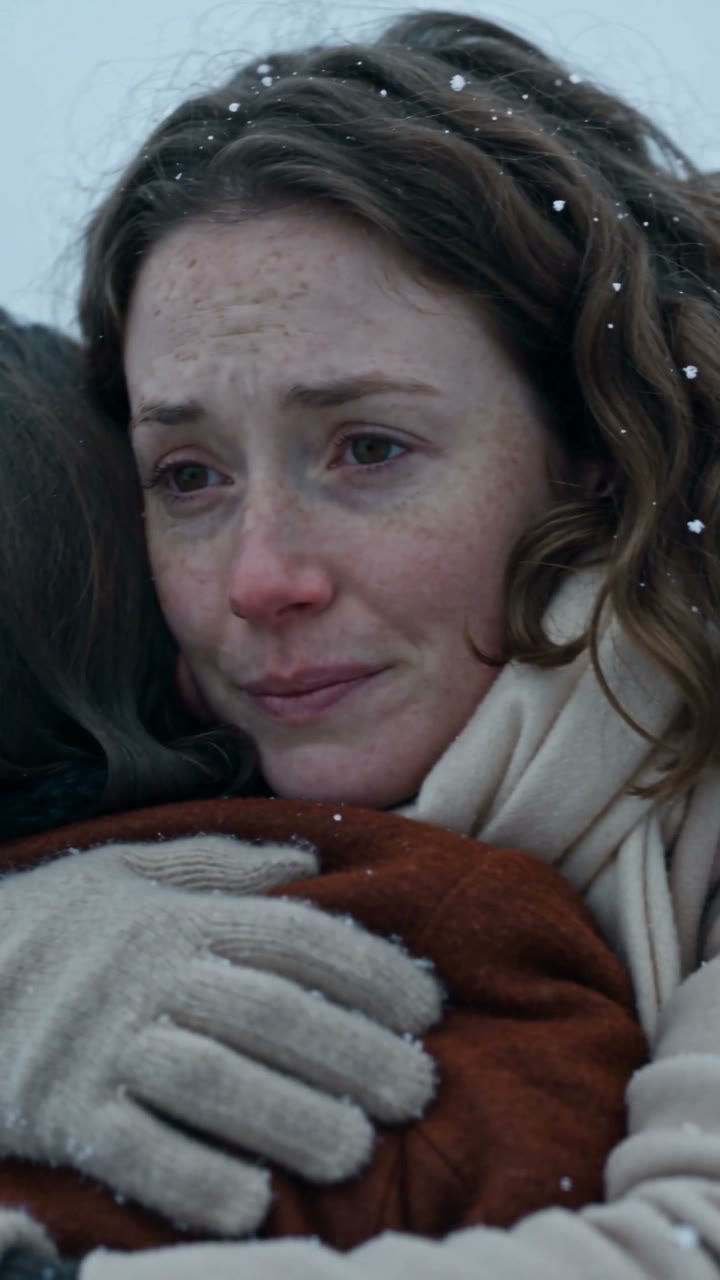
Training Season AI Rescue Video
Training Season AI Rescue Video
Choose your rescue scene
Please select an option to continue
Upload Your Photos
Use one sharp, well-lit photo with your face fully visible. Your face plays both people in the scene: the one in danger and the one who comes to the rescue.
Output
15s · 9:16 · 720p
By uploading or generating, you confirm you own these photos or have the person's permission, and you won't impersonate real people or celebrities. Responsible use
Quick answer
To do the Training Season AI Rescue trend, upload one clear photo where your face is easy to see, then press generate. imageat turns your photo into the trend's AI video, and the video is ready to download when it finishes. One generation costs 70 imageat credits; no prompt writing or editing app is needed.
Training Season is the viral self-rescue trend: one version of you is in trouble, and another version of you reaches down, pulls you out and holds on. This generator turns a single photo into that moment as a 15-second vertical video. Choose from eight cinematic scenes. In Training Season you are hauled up a wave-battered sea cliff; in Frozen Rescue you are dragged out of a hole in the ice; in Desert Rescue a rope lifts you out of a collapsing sand pit. Flooded Subway pulls you off the tracks as the tunnel fills with water, Collapsing Bridge catches you as the planks of a rope bridge give way, Avalanche Rescue digs you out of the snow, Burning Corridor gets you out through the smoke, and Rooftop Rescue grabs your hand at the edge of a skyscraper at night. The scenes are fully directed: the danger, the camera moves, the lighting and the close-up of the two hands meeting are part of the effect, so you do not need to write a prompt. Your photo supplies the face for both characters, which is what makes the clip read as you saving yourself. The finished video is 720p, 9:16, comes with its own cinematic soundtrack and is ready for TikTok, Instagram Reels and YouTube Shorts.
What is the Training Season AI Rescue Video?
The Training Season trend is a short cinematic video in which a person rescues themselves: one version of them is trapped in danger and a second version pulls them to safety, followed by an embrace. With imageat, you upload one photo, pick a rescue scene, and AI renders a 15-second vertical video with your face on both people.
How to Do the Training Season AI Rescue Trend
Here is how to make your own video on imageat:
- 1Upload one clear, front-facing photo of yourself.
- 2Pick a rescue scene: Training Season, Frozen Rescue, Desert Rescue, Flooded Subway, Collapsing Bridge, Avalanche Rescue, Burning Corridor or Rooftop Rescue.
- 3Generate. The AI renders a 15-second 9:16 video in which you save yourself.
- 4Preview it, then download and post it to TikTok, Reels or Shorts.
Eight rescue scenes, one photo
Every scene follows the same story beat, a fall, a reach and a pull to safety, in a different setting: a sea cliff, a frozen lake, a desert sand pit, a flooded subway, a breaking rope bridge, an avalanche, a burning hallway and a skyscraper rooftop. Your one photo works for all eight, so you can make the whole series without uploading again.
You play both roles
The trend only works when the person in danger and the person doing the saving are the same. The model carries your face onto both characters, so the final embrace reads as you holding on to yourself.
No prompt writing
Camera angles, lighting, pacing and the close-up of the two hands are built into each scene. You choose the setting; the effect handles the direction.
Made for vertical video
Each render is 15 seconds at 720p in 9:16, the format TikTok, Instagram Reels and YouTube Shorts expect, so it is ready to post without cropping.
Tips for Best Results
- Use a sharp photo taken in even light, with your whole face visible and no sunglasses.
- A head-and-shoulders photo is enough. Each scene supplies its own clothing and setting.
- Avoid group photos: the model needs a single, clear face.
- Try two or three scenes with the same photo. The cliff, ice and rooftop scenes make a strong series.
- Pair it with a caption about saving yourself, the line the original trend is built on.
Best Prompts for Training Season AI Rescue Video
Want more control over the motion? Copy one of these prompts and use it in our AI video generator to fine-tune the training season ai rescue video style.
Training Season AI Rescue Video, smooth controlled camera movement, realistic motion, cinematic lighting, stable composition, natural depth
Training Season AI Rescue Video, immediate visual hook, smooth motion, clear centered subject, polished 9:16 social video
Training Season AI Rescue Video, gradual movement, atmospheric depth, elegant pacing, wide cinematic reveal
Training Season AI Rescue Video, energetic camera movement, strong parallax, dramatic scale, crisp detail
Training Season AI Rescue Video at a Glance
What to upload
Upload a clear, front-facing photo of yourself.
What you get
An AI video (15s · 9:16 · 720p), ready to download and post on TikTok, Reels or Shorts.
What it costs
70 imageat credits per video. The price is shown before you generate, and a failed generation is refunded.
FAQs About Training Season AI Rescue Video
Create this trend with imageat
Go beyond the training season ai rescue video — generate any AI video from text or an image with Veo, Kling, Seedance and more.