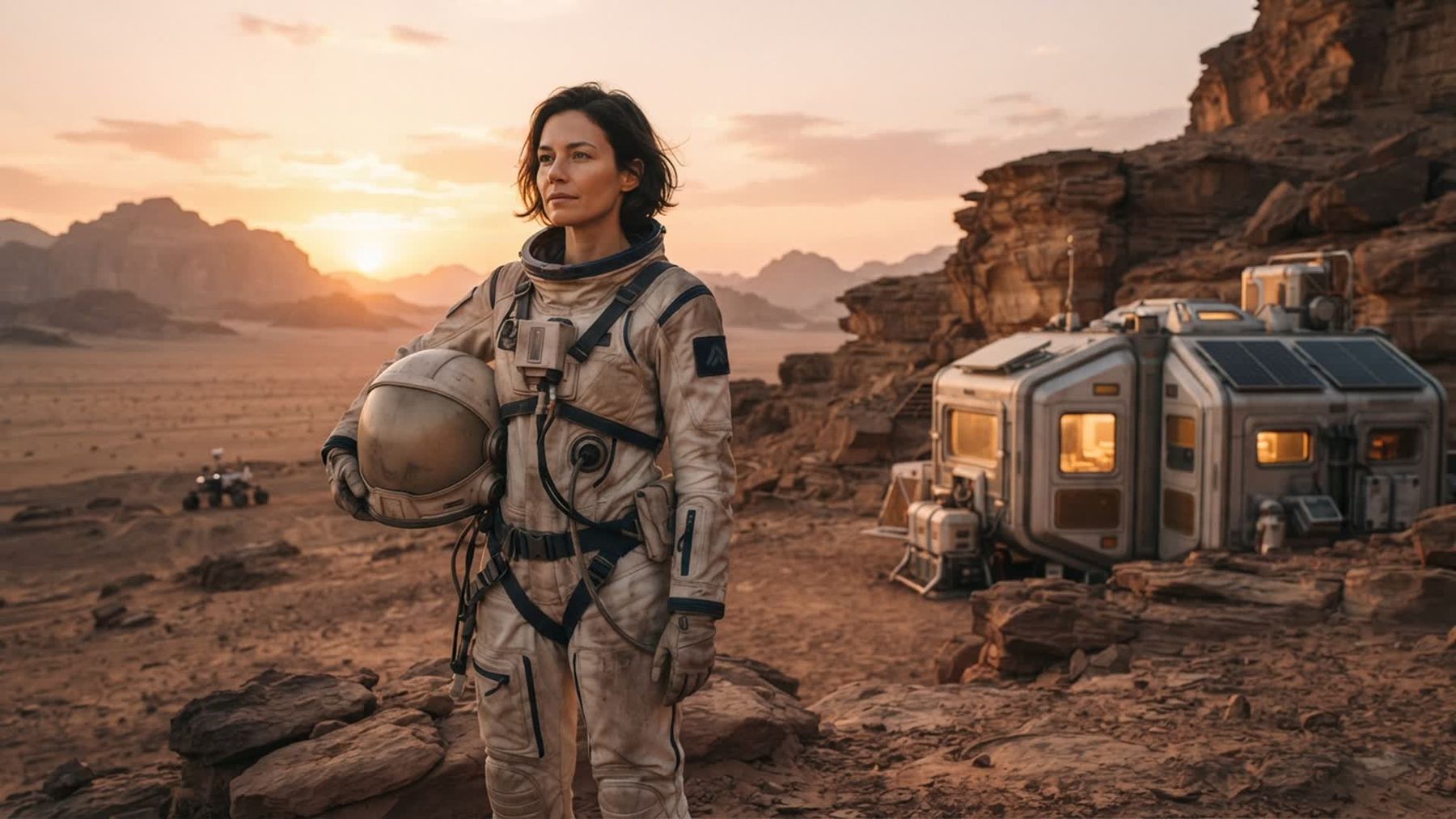
An astronaut photoshoot works best when it tells a small, believable story. Instead of adding every space prop you can find, decide who the explorer is, where they are, and what has just happened. A clear narrative makes the wardrobe, pose, light, and background feel like parts of one world.
If you want to explore the look before building a set, the Life on Mars Photo Generator on imageat turns one clear portrait into an imaginative Mars-colony scene. The current pack uses ready-made directions, so no prompt writing is required. Treat the result as fictional creative content and visual inspiration, not as a real mission image.
This guide offers 10 astronaut photoshoot ideas for adults, practical costume and lighting advice, a simple imageat workflow, and checks that help a space portrait look intentional rather than like a collection of props.
What makes an astronaut portrait believable?
Believability does not require a scientifically perfect set. It comes from consistency. A dusty field explorer should have practical clothing, directional outdoor light, and a pose that suggests work. A clean spacecraft portrait calls for smoother materials, controlled highlights, and a tighter composition. Mixing a spotless fashion suit, muddy boots, neon nightclub light, and a random telescope may confuse the story.
Start with a one-sentence brief:
- A field scientist returns to a Mars habitat at sunset.
- A pilot waits beside an airlock before departure.
- A botanist checks the first greenhouse crop on another world.
That sentence gives you a character, location, action, and mood. Use it to remove details that do not belong.
10 astronaut photoshoot ideas
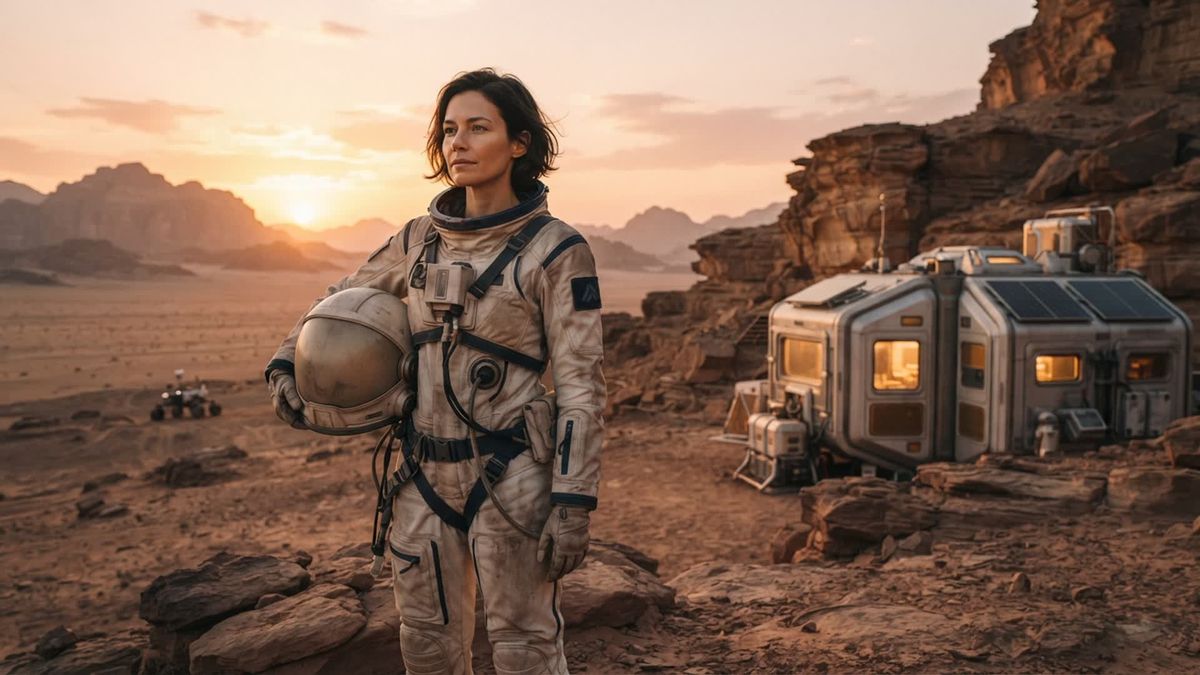
1. Mars field explorer at sunset
Use rust, sand, stone, and faded off-white as the main palette. A practical jumpsuit, work gloves, utility belt, and rounded helmet communicate exploration without copying a real agency uniform. Photograph near layered rock, a quarry-like location where access is permitted, or a textured studio backdrop.
Place warm light low and behind the subject to create long shadows. Ask the model to carry the helmet under one arm and look toward a distant point, as if locating the habitat after a long survey.
Prompt starter: “original Mars field explorer beside a compact research habitat at warm sunset…” Complete it with the suit color, terrain, camera distance, weather, and emotional tone you want.
2. Quiet spacecraft window portrait
Build a reflective, intimate image rather than an action scene. Frame the subject from the chest up beside a circular or rectangular window shape. A dark background, one cool edge light, and a large soft source on the face can suggest a spacecraft interior.
The subject might watch a distant planet, rest after a shift, or prepare to send a message home. Keep screens blank or abstract. Fake readable interface text quickly makes an otherwise polished image look artificial.
3. Space botanist in a greenhouse
This concept combines a human face with recognizable work. Use trays of edible herbs, seedling lights, clear containers, gloves, and a simple field notebook with blank pages. Choose clean white, plant green, and one warm accent.
Pose the subject inspecting a leaf, carrying a tray, or adjusting a light. Keep electrical equipment away from water, use stable shelving, and confirm that any plants or growing materials are safe to handle.
4. Lunar geology sample portrait
Create a monochrome gray environment with one collected “sample” as the focal point. Use clean stones from a legal source, lightweight foam props, or painted paper texture rather than removing material from a protected landscape.
Side light reveals the surface of the suit and rocks. A kneeling pose can work, but give the subject a clean pad and avoid unstable ground. Make the sample container transparent and unbranded so the scene remains original.
5. Airlock departure scene
Use a strong doorway, corridor, or circular set piece as an implied airlock. Place the subject just inside the threshold with the helmet held at waist height. A cool light from the “ship” and a warmer light outside can separate the two spaces.
Direct the model to pause rather than march. Checking a glove seal, listening for a signal, or looking back over one shoulder creates more story than standing squarely in the doorway.
6. Retro-future mission portrait
Borrow broad design ideas from mid-century photography without reproducing a specific film, logo, or historical uniform. Try cream fabric, muted orange, brushed metal, simple geometric panels, and direct but soft studio light.
Keep the styling disciplined: one unusual collar, one helmet shape, and one control prop are enough. A centered pose and restrained expression give the image the formal quality of an imagined mission portrait.
7. Emergency repair outside the habitat
This is a good concept for movement and focused hands. Give the subject a safe, lightweight tool and an obvious task such as reconnecting a large hose or checking an exterior panel. Secure every prop so nothing sharp or heavy can fall.
Use harder side light and a small amount of controlled dust or haze only where ventilation allows. The subject should look at the repair, not the camera. Photograph a wide establishing frame, a medium working frame, and a close detail of gloves and tools.
8. First night in the Mars habitat
Not every astronaut portrait needs an exterior landscape. Create a compact living space with a bunk, warm practical lamp, storage net, metal cup, and folded clothing. The character has finished work and is recording private notes.
A seated pose and warm light make the scene feel human. Avoid filling the background with meaningless screens. A few ordinary objects tell the story more effectively than a wall of glowing controls.
9. Storm approaching the outpost
Build tension with wind in loose fabric, a darkening background, and one bright rim light. Keep the face readable while letting the environment become more dramatic. A scarf, cable, or outer layer can move, but it should be short and controlled so it cannot strike the subject.
For a studio version, use projected cloud texture or a painted backdrop. Never work outdoors during dangerous weather to get the effect. Composite skies and restrained editing are safer than chasing a real storm.
10. Return-to-Earth debrief portrait
Show the explorer after the imagined mission rather than during it. Use a plain studio wall, soft frontal light, and a worn but original field suit. Dust, creases, and small repairs can suggest experience, but keep the face clean enough to remain the emotional center.
Ask for direct eye contact and a relaxed posture. The contrast between an extraordinary story and a simple portrait setup can make this one of the strongest images in the series.
Plan the shoot from story to shot list
Choose three visual anchors
Select one wardrobe feature, one environment feature, and one lighting feature. For a Mars explorer, those might be an off-white field suit, layered red rock, and low warm backlight. These anchors keep the concept coherent when new prop ideas appear.
Limit the color palette
Choose two dominant colors and one accent. Rust and cream with dark blue, or gray and black with amber, are easy to control. Repeating the accent in several small places can connect the set without making it look decorated.
Build a five-frame shot list
Plan these before the session:
- A wide frame that establishes the environment.
- A waist-up portrait that shows the suit and face.
- A close portrait with clear eyes.
- A hands-and-prop detail.
- A movement frame tied to the character’s task.
This gives you useful variety without inventing a new concept for every image.
Make the set safe
Check permits, access, footing, temperature, visibility, and emergency routes. Helmet props can reduce vision and trap heat, so use them only for short periods and keep a spotter nearby. Avoid sealed homemade helmets, sharp costume hardware, unstable rocks, smoke in unventilated rooms, and heavy equipment suspended over the subject.
Costume and prop tips
Design an original suit silhouette
Start with coveralls, a structured jacket, or separate workwear layers. Add a few practical-looking details such as wide closures, reinforced knees, soft hose channels, and a removable chest pack. Do not add real agency insignia or reproduce a famous screen costume.
A limited number of believable components is stronger than dozens of unexplained tubes. Ask what each object would do in the story. If there is no answer, remove it.
Make the helmet support the portrait
A helmet can hide the face and create difficult reflections. For the main portrait, carry it under one arm, place it beside the subject, or lift the visor. If the helmet is worn, light the face through the opening and check for reflections of the crew, room, or camera.
Weather props instead of the face
Dust and wear look convincing on boots, knees, glove edges, and equipment. Heavy dirt on the face can obscure identity and create continuity problems. Use cosmetic products intended for skin, patch-test them, and keep powder away from eyes and lungs.
How to create a Mars portrait with imageat
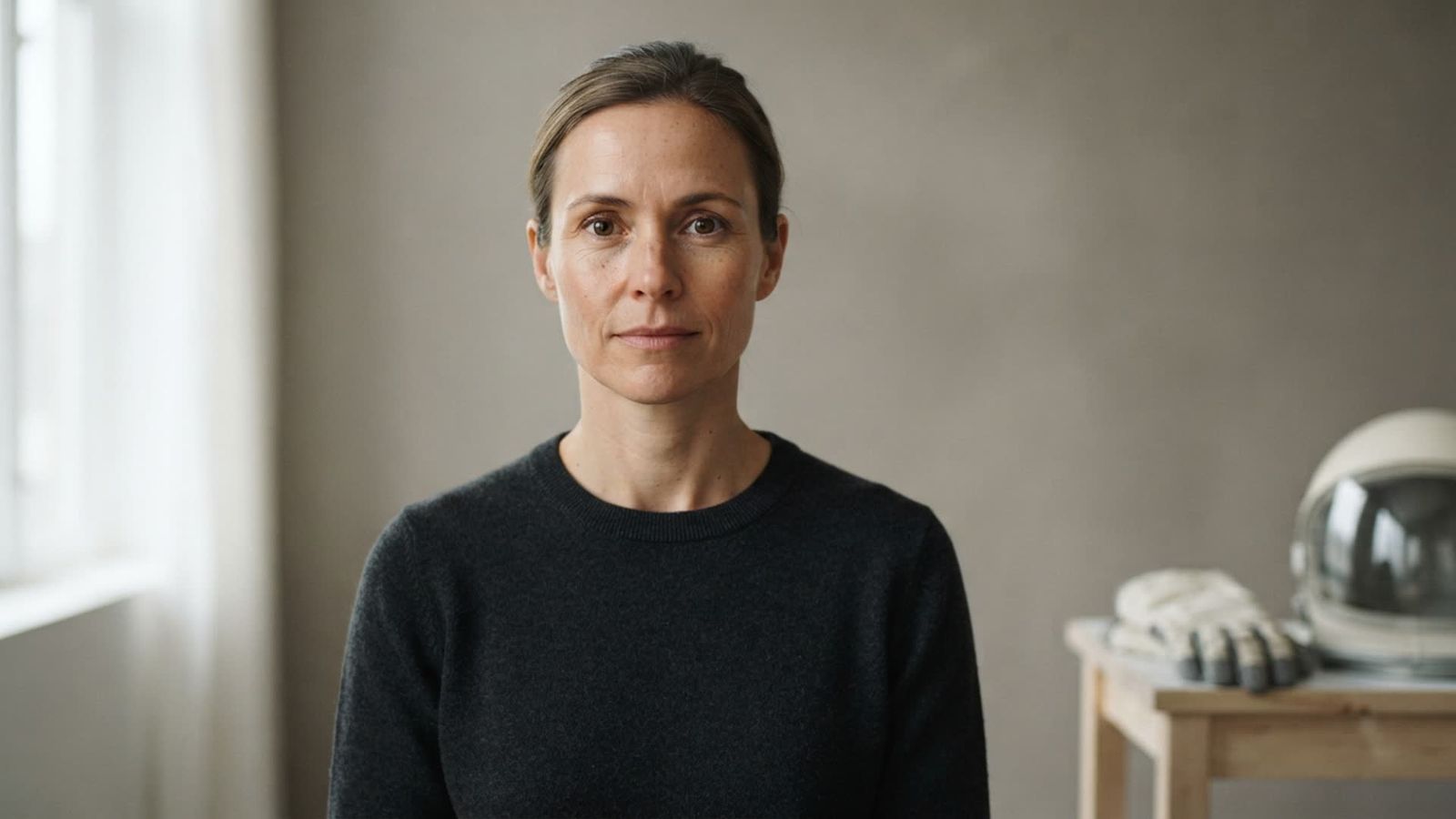
1. Take a clear source portrait
Use one sharp, front-facing or slightly turned image. Keep the eyes visible, hair away from important facial features, and shoulders in frame. Soft window light or open shade is more useful than strong colored light.
If the face is too dark, make a restrained correction with the relight tool. Avoid aggressive beauty filtering or face reshaping because recognizable features are the useful reference information.
2. Upload a supported file
The current Life on Mars Photo Generator asks for one clear portrait and accepts JPG, PNG, or WebP. Use the original file when possible instead of a compressed screenshot. Only upload an image you own or have permission to use.
3. Choose a ready-made direction
The live page currently lists Clean studio, Editorial street, and Cinematic setting. Clean studio is described as natural with flattering light. Editorial street is a more polished variation with greater visual impact. Cinematic setting is a candid lifestyle direction.
No prompt is required in this pack. The short prompt starters in this article are for planning custom concepts elsewhere; finish the creative details yourself rather than treating them as fixed formulas.
4. Generate and inspect the complete image
At publication time, the page displays 6 credits per generation and describes a vertical 4:5 result. Check the current interface before generating because product details can change. Review the eyes, hands, helmet rim, suit closures, cables, shadows, and habitat—not only the overall atmosphere.
The page says uploads are used to create the requested result and are not automatically published to the community gallery. Keep consent and privacy in mind whenever a portrait includes another person.
5. Refine only what needs work
For a small distracting area, use the AI photo editor rather than rebuilding the entire picture. If you need a larger final file, select the strongest version first and then try the image upscaler.
For a different portrait treatment, compare options with the AI portrait generator. Generated images are creative visualizations, not documentary records of spaceflight.
Common astronaut photoshoot mistakes
Copying a recognizable mission or character
Real insignia and famous costume designs create instant recognition, but they reduce originality and may raise intellectual-property or misleading-context concerns. Build a new explorer through job, environment, palette, and materials.
Hiding the face in every frame
A closed visor can be dramatic, but a portrait series needs emotional connection. Capture at least one frame with a clearly visible face and eyes.
Adding meaningless controls and text
Random letters, impossible gauges, and glowing interface clutter pull attention away from the person. Use blank shapes, simple light panels, and a few physically understandable controls.
Ignoring gravity and dust
Floating objects, hair, fabric, and dust should behave consistently with the story. If the subject stands normally in a Mars habitat, do not add zero-gravity props without explanation. Keep dust direction consistent with wind and light.
Presenting fiction as a real event
Label imaginative images honestly when context could confuse viewers. Do not use a generated astronaut portrait as evidence of employment, certification, a real mission, or a real scientific event.
Astronaut photoshoot checklist
- One-sentence character and scene brief
- Original suit without real insignia or franchise details
- Two dominant colors and one accent
- Safe helmet with breaks and a spotter
- Lightweight, secured props
- Wide, medium, close, detail, and movement frames
- Clear source portrait for digital concept tests
- Consistent light direction and reflections
- Final inspection of face, hands, suit edges, cables, and text
- Honest labeling when a fictional image could be misunderstood
Frequently asked questions
What should I wear for an astronaut photoshoot?
Use simple coveralls, structured workwear, or an original field suit in a controlled palette. Add a few functional-looking details, comfortable boots, and lightweight gloves. Avoid real agency logos and direct copies of recognizable movie costumes.
Can I make an astronaut portrait from a selfie?
Yes. A sharp, evenly lit selfie can work if the face is not distorted by an extreme wide-angle view. A chest-up portrait taken slightly farther from the camera usually preserves proportions better. Keep the eyes visible and avoid heavy filters.
Do I need a full space helmet?
No. Carrying a helmet, placing it on a table, or using only gloves and a structured collar can communicate the concept while keeping the face visible. If a helmet is worn, monitor heat, visibility, breathing, and reflections.
Do I need to write a prompt for the Life on Mars Photo Generator?
No. The current imageat pack provides three ready-made directions: Clean studio, Editorial street, and Cinematic setting. You choose a direction rather than writing a prompt.
What format does the pack create?
The current feature page describes a polished vertical 4:5 image. That ratio suits portraits and social posts. Plan a separate landscape composition for banners instead of stretching the vertical result.
How can I make an AI astronaut portrait still look like me?
Start with a clear face, soft even light, visible eyes, and minimal obstruction. Avoid heavy source filters. If identity is weak, improve the reference portrait before repeating generations.
Are generated Mars portraits real space photographs?
No. They are fictional creative images. Do not describe them as evidence of a real mission, location, scientific result, or professional credential.
Create an original space portrait
A strong astronaut photoshoot does not depend on an enormous set. Give the explorer a job, choose one location, motivate the light, and let a few practical details support the story. You can browse more ready-made concepts in imageat photo packs, or try the Life on Mars Photo Generator to explore a fictional Mars portrait from one clear photo.